Introduction
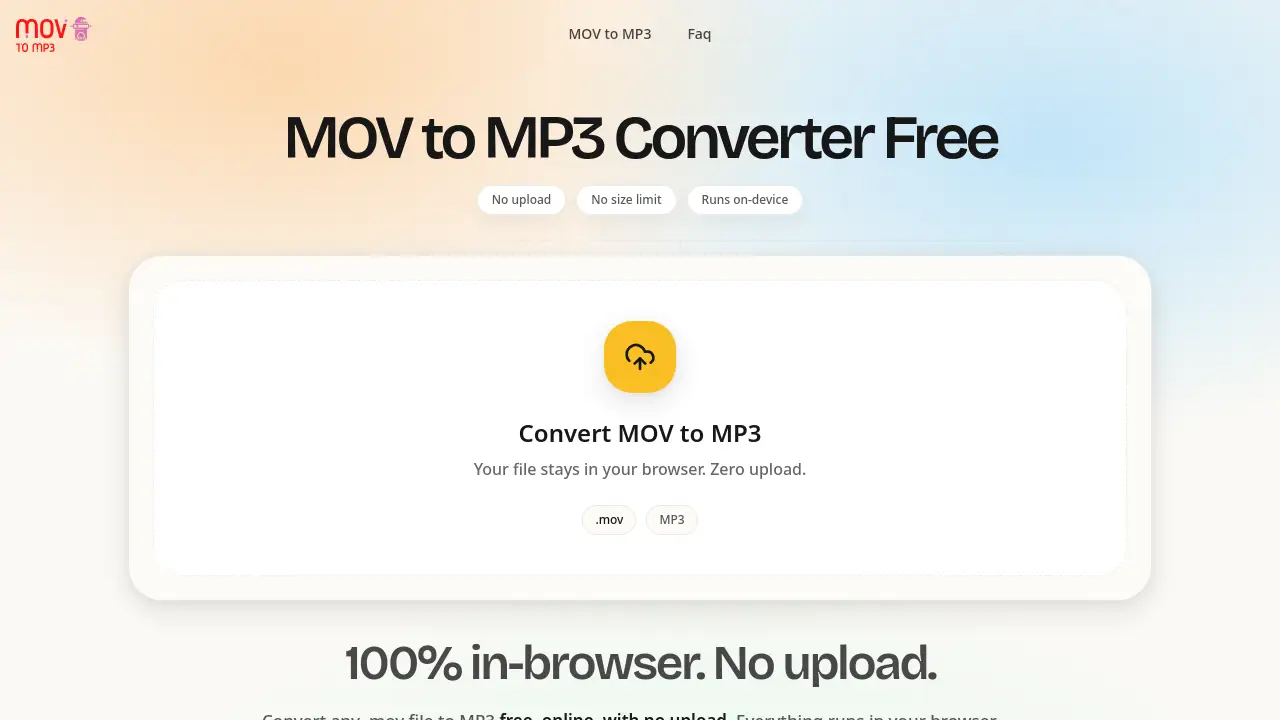
MOV to MP3 is a free online converter that extracts audio from .mov files directly inside a web browser, without uploading anything. It targets a simple problem: turning large QuickTime videos into portable MP3 audio, with no sign-up, no size cap, and no server involved.
What is MOV to MP3?
MOV to MP3 is a browser-based conversion tool for Apple's QuickTime (.mov) video format. It pulls the audio track out of a .mov file and saves it as a standard MP3, so the result plays on virtually any phone, car stereo, DAW, or podcast host.
The key difference from most online converters is where the work happens. Traditional services ask you to upload the video, wait in a queue, then download the finished file. MOV to MP3 uses a WebAssembly audio engine that runs locally, so the file stays in your device's memory from start to finish. That design removes the usual friction: no 200 MB or 1 GB upload caps, no waiting on a slow connection, and no copy of a private recording sitting on someone else's server.
Anyone who needs to convert MOV to MP3 — iPhone owners with screen recordings, podcasters pulling audio from video interviews, students with recorded lectures — can use it in a modern browser on Mac, Windows, iPhone, iPad, or Android.
Key Features of MOV to MP3
100% In-Browser Conversion, No Upload
Drop a .mov file and the audio engine processes it locally. Nothing is transmitted, which means no account, no queue, and no server-side copy of your recording.
No File Size Limit
There is no arbitrary cap on the file you can convert MOV to MP3 from. The practical ceiling is your device's available memory, so desktop browsers generally handle multi-gigabyte .mov files while phones comfortably manage a few hundred megabytes.
Flexible MP3 Bitrate Selection
Choose 128 kbps for voice, 192 kbps as the default for everyday audio, or 320 kbps for archival quality. Every bitrate is available without a paywall or quality restriction.
No Installation or Account
The tool opens in a browser tab and works immediately. There is no desktop app, no app-store download, and no setup step before you can extract audio from a .mov file.
Verifiable Privacy
Users can check the claim themselves: open DevTools, switch to the Network tab, and run a conversion. No outbound request carries the file's bytes, so the no-upload promise is testable rather than a marketing line.
Works Offline After First Load
Once the audio engine is cached, later conversions keep working without an internet connection, which is useful on flights or unreliable networks.
Cross-Platform Support
The converter works in Chrome 90+, Safari 15.2+, Firefox 89+, and Edge 90+, covering phones, tablets, and desktop computers.
Use Cases for MOV to MP3
iPhone Screen Recordings
iOS saves screen captures as .mov by default. A quick drag-and-drop turn a recording into an MP3 without an iCloud round trip or a QuickTime export step.
Zoom and Google Meet Recordings
Meeting files often contain sensitive discussion. Local extraction of the audio track avoids uploading the full video to an unverified third-party server.
Lecture Recordings for Commute Listening
A 90-minute lecture can easily exceed 2 GB, which many upload-based converters reject. A browser-side tool handles the file without waiting on a slow upload.
Podcast Editing from Video Interviews
Stripping audio from recorded Zoom or in-person interviews produces an MP3 that drops straight into a DAW, while the source video stays on the editor's machine.
QuickTime and Desktop Screen Captures
Mac-native screen recordings and QuickTime exports convert the same way, making the tool a fast alternative to opening a full video editor just to export audio.
How to Use MOV to MP3
- Open the page at movtomp3.net in a modern browser.
- Add your file by dragging and dropping the .mov video, clicking to browse, or pasting with Cmd+V. The file loads into browser memory, not a server.
- Choose a bitrate — 128 kbps for voice, 192 kbps for general use, or 320 kbps for high-quality archiving.
- Start the conversion and wait for local processing to finish; most files complete in seconds per hundred megabytes.
- Download the MP3 straight from the page. No email, watermark, or sign-up step is involved.
Target Audience for MOV to MP3
- iPhone and iPad users with screen recordings or camera clips
- Podcasters and audio editors extracting audio from video interviews
- Students and professionals converting lecture or meeting recordings
- Journalists and researchers handling sensitive recorded material
- Remote workers who need audio from Zoom, Meet, or Teams captures
- Anyone who wants a free MOV to MP3 converter without installing software
Is MOV to MP3 Free?
Yes. The core converter is free and unlimited, with no file size cap, no watermark, and no quality restriction. Optional AI add-ons such as transcription, noise removal, and vocal isolation are separate features layered on top of the converter.
| Plan | Price | Features |
|---|---|---|
| Free | $0 | Unlimited MOV to MP3 conversions, all bitrates (128/192/320 kbps), no sign-up, no watermark |
| Optional AI add-ons | Not listed on the homepage | Transcription, noise removal, vocal isolation |
Because pricing for the add-ons is not published in the available product information, users should check the official site for current details.
MOV to MP3's Pros and Cons
| Aspect | Pros | Cons |
|---|---|---|
| Pricing | Free core conversion with every bitrate unlocked | AI extras are separate and not clearly priced |
| Privacy | File never leaves the device; verifiable in DevTools | Requires trusting that the page code itself is clean |
| Speed | Conversion starts instantly with no upload wait | Speed depends on device CPU and available memory |
| File limits | No cap beyond device RAM | Very large files may exceed memory on phones |
| Setup | No install, no account, works offline after first load | Needs a modern browser with WebAssembly support |
Frequently Asked Questions about MOV to MP3
Is this MOV to MP3 converter really free?
Yes. The converter is free and unlimited for standard audio extraction. There is no file size cap, no sign-up requirement, no watermark, and no quality restriction on the MP3 you download.
Will my .mov file be uploaded to a server?
No. The conversion runs through a WebAssembly audio engine inside the browser, so the file stays in memory on your device. Anyone can confirm this by opening DevTools, switching to the Network tab, and running a conversion.
What is the maximum file size?
There is no fixed limit. The real ceiling is your device's available memory: modern desktops with 8 GB or more RAM typically manage multi-gigabyte .mov files, while mobile browsers handle files in the few-hundred-megabyte range more comfortably.
Do I need to install software to convert MOV to MP3?
No installation is needed. Open the page in a supported browser, load the .mov file, select a bitrate, and download the MP3. No desktop app, app-store package, or update cycle is involved.
Can it convert .mov files encoded with H.265 or HEVC?
Yes. Both H.264 and H.265 (HEVC) .mov files are supported. Since the video track is discarded during extraction, the video codec does not affect the quality of the output MP3.
Does the output MP3 have a watermark or time limit?
No. The downloaded MP3 is full length with no audio watermark, no branding tag, and no duration restriction — it matches what a standard desktop audio tool would produce.
MOV to MP3 Tags
MOV to MP3, MOV to MP3 converter, convert MOV to MP3, free MOV to MP3, MOV to MP3 online, browser-based MOV converter, extract audio from MOV, no upload video converter, MOV to MP3 without sign-up, iPhone MOV to MP3, MP3 bitrate 320 kbps, offline MOV to MP3