Introduction
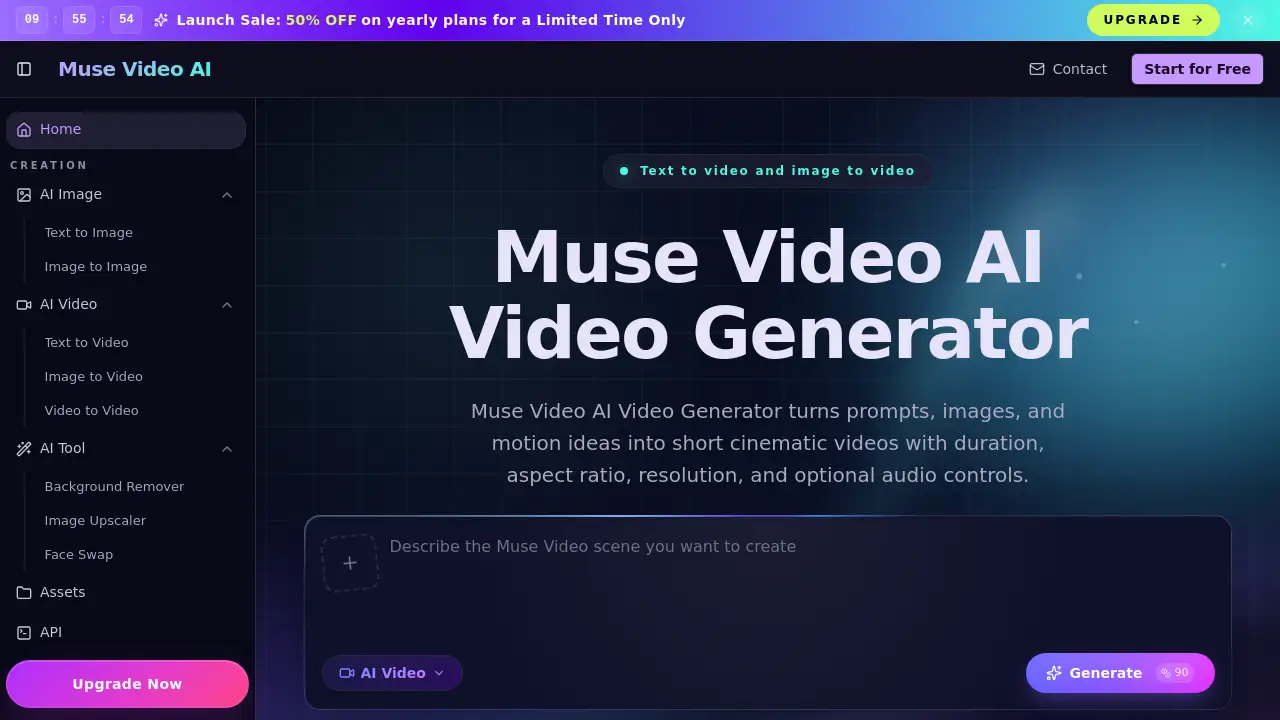
Muse Video is an AI video generator that turns text prompts or images into short, cinematic clips. This Muse Video AI Video Generator browser tool offers practical controls for duration, aspect ratio, and resolution, making it a simple solution for creators, marketers, and ecommerce teams who need fast motion drafts without complex editing software.
What is Muse Video?
Muse Video is a web‑based AI video generator designed to create short clips from written descriptions or reference images. It solves the problem of producing video content quickly for ads, social media hooks, product demos, and storyboard tests. The tool does not require video editing skills – users type a prompt or upload an image, choose settings, and generate a moving result. It is suitable for marketers, social creators, ecommerce professionals, and agencies who want to test video ideas before committing to full production. By providing consistent controls (duration, aspect ratio, resolution) and optional audio on supported models, Muse Video AI Video Generator helps teams iterate on visual concepts efficiently. It matters because it lowers the barrier to creating short‑form video, a format that dominates modern digital marketing and social media.
Key Features of Muse Video
Prompt‑to‑Video Scene Generation
Users write a short description of the subject, action, camera movement, mood, and style. The text‑to‑video engine then produces a clip with user‑selected duration, aspect ratio, and resolution – ideal for ad variations and social hooks.
Image‑to‑Video Animation
Upload a reference image – a product shot, portrait, or concept frame – and the generator animates it with controlled motion. This image‑to‑video feature allows ecommerce teams to bring still products to life without reshoots.
Optional Audio Support
Some video presets expose an audio option, so teams can test short videos with sound. Models that do not support audio are clearly labeled, avoiding confusion during selection.
Multi‑Model Routing
The platform includes several generator workflows – text‑to‑video, image‑to‑video, and motion‑control presets – each routed through configured providers. This gives users flexibility to experiment with different video draft styles and speeds.
Practical Control Sliders
Duration, aspect ratio, and resolution adjustments are available for every generation. These video draft controls make it easy to match platform requirements (e.g., vertical for TikTok, 16:9 for YouTube).
Use Cases for Muse Video
Marketing Video Variants
Marketers can turn campaign prompts into multiple short video angles for paid social, landing pages, launch teasers, and A/B tests. The AI video generator speeds up creative iteration.
Product Image Animation
Ecommerce teams upload product stills and use the image‑to‑video workflow to add camera motion, atmosphere, and context – useful for PDP tests without reshooting every SKU.
Creator Shorts and Social Hooks
Social creators draft vertical clips, thumbnails‑in‑motion, and scroll‑stopping hooks from a single prompt. The text‑to‑video flow is simple enough for daily content tests.
Storyboard Previsualization
Creative directors and video editors use Muse Video AI Video Generator to compare camera direction, mood, and pacing before full production begins. This speeds up creative approval.
Pitch and Demo Clips
Startup founders and agency producers generate moving demos from static screenshots or product shots, giving clients something to react to early in the approval process.
How to Use Muse Video
- Describe the video – Write a prompt that includes subject, action, camera movement, setting, mood, and style. If you have a reference image, upload it for image‑to‑video animation.
- Choose video settings – Select the generator workflow, duration, aspect ratio, resolution, and optional audio (if supported by the preset).
- Generate and download – Click the Generate button, review the result, and download the finished clip for social ads, product pages, or creative review.
The entire process happens in the browser – no software installation required.
Target Audience for Muse Video
- Marketers needing quick ad variations for paid social and landing pages.
- Ecommerce teams wanting to animate product images without reshoots.
- Social creators producing vertical shorts, hooks, and scroll‑ready ideas.
- Creative directors who storyboard motion concepts and test camera directions.
- Video editors looking for previsualization tools before refining footage.
- Startup founders and agency producers creating pitch demos and motion mockups.
- Content strategists and brand designers experimenting with short video formats.
Is Muse Video Free?
As of the reference information, Muse Video does not publicly list a pricing plan. The homepage offers a “Start Creating” call‑to‑action, suggesting that users can try generating clips without immediate payment. Pricing tiers (if any) are not detailed on the site. Users should visit the official Muse Video website or sign up to check current availability.
| Plan | Price | Features |
|---|---|---|
| Not stated | ? | Prompt‑to‑video, image‑to‑video, duration/aspect ratio/resolution controls, optional audio on supported models |
Note: The website may introduce a free tier or trial. Check muse‑video.com for updates.
Muse Video's Pros and Cons
| Aspect | Pros | Cons |
|---|---|---|
| Ease of Use | Browser‑based, no software install; simple 3‑step workflow | Some users may need a few tries to write effective prompts |
| Feature Set | Supports text‑to‑video and image‑to‑video; adjustable duration, aspect ratio, resolution | Optional audio only on certain presets; not all models have audio |
| Use Cases | Suitable for ads, social hooks, product demos, storyboards | Output length is limited to short clips (no long‑form video) |
| Pricing | Apparently free to start (trial likely) | No clear pricing details on the site |
| Unique Value | Multi‑model routing for different styles; practical controls | Not an official Meta product – may cause confusion for some users |
Frequently Asked Questions about Muse Video
What is Muse Video AI Video Generator?
Muse Video AI Video Generator is a browser‑based AI video generator that creates short clips from text prompts or reference images. It offers controls for duration, aspect ratio, resolution, and optional audio on supported presets.
Is Muse Video associated with Meta or Instagram?
No. Muse Video is an independent generator site. Meta has announced Muse Image and previewed Muse Video, but this website is not affiliated with or an official release from Meta, Instagram, or any Meta product.
What types of videos can I create with Muse Video?
You can create product ads, cinematic scenes, social hook clips, image animations, nature atmospheres, style‑matched motion studies, and other short‑form video drafts. The generator supports both text‑to‑video and image‑to‑video workflows.
Can I use my own images to generate video?
Yes. The image‑to‑video feature lets you upload a reference image – such as a product shot, portrait, poster, or concept frame – and animate it into a short motion result.
Does Muse Video support audio?
Some video presets include optional audio, and others do not. The homepage clearly indicates that audio is available only when the selected model route supports it. No‑audio models are labeled.
How is Muse Video different from other AI video generators?
Muse Video focuses on short clips with practical controls (duration, aspect ratio, resolution) and offers multi‑model routing for different styles. It combines prompt direction, image animation, and adjustable settings in a single browser tool.
Muse Video Tags
AI video generator, Muse Video AI Video Generator, text‑to‑video, image‑to‑video, short video creator, video draft tool, cinematic clip maker, product video generator, social media video tool, motion control, prompt‑to‑video, video storyboard