Introduction
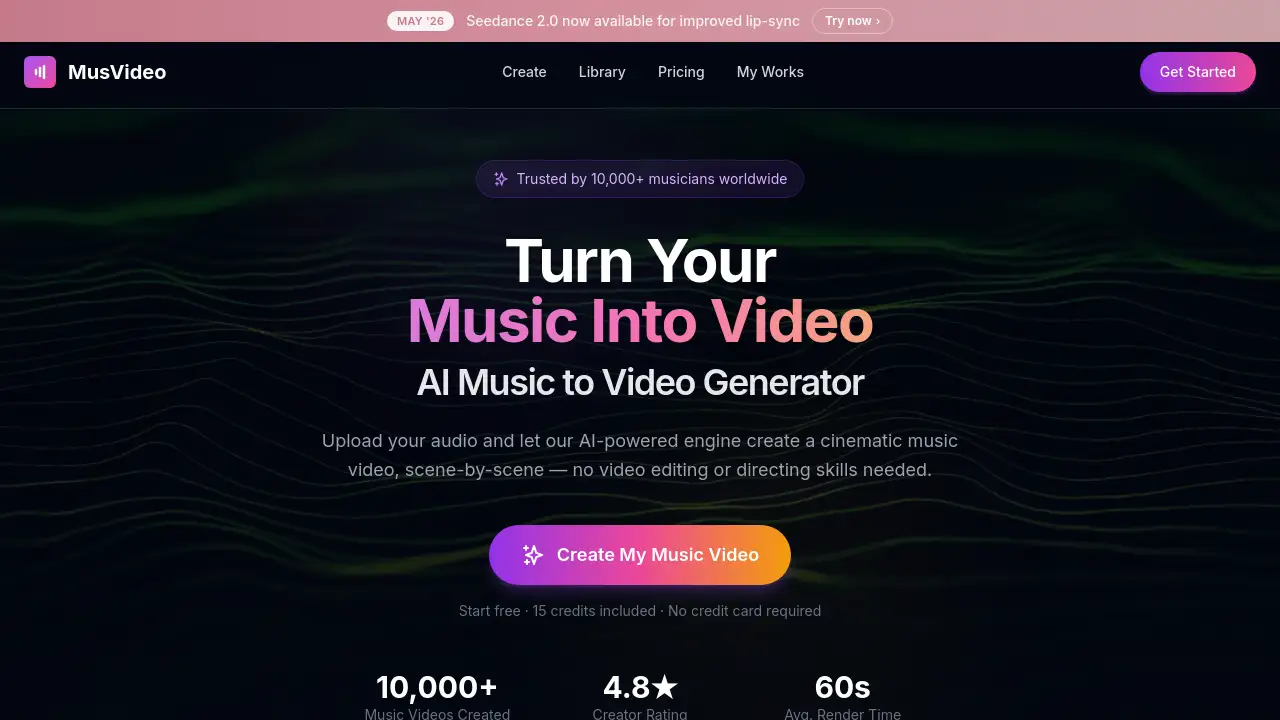
MusVideo is an AI-powered music to video generator that transforms audio tracks into cinematic music videos quickly and easily.
What is MusVideo?
MusVideo is an online AI music video generator designed to simplify the video creation process for musicians and content creators. It solves the common problem of needing expensive equipment, editing skills, or a film crew to produce professional-looking music videos. By uploading an audio file, users can leverage artificial intelligence to automatically generate a scene-by-scene visual storyboard that syncs to the music's tempo, mood, and energy. This tool is suitable for anyone looking to create shareable music video content for platforms like YouTube, TikTok, and Instagram without the traditional time and cost barriers. It matters because it democratizes video production, allowing artists to focus on their music while still delivering engaging visual content to their audience.
Key Features of MusVideo
Cinematic Music Videos From Any Track
The platform can generate up to 4 minutes of cinematic, professionally framed and color-graded scenes from any uploaded song, ensuring the visuals match the music's energy.
Works With Any Genre or Language
This AI music video generator is designed to understand and create fitting visuals for any music genre, from lo-fi hip hop to metal, and supports tracks in any language.
AI-Powered Scene Direction
The AI acts as a virtual director, automatically generating mood boards, composing shots, and sequencing scenes to create a coherent visual story from the audio track.
All Your Music Videos in One Place
Every generated video is saved to a personal library, allowing users to re-render versions, swap visual styles, or download in HD at any time, keeping their catalog organized.
From Audio to Video in Minutes
The process is designed for speed, turning an uploaded audio file into a fully rendered music video in just minutes, positioning it as the fastest way to convert music to video online.
Optimized for TikTok, YouTube & Reels
Users can export their final music videos in vertical, square, or widescreen formats specifically optimized for publishing on major social media and streaming platforms.
Use Cases for MusVideo
Musicians Releasing New Singles
Artists and bands can create a professional music video to accompany a new single release, providing visual content for YouTube and Spotify Canvas without a production budget.
Indie Artists Creating Lyric Videos
Songwriters and home-studio artists can use the tool to easily produce engaging lyric videos or visualizers for their tracks, enhancing fan engagement on social media.
Content Creators Needing Fast Clips
YouTubers, TikTokers, and Reels creators can quickly turn any song into scroll-stopping short-form content to keep their social media feeds fresh and engaging.
Labels Managing Multiple Artists
Record labels and artist managers can streamline their visual campaigns, using a single uploaded track to generate various video assets like social cut-downs and full music videos for an entire roster.
How to Use MusVideo
Using MusVideo to turn music into video is a straightforward three-step process:
- Upload Your Music: Visit the MusVideo website and upload an audio file in MP3 or WAV format. The AI will analyze the track's tempo, mood, and energy.
- Let AI Generate Scenes: The AI music video generator will automatically create a cinematic storyboard, syncing generated visuals to your song's beats. You can choose a visual style or let the AI select one.
- Download and Share: Preview the generated music video, make any fine-tuning adjustments, and then download it in high definition. The video is now ready to share on platforms like YouTube, TikTok, or Instagram.
Target Audience for MusVideo
- Musicians & Recording Artists: Unsigned artists, bands, and producers needing professional music videos without a film crew's cost.
- Indie Artists & Songwriters: Home-studio creators looking to level the playing field with cinematic visuals for singles, EPs, or fan releases.
- Video Content Creators & Editors: YouTubers, TikTokers, and social media managers who need to produce visualizers and music clips quickly.
- Labels, Managers & Promoters: Music industry professionals who need to ship visual content efficiently across multiple artists and campaigns.
Is MusVideo Free?
The reference information does not specify detailed pricing plans. Users should visit the official MusVideo website at https://musvideo.ai to check for current free trial availability and detailed subscription or pricing information.
MusVideo's Pros and Cons
| Aspect | Pros | Cons |
|---|---|---|
| Speed & Accessibility | Extremely fast turnaround; eliminates need for filming, editing skills, or a crew. | AI-generated visuals may lack the unique creative touch of a human director. |
| Cost & Resources | Makes professional-grade music video production accessible to artists on a budget. | Pricing details are not publicly listed in the provided reference, requiring a site visit. |
| Ease of Use | Simple three-step process; intuitive for users with no video editing experience. | Creative control is limited compared to manual editing software; users work within AI parameters. |
| Output & Formatting | Generates videos optimized for major platforms (YouTube, TikTok, Instagram Reels). | The maximum video length (up to 4 minutes) may not suit longer musical compositions. |
Frequently Asked Questions about MusVideo
What audio file formats does MusVideo support?
MusVideo supports common audio formats like MP3 and WAV for upload and conversion into a music video.
Can I use MusVideo for any music genre?
Yes, the AI music video generator is designed to understand and create appropriate visuals for any genre, from electronic dance music to acoustic ballads.
How long does it take to generate a music video?
The process is designed to be very fast. After uploading your audio, you can typically expect to have a fully rendered music video ready in just a few minutes.
In what formats can I download my finished video?
You can download your AI-generated music video in high definition and export it in vertical, square, or widescreen formats optimized for platforms like TikTok, YouTube, and Instagram Reels.
Do I own the rights to the music video I create?
Based on standard practices for such generative tools, users typically retain the rights to their original audio and the final output video. However, it is always recommended to review MusVideo's specific Terms of Service on their website for definitive licensing information.
Is there a limit to how many videos I can create?
The reference information does not specify creation limits. This would likely depend on the user's subscription plan (Free, Pro, etc.), so checking the official pricing page is advised.
MusVideo Tags
AI music video generator, music to video, convert music to video, create music video online, AI video maker, cinematic music video, lyric video maker, video for TikTok, YouTube video maker, Instagram Reels video, Spotify Canvas, AI for musicians, indie artist tools