Introduction
Muvio is an AI music video maker and song generator.
What is Muvio?
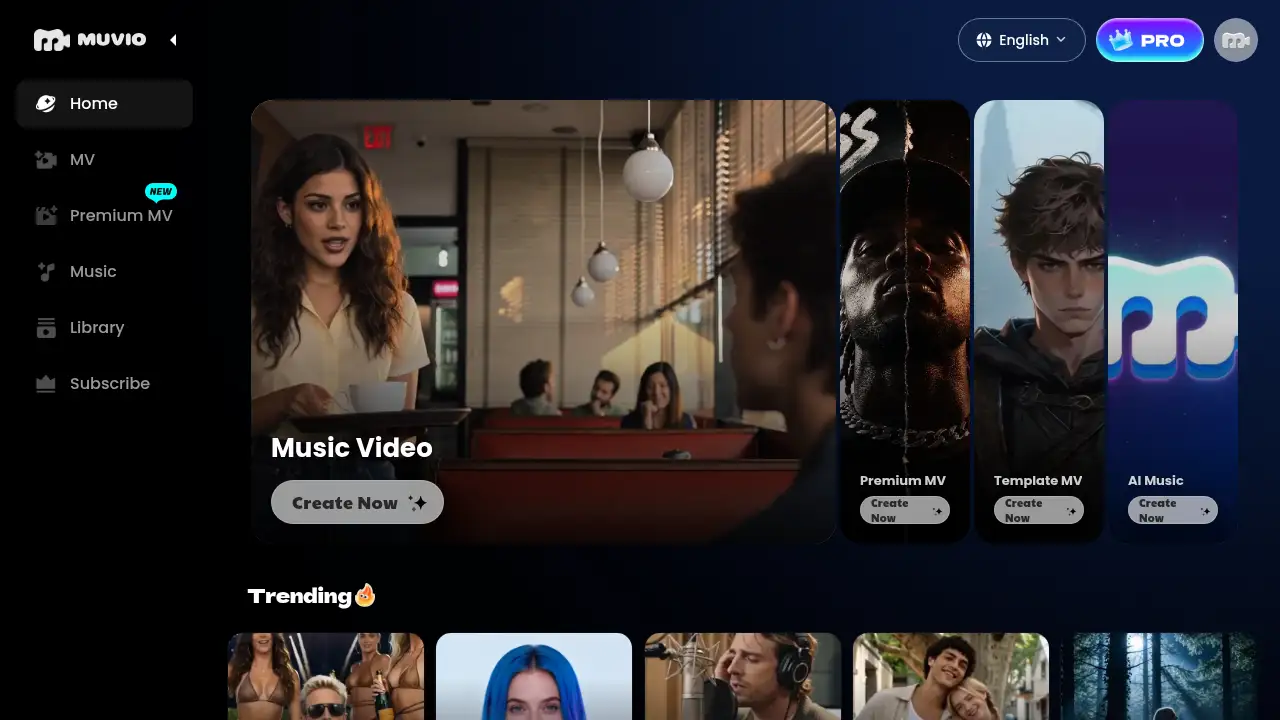
Muvio is an AI music video maker and song generator designed to help creators turn audio into shareable visuals and original tracks in one workflow. It solves the problem of moving between separate songwriting, editing, and video production tools by combining an AI song generator with an AI music video generator. Users can upload MP3, WAV, or M4A files, paste a Suno link, or create a song from a description or lyrics, then send the track into the video studio. It suits independent artists, AI music creators, content creators, labels, and marketers who need music videos without a film crew. The platform supports 16:9 and 9:16 output, character photos, Narrative, Anime, and Performance styles, and multiple interface languages. This matters because it lowers the barrier to making AI music videos and gives songs a visual release format for YouTube, TikTok, Reels, and Shorts.
Key Features of Muvio
AI Music Video Maker Workflow
Use the AI music video maker workflow to add a song, choose characters and style, preview a short result, and then generate the full video. This centralizes the music-to-video process in one place.
AI Song Generator
Generate original songs from a description or your own lyrics, then send the finished track directly to the video studio. The AI song generator helps creators move from idea to a music video without exporting between tools.
Suno Link and Audio Upload Support
Paste a Suno link to skip downloading, or upload MP3, WAV, and M4A files up to 50 MB. Custom MV supports songs up to five minutes, making the AI music video generator flexible for different release formats.
Character-Based Video Creation
Upload a front-facing photo of a lead character and an optional supporting character to shape the cast. Premium MV accepts up to six character photos and six background images for more detailed cinematic music videos.
Vertical and Landscape Formats
Choose 9:16 for TikTok, Instagram Reels, and YouTube Shorts, or 16:9 for YouTube. Creators can turn lyric captions on or off, which is useful for vertical music videos and lyric-style clips.
Template MV and Premium MV Options
Start with Template MV for a preset visual style, or use Premium MV for a separate cinematic music video workflow. These options let the AI music video maker fit quick social clips as well as more polished release videos.
Commercial Use with Muvio PRO
Use generated music videos commercially during an active PRO subscription, subject to applicable laws and platform policies. Free users are limited to personal, non-commercial use.
Use Cases for Muvio
Independent Artists
Give each single its own music video without hiring a film crew or editing team. Independent artists can use the AI music video maker to create visuals that match the song's mood.
AI Music Creators
Turn Suno songs or tracks made in Muvio into visuals people can share. The Suno to video workflow helps AI music creators publish on YouTube, TikTok, and other platforms.
Content Creators
Produce vertical music videos for TikTok, Reels, and Shorts, release after release. The AI music video generator supports 9:16 output for short-form platforms.
Labels and Marketers
Use Premium MV for cinematic music videos and music-led campaigns. Teams can plan release visuals and campaign clips with a consistent character and style setup.
How to Use Muvio
- Add a song by uploading an MP3, WAV, or M4A file, choosing a track from the library, or pasting a Suno link. If there is no song yet, make one with the AI song generator.
- Pick a lead character photo and, optionally, a supporting character. Choose Narrative, Anime, or Performance style, add a story description, and select 16:9 or 9:16.
- Use the AI music video maker to generate a preview and review the result before generating the full music video. Full-video credit usage depends on song length and quality.
- For a different workflow, open Template MV for a preset visual style or Premium MV for cinematic music videos with more character and background inputs.
- Use Muvio across supported interface languages, then export the finished clip for YouTube, TikTok, Reels, or Shorts.
Target Audience for Muvio
- Independent musicians and bands
- AI music creators using Suno or similar tools
- Content creators making short-form video
- Labels, marketers, and campaign teams
- Hobbyists exploring AI music videos and AI song generation
Is Muvio Free?
Muvio offers limited free access, but generating a full music video requires a paid plan. A Custom MV preview costs 10 credits. Full-video generation is estimated at about 7 credits per second of audio in SD or 14 credits per second in HD; these are estimates, not fixed prices. PRO subscribers can use generated music videos commercially during an active subscription, subject to applicable laws and platform policies. Exact plan prices are not listed in the reference information, so check the official Muvio subscription page for current pricing.
| Plan | Price | Features |
|---|---|---|
| Free / Preview Access | $0 or credit-based (not fully specified) | Personal, non-commercial use; Custom MV preview costs 10 credits; full music video requires a paid plan |
| Muvio PRO / Paid Plan | Not listed in reference | Full music video generation, commercial use during active subscription, Premium MV options |
Muvio's Pros and Cons
| Aspect | Pros | Cons |
|---|---|---|
| Workflow | Combines AI song generator and AI music video maker in one place | Full music video generation is not free |
| Input options | Supports MP3, WAV, M4A, library tracks, and Suno links | Custom MV uploads are capped at 50 MB and five minutes |
| Creative control | Character photos, Narrative/Anime/Performance styles, 16:9 and 9:16 formats | Preview and full generation use credits; costs vary by length and quality |
| Audience fit | Useful for artists, AI music creators, content creators, and marketers | Commercial use requires an active PRO subscription |
| Language support | Interface available in nine languages | Exact subscription prices are not clear from the reference information |
Frequently Asked Questions about Muvio
What is Muvio?
Muvio is an AI music video maker and song generator. Users can upload a song or paste a Suno link to create a music video, or describe a mood or paste lyrics to generate a song.
Can I make a full music video for free?
No. A full music video requires a paid plan. A Custom MV preview costs 10 credits, and full-video generation is estimated at about 7 credits per second in SD or 14 credits per second in HD. These are estimates, not fixed prices.
Which audio formats and song lengths are supported?
The AI music video generator accepts MP3, WAV, and M4A files up to 50 MB. Custom MV supports songs up to five minutes. Users can also select a track from the Muvio library or paste a Suno link.
Can I use my own face or characters in the video?
Yes. Users can upload a clear, front-facing photo for the lead character and, optionally, a supporting character. Premium MV accepts up to six character photos and six background images.
Can Muvio make vertical videos for TikTok and Reels?
Yes. Choose 9:16 for TikTok, Instagram Reels, and YouTube Shorts, or 16:9 for YouTube. Lyric captions can be turned on or off.
Can I use Muvio videos commercially?
PRO subscribers may use generated music videos commercially during an active subscription, subject to applicable laws and platform policies. Free users are limited to personal, non-commercial use. Users retain ownership of original materials they upload; Muvio does not guarantee copyright eligibility for AI-generated outputs.
Muvio Tags
AI music video maker, AI music video generator, AI song generator, music video generator, Suno to video, vertical music videos, cinematic music videos, Template MV, Premium MV, AI music videos, character-based music videos, Muvio