Introduction
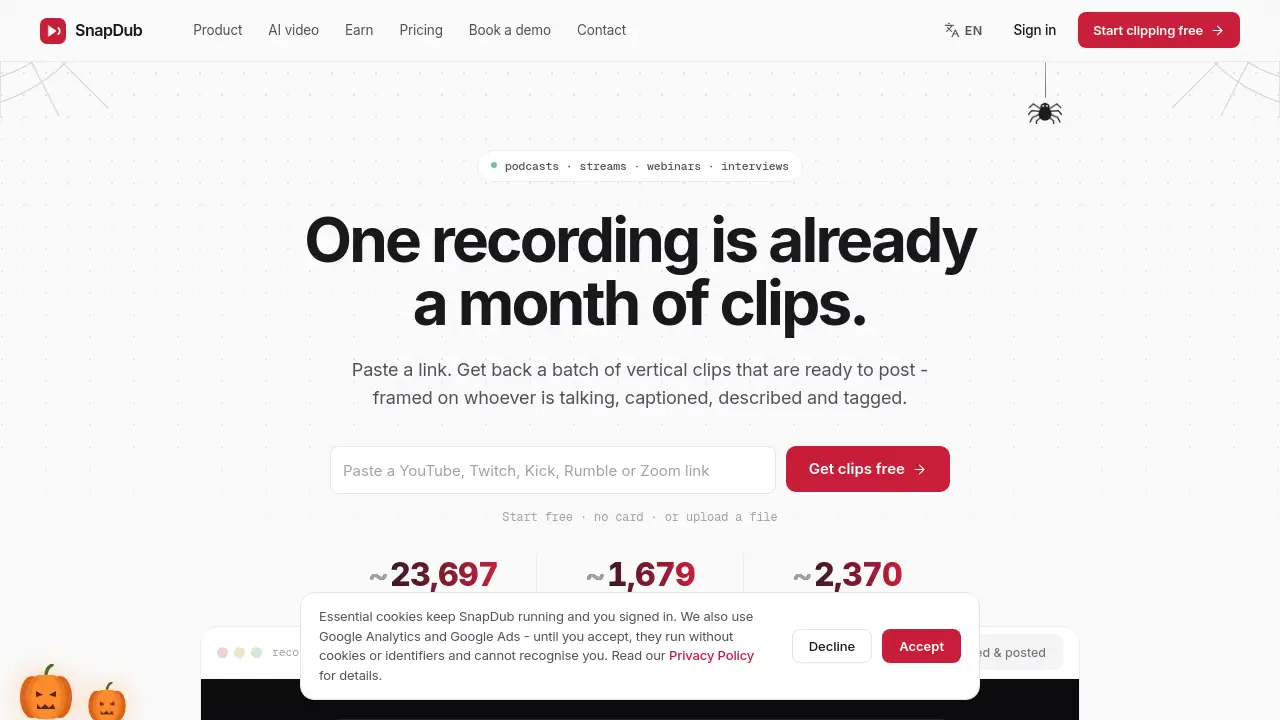
SnapDub is an AI video clipper that turns long podcasts, streams, interviews, and webinars into captioned 9:16 vertical clips. Paste a link or upload a file, and it returns a batch of ready-to-post shorts with titles, descriptions, and hashtags. Start free without a card.
What is SnapDub?
SnapDub is a browser-based AI clip generator built for creators who already have long footage but need short social videos. Instead of manually scrubbing through a one-hour stream or podcast, users paste a YouTube, Twitch, Kick, Rumble, or Zoom link, upload a file, or connect a channel. SnapDub then listens to the audio, watches the visuals, and scores moments using both transcript and on-screen action.
The problem it solves is simple: many creators can record long content, but cutting it into vertical clips is slow and repetitive. SnapDub automates the first pass by finding moments, reframing them to 9:16, adding word-by-word captions, and writing titles, descriptions, and hashtags. It also supports templates, scheduling, and direct posting, so the workflow continues after the clips are made. This makes SnapDub useful for podcasters, streamers, marketers, agencies, and anyone who wants to repurpose long videos into TikTok clips, YouTube Shorts, and Reels.
Key Features of SnapDub
AI Moment Detection That Watches and Listens
SnapDub scores clips using transcript text, facial expressions, emotion, gesture, motion, on-screen action, and audio cues. This helps it find laughter, surprise, and visual energy that a text-only AI video clipper might miss.
Automatic 9:16 Reframe
Every clip is reframed to vertical and exported ready to post. The frame follows the speaker or the main subject, including moments when the shot changes and the subject becomes someone else.
Word-by-Word Captions and Keyword Highlighting
SnapDub burns in karaoke-style captions with around 30 looks to choose from. Keyword highlighting can lift important words out of the line, helping vertical clips work when watched on mute.
AI Titles, Descriptions, and Hashtags
Each clip comes with an AI-written hook title, caption, and hashtags. Users can copy them into a post or edit them before publishing.
Template-Based Clip Consistency
Templates store caption style, font, position, logo, crop, watermark, clip length, and clip count. This makes clip 30 match clip 1 without rebuilding the look for every single short.
Channel Connection and Auto-Posting
Connect a YouTube or Twitch channel and new uploads can be clipped automatically to a template. SnapDub can also fill posting slots and send clips to connected accounts instead of requiring manual downloads and uploads.
Editable Clips and Spare Footage
Every clip is rendered with extra footage on both sides, so users can drag in and out points. Caption text, caption style, images, GIFs, emoji, and overlay video can also be adjusted.
AI Video Generator and Dubbing Beta
If no footage exists, users can describe a shot and get a vertical AI video back. SnapDub also offers optional voice-clone dubbing and lip-sync in beta on paid plans.
Use Cases for SnapDub
Podcast to Shorts
Podcasters can turn a full episode into several vertical clips with captions and hashtags. This is one of the clearest uses of a podcast to shorts workflow.
YouTube to Shorts and TikTok Clips
Creators can paste a YouTube link and receive short clips formatted for YouTube Shorts and TikTok. The auto-crop follows the speaker instead of leaving a centred 16:9 frame.
Twitch and Kick Stream Highlights
Streamers can connect a channel or paste a VOD link, then let SnapDub find high-energy moments. Clips can be scheduled or downloaded for later posting.
Webinars and Interviews
Coaches, interviewers, and B2B marketers can turn long conversations into focused vertical clips. The AI looks for complete ideas, not just pauses.
Social Media Agencies and Multi-Client Work
Agencies can keep separate templates for different shows or clients. Switching between them is a dropdown, which supports consistent output across many accounts.
Repurposing Existing Clip Libraries
Finished clips can be dropped into a folder and given the same look at once. This helps repurpose long videos or older footage without spending credits on generation.
How to Use SnapDub
- Paste a YouTube, Twitch, Kick, Rumble, or Zoom link, upload a file, or connect a channel.
- Let SnapDub analyse the recording using transcript, vision, and audio.
- Receive a batch of vertical clips with captions, titles, descriptions, and hashtags.
- Open any clip to adjust in and out points, fix caption words, or change the template.
- Download the clips or schedule them to connected social accounts.
Target Audience for SnapDub
- Podcasters and interview hosts
- Twitch, Kick, and YouTube streamers
- Social media managers and content marketers
- Agencies managing multiple creators or clients
- Coaches, webinar hosts, and course creators
- Creators who want to repurpose long videos into short clips
Is SnapDub Free?
SnapDub offers a free start with no card required. Paid features use a credit system, and AI video generation starts at 521 credits for eight seconds. Exact plan pricing is not listed in the reference information, so users should check the official website for current details.
| Plan | Price | Features |
|---|---|---|
| Free | $0 | Start free, no card required |
| Paid | Credit-based | Paid features, including AI video generation from 521 credits for 8 seconds; exact pricing on official site |
SnapDub's Pros and Cons
| Aspect | Pros | Cons |
|---|---|---|
| Pricing | Free start with no card; credit-based AI video | Credit costs can add up for high-volume users |
| Features | Multimodal moment detection, auto captions, 9:16 reframe, titles, hashtags | Some advanced features, such as dubbing and lip-sync, are in beta |
| Editing | Clips remain editable with spare footage | AI still benefits from human review for names and nuance |
| Workflow | Templates, channel connection, scheduling, direct posting | Free plan limits and exact paid pricing need checking |
Frequently Asked Questions about SnapDub
What is SnapDub?
SnapDub is an AI video clipper that converts long recordings into captioned vertical clips for social media. It is designed for podcasts, streams, interviews, webinars, and similar long-form content.
Is SnapDub free?
Yes, SnapDub can be started for free without a card. Paid plans and credit-based features are available, but exact pricing should be confirmed on the official site.
Which video sources does SnapDub support?
SnapDub supports YouTube, Twitch, Kick, Rumble, and Zoom links, direct file uploads, and connected channels. A connected channel can automatically send new uploads into the clipping workflow.
Can SnapDub turn podcasts into vertical clips?
Yes. A podcast to shorts workflow is a core use case. SnapDub can find moments, reframe them to 9:16, caption them, and prepare titles, descriptions, and hashtags.
Does SnapDub add captions and hashtags automatically?
Yes. SnapDub adds word-by-word captions, an AI hook title, a caption, and hashtags. These can be edited before posting.
Can I edit clips or schedule posts?
Yes. Clips remain editable, including in and out points, caption text, and overlays. Users can also connect accounts, choose posting times, and let SnapDub send clips to connected platforms.
SnapDub Tags
SnapDub, AI video clipper, long video to short clips, podcast to shorts, vertical clips, AI clip generator, auto captions, YouTube to Shorts, TikTok clips, repurpose long videos, AI video generator, social media scheduling