Introduction
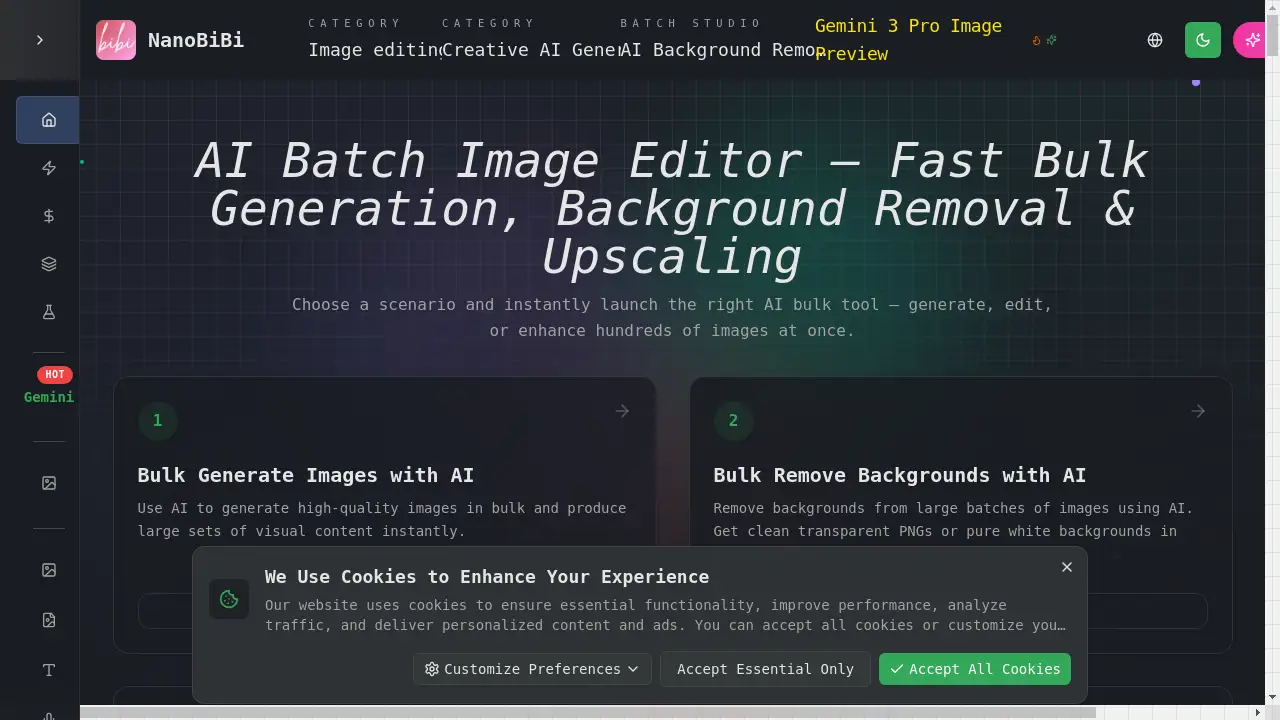
NanoBiBi is an AI-powered batch image editor designed to automate high-volume image processing tasks for creators and businesses.
What is NanoBiBi?
NanoBiBi is a comprehensive online platform that leverages artificial intelligence to automate and accelerate bulk image editing workflows. It solves the time-consuming and repetitive challenge of manually editing hundreds or thousands of images, a common pain point for e-commerce sellers, content creators, and design teams. The tool specializes in performing consistent, high-quality edits across entire batches of photos simultaneously. Key functions include AI batch image processing for tasks like background removal, upscaling, style unification, and enhancement. By offering these capabilities in a streamlined, web-based interface, NanoBiBi enables users to achieve professional visual results without requiring advanced design skills or expensive software, significantly boosting productivity for anyone dealing with large image catalogs.
Key Features of NanoBiBi
Bulk AI Background Removal
Remove backgrounds from large batches of images with high precision, delivering clean transparent PNGs or solid white backgrounds automatically, which is essential for creating marketplace-ready product photos.
Batch AI Image Upscaler
Enhance image resolution to HD or 4K in bulk using AI super-resolution technology, preserving original detail and clarity without introducing distortion, perfect for low-resolution catalog photos.
AI-Powered Style Unification
Automatically apply consistent colors, lighting, and visual styles across hundreds of images to maintain a cohesive brand identity for e-commerce listings and marketing campaigns.
Bulk Image Quality Enhancement
Improve brightness, clarity, and overall detail across entire batches of photos at once, giving images a more polished and professional look with minimal effort.
AI Object Replacement and Recoloring
Find and replace objects or change colors within images using simple natural language prompts, enabling quick creation of product variants or correction of brand colors without manual masking.
Batch Watermark and Object Removal
Erase unwanted objects, text, or watermarks from images in bulk using AI content-aware fill, cleaning up supplier images or user-generated content for professional use.
Use Cases for NanoBiBi
E-commerce Product Catalog Preparation
Quickly process supplier images by removing backgrounds, upscaling resolution, and applying uniform styles to create consistent listings for platforms like Shopify and Amazon.
Social Media and Ad Campaign Creation
Generate large sets of stylized visuals, animate images into video formats, and enhance photo quality to produce engaging content for ads, reels, and social media campaigns efficiently.
Agency and Design Team Workflows
Handle high-volume client projects by using batch pipelines to automate repetitive tasks like background swaps, recoloring, and format exports, speeding up delivery times.
Photographic Restoration and Enhancement
Upscale old or low-quality photos, remove artifacts, and repair damaged areas in batches, ideal for photographers, archives, and restoration projects.
How to Use NanoBiBi
- Upload Your Batch: Visit the NanoBiBi website and upload the batch of images you need to process.
- Choose Your AI Tool: Select the desired function from the platform's scenario-based tools, such as "Bulk Remove Backgrounds" or "Batch Upscale Images."
- Apply Edits and Adjust Settings: Use simple prompts or settings to define the edit parameters (e.g., "remove background" or "upscale to 4K"). The AI batch processor will apply the changes uniformly across all uploaded images.
- Review and Export: Preview the processed images, make any necessary adjustments, and then download the entire batch in your preferred format, ready for use.
Target Audience for NanoBiBi
- E-commerce sellers and marketplace vendors (Amazon, Etsy, Shopify)
- Digital marketers, social media managers, and content creators
- Design agencies, photography studios, and in-house creative teams
- Photographers and artists dealing with large image libraries
- Businesses and individuals needing efficient bulk image editing
Is NanoBiBi Free?
NanoBiBi offers a free plan that allows users to try its core AI batch image processing features. This generous free tier is perfect for testing the platform's capabilities on smaller projects. For users with higher-volume needs, such as processing hundreds of images regularly, NanoBiBi provides affordable premium subscription options. These paid plans typically offer increased processing limits, priority support, and access to advanced features, providing excellent value for professionals and businesses.
Frequently Asked Questions about NanoBiBi
What image formats does NanoBiBi support?
NanoBiBi supports common image formats like JPG, PNG, and WebP for both upload and export, ensuring compatibility with most workflows and platforms.
Can I use NanoBiBi for commercial projects?
Yes, images processed through NanoBiBi can generally be used for commercial purposes, including e-commerce listings and marketing materials. It is always advisable to review the specific terms of service for the latest usage policies.
How does the AI batch processor handle different image types?
The AI batch image processor uses advanced algorithms to intelligently adapt to various image types, whether they are product photos, portraits, or landscapes, ensuring accurate and consistent results across a mixed batch.
Is there a limit to how many images I can process at once?
While the free plan has certain limits, premium plans significantly increase the batch size allowance, enabling the processing of hundreds of images in a single operation for efficient bulk image editing.
Does the AI image upscaler work on very low-resolution pictures?
Yes, the AI image upscaler is designed to enhance low-resolution images by reconstructing detail. While results depend on the original image quality, it effectively improves clarity and sharpness for many compressed or small photos.
How secure is my data on NanoBiBi?
NanoBiBi employs standard security measures to protect user uploads. Processed images are typically not stored indefinitely, but users should refer to the platform's privacy policy for detailed information on data handling and retention.
NanoBiBi Tags
AI batch image editor, bulk background removal, AI image upscaler, batch image processing, e-commerce image editing, remove background online, AI photo enhancer, marketplace product photos, bulk edit images, AI style transfer, automate image editing, Shopify image tool, AI for creators