Introduction
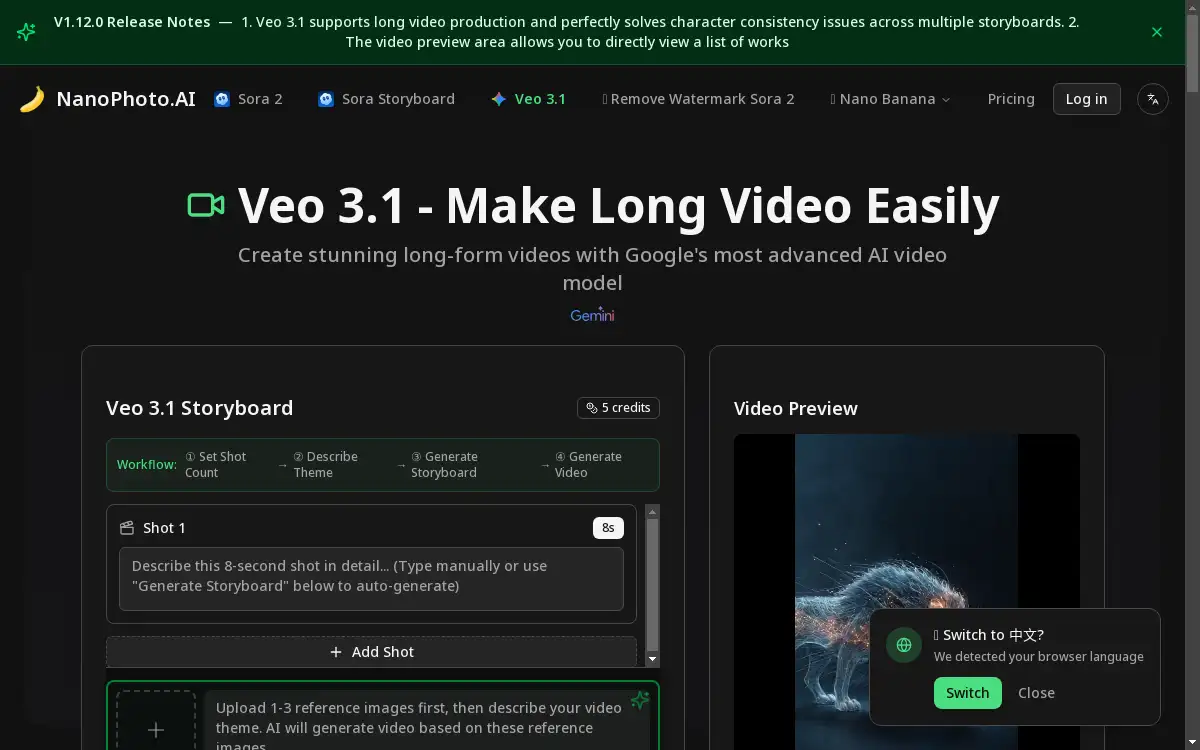
Veo 3.1 is an advanced AI-powered video generation platform.
What is Veo 3.1?
Veo 3.1 is a sophisticated artificial intelligence model designed for creating high-quality video content from simple text prompts. It solves the complex problem of video production, which traditionally requires significant technical skill, expensive equipment, and considerable time. This AI video generator is suitable for a wide range of users, from professional filmmakers and content creators to marketers and educators who need to produce engaging visual content efficiently. The significance of Veo 3.1 lies in its ability to democratize video creation, making advanced video generation accessible to individuals without deep technical expertise in animation or filming. By leveraging state-of-the-art AI video synthesis, it allows users to translate their creative ideas directly into dynamic video sequences, streamlining the entire content creation workflow and opening new possibilities for visual storytelling and communication.
Key Features of Veo 3.1
High-Fidelity Video Generation
Veo 3.1 produces high-resolution video clips with impressive visual coherence and detail, closely aligning with the user's textual descriptions.
Advanced Prompt Understanding
The model interprets complex and nuanced text prompts, allowing for precise control over the style, action, and subject matter of the generated video content.
Flexible Video Output Control
Users can often influence video length and aspect ratio, providing flexibility for different platforms and use cases, from social media shorts to wider cinematic formats.
Consistent Character and Style Maintenance
This feature helps maintain character consistency and visual style across multiple generated video clips, which is crucial for creating serialized content or branded material.
Rapid Content Iteration
The AI video synthesis engine enables quick generation and iteration, allowing creators to explore multiple visual concepts from their prompts without long waiting periods.
Use Cases for Veo 3.1
Social Media Content Creation
Content creators can rapidly produce engaging short-form videos for platforms like TikTok, YouTube Shorts, and Instagram Reels to maintain a consistent posting schedule.
Marketing and Advertisement Prototyping
Marketing teams can use Veo 3.1 to quickly generate concept videos for ad campaigns, enabling faster brainstorming and client presentations before committing to full-scale production.
Educational and Explainer Videos
Educators and trainers can create simple animated explainer videos to illustrate complex concepts, making learning materials more engaging and accessible for students.
Storyboarding and Pre-Visualization
Filmmakers and animators can use the platform to generate rough visual sequences from script excerpts, aiding in pre-production planning and story development.
Product Demo and Presentation Videos
Businesses can create quick demonstration videos for new products or features, providing a dynamic way to showcase functionality to potential customers or stakeholders.
How to Use Veo 3.1
- Access the Platform: Navigate to the Veo 3.1 application, typically through a web interface.
- Craft Your Prompt: In the provided text box, write a clear and descriptive prompt detailing the scene, characters, actions, and visual style you want for your AI-generated video.
- Adjust Settings (if available): Select any available options for video length, aspect ratio, or other parameters to tailor the output to your specific needs.
- Generate the Video: Initiate the generation process. The AI will process your prompt and synthesize a video based on your instructions.
- Review and Refine: Once the video is generated, review the result. If necessary, refine your text prompt and generate a new iteration until you achieve the desired outcome.
Target Audience for Veo 3.1
- Social Media Influencers and Content Creators
- Digital Marketing Agencies and Professionals
- Independent Filmmakers and Video Artists
- Educators and Corporate Trainers
- Small Business Owners and Entrepreneurs
- Product Managers and UX Designers
Is Veo 3.1 Free?
Accessibility details for Veo 3.1 are typically outlined on its official website. Many AI video platforms offer a generous free plan that allows users to generate a limited number of videos per day or month to test the core functionalities. For users requiring higher output volumes, extended video lengths, or advanced features, affordable premium subscription options are usually available. It is recommended to visit the official Veo 3.1 website for the most current and detailed information on its pricing tiers, free plan limitations, and the specific features included in each paid tier.
Frequently Asked Questions about Veo 3.1
What kind of video prompts work best with Veo 3.1?
Detailed and descriptive prompts that clearly specify the subject, action, setting, and desired visual style (e.g., "cinematic," "animated," "realistic") tend to yield the best results from this AI video generator.
Can I use videos generated by Veo 3.1 for commercial purposes?
The terms of use, including commercial licensing rights for generated videos, are determined by the platform provider. Users should carefully review the official terms of service on the Veo 3.1 website to understand the permitted uses.
How long does it take to generate a video?
Generation time can vary depending on the complexity of the prompt and the current load on the servers, but AI video synthesis with models like Veo 3.1 is generally much faster than traditional video production methods.
Does Veo 3.1 support generating videos with sound?
The capabilities for generating audio or music alongside video are a specific feature of the platform. Some AI video generators include this, while others may focus solely on the visual component.
What is the maximum video length Veo 3.1 can produce?
The maximum duration for a single video generation is a technical specification set by the developers. This information is best obtained from the official Veo 3.1 product documentation or FAQ page.
How does Veo 3.1 handle specific character consistency across multiple videos?
Maintaining a consistent character appearance is a complex challenge in AI video generation. The specific techniques and level of control offered for character consistency should be verified against the platform's current feature set.
Veo 3.1 Tags
Veo 3.1, AI video generator, AI video synthesis, text to video, video creation tool, AI content creation, high-fidelity video, prompt based video, video generation platform, creative AI tool, marketing video AI, social media video maker