Introduction
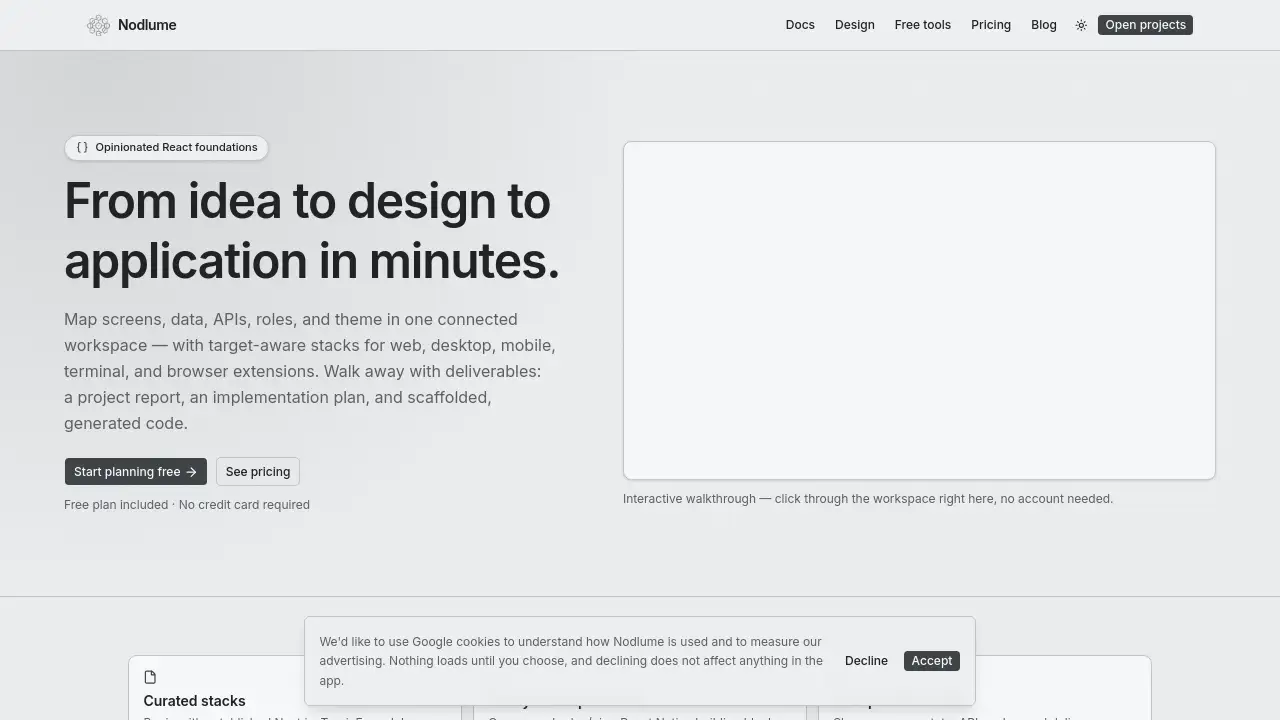
Nodlume is a visual React application workspace that helps teams move from idea to design to application quickly. It centralizes product context, data, routes, APIs, security, and project documentation in one connected plan. This Nodlume review looks at how the workspace works, what it includes, and who benefits from using it.
What is Nodlume?
Nodlume is an opinionated React planning tool for teams that want clearer structure before entering full development. It combines planning, design, and documentation in a single place. Instead of jumping between documents, spreadsheets, and design tools, users can map screens, state, data, API calls, roles, and delivery in one connected system.
The platform solves a practical problem. Many app ideas start with scattered notes and assumptions. Those notes quickly become outdated, and that leads to confusing code. Nodlume keeps the product context close to the implementation plan. This makes the final scaffolded code more aligned with the original product idea.
The workspace is useful for product owners, designers, and developers who want to define an application before writing large amounts of code. It is especially relevant for React-based projects because it uses familiar conventions and component patterns. In short, Nodlume builds a bridge between “what we want to build” and “how we start building it.”
Key Features of Nodlume
Visual Product Modeling
Nodlume offers a visual React application workspace where users can map screens, data, routes, APIs, and roles. These items become manageable pieces of one connected product model.
Curated Technology Stacks
The tool supports target-aware stacks for web, desktop, mobile, terminal, and browser extensions. Nodlume starts with established conventions from Next.js, Tauri, Expo, Ink, and Manifest V3, so teams don’t have to invent a setup from scratch.
Reusable UI Primitives
Instead of rebuilding common interface elements, users can compose shadcn/ui or React Native building blocks. These ready-made primitives help keep the visual plan practical and consistent with real UI development.
Named Design Tokens
Color, typography, scale, depth, and dark mode can be defined visually. Nodlume then turns those choices into named tokens that can be referenced in the plan and reused by the project.
Project Report and Implementation Plan
After the product model is in place, Nodlume provides clear deliverables, including a project report and an implementation plan. This helps teams understand what needs to happen next.
Scaffolded Code Generation
The product also supports scaffolded, generated code. That gives developers a starting codebase based on the screens, routes, APIs, and data structures they defined in the workspace.
Traceability and Security Context
Security rules and traceability can be included in the product model. This makes it easier to see why a screen, route, or API exists and how it connects to the overall system.
Use Cases for Nodlume
Early Product Validation
Before committing to a full developer build, teams can use Nodlume to shape their screens and data flow. This gives them a concrete view of the product without requiring code.
Front-End Architecture Planning
Development teams can use the visual React application workspace to outline routes, API calls, state, and component choices. This creates a shared reference for both planning and implementation.
Cross-Platform Product Design
Nodlume lets users think about the same core product across web, mobile, desktop, terminal, and browser extension targets. That is helpful when one product needs to exist in multiple environments.
Design System Preparation
Because Nodlume treats visual choices as tokens, it can be used to set up a foundation for theming, dark mode, and reusable UI. This is useful before building full design-system documentation.
How to Use Nodlume
- Open the Nodlume website and explore the interactive walkthrough to understand the layout.
- Start a new project and define the product context, including screens, data, routes, APIs, roles, and theme.
- Choose a target stack, such as Next.js for web, Expo for mobile, or Tauri for desktop.
- Compose the interface from the available UI primitives and design tokens.
- Generate a project report, implementation plan, and scaffolded code to begin development.
The workspace is designed to reduce guesswork. Each new decision stays connected to the larger product model, which keeps the React application workspace organized from start to finish.
Target Audience for Nodlume
- Product managers who need a structured way to plan application behavior
- React developers who want to reduce planning friction
- Startup teams that need faster app discovery and prototyping
- Front-end teams building with Next.js, React Native, or Expo
- Designers who want to connect visual choices to real code tokens
- Agencies or freelancers preparing project documentation for client handoff
- Developers exploring desktop, terminal, or browser extension products
Is Nodlume Free?
Nodlume includes a free plan, and no credit card is required to get started. The product also offers free tools for tasks like wireframes, palettes, theming, and SEO reference work. Some tools can be used without sign-up.
Paid plans are available for users who need more advanced workspace features, sharing, reports, and AI-assisted planning. The exact pricing details can be found on the official Nodlume pricing page.
| Plan | Price | Features |
|---|---|---|
| Free | $0 | Core planning workspace, free design tools, no credit card required |
| Paid | See pricing page | Advanced features like sharing, reports, and AI-assisted planning |
Nodlume's Pros and Cons
| Aspect | Pros | Cons |
|---|---|---|
| Planning | Makes screens, routes, and APIs visible in one place | May feel opinionated for teams with custom workflows |
| React Support | Great fit for React, Next.js, and React Native projects | Less useful for non-React technology stacks |
| Output | Produces reports, plans, and scaffolded code | Generated code may require cleanup for complex projects |
| Pricing | Free plan and free tools are accessible | Paid features are needed for more advanced collaboration |
| Learning Curve | Visual layout helps newcomers understand context | Still requires knowledge of React concepts for full use |
Frequently Asked Questions about Nodlume
What is Nodlume used for?
Nodlume is used to plan a React-based product from idea to implementation. It helps teams define pages, routes, data, APIs, roles, and UI structure in one shared workspace.
Does Nodlume support only React applications?
Most of the supported stacks are React-related. Nodlume works with Next.js for web, Tauri for desktop, Expo for mobile, Ink for terminal apps, and Manifest V3 for browser extensions. That makes it most useful for React-based projects.
Can free users access the Nodlume workspace?
Yes, Nodlume includes a free plan that gives users access to the core planning workspace. No credit card is required to start using it.
Does Nodlume generate project code?
The platform lists scaffolded, generated code as a deliverable. The generated code depends on the screens, routes, APIs, and data model that are defined inside the visual React application workspace.
Are design tools available without an account?
Some free tools, such as wireframes, palettes, theming, and SEO tools, can be used on the website without signing up.
Who should use Nodlume?
Nodlume is best for product teams, developers, and designers who want to define a React project clearly before writing code. It is also useful for anyone who wants to prepare better project documentation and implementation plans.
Nodlume Tags
Nodlume, Nodlume review, React application workspace, visual product planning, React app planning tool, Next.js planning, Expo app plan, React Native workspace, design tokens, product documentation, scaffolded code, route and API planning