Introduction
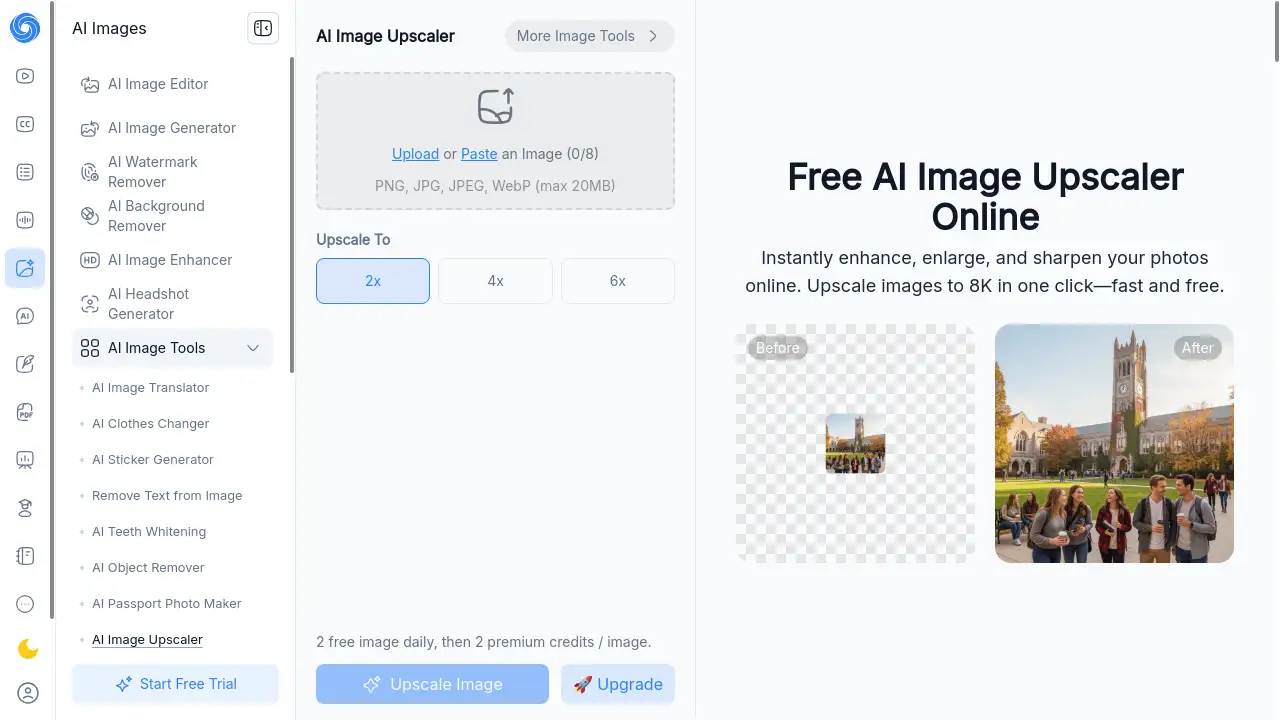
AI Image Upscaler is a free online tool that instantly enhances, enlarges, and sharpens photos using artificial intelligence.
What is AI Image Upscaler?
The AI Image Upscaler is a web-based application designed to solve the common problem of low-resolution or blurry images. It utilizes artificial intelligence to intelligently enlarge photographs while adding detail and sharpness, rather than simply stretching pixels. This tool is suitable for anyone who needs to improve the quality of digital images, from photographers restoring old pictures to marketers creating high-resolution graphics for presentations. It matters because it provides a quick, accessible, and cost-effective way to achieve professional-level upscaling results without requiring expensive software or technical expertise. Users can upscale images to much larger sizes, such as 8K resolution, making them suitable for printing or display on large screens.
Key Features of AI Image Upscaler
Batch Processing
The tool allows users to upload and enhance image quality for multiple photos simultaneously, saving significant time compared to processing files one by one.
High-Resolution Upscaling
It can upscale images by up to 8 times their original size, supporting output resolutions as high as 8K for incredibly detailed results.
AI-Powered Enhancement
The core artificial intelligence works to enhance image quality by sharpening details, reducing noise, and reconstructing missing information, preventing the pixelation common in traditional resizing.
Free Online Access
Being a completely free online tool, it requires no software installation or account creation, offering immediate access through a web browser.
Simple Three-Step Workflow
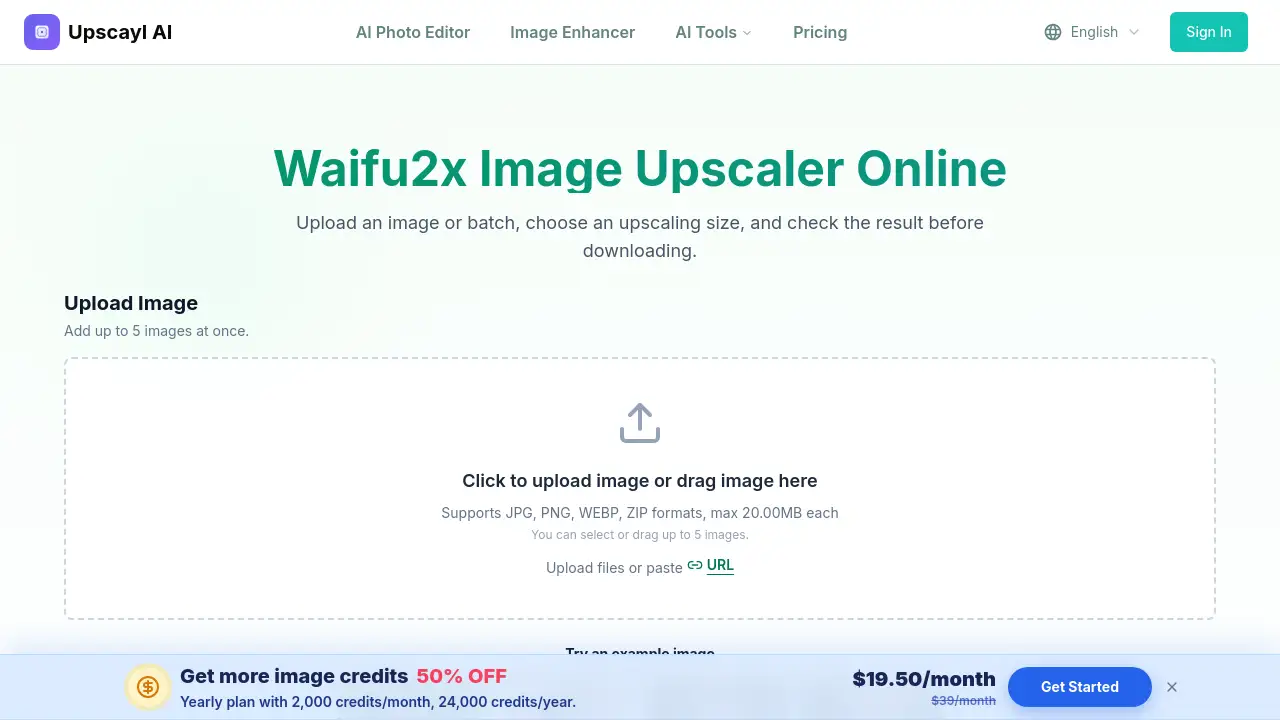
The process is designed for ease of use: upload an image, choose an upscaling factor, and download the enhanced result.
Use Cases for AI Image Upscaler
Restoring Old Photographs
Digitally restore and enlarge vintage family photos or historical images, bringing faded details back to life with enhanced clarity.
Preparing Images for Print
Upscale images from cameras or smartphones to high-resolution formats suitable for large-format printing, such as posters or canvases.
Enhancing Web and Social Media Graphics
Improve the quality of logos, product shots, or blog graphics to ensure they look sharp and professional on all devices and platforms.
Improving Low-Resolution Downloads
Enlarge and clarify images sourced from the web or screenshots that are initially too small for practical use.
How to Use AI Image Upscaler
Using the AI Image Upscaler is a straightforward process completed in three steps.
- Upload Your Image(s): Visit the tool's website and upload one or multiple image files from your computer. The interface supports batch uploads.
- Select Upscaling Option: Choose your desired enlargement level, such as 2x, 4x, or up to 8x, which corresponds to resolutions up to 8K.
- Process and Download: Initiate the AI processing. Within seconds, you can preview and download the sharpened, high-quality result.
Target Audience for AI Image Upscaler
- Photographers and hobbyists looking to enlarge photos without quality loss.
- Graphic designers and digital artists needing high-resolution assets.
- Marketing professionals and social media managers creating visual content.
- Bloggers, educators, and students preparing images for publications or presentations.
- General users wishing to restore and improve old personal or family photos.
Is AI Image Upscaler Free?
The AI Image Upscaler operates on a freemium model. A free tier is available with certain limitations, while a premium plan offers expanded capabilities.
| Plan | Price | Key Features |
|---|---|---|
| Free | $0 | Process 2 images per day. Access to core upscaling features. |
| Premium | Requires Credits | Unlimited image processing. Priority processing. Access to highest quality enhancements. |
Specific pricing for premium credits is detailed on the official website. The free tier allows users to test the tool's core functionality effectively.
AI Image Upscaler's Pros and Cons
| Aspect | Pros | Cons |
|---|---|---|
| Cost & Access | Completely free to start; no installation required. | Free tier is limited to 2 images per day. |
| Ease of Use | Extremely simple, three-step web interface. | Advanced customization options for experts may be limited. |
| Output Quality | AI effectively enhances details and reduces blur. | Results can vary depending on the original image's quality and complexity. |
| Speed & Efficiency | Fast processing for single images; batch support saves time. | Batch processing of many very large files may take some time. |
Frequently Asked Questions about AI Image Upscaler
How is this AI Image Upscaler different from regular photo editors?
Regular editors often just interpolate pixels when enlarging, which creates blur. The AI Image Upscaler uses machine learning to analyze the image, predict and generate new, realistic details, resulting in a sharper and more natural enlargement.
Will my upscaled image look pixelated or artificial?
The AI algorithm is specifically trained to avoid pixelation. It works to enhance image quality by intelligently sharpening edges and textures. While results depend on the source image, the output is typically much clearer and less artificial than with basic resizing tools.
What image formats are supported?
The tool supports common formats including PNG, JPG, JPEG, and WebP. This covers the vast majority of images users would want to upscale.
Is there a limit to how many images I can process for free?
Yes, the free plan allows users to upscale images up to two times per day. For unlimited processing, a premium plan that uses credits is available.
Can I use the upscaled images commercially?
Generally, yes. You retain the rights to your original images, and the upscaled versions are yours to use. However, it is always recommended to check the tool's Terms of Service for the most accurate and detailed legal information.
Does it work on mobile devices?
Yes. As a free online tool accessed through a web browser, it is compatible with smartphones and tablets, allowing for image enhancement on the go.
AI Image Upscaler Tags
AI image upscaler, upscale images, free image upscaler, 8K upscaler, enhance image quality, AI photo enhancer, batch image upscale, online photo enlarger, sharpen images, increase resolution, AI image tool, free online photo editor