Introduction
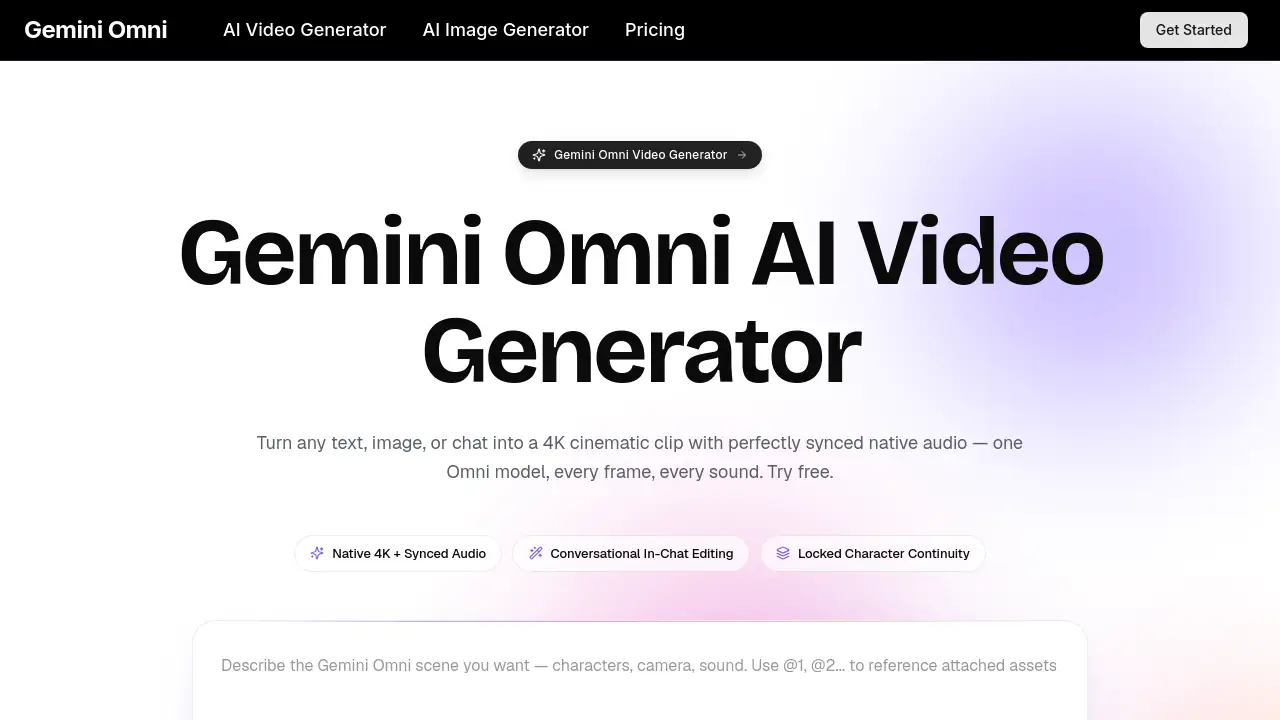
Gemini Omni is a unified multimodal AI video generator for creating cinematic clips.
What is Gemini Omni?
Gemini Omni is a flagship AI video generator designed to produce high-quality cinematic video content directly from a simple description. Unlike earlier AI video tools that often create short, silent clips with inconsistent visuals, this platform solves the core problem of fragmented video creation by handling the entire process—from visuals to perfectly synced audio—within a single, coherent model. It is engineered for production teams, marketers, and creators who need efficient, high-fidelity video output without the complexity of multiple software tools. The significance of Gemini Omni lies in its unified omni-model architecture, which reasons across text, image, audio, and video inputs simultaneously, delivering native 4K cinematic output with synchronized spatial audio in one pass.
Key Features of Gemini Omni
Unified Omni-Model Architecture
This core feature means the entire generation process is handled by one model, eliminating the need for separate tools for video, text-to-speech, or audio synchronization, which ensures consistent quality and faster rendering.
Native 4K Cinematic Output
The platform generates crisp, stable 4K video frames with professional-grade continuity, avoiding common AI artifacts like flickering or morphing characters for a polished look.
Synchronized Spatial Audio
Audio elements like dialogue, sound effects, and music are rendered in sync with the video and spatial camera movement in a single pass, creating a cohesive auditory experience.
Conversational In-Chat Editing
Users can refine their videos through simple chat commands, instructing the model to change specific elements like a prop or line of dialogue without re-rendering the entire clip.
Multi-Shot Storyboarding
The tool allows for defining different shot types (wide, medium, close-up) in one workflow while maintaining locked character continuity, lighting, and color palette across all cuts.
Provenance & Commercial Rights
Every generated clip includes invisible provenance metadata, and all paid plans come with full commercial usage rights, making the content safe for professional and commercial use.
Use Cases for Gemini Omni
Indie Filmmakers
Ideal for pre-visualization, storyboarding sequences, and creating short-form scenes with synchronized sound before physical production begins.
Performance Marketers
Enables the rapid creation of ad creatives in multiple aspect ratios (vertical, square, ultrawide) from a single campaign idea, maintaining character and voice consistency.
E-Commerce Studios
Transforms product packshots into engaging 4K product reels complete with ambient sound and narrated dialogue, ready for product detail pages and social media.
Course Creators
Helps illustrate complex educational concepts, historical scenes, or software demos with animated, narrated videos suitable for learning management systems.
Founders & Solo Operators
Allows for the creation of professional pitch videos, product walkthroughs, and CEO-to-camera content with a locked likeness and synchronized voiceover, eliminating the need for a film crew.
Creators & Streamers
Perfect for producing weekly cinematic content like intro sequences, transitions, and hooks for platforms like Instagram Reels with consistent branding and integrated audio.
How to Use Gemini Omni
- Describe the Scene: Start by typing a detailed prompt describing the desired shot, including characters, camera moves, lighting, mood, and audio. You can optionally attach reference images, audio clips, or short video samples for style or identity guidance.
- Let Gemini Omni Render: The unified model processes all inputs in a single diffusion pass, delivering a complete 4K clip with synchronized audio, lip-synced dialogue, and cinematic motion, typically within a few minutes.
- Refine Through Conversation: Use the in-chat editor to make specific adjustments. Ask the AI to change an item, alter the weather, or soften a line of dialogue, and it will rewrite only that portion, leaving the rest of the video unchanged.
Target Audience for Gemini Omni
- Independent filmmakers and video producers
- Marketing agencies and performance marketers
- E-commerce brands and product studios
- Educators, trainers, and online course creators
- Startup founders, entrepreneurs, and solo operators
- Social media content creators and streamers
Is Gemini Omni Free?
Gemini Omni operates on a credit-based subscription model. A free trial is available to test the platform. For ongoing use, users can choose from several paid plans that offer monthly credits for generation. The available plans, as per the reference information, are:
| Plan | Price (Monthly, Billed Yearly) | Key Features |
|---|---|---|
| Lite | $7.9 | 400 credits/month, 1080p resolution, 1 concurrent generation, commercial license. |
| Pro | $17.9 | 1500 credits/month, 1080p resolution, 4 concurrent generations, priority speed. |
| Ultra | $49.9 | 4400 credits/month, 1080p resolution, 10 concurrent generations, fastest speed, dedicated support. |
All paid plans include a commercial license, AI image generation, no watermarks, and private generation. Users should visit the official omni-gemini.ai pricing page for the most current details.
Gemini Omni's Pros and Cons
| Aspect | Pros | Cons |
|---|---|---|
| Technology & Output | Unified model delivers synchronized audio and video in one pass; High-quality 4K cinematic output; Excellent locked character continuity. | Maximum output resolution for listed plans is 1080p, not 4K. |
| Workflow & Usability | Powerful conversational in-chat editing saves time; Multi-shot storyboarding simplifies complex scenes. | May have a learning curve for crafting optimal multimodal prompts. |
| Pricing & Accessibility | Plans include commercial rights and no watermarks; Scalable for teams with concurrent generations. | Credit-based system can be costly for high-volume individual creators. |
Frequently Asked Questions about Gemini Omni
What is Gemini Omni?
Gemini Omni is a unified multimodal AI video generator. It is a single model that accepts combined inputs of text, images, audio, and video to produce complete 4K cinematic clips with natively synchronized audio, all in one generation pass.
How is Gemini Omni different from other AI video generators?
Its key differentiators are its unified omni-model architecture, which avoids chaining separate AI tools, and its flagship capabilities like native synchronized spatial audio, locked character continuity, and conversational in-chat editing—features often missing from earlier AI video generators.
Does Gemini Omni include native audio?
Yes. Gemini Omni renders synchronized spatial audio—including dialogue, sound effects, and score—in the same pass as the video. The audio is designed to match camera movement and character lip-sync, not added as a separate post-processing step.
Can I edit a Gemini Omni clip by chatting with it?
Absolutely. The conversational in-chat editing feature allows you to give text instructions (e.g., "change the jacket to blue" or "make the dialogue friendlier"). The model then rewrites only the specified portion of the clip frame by frame, leaving the rest intact.
Does Gemini Omni keep the same character across multiple shots?
Yes. Maintaining locked character continuity is a core function. The model anchors faces, wardrobe, lighting, and color palette across different shots, cuts, and aspect ratios, which is essential for creating consistent ad campaigns or episodic content.
What resolution and length does Gemini Omni support?
According to the reference material, Gemini Omni can generate videos up to 15 seconds in length. While it cites native 4K cinematic output as a capability, the specific subscription plans listed offer generation up to 1080p resolution.
Gemini Omni Tags
AI video generator, Gemini Omni, cinematic video creator, 4K video AI, synchronized audio video, multimodal AI, video production tool, AI for marketers, conversational video editing, locked character continuity, AI storyboarding, commercial video AI, content creation tool, AI video editing