Introduction
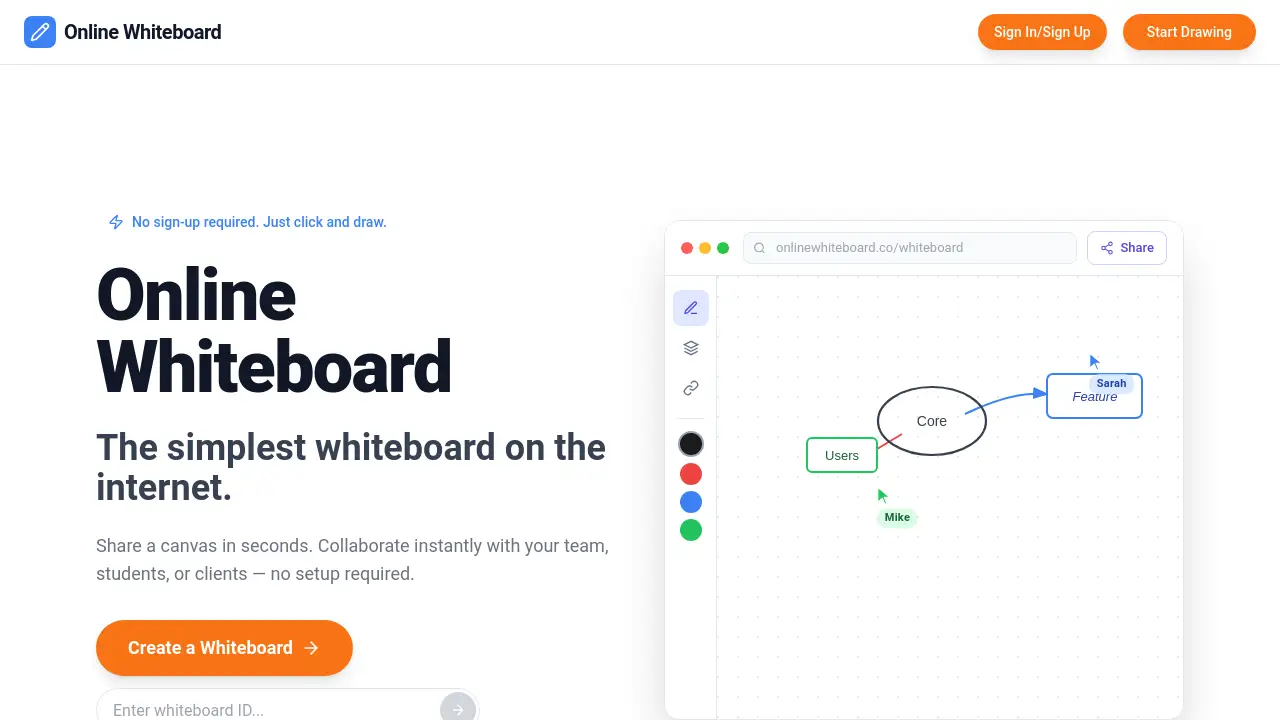
Online Whiteboard Free is a simple, no-sign-up digital canvas for instant visual collaboration.
What is Online Whiteboard Free?
An online whiteboard free tool is a digital workspace that allows users to draw, write, and collaborate in real-time directly from their web browser. It solves the problem of needing a quick, accessible space for visual communication without the friction of software downloads, account creation, or complex setups. This product is suitable for educators, remote teams, and anyone needing to brainstorm or explain concepts visually. Its importance lies in enabling spontaneous and barrier-free collaboration, making it an essential tool for modern remote work, education, and creative planning.
Key Features of Online Whiteboard Free
Instant Access
Users can start drawing immediately without any sign-up or registration process, making it the simplest online whiteboard to begin using.
Real-Time Collaboration
Multiple people can join a shared board via a link and draw, sketch, or write together simultaneously, perfect for team collaboration and interactive sessions.
Device Agnostic
The free whiteboard online works on any device with a web browser, including laptops, tablets, and smartphones, ensuring cross-platform accessibility.
Private & Secure Boards
Each new board generates a unique, private link, creating a secure shared workspace for your team or class without unauthorized access.
Simple Sharing
Collaboration is initiated by simply copying and sharing the board's URL through chat, email, or any messaging platform.
Use Cases for Online Whiteboard Free
Remote Teaching & Tutoring
Educators can run interactive classes, solve equations, or diagram concepts live while students watch and participate, enhancing remote education.
Team Brainstorming & Planning
Remote teams can quickly sketch architecture diagrams, UI wireframes, or project plans by dropping a link in a chat, facilitating visual team collaboration.
Personal Project Mapping
Individuals can map out ideas, plan trips, or organize thoughts on a digital canvas immediately without logging into a complicated tool.
Client Presentations & Workshops
Professionals can use the shared whiteboard to illustrate ideas live during client meetings or virtual workshops for clearer communication.
How to Use Online Whiteboard Free
Using this tool is a straightforward three-step process designed for immediate collaboration.
- Create a Board: Visit the website and click the "Create a Whiteboard" button. A new, unique board with a private link is generated instantly.
- Share the Link: Copy the URL of your new online whiteboard and share it with colleagues, students, or friends via your preferred communication tool.
- Start Collaborating: Open the link and begin drawing, writing, or brainstorming. All participants with the link can join and contribute in real time.
Target Audience for Online Whiteboard Free
- Teachers, tutors, and educators conducting remote or hybrid classes.
- Remote and distributed teams needing a quick visual collaboration tool.
- Students working on group projects or study sessions.
- Designers, product managers, and developers sketching wireframes or diagrams.
- Anyone involved in brainstorming, planning, or creative thinking sessions.
Is Online Whiteboard Free Free?
Based on the available reference information, Onlinewhiteboard.co is promoted as a completely free tool. The homepage emphasizes "No sign-up required" and "Completely free" as key benefits. There is no mention of premium plans or paid features within the provided content. Users should visit the official website for the most current and detailed information on any potential pricing tiers.
Online Whiteboard Free's Pros and Cons
| Aspect | Pros | Cons |
|---|---|---|
| Ease of Use | Extremely simple with zero setup or onboarding. | May lack advanced features like shape libraries or templates. |
| Accessibility | Truly free and works on any device with a browser. | Dependent on a stable internet connection. |
| Collaboration | Enables instant, real-time team collaboration with just a link. | Boards are only accessible to those with the specific shared link. |
| Speed | Creates a shared workspace in seconds for spontaneous use. | Lacks user accounts, so saving and organizing multiple boards might be manual. |
Frequently Asked Questions about Online Whiteboard Free
What is an online whiteboard?
An online whiteboard is a digital canvas that allows users to draw, write, and collaborate in real time from any device with a web browser. It replicates the experience of a physical whiteboard but is accessible remotely for education, business meetings, and brainstorming.
Do I need to create an account to use it?
No, one of the core features of this free whiteboard online is that it requires no sign-up or registration. You can create and share a board immediately.
How many people can collaborate on one board?
There is no specified limit mentioned. The tool is built for real-time collaboration, meaning multiple users can join and draw on the same digital canvas simultaneously via a shared link.
Is my data and what I draw on the board private?
Yes, each board is private and secure. It is only accessible to people who have the unique link you generate and share. The service does not require logins, which can enhance privacy for spontaneous sessions.
Can I use it on my phone or tablet?
Absolutely. The online whiteboard is designed to be cross-platform and works on any device—including laptops, tablets, and smartphones—that has a modern web browser.
What can I use an online whiteboard for?
Common uses include remote teaching, tutoring, team brainstorming, project planning, creating diagrams, wireframing, and conducting interactive virtual meetings or workshops.
Online Whiteboard Free Tags
online whiteboard, free whiteboard online, digital whiteboard, virtual whiteboard, online collaboration tool, team collaboration, shared workspace, real-time collaboration, brainstorming tool, remote teaching, digital canvas, no sign up, free drawing tool