Introduction
An online tool for converting PDF files into editable Word documents.
What is PDF to Word?
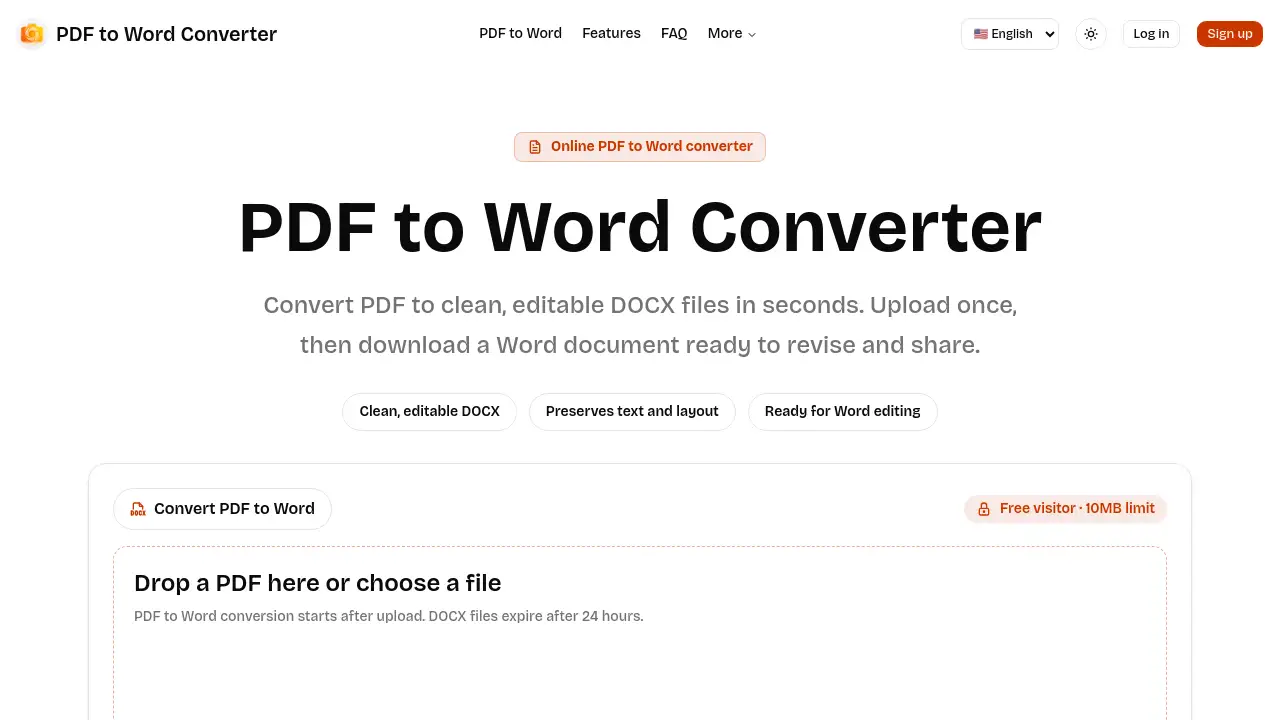
PDF to Word is a web-based application designed to solve a common digital problem: turning static, uneditable PDF files into fully editable Microsoft Word documents. This PDF to Word Converter allows users to upload a PDF and download a clean DOCX file, preserving the original text and layout for easy revision. It is suitable for students, professionals, and anyone who needs to extract or edit text from PDF reports, contracts, or scanned documents. The service emphasizes a secure and straightforward workflow, making document editing and repurposing accessible directly from a browser without installing software.
Key Features of PDF to Word
Editable Word Output
The core goal is to create a truly useful Word document, not just an image, resulting in a DOCX file that is easy to edit, reorganize, and reuse.
Handles Text and Scanned PDFs
The converter supports both text-based PDFs and scanned document files, accommodating a wide range of practical editing workflows.
Clear File Size Limits
Transparent limits are set for all users: 10MB for free visitors, 20MB for logged-in users, and up to 100MB for paid users converting larger files.
Asynchronous Conversion
Longer PDF to Docx jobs are processed in the background, allowing the interface to show real-time status updates like queued, processing, or completed without blocking the page.
Secure, Temporary Processing
All uploads and downloads are handled as private conversion tasks, with files automatically removed from storage after a default retention period for privacy.
Use Cases for PDF to Word
Academic Work and Research
Students and researchers can convert PDF journal articles or book chapters into editable Word documents for easier quoting, paraphrasing, and note-taking.
Business Document Editing
Professionals can edit contract drafts, proposals, or reports received as PDFs without needing to retype the entire content from scratch.
Updating Legacy Documents
Individuals can convert old scanned PDF manuals, forms, or letters into DOCX files to update information, correct errors, or reformat the layout.
Content Repurposing
Writers and marketers can extract text from PDF whitepapers or guides to repurpose the content for blogs, presentations, or social media posts.
How to Use PDF to Word
Using the PDF to Word Converter involves a simple three-step process conducted entirely online.
- Upload your PDF file. Visit the website and select a PDF from your device. Note the file size limit based on your account type (10MB for free users).
- Wait for processing. After submission, the file enters a queue. The page provides real-time status updates as the PDF to Docx conversion happens in the background.
- Download the Word document. Once the job finishes, download the resulting DOCX file. It can be opened in Microsoft Word, Google Docs, or other compatible editors for immediate editing.
Target Audience for PDF to Word
- Students and Academics
- Office Professionals and Administrators
- Writers, Editors, and Content Creators
- Legal and Contract Professionals
- Anyone who regularly receives information in PDF format that needs modification
Is PDF to Word Free?
Yes, the service offers a free tier with specific limitations. For larger needs, registered and paid plans are available. The official pricing page details the paid plan for 100MB conversions.
| User Tier | Maximum File Size | Key Feature |
|---|---|---|
| Free Visitor | 10 MB | Basic PDF to Word conversion |
| Logged-in User | 20 MB | Increased file size limit |
| Paid User | Up to 100 MB | Convert larger PDF to Docx files |
PDF to Word's Pros and Cons
| Aspect | Pros | Cons |
|---|---|---|
| Ease of Use | Very simple, three-step browser-based workflow. | Limited advanced editing options pre-conversion. |
| Cost | Has a permanently free tier for small files (10MB). | Free tier file limit may be restrictive for some users. |
| Security | Files are treated as temporary and are automatically deleted. | Relies on trust in the online service's security protocols. |
| Output Quality | Aims for practical, editable DOCX output from text PDFs. | Complex layouts or poor-quality scans may require manual cleanup. |
| Accessibility | No software installation required; works on any device with a browser. | Requires an internet connection to use the converter. |
Frequently Asked Questions about PDF to Word
Is this PDF to Word Converter free?
Yes. Free visitors can convert PDF files up to 10MB without any cost. Registered users have a 20MB limit, and paid plans support files up to 100MB.
Will the DOCX file match my original PDF exactly?
The converter focuses on creating a practical, editable Word document. While simple text-based PDFs usually convert cleanly, complex layouts, tables, or documents with unusual fonts might need some manual adjustment after conversion.
Can it convert scanned PDF files?
Yes, the service supports converting scanned document files. The quality of the resulting editable DOCX depends on the clarity, contrast, and angle of the original scan.
How long are my uploaded files stored?
Privacy is a priority. All files are temporary. Both the uploaded PDF and the converted DOCX file are automatically removed from storage after a default retention window, which is typically 24 hours.
What are the file size limits for conversion?
Free users can convert PDFs up to 10MB. Logging into an account increases the limit to 20MB, and a paid subscription allows for PDF to Docx conversion of files up to 100MB in size.
What formats can I open the output in?
The service outputs a standard DOCX file, which can be opened and edited in Microsoft Word, Google Docs, Apple Pages, and other compatible word processors.
PDF to Word Tags
PDF to Word, PDF to Word Converter, online PDF converter, convert PDF to Word, PDF to Docx, edit PDF in Word, scanned PDF to Word, free PDF converter, DOCX file, extract text from PDF, editable Word document, secure PDF conversion