Introduction
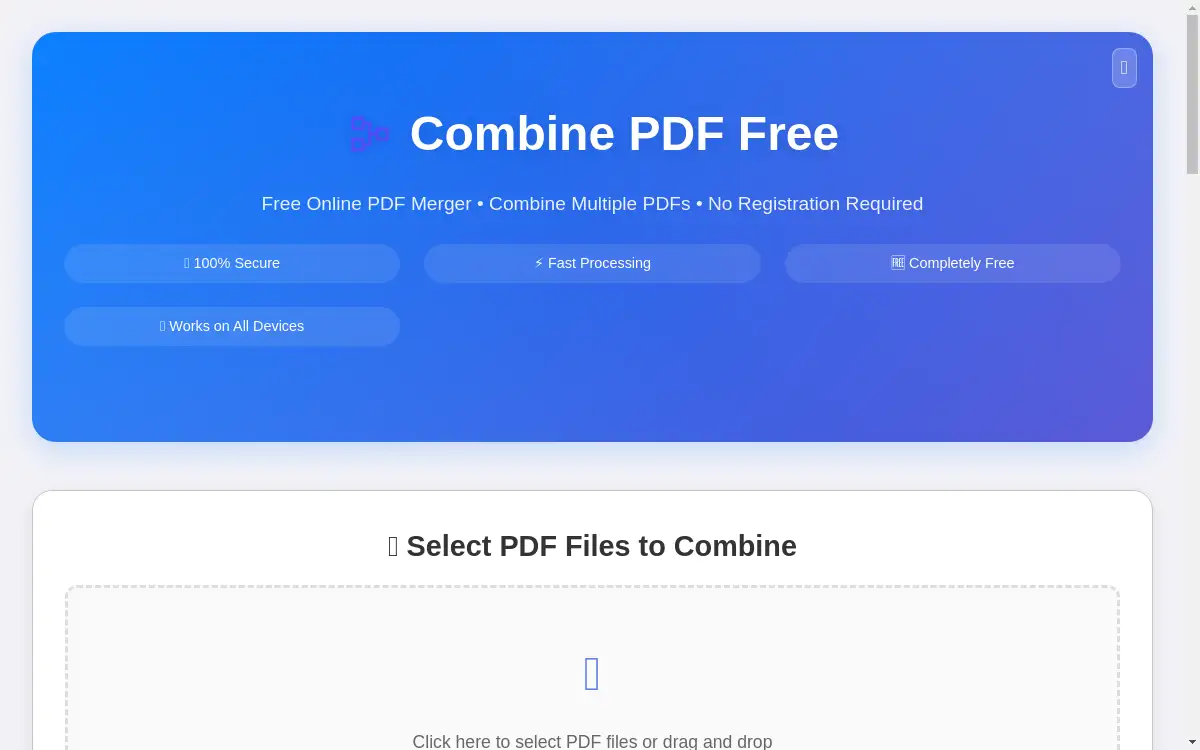
A free online PDF merger tool for combining multiple files into one document.
What is Combine PDF Free?
Combine PDF Free is a web-based application designed to merge multiple PDF files into a single, unified document. This tool addresses the common problem of managing scattered PDFs, which can be time-consuming and inefficient. It is suitable for a wide range of users, from students compiling research to professionals consolidating business reports. The significance of this PDF combiner lies in its simplicity and accessibility, eliminating the need for expensive software or complex procedures. By offering a straightforward solution for document consolidation, it streamlines digital workflows for anyone who regularly handles PDF files.
Key Features of Combine PDF Free
Completely Free Service
This PDF merger tool is 100% free to use with no hidden charges, subscription fees, or requirement for user registration.
Secure & Private Processing
Files are processed directly within the user's web browser, ensuring complete privacy as documents are never stored on external servers.
Fast Processing Speed
An optimized algorithm allows for the quick and efficient merging of multiple PDF files while maintaining the original quality of each document.
Cross-Platform Compatibility
The online PDF combiner works on any device, including desktops, tablets, and smartphones, and is compatible with all modern web browsers.
Easy Drag-and-Drop Interface
A simple and intuitive interface makes combining PDFs effortless, requiring no technical skills or prior experience with similar tools.
No Software Installation
As a browser-based tool, it requires no downloads or installations, allowing instant access from any location with an internet connection.
Use Cases for Combine PDF Free
Academic Document Compilation
Students and researchers can use this PDF combiner to merge multiple research papers, essays, or chapters into a single document for easier submission or review.
Business Report Consolidation
Professionals can efficiently combine various reports, spreadsheets, and presentations into one comprehensive PDF file for meetings or archival purposes.
Legal Document Organization
Legal teams can consolidate contracts, case files, and legal briefs, creating organized case portfolios using the secure PDF merger.
Medical Record Management
Healthcare workers can merge patient records, lab results, and medical forms, ensuring all relevant information is contained in one secure file.
Personal Document Archiving
Individuals can organize personal documents such as invoices, receipts, and tax forms by combining them into a single PDF for simplified record-keeping.
Mobile Document Merging
Users on smartphones or tablets can quickly combine PDFs while on the go, thanks to the tool's responsive design and mobile-friendly interface.
How to Use Combine PDF Free
Using this online PDF merger is a straightforward process that can be completed in just a few steps.
- Select PDF Files: Navigate to the website and click the upload area to select your files, or simply drag and drop them directly into the browser window. The tool supports up to 10 files, with each file being a maximum of 50MB.
- Arrange File Order: Review the list of uploaded files. If necessary, reorder them by dragging and dropping, as the files will be combined in the sequence shown.
- Combine PDFs: Click the "Combine PDFs" button to initiate the merging process. The tool will quickly process the files in your browser.
- Download Combined PDF: Once processing is complete, your new, unified PDF document will be ready for immediate download to your device.
Target Audience for Combine PDF Free
- Students and academic researchers
- Business professionals and office workers
- Legal professionals and paralegals
- Healthcare workers and administrative staff
- Freelancers and remote workers
- General users needing to manage personal documents
Is Combine PDF Free Free?
Yes, Combine PDF Free is completely free. The service operates without any costs, hidden fees, or subscription models. Users can merge an unlimited number of PDF files without any restrictions on usage frequency. There is no requirement to create an account or provide any personal information. This generous free plan provides full access to all the tool's features, including secure browser-based processing, file order arrangement, and instant download of the final merged document.
Frequently Asked Questions about Combine PDF Free
Is there a limit to how many PDFs I can merge?
The tool allows users to combine up to 10 PDF files in a single session. There is no daily limit on the number of merging sessions you can perform.
Are my files safe and private when using this PDF combiner?
Yes, privacy and security are core features. All file processing occurs directly within your web browser, meaning your documents are never uploaded to or stored on any external server.
Do I need to create an account to use the PDF merger?
No account creation is necessary. The tool is designed for immediate use without any registration, sign-up, or login requirements.
What is the maximum file size for each PDF?
Each individual PDF file can be up to 50MB in size. The tool will not process files that exceed this limit.
Can I rearrange the order of pages after combining?
The tool merges files in the order you set before processing. For rearranging individual pages within a PDF, a dedicated PDF editor would be required.
Does this tool work on mobile devices?
Yes, the online PDF combiner is fully responsive and works seamlessly on mobile devices, including smartphones and tablets, through any modern mobile browser.
Combine PDF Free Tags
combine PDF free, online PDF merger, PDF combiner, merge PDF files, free PDF tool, combine PDF online, PDF document merger, secure PDF combiner, browser PDF tool, no registration PDF merge, drag and drop PDF, mobile PDF merger