Introduction
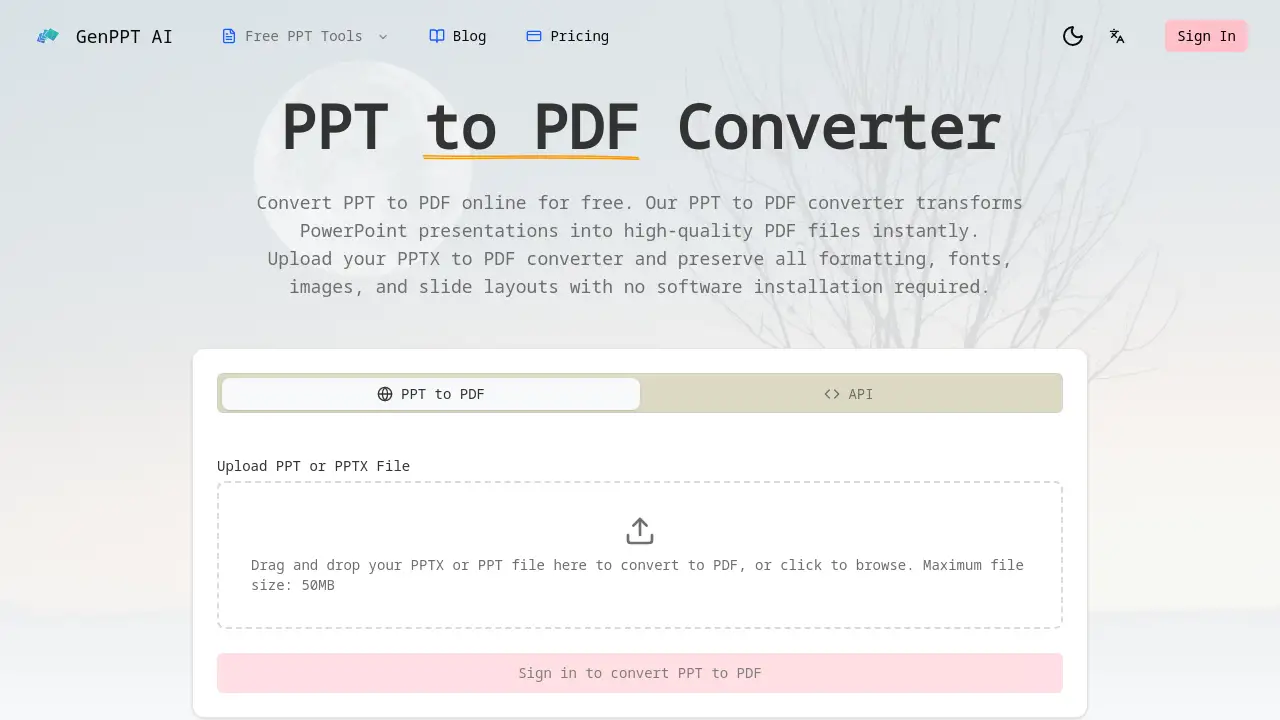
A free online tool for converting PowerPoint presentations into PDF files.
What is PPT to PDF Converter?
The PPT to PDF Converter is a web-based application designed to transform Microsoft PowerPoint files (PPT and PPTX formats) into Portable Document Format (PDF) files. This tool solves the common problem of presentation file compatibility and formatting inconsistency. When a PowerPoint file is shared, it may appear differently on various devices or software versions. Converting it to PDF ensures the layout, fonts, and graphics remain exactly as intended, creating a universal, uneditable document. This online PPT to PDF converter is suitable for anyone who needs to share, archive, or print presentations reliably, from students and teachers to business professionals and developers. Its importance lies in its simplicity, speed, and ability to preserve the visual integrity of the original slides without requiring any specialized software.
Key Features of PPT to PDF Converter
High-Fidelity Format Preservation
The converter maintains all original formatting, including fonts, colors, slide layouts, images, and charts, ensuring the PDF output is a pixel-perfect replica of the PowerPoint presentation.
Fast and Free Web Conversion
Users can convert PPT to PDF in seconds directly from a web browser without any cost, registration, or software installation, handling files up to 50MB in size.
Developer-Friendly REST API
For automated workflows, the PPT to PDF API allows developers to integrate conversion capabilities into their own applications, platforms, or document processing pipelines with a simple API call.
Secure and Private Processing
Files are processed in an isolated, secure environment and are automatically deleted after the PPTX to PDF conversion is complete, guaranteeing user data privacy and confidentiality.
Use Cases for PPT to PDF Converter
Sharing Business Reports and Proposals
Professionals convert PPTX to PDF to ensure their sales decks, financial reports, and client proposals look consistent and professional on any device when shared externally.
Distributing Educational Materials
Educators and students use the PPT to PDF converter to turn lecture slides and project presentations into standardized PDF files for easy distribution and submission via learning management systems.
Automating Document Workflows
Developers and IT teams leverage the PPT to PDF API to automate the conversion of presentation files within content management systems, reporting tools, or other business applications.
Archiving Creative Portfolios
Designers and creatives convert their presentation portfolios to PDF format to preserve complex visual elements like custom fonts and high-resolution images for long-term archiving or digital sharing.
How to Use PPT to PDF Converter
Using this online tool is a straightforward three-step process:
- Upload Your File: Navigate to the converter’s webpage. Drag and drop your PowerPoint file (PPT or PPTX format) into the designated area, or click to browse and select it from your computer.
- Initiate Conversion: The tool will automatically begin processing the file. The high-fidelity PPT to PDF conversion typically completes within seconds.
- Download the PDF: Once processing is finished, a download link for your new PDF file will appear. Simply click it to save the converted document to your device.
Target Audience for PPT to PDF Converter
- Business Professionals (Sales, Executives, Consultants)
- Students and Educators
- Software Developers and DevOps Teams
- Graphic Designers and Creative Professionals
- Administrative and HR Personnel
- Anyone needing a reliable, quick file format conversion
Is PPT to PDF Converter Free?
The web-based PPT to PDF conversion tool is free to use for individual users. For developers and businesses requiring automated, high-volume conversions, a paid API service is available.
| Plan | Price | Key Features |
|---|---|---|
| Web Tool | Free | Convert single PPT/PPTX files up to 50MB online. No registration required. |
| API Service | Paid per credit | Programmatic PPT to PDF conversion. 1 credit per API call. Suitable for bulk processing and integration. |
PPT to PDF Converter's Pros and Cons
| Aspect | Pros | Cons |
|---|---|---|
| Ease of Use | Extremely simple, three-step web interface with no installation. | Requires an internet connection to use the web tool. |
| Cost | The core online PPTX to PDF conversion is completely free. | High-volume API usage incurs costs, which may not suit all budgets. |
| Output Quality | Excellent preservation of all original formatting and visuals. | Limited to the constraints of the PDF format (e.g., interactive PowerPoint animations are flattened). |
| Security | Strong privacy policy with automatic file deletion post-conversion. | Users must trust the online service with their file content during the brief processing window. |
| Functionality | Solves the core conversion problem perfectly and offers a powerful API for automation. | The free web tool has a maximum file size limit (50MB) and is for single-file conversions. |
Frequently Asked Questions about PPT to PDF Converter
Is my data safe when I convert PPT to PDF online?
Yes. The service processes files in a secure sandbox environment and deletes both the original upload and the converted PDF shortly after the conversion is complete. No files are stored or shared.
What PowerPoint file formats does the converter support?
The online PPT to PDF converter supports both the older .PPT format and the modern .PPTX (PowerPoint Open XML) format for conversion.
Does the converter preserve slide animations and transitions?
No. When converting PPT to PDF, complex elements like animations, video, and slide transitions are typically flattened or removed, as the PDF format is designed for static page layout. The focus is on preserving the visual layout of each slide.
Is there a limit to the file size I can convert?
For the free web tool, the maximum file size for a PPT to PDF conversion is 50MB. Larger files would require compression before uploading or using a different service.
What is the PPT to PDF API, and who is it for?
The PPT to PDF API is a developer tool that allows other software applications to send a PowerPoint file and receive a PDF back automatically. It is designed for businesses, SaaS platforms, and developers who need to integrate document conversion into their automated workflows or handle bulk conversions.
Do I need to create an account to use the free converter?
No account or registration is required to perform a basic PPTX to PDF conversion using the free online tool.
PPT to PDF Converter Tags
PPT to PDF converter, PPTX to PDF converter, free online PPT to PDF, convert PowerPoint to PDF, preserve formatting, PPT to PDF API, online document converter, PowerPoint PDF conversion, secure file conversion, business presentation tool, student PDF converter, developer API, batch PPT conversion, high-fidelity PDF