Introduction
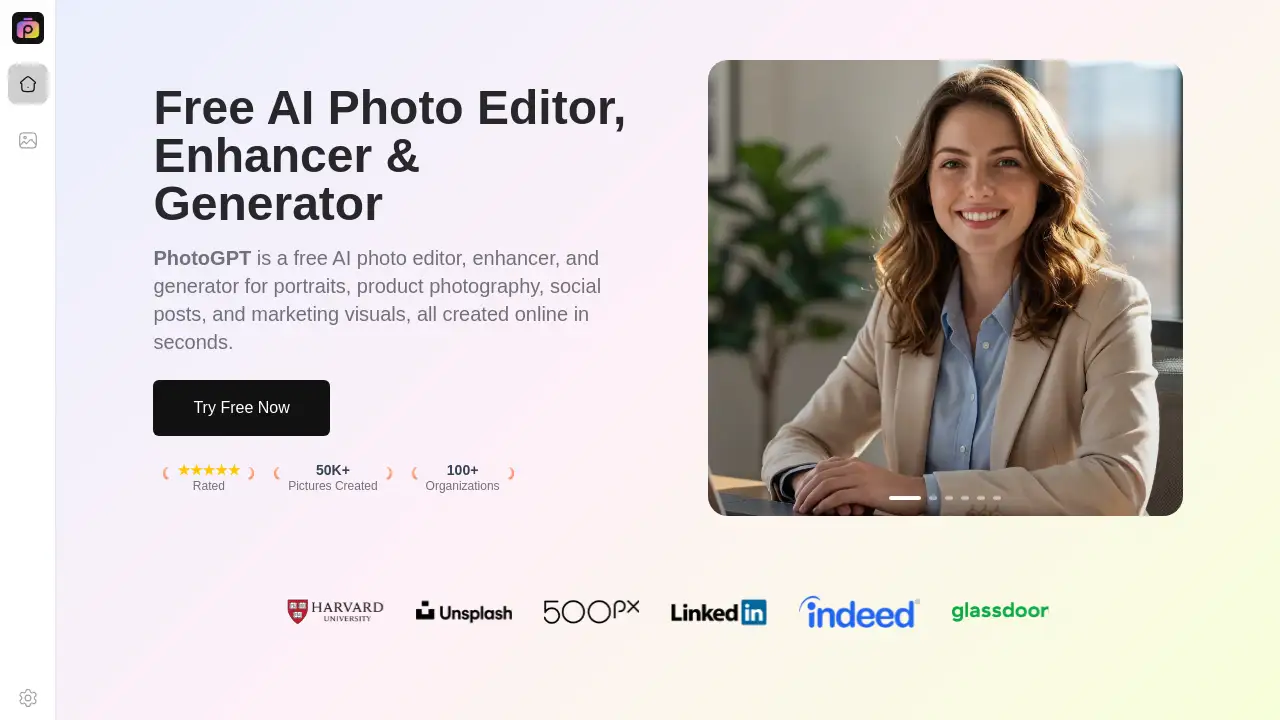
PhotoGPT is a free, all-in-one AI tool for creating and enhancing professional-looking photos online in seconds.
What is PhotoGPT?
PhotoGPT is a free AI-powered photo editor, enhancer, and generator designed to create high-quality images for various purposes. It solves the problem of needing professional photography skills or expensive equipment to produce realistic photos for portraits, product shots, social media, and marketing materials. By acting as a virtual photography expert, PhotoGPT simplifies the entire process, making it accessible to anyone, regardless of technical experience. It is suitable for content creators, marketers, small business owners, and individuals looking to elevate their visual content quickly and effortlessly.
Key Features of PhotoGPT
Studio-Grade Realistic Photos
PhotoGPT generates images that look professionally photographed, focusing on real textures, balanced exposure, and natural composition.
Ultra-HD Images with No Watermarks
The tool outputs high-resolution photos with clear details, free of any watermarks, making them instantly ready for professional or personal use.
One-Click Edit with Zero Learning Curve
PhotoGPT simplifies the workflow with one-click generation and editing, requiring no prior photography or technical skills to achieve polished results.
Clean And Natural Photo Enhancement
This feature refines clarity, lighting, and texture in photos while keeping a natural look, making image editing fast and accessible for all users.
Realistic Outfit Transformation
Users can adjust clothing styles with accurate folds and lighting, creating realistic fashion previews and store visuals that blend seamlessly with the original photo.
Professional Headshots Made Simple
Generate high-quality headshots with natural expressions and clean backgrounds for work profiles and personal branding without any camera setup.
Hairstyle Preview With Real Results
Experiment with different hairstyles through realistic previews that match hair shape and tone to facial features, aiding in confident style decisions.
Use Cases for PhotoGPT
Social Media Content Creation
Quickly generate eye-catching and professional lifestyle or portrait images for social media posts, stories, and ads.
E-commerce Product Photography
Create clean, realistic product shots for online stores and marketing campaigns without the need for complex photography setups.
Personal Branding and Professional Profiles
Produce polished headshots and profile pictures for LinkedIn, company websites, and freelance portfolios.
Creative Fashion and Style Exploration
Visualize outfit changes or new hairstyles realistically for fashion blogs, personal planning, or creative content.
Marketing and Advertising Visuals
Develop high-quality visuals for digital marketing, banners, and promotional materials with a professional aesthetic.
How to Use PhotoGPT
- Visit the PhotoGPT website.
- Choose the desired function, such as photo generation, enhancement, or a specific feature like outfit change.
- Upload a reference image or input a text prompt describing the desired photo.
- Let the AI process the request, which typically takes just seconds.
- Download the generated ultra-HD image without any watermarks for immediate use.
Target Audience for PhotoGPT
- Content Creators and Bloggers
- Social Media Managers and Influencers
- E-commerce Store Owners and Managers
- Digital Marketers and Advertisers
- Freelancers and Small Business Owners
- Individuals seeking professional personal photos
Is PhotoGPT Free?
Based on the reference information, PhotoGPT is promoted as a free AI photo editor and generator. The homepage emphasizes its free nature and provides "Try Free Now" buttons for its various features. For the most current information on any potential premium plans or features, users should refer to the official PhotoGPT website.
| Plan | Price | Key Features |
|---|---|---|
| Free | $0 | AI photo editing, enhancement, generation, ultra-HD downloads, no watermarks. |
PhotoGPT's Pros and Cons
| Aspect | Pros | Cons |
|---|---|---|
| Accessibility | Completely free to use; requires no technical skills or photography experience. | Advanced customizations may be limited compared to professional desktop software. |
| Speed & Efficiency | Generates and edits high-quality images in seconds with a one-click workflow. | Output is dependent on the quality of the input prompt or reference image. |
| Output Quality | Produces studio-grade, realistic photos in ultra-HD resolution without watermarks. | As an AI tool, it may not perfectly replicate highly specific or nuanced artistic visions. |
| Use Case Range | Versatile for portraits, products, social posts, and marketing visuals. | Primarily focused on image generation and enhancement, not complex graphic design. |
Frequently Asked Questions about PhotoGPT
Is PhotoGPT really free to use?
Yes, PhotoGPT is a free AI photo editor. Users can generate, enhance, and edit photos online at no cost and download the high-resolution results without watermarks.
What kind of photos can I create with PhotoGPT?
You can create a wide variety of photos, including expressive portraits, professional headshots, product photography for e-commerce, social media posts, and marketing visuals. Features also allow for realistic outfit changes and hairstyle previews.
Do I need any photography experience to use PhotoGPT?
No, PhotoGPT is designed with a zero learning curve. Its one-click editing and generation process allows anyone to create professional-looking photos without any prior photography or technical skills.
How does PhotoGPT ensure photos look realistic?
PhotoGPT acts as a virtual photography expert, focusing on elements like natural lighting, sharp detail, accurate textures, and balanced composition to produce studio-grade realistic photos that appear professionally taken.
Can I use the photos created with PhotoGPT for commercial purposes?
Since the images are generated and provided without watermarks, they are typically ready for use in personal and commercial projects, such as marketing, online stores, and social media. It is always good practice to review the tool's terms of service for specific usage rights.
What makes PhotoGPT different from other AI image generators?
PhotoGPT stands out by specializing in creating realistic, photograph-quality images with natural depth and lighting, rather than purely artistic or illustrative styles. It combines the roles of an AI generator, enhancer, and editor into one streamlined, user-friendly platform.
PhotoGPT Tags
AI photo editor, free AI photo generator, AI image enhancer, realistic photo generator, professional headshot AI, product photography AI, social media photo tool, marketing visuals AI, online photo editor, AI portrait generator, outfit change AI, hairstyle preview AI