Introduction
Pixelcut offers easy-to-use AI tools to make your photos stand out.
What is Pixelcut?
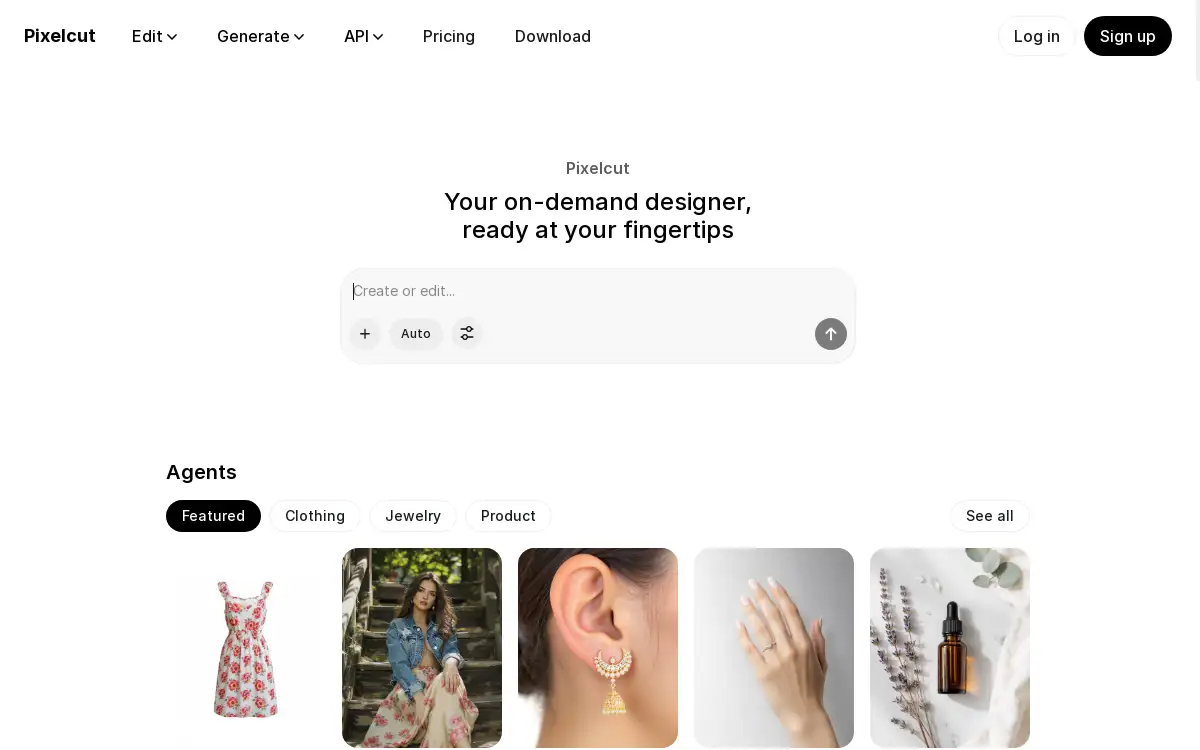
Pixelcut is an AI-powered creative platform designed to simplify photo and video editing. This product solves the problem of complex and time-consuming digital design, making professional-grade editing accessible to users without advanced technical skills. It is particularly suitable for small business owners, social media managers, content creators, and marketing teams who need to produce high-quality visual content quickly. Pixelcut matters because it consolidates powerful AI features like background removal, image generation, and video creation into a single, user-friendly workspace, streamlining the entire creative workflow from ideation to collaboration.
Key Features of Pixelcut
AI Photo Editing
Pixelcut allows users to instantly edit photos with AI, performing common tasks like removing backgrounds and retouching images with just a few clicks.
AI Video Generation
The platform enables the creation of high-quality videos from a single text prompt or uploaded image, utilizing advanced models from leading AI companies.
AI Image Generation
Users can turn ideas into realistic images in seconds by providing a text description or using an existing image as a reference for generation.
Collaborative Workspace
Pixelcut includes shared folders, allowing teams to generate, edit, and organize content together in an all-in-one workspace built for collaboration.
Background Remover
This specific tool effortlessly removes the background from any image, delivering clean, pixel-perfect results that look professionally edited.
Image Upscaler
The AI image upscaler enhances the resolution of images, improving their quality without sacrificing detail, which is ideal for printing or enlarging digital content.
Use Cases for Pixelcut
E-commerce Product Listings
Online sellers can quickly create clean, professional product photos by removing distracting backgrounds and upscaling image quality for their storefronts.
Social Media Content Creation
Content creators and influencers can generate unique images and engaging videos from simple prompts to maintain a consistent and appealing social media feed.
Marketing Material Design
Small businesses and marketing teams can collaboratively design flyers, ads, and promotional materials without needing to hire a dedicated graphic designer.
Personal Photo Enhancement
Individuals can easily retouch personal photos, expand image boundaries, or creatively alter them for personal projects or gifts.
How to Use Pixelcut
Using Pixelcut is designed to be a straightforward process. First, users can visit the Pixelcut website and start a new project. Next, they can select the desired tool, such as the background remover, image upscaler, or video generator. Then, they simply upload their image or input a text prompt describing what they want to create. The AI processes the request, and the user can then make any final adjustments. Finally, the finished image or video can be downloaded or shared directly with collaborators from the platform.
Target Audience for Pixelcut
- Small business owners and entrepreneurs
- Social media managers and influencers
- E-commerce sellers and shop owners
- Marketing teams and advertising agencies
- Graphic designers and freelance creatives
- Individuals working on personal creative projects
Is Pixelcut Free?
Pixelcut offers a generous free plan that allows users to access its core AI tools and start creating at no cost. This provides an excellent opportunity to explore features like the AI background remover and image generator. For users requiring higher volume or advanced capabilities, Pixelcut provides affordable premium options with expanded features and resources, offering significant value for growing businesses and power creators.
Frequently Asked Questions about Pixelcut
What is Pixelcut's background remover?
Pixelcut's background remover is an AI tool that automatically detects and removes the background from an image, leaving a clean, transparent background with high accuracy.
Can I generate videos with Pixelcut?
Yes, Pixelcut can generate high-quality videos from a single text prompt or an uploaded image, using advanced AI video models to bring creative ideas to life.
Is there a limit on the free plan?
The free plan includes access to many core features, though it may have limitations on the number of creations or access to certain premium AI models compared to paid subscriptions.
How does the AI image upscaler work?
The AI image upscaler uses machine learning to intelligently increase the resolution of an image, enhancing its detail and clarity for a sharper, larger final result.
Can multiple people work on a project?
Yes, Pixelcut supports collaboration through shared folders, allowing team members to edit, generate, and organize content together in a unified workspace.
What file formats are supported?
Pixelcut supports common image and video file formats for upload and download, ensuring compatibility with most standard workflows and publishing platforms.
Pixelcut Tags
Pixelcut, AI photo editor, background remover, image upscaler, AI video generator, AI image generation, photo editing software, creative workspace, social media tools, e-commerce design, collaborative editing, AI design platform