Introduction
Play HT text to speech makes AI voiceovers easy.
What is Play HT?
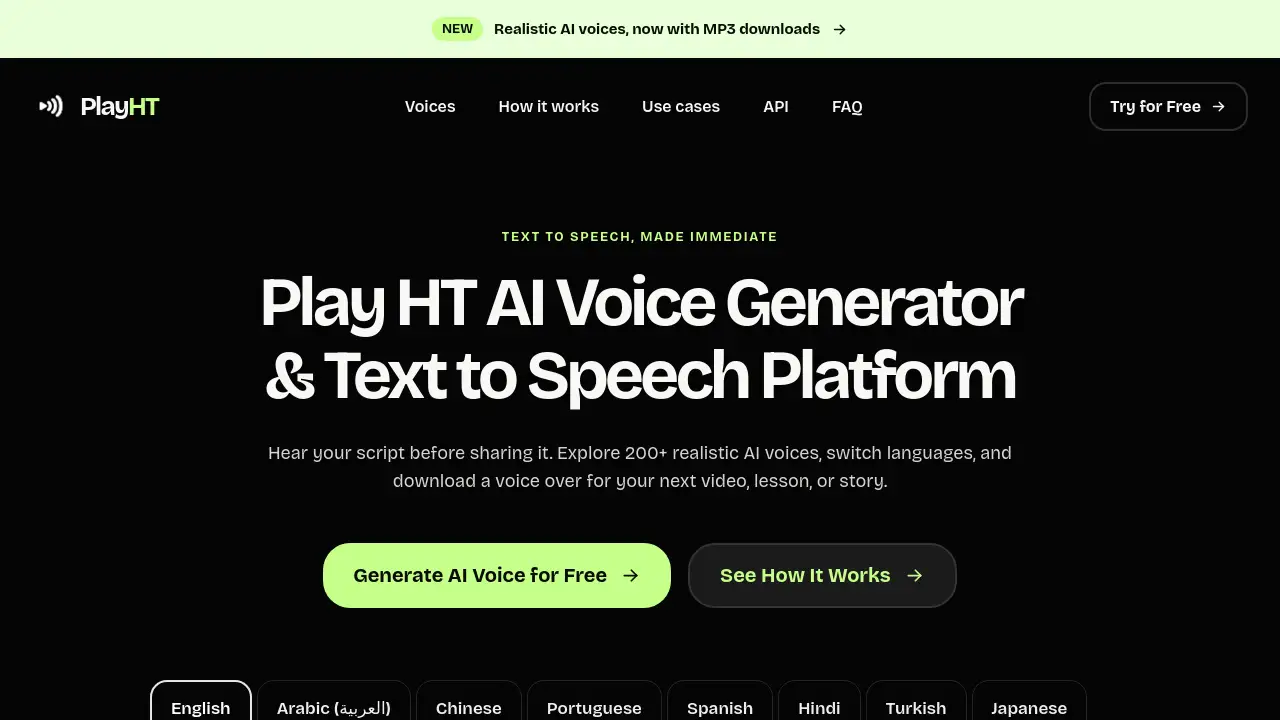
Play HT is an independent text to speech and AI voice generator service available at playht.app. It turns written scripts into spoken audio using 200+ AI voices, with support for English, Arabic, Chinese, Portuguese, Spanish, Hindi, Turkish, and Japanese. The tool is built for quick previews: users paste up to 500 characters, choose a voice, and generate a free voice over. Play HT then uses ElevenLabs technology to return an MP3. The service solves a simple problem: hearing a script before sharing it. Writers, educators, video creators, and developers can test pacing, pronunciation, and tone without recording themselves. Play HT is not the archived Play.ht brand; older accounts and subscriptions do not transfer. It is a lightweight way to try AI voices and download a voice over for a video, lesson, or story.
Key Features of Play HT
200+ AI Voices
Browse a public catalog of more than 200 AI voices and search by name or accent. This makes it easier to find a voice that matches a project’s tone.
Multiple Language Tabs
Select from English, Arabic, Chinese, Portuguese, Spanish, Hindi, Turkish, and Japanese. Each language tab lists matching voices for a text to speech preview.
500-Character Free Preview
Paste a short script and generate up to 500 characters per attempt. The free preview allows up to three generations per network address daily, resetting at 00:00 UTC.
Streaming and MP3 Download
Listen while the audio is still generating in supported browsers, or wait for the completed clip. Users can download the result as an MP3 and keep it with project notes.
Voice Search and Replay
Find a voice by name or accent, then replay the completed clip without using another generation. Replay and download remain available during the current session.
Developer Preview API
Fetch the public voice catalog from GET /api/voices, then send text, voice ID, and language to POST /api/tts. The response is an MP3 stream for short previews, not continuous production traffic.
Use Cases for Play HT
Video Narration
Creators can test narration pace for a YouTube video, ad, or explainer before recording a final voice over. The AI voice generator helps check whether a script sounds natural.
Online Lessons
Teachers and course creators can hear pronunciation for a lesson passage. Play HT supports multiple languages, making it useful for language learning and educational content.
Podcast and Story Drafts
Writers can turn a story draft into spoken audio and listen for rushed phrases or missing pauses. The free voice over preview helps improve the script before sharing it.
Product Demos
Marketers can generate a quick voice over for a product demo or software walkthrough. Downloading an MP3 makes it easy to drop the audio into an editing workflow.
Accessibility Checks
Users can convert short text into speech to check readability. A text to speech preview can help identify confusing phrases or technical terms.
How to Use Play HT
- Open playht.app and go to the voice editor.
- Paste a script of up to 500 characters into the text box.
- Choose a language tab, then select a voice by name, accent, or tone.
- Press Generate and listen to the preview. In supported browsers, audio may stream while it is being created.
- Download the MP3 before leaving or refreshing the page, because Play HT does not store generated clips.
Target Audience for Play HT
- Content creators and video editors
- Educators and online course instructors
- Marketers and product demo creators
- Podcasters and storytellers
- Developers testing a text to speech preview API
- Students and accessibility users who need short audio samples
Is Play HT Free?
Play HT offers a free preview. The homepage does not show a traditional paid subscription plan or pricing page. Users should check the official site for any future updates.
| Plan | Price | Features |
|---|---|---|
| Free preview | $0 | 500 characters per generation, up to 3 generations per network address daily, 200+ AI voices, 8 languages, MP3 download, replay in current session |
The site shares a daily capacity of 6,000 characters. Starting or cancelling a generation uses an attempt. Existing clips remain available for replay and download only in the current session. Play HT does not maintain an audio library.
Play HT's Pros and Cons
| Aspect | Pros | Cons |
|---|---|---|
| Pricing | Free preview available | Daily limits and a 500-character cap |
| Features | 200+ AI voices, multiple languages, MP3 download | No stored audio library; clips disappear after the session |
| Ease of use | Simple editor, voice search, replay without extra generation | Shared voices may become unavailable if removed |
| Technology | Uses ElevenLabs for voice generation | Text is sent to a third-party provider |
| Access | Browser-based tool and preview API | API has no availability guarantee and is not for production traffic |
| Brand | Independent service with a clear preview focus | Not the original Play.ht; old accounts and credentials do not transfer |
Frequently Asked Questions about Play HT
What is Play HT used for?
Play HT is used to turn short text into spoken audio. It helps users preview a voice over, check pronunciation, and download an MP3 for a video, lesson, story, or product demo.
How does the free Play HT AI voice generator work?
Enter a script, choose a language and voice, and press Generate. Play HT sends the text to ElevenLabs and returns an MP3. Supported browsers play audio as it arrives; others play the completed clip.
Can I download the audio as an MP3?
Yes. Users can choose Download MP3 after generation finishes. Replay and download use no extra generation, but the file should be saved before leaving or refreshing the page.
Which languages and accents does Play HT support?
Play HT lists English, Arabic, Chinese, Portuguese, Spanish, Hindi, Turkish, and Japanese. Each tab shows matching voices from a catalog of 200+ public voices, and users can search by name or accent.
Is Play HT the same as the old Play.ht service?
No. PlayHT and Play.HT also refer to the earlier Play.ht brand, but this independent Play HT implementation uses ElevenLabs technology. Earlier accounts, subscriptions, projects, and API credentials do not transfer.
What are the free preview limits on Play HT?
The free preview allows up to 500 characters per generation and three generations per network address daily, resetting at 00:00 UTC. The site shares a daily capacity of 6,000 characters.
Play HT Tags
Play HT, Play HT text to speech, AI voice generator, free voice over, text to speech, AI voices, voice over generator, ElevenLabs text to speech, MP3 voice download, online TTS, AI voice preview, text to speech API