Introduction
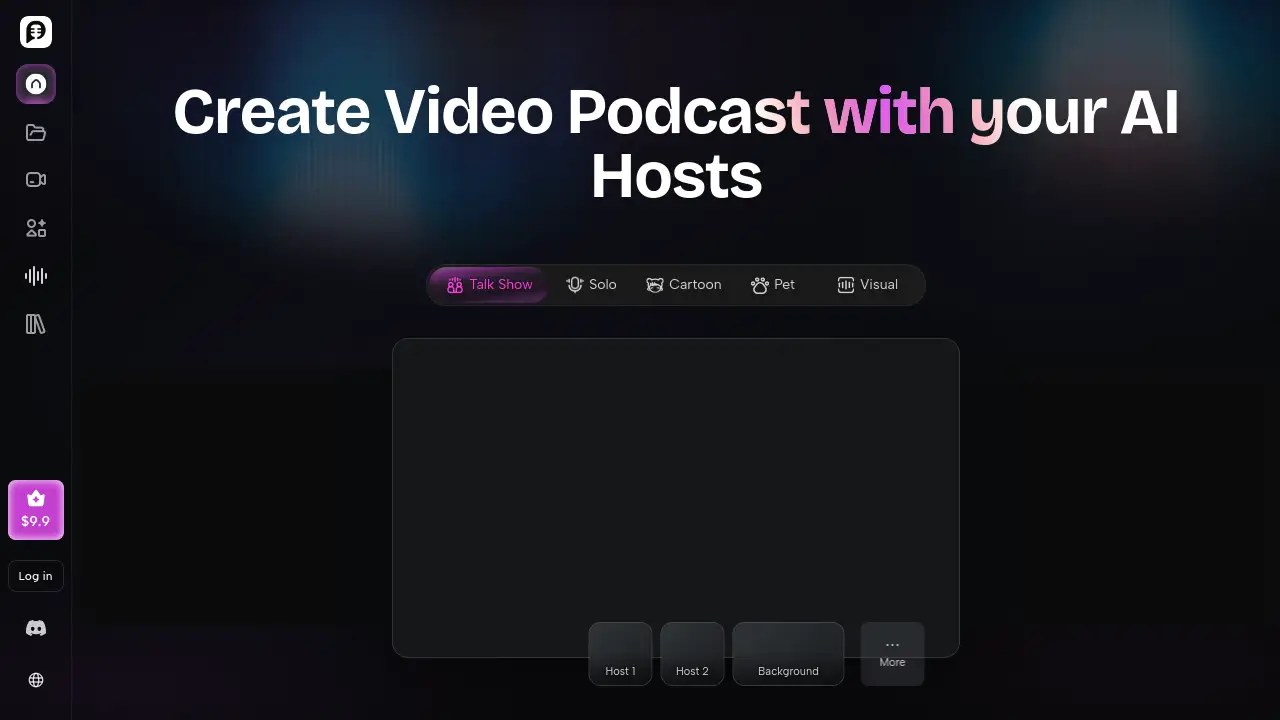
PodcastorAI is an AI podcast generator for video podcasts.
What is PodcastorAI?
PodcastorAI is an all-in-one AI podcast studio and AI video podcast generator. As an AI podcast generator, it helps users turn PDFs, documents, URLs, notes, and audio recordings into structured podcast scripts, natural AI voiceovers, and publishable video podcasts. Traditional podcast production often requires cameras, microphones, editing software, and hours of post-production. PodcastorAI removes many of those barriers by combining script generation, AI host creation, voice selection, video rendering, and export in one platform. It is suitable for content creators, educators, marketers, small teams, and beginners who want to produce episodes without a full studio. Because it supports solo shows, talk shows, and split-screen conversations, it can work for both simple audio podcasts and branded video podcasts. The main value is speed: users can move from an idea or document to a platform-ready episode in minutes.
Key Features of PodcastorAI
AI Podcast Host Creation
Upload a photo to create a personalized AI podcast host. Users can keep the same host across episodes or create different hosts for different stories.
Content-to-Script Conversion
Transform PDFs, documents, URLs, notes, and recordings into structured podcast scripts. This text to podcast and PDF to podcast workflow captures key insights and organizes them into natural conversations.
AI Voice Generation and Voice Cloning
Choose from natural AI voices or clone a personal voice to generate studio-quality podcast audio. This AI voice generator makes episodes sound more professional without a recording booth.
Customizable Video Podcast Styles
Select AI hosts, voices, layouts, and conversation styles to create solo podcasts, two-shot scenes, talk shows, or split-screen discussions. This video podcast maker helps match each episode to a brand or topic.
Multi-Platform Export and Sharing
Export studio-quality video podcasts with captions, multiple formats, and platform-ready layouts. Share directly to YouTube, Spotify, Apple Podcasts, TikTok, and other channels.
Automated Podcast Workflow
Move through a guided process: create an AI host, import content, generate audio, and render video. The AI podcast generator handles the heavy lifting while the user keeps creative control.
Use Cases for PodcastorAI
Content Creators
Turn blogs, URLs, PDFs, and trending ideas into podcast scripts, audio episodes, and video podcasts without recording from scratch. This AI podcast generator is useful for creators who publish often and need to save time.
Educators and Students
Convert lessons, notes, and study materials into audio or video podcasts. Students can review material on their own time, and teachers can offer another way to absorb information.
Marketers and Small Teams
Turn reports, documents, and remote conversations into branded video podcasts. Teams can repurpose existing content into episodes for YouTube, Spotify, or social media.
Solo Podcasters and Beginners
Create solo podcasts with an AI podcast host and AI voice, even without cameras or editing experience. The AI podcast studio makes it easier to start publishing regularly.
Repurposing Existing Content
Give existing articles, recordings, and notes a second life as audio, video, and shorter clips. One source item can become multiple pieces of podcast content.
How to Use PodcastorAI
- Create an AI host by uploading a photo. The host can represent the podcast and stay consistent across episodes.
- Import content from PDFs, URLs, notes, or audio recordings. PodcastorAI extracts key insights and organizes them into a script.
- Generate audio by choosing a natural AI voice or cloning a voice. The result is studio-quality podcast audio.
- Render a video podcast by selecting a format such as a solo show, talk show, or split-screen conversation.
- Export and share the final episode to YouTube, Spotify, Apple Podcasts, TikTok, or other platforms. PodcastorAI, an AI podcast generator, guides users through this process step by step.
Target Audience for PodcastorAI
- Content creators who publish blogs, videos, or social posts
- Educators and students who want study podcasts
- Marketers and small businesses that need branded content
- Solo podcasters and beginners without recording equipment
- Teams turning remote conversations into episodes
- Social media managers repurposing long-form content
Is PodcastorAI Free?
PodcastorAI offers a free start, based on the product page statement "Try PodcastorAI for free." The available reference information does not list detailed pricing plans, limits, or paid tiers. Users who want current pricing details should visit the official PodcastorAI website and check the pricing or sign-up page. The free option makes it possible to test the AI podcast generator before committing to a paid plan.
PodcastorAI's Pros and Cons
| Aspect | Pros | Cons |
|---|---|---|
| Pricing | Free trial or free start is available to test the AI podcast generator | Full pricing and plan limits are not clearly listed in the provided reference information |
| Features | All-in-one AI podcast studio with scripts, AI hosts, voices, and video rendering | Output quality depends on the source content and may need a quick review |
| Ease of Use | No camera, studio, or editing software required for basic video podcasts | Some customization options may take time to learn |
| Publishing | Exports for YouTube, Spotify, Apple Podcasts, TikTok, and more | Platform-specific formatting still needs manual attention |
Frequently Asked Questions about PodcastorAI
What is PodcastorAI?
PodcastorAI is an AI podcast generator and AI video podcast generator that turns documents, URLs, PDFs, notes, and audio into audio and video podcasts. It combines script writing, AI voices, AI hosts, and video rendering in one platform.
Is PodcastorAI free?
The product page says users can try PodcastorAI for free. Detailed pricing plans are not provided in the reference information, so users should check the official website for current free and paid options.
Can I make a video podcast without a camera?
Yes. Users can upload a photo to create an AI podcast host, then generate a video podcast with that avatar. This means no camera or recording studio is required for the basic workflow.
Can PodcastorAI turn a PDF into a podcast?
Yes. PodcastorAI supports a PDF to podcast workflow. Users can upload a PDF, and the platform extracts key insights, creates a script, and prepares audio or video output.
Which platforms can I publish to?
PodcastorAI exports are designed for platforms such as YouTube, Spotify, Apple Podcasts, and TikTok. Users can also export multiple formats with captions for other channels.
Can I use my own voice?
Yes. PodcastorAI offers natural AI voices and voice cloning. Users can choose a built-in voice or clone their own voice to generate podcast audio.
PodcastorAI Tags
AI podcast generator, AI video podcast generator, PodcastorAI review, AI podcast studio, AI podcast host, text to podcast, PDF to podcast, AI voice generator, video podcast maker, podcast automation, AI script generator, YouTube podcast tool