Introduction
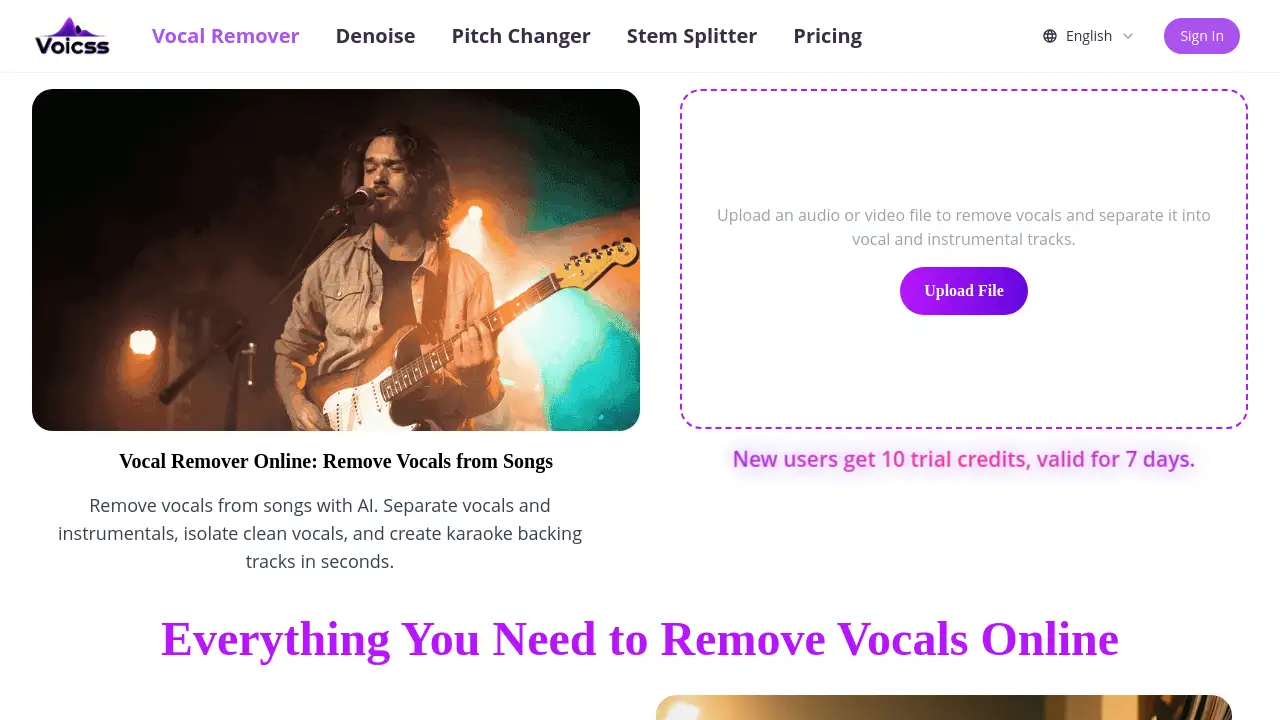
Voicss is an online AI tool for removing vocals from songs to create karaoke tracks and instrumentals.
What is Voicss?
Voicss is a web-based application that uses artificial intelligence to separate audio tracks. It allows users to remove vocals from songs online, isolating either the vocal or the instrumental component. This solves the common problem of needing a clean backing track for karaoke, practice, or creative projects without access to the original studio stems. It is suitable for singers, music enthusiasts, content creators, and anyone looking for a quick and easy way to edit audio files. The service matters because it democratizes audio editing, making a task that once required professional software accessible to beginners directly in their browser.
Key Features of Voicss
AI Vocal Remover
The core functionality uses AI to separate vocals from background music, producing distinct vocal and instrumental tracks.
Browser-Based Processing
The tool works 100% online without requiring any software downloads, ensuring accessibility from any device with a web browser.
Beginner-Friendly Interface
No prior audio editing experience is needed; users can simply upload a file and get results in a straightforward process.
Multi-Format Support
It supports popular audio and video formats like MP3, WAV, M4A, and FLAC, accommodating a wide range of source files.
Fast Processing
The AI delivers high-quality results in seconds, providing a quick turnaround for creating karaoke backing tracks or isolated vocals.
Free Trial Offering
New users receive trial credits to test the service risk-free, with no initial sign-up required for the first audio split.
Use Cases for Voicss
Creating Karaoke Backing Tracks
Users can quickly turn any song into an instrumental track for singing along at home or at events.
Isolating Vocals for Remixing
Music producers and creators can extract clean vocal stems for sampling, remixing, or other audio projects.
Vocal Practice and Study
Singers can isolate instrumentals to practice their vocals or study the isolated vocal tracks of professional singers.
Content Creation for Social Media
Content creators can generate custom instrumental backgrounds for videos or extract vocals for specific creative edits.
How to Use Voicss
Using Voicss to remove vocals from a song is a simple three-step process.
- Upload Your File: Navigate to the Voicss website and click the upload button to select an audio or video file from your device.
- Let AI Process: The AI vocal remover will automatically analyze and separate the track into vocal and instrumental components. This typically takes just a few seconds.
- Download Your Tracks: Once processing is complete, you can preview and download the separated vocal track and the karaoke-style instrumental track.
Target Audience for Voicss
- Singers and vocalists practicing or performing.
- Music teachers and students.
- Karaoke enthusiasts and party hosts.
- Social media content creators and video editors.
- Hobbyist musicians and producers working on remixes.
- Podcasters or audio editors needing to clean or isolate audio elements.
Is Voicss Free?
Voicss offers a free trial for new users. According to the website, new users receive 10 trial credits valid for 7 days. For ongoing use, detailed pricing plans are available on the official Voicss pricing page. Users are encouraged to visit https://www.voicss.com/pricing for current subscription options and credit packages.
Voicss's Pros and Cons
| Aspect | Pros | Cons |
|---|---|---|
| Accessibility | Completely online; no installation needed. | Requires a stable internet connection to function. |
| Ease of Use | Extremely beginner-friendly with a simple upload-and-go interface. | May offer less advanced control compared to professional desktop DAW software. |
| Speed & Quality | Delivers AI-powered results in seconds, with quality suitable for many use cases. | The separation quality can vary depending on the complexity of the source track. |
| Cost | Offers a free trial to test the service without commitment. | Continuous use requires a paid subscription after trial credits are exhausted. |
Frequently Asked Questions about Voicss
What file formats does Voicss support?
Voicss supports a variety of common audio and video formats, including MP3, WAV, M4A, FLAC, and more, as listed on its website.
Do I need to create an account to use Voicss?
No, you can use the free trial without signing up. However, creating an account is likely required to manage subscriptions and save processing history.
How does the AI vocal remover work?
The tool uses artificial intelligence algorithms trained to recognize and differentiate between vocal frequencies and instrumental sounds in a mixed audio track, allowing it to separate them.
Is the separated audio quality good enough for professional use?
The quality is generally high and suitable for karaoke, practice, and many content creation purposes. For critical professional studio work, results may vary, and the original studio stems are always preferable.
Can I use Voicss on my phone?
Yes, since Voicss is a fully online tool that runs in a web browser, it is accessible on smartphones, tablets, and desktop computers.
What is the difference between Voicss and a stem splitter?
Voicss primarily focuses on separating vocals from instrumentals. A stem splitter might separate a song into more than two components, such as drums, bass, melody, and vocals. Voicss has a dedicated "Stem Splitter" page for this more advanced functionality.
Voicss Tags
vocal remover online, remove vocals from songs, AI vocal remover, separate vocals and instrumentals, create karaoke backing tracks, isolate vocals, online audio splitter, stem separator, free vocal remover, music editing tool, browser-based audio tool, instrumental maker