Introduction
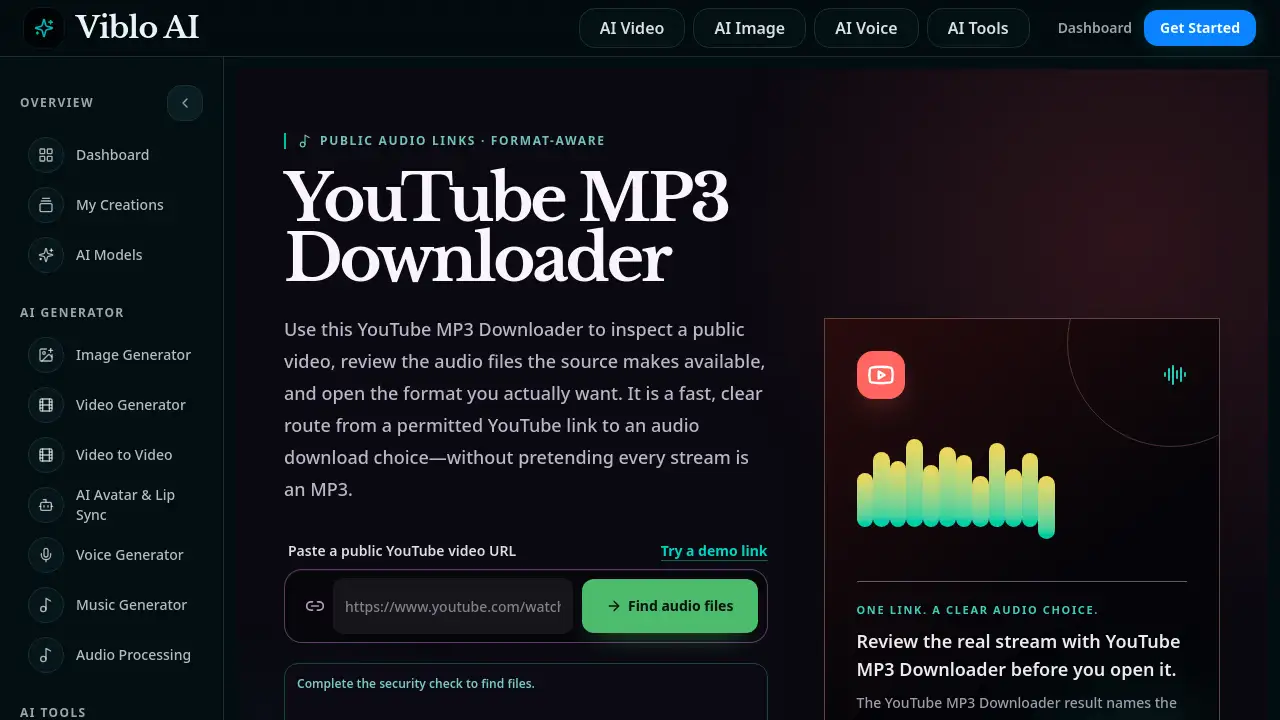
A YouTube MP3 Downloader helps inspect public video audio streams and choose the actual file format—M4A or WebM. Instead of hiding behind a vague download button, this tool shows real format details before saving. It offers a transparent, permission-based approach to grabbing audio from YouTube.
What is YouTube MP3 Downloader?
YouTube MP3 Downloader is a web tool that takes a public YouTube video URL, inspects the audio streams the source provides, and presents them clearly. It does not pretend every file is MP3. Instead, it shows the real extension—commonly M4A (AAC audio) or WebM (Opus audio)—along with file size, duration, and a temporary direct link. The problem it solves is confusion: many downloaders label everything as MP3 even when the browser receives a different format. This tool makes the choice honest. It is suitable for anyone who needs to save audio from a video they own or have permission to use. Transparency matters because users can decide based on actual compatibility, not marketing. The YouTube MP3 Downloader also supports various link types: youtube.com/watch, youtu.be, Shorts, live streams, and embeds. It is a repeatable, clear workflow that keeps the user informed at every step.
Key Features of YouTube MP3 Downloader
Inspect Public Video Audio Streams
Users can paste any public YouTube URL and the tool looks up the available audio files from the source. It does not convert anything; it simply reports what is there.
Format-Aware Display
Instead of hiding the real format, the YouTube MP3 Downloader lists the MIME type and extension (e.g., audio/mp4 for M4A, audio/webm for WebM). This allows an informed decision based on app compatibility.
Temporary Direct Links
Each audio file is provided as a time-limited direct link. Users can open it in a new tab or save it promptly. The link expires, encouraging immediate use and preventing stale bookmark collections.
Comprehensive Result Preview
The result shows the video title, channel, duration, format, and file size. Users can compare multiple available streams and choose the one that fits their workflow, whether it is for a quick reference clip or a high-quality archive.
Support for Various YouTube URL Types
The tool works with standard watch links, short links (youtu.be), Shorts, live streams, and even embed URLs. It extracts the video ID and discards tracking parameters for accuracy.
Use Cases for YouTube MP3 Downloader
Creators Inspecting Their Own Content
A creator can use the YouTube MP3 Downloader to review the audio stream from their own upload. They can verify the available formats and save a convenience copy for temporary use, while keeping the original production master separately.
Learners Saving Offline Lectures
When offline listening is permitted, a student can paste a lecture URL, inspect the audio formats, and save the most suitable M4A or WebM stream. Keeping the course link and creator name alongside the file ensures proper attribution and reuse.
Teams Collaborating on Authorized Projects
After obtaining permission, a team can use the YouTube MP3 Downloader to extract audio from a public reference video. They can note the source URL, review date, format, and rights status, turning the tool into a responsible handoff step for internal briefs.
How to Use YouTube MP3 Downloader
- Copy the public YouTube video URL – Use the full watch link (e.g., https://www.youtube.com/watch?v=...). The YouTube MP3 Downloader works with youtu.be, Shorts, live, and embed links as well.
- Paste the link into the tool – Complete a simple security check to verify you are not a bot. Then wait for the result to load.
- Review the returned audio files – Check the title, duration, format (M4A or WebM), and file size. The YouTube MP3 Downloader labels each stream with its real extension.
- Choose a file and save it – Click the temporary direct link to open it in your browser. Save the file promptly while the link is valid. Keep the original format and extension.
Target Audience for YouTube MP3 Downloader
- Content creators who need to inspect audio from their own uploads
- Students and learners who want offline audio with proper attribution
- Researchers and editors who need to archive reference clips with format transparency
- Teams and organizations working with authorized public video content
- Privacy-conscious users who prefer a clear, non-deceptive download workflow
Is YouTube MP3 Downloader Free?
The YouTube MP3 Downloader appears to be free to use. No pricing plans or subscription tiers are mentioned on the product page. Users can access the tool without registration and generate temporary direct links. However, the tool requires a security check (e.g., CAPTCHA) to prevent abuse. For the most current information, visit the official tool page at https://viblo.app/youtube-mp3-downloader.
| Plan | Price | Features |
|---|---|---|
| Free | $0 | Public video inspection, format display, temporary direct links, security check |
YouTube MP3 Downloader's Pros and Cons
| Aspect | Pros | Cons |
|---|---|---|
| Transparency | Shows real M4A/WebM formats instead of generic "MP3" labels | Does not convert to MP3 natively |
| Ease of Use | Simple three-step process, works with multiple URL types | Requires a security check each time |
| Format Information | Displays MIME type, file size, and duration | Direct links expire after a short time |
| Legality | Encourages permission-based use, no hidden downloads | Limited to public videos; private or unlisted may not work |
| Compatibility | Provides browser-friendly formats (M4A and WebM) | No download manager integration |
Frequently Asked Questions about YouTube MP3 Downloader
Does the YouTube MP3 Downloader convert video to MP3?
No. The tool inspects the public video and shows the audio streams already available from YouTube. These are typically M4A or WebM, not MP3. If you need an MP3 file, you can download the original stream and convert it locally with a trusted converter, provided you have permission.
Why are the direct links temporary?
Temporary links are generated per request to respect content availability and reduce server load. You need to save the file promptly after clicking the link. The YouTube MP3 Downloader cannot guarantee that a link will work later, so it encourages immediate use.
Is it legal to use a YouTube MP3 Downloader?
That depends on the video and your jurisdiction. The tool is designed to be used only with material you own or have permission to download. It does not bypass any paywalls or private content. Always check the video's license or creator’s policy before saving audio.
What kind of YouTube URLs are supported?
The YouTube MP3 Downloader supports standard watch links (youtube.com/watch?), short links (youtu.be), Shorts, live streams, and embed URLs. It extracts the video ID and discards extra tracking parameters for accuracy.
Do I need to create an account to use it?
No. The tool works without registration. Just paste the link, complete a security check, and review the audio streams. It is free to use with no sign-up required.
Can I download audio from a private or unlisted video?
The tool is designed for public videos only. Private or unlisted videos may not be accessible because the tool cannot authenticate with a YouTube account. For your own unlisted content, you may need to make it public temporarily or use a different method.
YouTube MP3 Downloader Tags
YouTube MP3 Downloader, YouTube audio downloader, M4A downloader, WebM downloader, format-aware downloader, public video audio, temporary direct link, YouTube video to audio, inspect audio streams, permission-based download, online YouTube tool, free audio downloader