Introduction
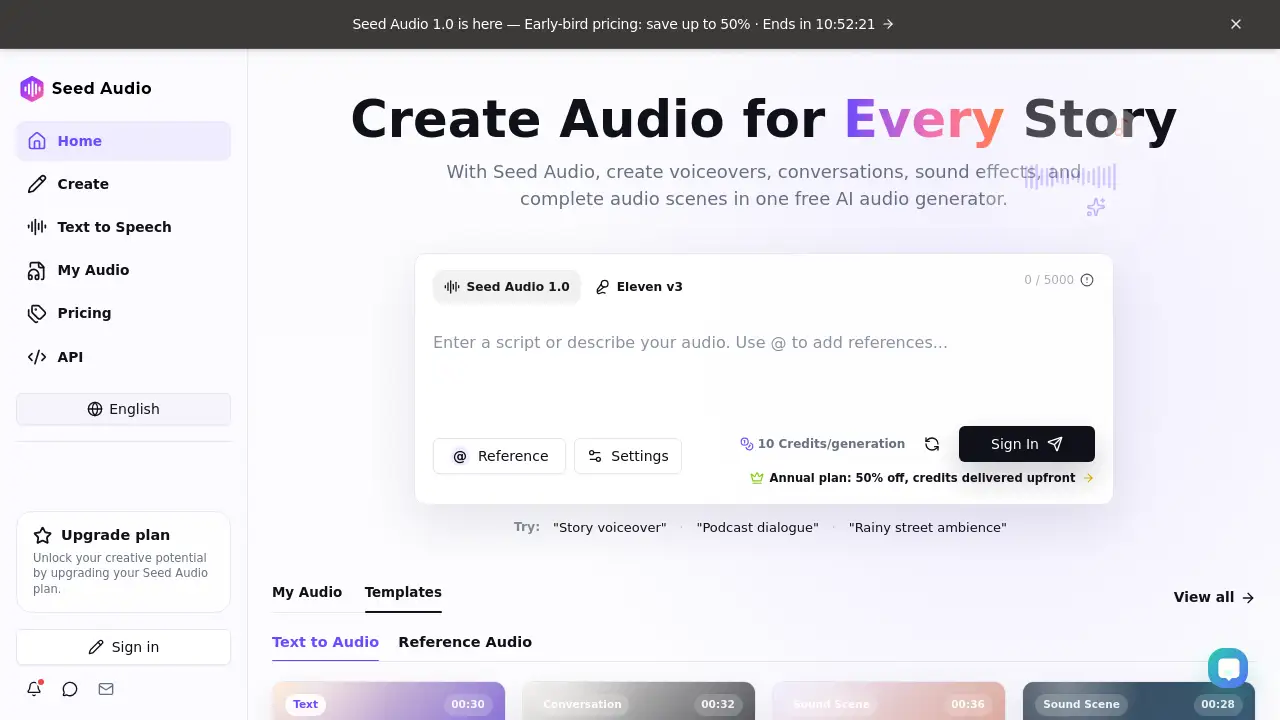
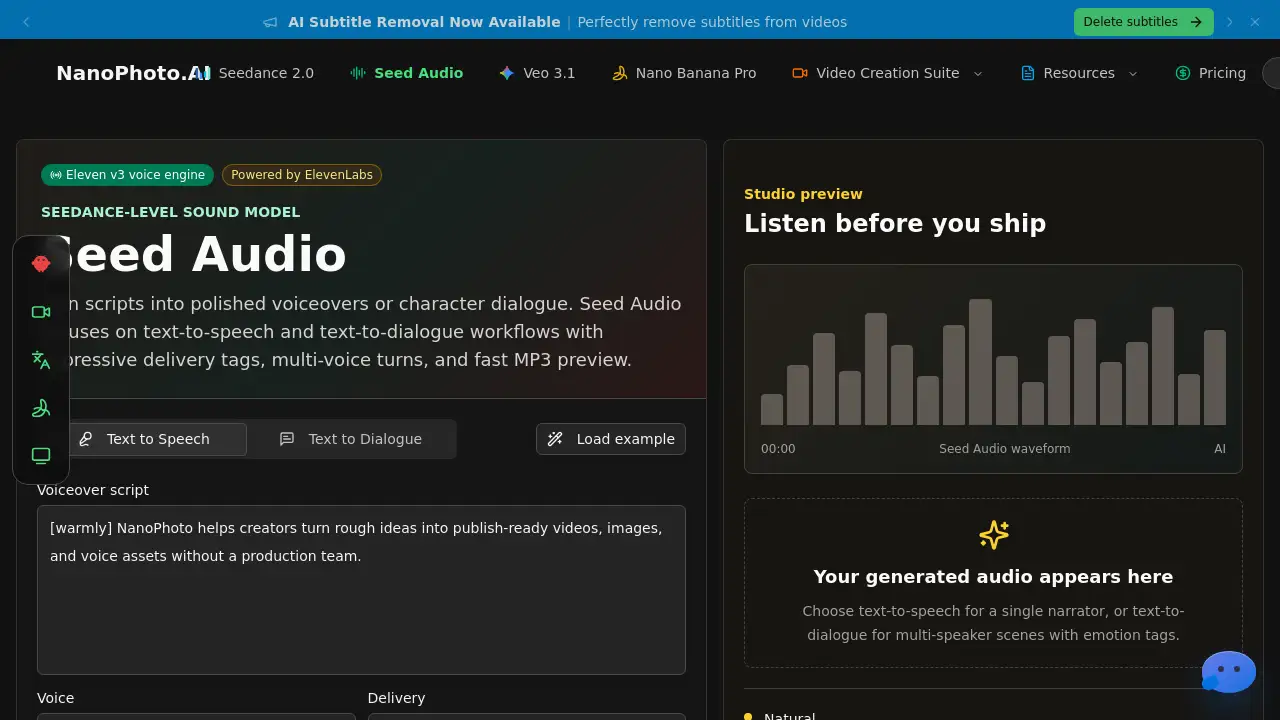
NanoPhoto.AI Seed Audio is a focused text-to-speech tool for quick, expressive voice generation.
What is NanoPhoto.AI Seed Audio?
NanoPhoto.AI Seed Audio is a dedicated text-to-speech and text-to-dialogue feature, powered by the ElevenLabs voice engine. It allows creators to turn simple scripts into polished voiceovers or character conversations. The tool focuses on fast, browser-based audio generation without the need for complex studio software. Suitable for video editors, podcasters, game developers, and marketers, Seed Audio solves the problem of creating natural-sounding voice assets quickly. It helps bridge the gap between written ideas and audio prototypes, making it a practical choice for any workflow that requires voice. For those searching for "seed audio" or "see audio" tools, this page offers a clear and direct way to generate MP3 files. It also positions itself as a "seedance audio" style sound model, which helps users understand its specific approach to voice performance.
Key Features of NanoPhoto.AI Seed Audio
Single-Voice Narration
Generate clean, crisp voiceovers from scripts, hooks, and ad reads. This feature is ideal for explainers and short video projects.
Multi-Speaker Dialogue
Assign different voices to each turn in a script. This creates natural conversations for demos, podcasts, and storyboards, directly supporting "seedance audio" style multi-character scenes.
Prompted Performance
Use square-bracket tags like [laughing], [whispering], or [sighs] to direct the voice delivery. This allows for expressive and controlled audio output.
Fast MP3 Preview
Generate and listen to the audio in the browser. This keeps the creation loop short: write, direct, render, and download.
Use Cases for NanoPhoto.AI Seed Audio
Video Ads
Create multiple voice reads for hooks and call-to-action lines before finalizing an edit. This saves time during the ad production process.
Storyboards and Animatics
Pair "seed audio" dialogue with storyboard frames to help clients understand tone and pacing. This improves communication early in a project.
Podcast Prototyping
Draft host and guest exchanges to test pacing and narrative flow. This helps in planning episodes without recording live.
Localization and Dubbing
Experiment with different scripts and natural punctuation to prepare for final voiceover packages. This is useful for global content teams.
How to Use NanoPhoto.AI Seed Audio
- Write the Script: Start with a paragraph for a single voiceover, or up to four turns for dialogue. Keep the script speech-focused.
- Select Voices: Choose a narrator voice for text-to-speech, or assign a different voice to each character in the dialogue.
- Add Performance Tags: Place tags like [warmly] or [curious] near the part of the script you want to affect. This guides the emotion of the "see audio" output.
- Preview and Download: Generate an MP3, listen to it in the browser, and download the file for use in video edits, drafts, or mockups.
Target Audience for NanoPhoto.AI Seed Audio
- Video content creators and editors
- Podcasters and audio producers
- Game developers and narrative designers
- Advertising and marketing professionals
- Localization and dubbing teams
- UI/UX designers prototyping voice interfaces
Is NanoPhoto.AI Seed Audio Free?
Pricing for NanoPhoto.AI Seed Audio is tied to the user's ElevenLabs plan. The API usage and credit costs depend on the provider plan and input rights. Users should check their ElevenLabs account for specific pricing tiers. There is likely a free or trial tier available for testing the tool.
NanoPhoto.AI Seed Audio's Pros and Cons
| Aspect | Pros | Cons |
|---|---|---|
| Speed | Generate audio in seconds directly in browser. | Limited to short script inputs. |
| Expressiveness | Performance tags allow for emotional delivery. | Voice quality depends on the ElevenLabs model. |
| Workflow | Keeps creation loop short and focused. | Requires an ElevenLabs account to function. |
| Use Case | Ideal for rapid prototyping and drafts. | Not a full audio editor; lacks advanced mixing tools. |
Frequently Asked Questions about NanoPhoto.AI Seed Audio
What is the main function of Seed Audio?
Seed Audio is a text-to-speech and text-to-dialogue tool. It focuses on turning scripts into expressive MP3 files quickly, using the ElevenLabs voice engine.
How does Seed Audio differ from other text-to-speech tools?
It emphasizes a "seedance audio" style workflow with directed performance tags and multi-voice dialogue. The tool is designed for speed and simplicity, avoiding complex interfaces.
Who owns the audio I generate with Seed Audio?
Ownership of generated audio follows the ElevenLabs provider plan and the user's input rights. Users should review their specific plan for commercial usage terms.
Is Seed Audio suitable for long-form audio content?
The tool is optimized for shorter scripts, such as ad reads, hooks, and dialogue turns. For longer content, users may need to generate multiple segments.
Can I use Seed Audio without an ElevenLabs account?
No, Seed Audio is powered by the ElevenLabs voice engine. An active account is required to select voices and generate audio.
What file format does Seed Audio output?
The tool generates audio in the MP3 format. Users can preview and download this file directly from the browser.
NanoPhoto.AI Seed Audio Tags
seed audio, see audio, seedance audio, AI text to speech, voiceover generator, text to dialogue, ElevenLabs voice, expressive AI voice, MP3 audio tool, script to audio, AI voice actor, voice prototyping