Introduction
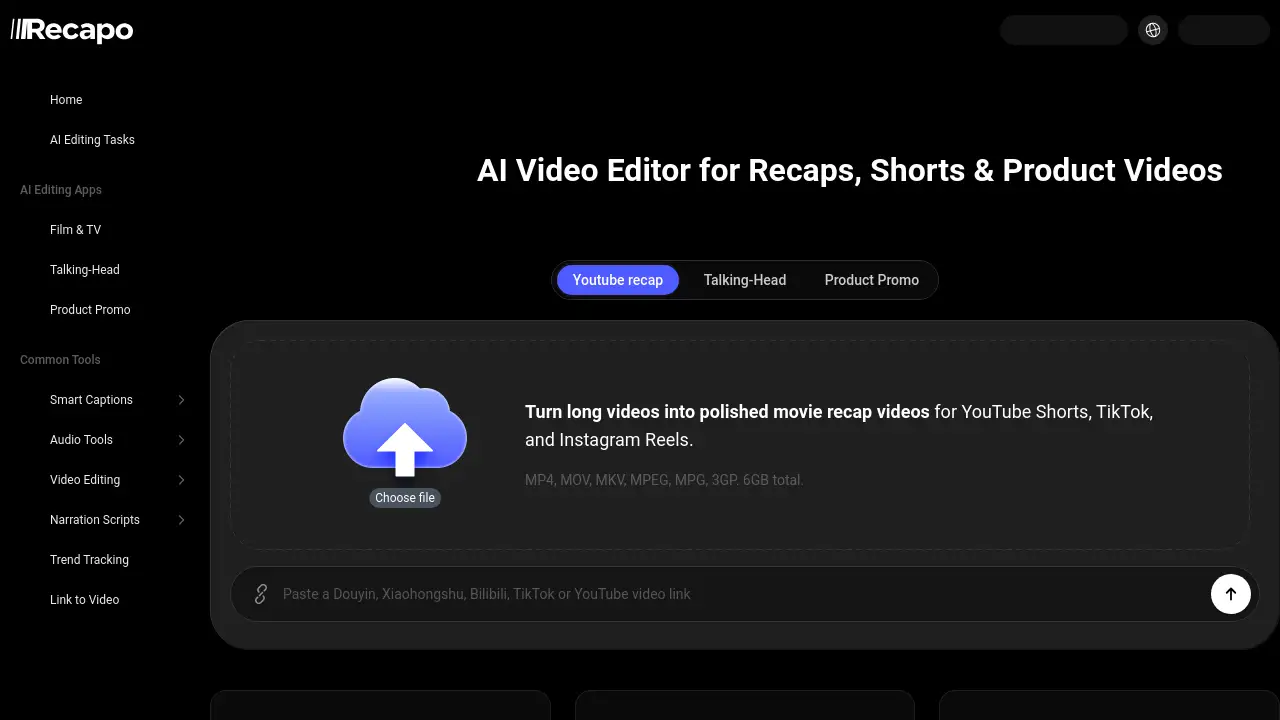
Recapo.ai is an AI video editor for recaps, shorts, and product videos that helps creators transform long footage into engaging vertical clips, subtitles, and recap scripts. Trusted by over 200,000 users in 50+ countries, it streamlines the entire content repurposing workflow. Whether you produce movie recaps, podcast highlights, or talking-head edits, this tool saves hours of manual editing by generating summaries, highlight clips, and voiceover drafts automatically.
What is Recapo.ai?
Recapo.ai is an all-in-one studio specifically built for video recap creators and content repurposers. It solves the pain point of spending hours searching for key moments in long recordings. Instead, users upload a video and receive a content summary, story notes, highlight clips, subtitle drafts, recap scripts, AI voiceover directions, and export-ready vertical shorts. The platform is suitable for movie recap channels, livestream clippers, course creators, commerce video editors, and faceless channels. By chaining multiple production steps—source import, format conversion, subtitle generation, script writing, voiceover, and clipping—into a single workflow, Recapo.ai greatly reduces repetitive manual work. This matters because creators can publish more frequently across platforms like YouTube Shorts, TikTok, RedNote, and Reels without sacrificing quality.
Key Features of Recapo.ai
Intelligent Highlight Extraction
The AI automatically scans long videos for quotable moments, story turns, and high-action segments. This makes highlight extraction faster and more accurate than manual scrubbing, especially for livestream replays and podcasts.
Recap Script and Voiceover Drafting
Based on the video transcript, Recapo.ai generates scene breakdowns, hooks, story summaries, and recap script drafts. It also provides AI voiceover direction, so creators can quickly get a first cut for narration.
Subtitle and Caption Generator
The tool produces subtitle generator output with quote detection, speaker identification, and caption layouts optimized for vertical platforms. Users can adjust the style and timing, drastically cutting repetitive captioning work.
Vertical Shorts Maker
After identifying highlight clips, the shorts maker crops the footage into 9:16 aspect ratios for YouTube Shorts, TikTok, and Reels. Multi-ratio exports are available, and the tool can batch produce several shorts from one source.
Source Import and Format Conversion
Recapo.ai supports uploading various video formats and can also convert source material into the required codecs. This flexibility allows video recap creator workflows to start without worrying about compatibility.
Cover and Thumbnail Candidate Generation
Based on the video content, the AI suggests cover images and thumbnail options, giving creators a head start on packaging their recaps for higher click-through rates.
Use Cases for Recapo.ai
Movie and Series Recap Channels
Upload full episodes or long footage, get plot summaries and highlight clips, then generate a recap script and voiceover. The vertical shorts maker can produce teaser clips for social media, helping video recap creators publish consistent content.
Podcast and Interview Clipping
Import podcast episodes or interviews. The tool surfaces the most shareable quotes and story turns. Use the shorts maker to export multiple 9:16 clips with auto-captions and AI voiceover if needed. This is ideal for repurposing long-form audio conversations into short video posts.
Livestream Highlight Compilation
After a live stream ends, upload the replay. Recapo.ai segments the video by content and extracts key moments—score plays, reactions, or announcements—making it simple to compile a highlight reel for YouTube or Reels.
Educational Course Repurposing
Course creators can break down hour-long lectures into bite-sized lesson recaps. The subtitle generator ensures captions are accurate, while the recap script feature helps produce summary videos for promotional use on social channels.
How to Use Recapo.ai
- Upload your long video (or use the Tools page to find source footage ideas).
- Configure processing options: choose to generate summary, highlight clips, subtitles, and recap script.
- Confirm script – review the AI-generated recap script and voiceover draft, then make edits or polish the title.
- View results – see the generated clips, caption drafts, cover options, and export presets for different platforms.
- Export – download vertical shorts, captions, or the full edited recap in your preferred format.
The entire flow takes a fraction of the time needed for manual editing, making it a powerful AI video editor for recaps.
Target Audience for Recapo.ai
- Movie recap creators – turning long films or episodes into short summary videos.
- Livestream clippers – extracting highlights from live broadcasts.
- Course repurposers – converting educational videos into marketing shorts.
- Talking-head editors – producing quote clips for personal brand channels.
- Commerce video teams – creating product recaps and demos.
- Faceless channels – auto-generating narration and subtitles without on-camera talent.
Is Recapo.ai Free?
Recapo.ai offers a free plan with limited features to let creators test the workflow. For extended usage, higher export quotas, and advanced AI features, a paid subscription is available. Detailed pricing tiers are not listed on the homepage, so users should visit the official Recapo.ai pricing page or sign up to see current plans. Given the tool’s functionality, a freemium model is likely, with Pro plans starting at a competitive monthly rate for individual creators and teams.
Recapo.ai's Pros and Cons
| Aspect | Pros | Cons |
|---|---|---|
| Efficiency | Automates highlight extraction, script writing, and clipping, saving hours per video. | Requires an internet connection; no offline editing mode. |
| Features | All-in-one workflow from upload to export; supports multiple platforms. | Some AI-generated scripts may need heavy editing for tone accuracy. |
| Ease of Use | Simple 4-step process, no steep learning curve. | Limited control over fine-grained video editing (e.g., frame-level trimming). |
| Target Fit | Ideal for recap, short, and repurposing creators. | Not designed for traditional timeline-based editing of full-length projects. |
Frequently Asked Questions about Recapo.ai
What types of video creators is Recapo built for?
Recapo is built for video recap creators, livestream clippers, course repurposers, talking-head editors, commerce video teams, and faceless channels. The focus is turning long footage into captions, recap scripts, vertical clips, and cover options.
After I upload a long video, what can Recapo generate?
It can generate a content summary, story or selling-point notes, highlight clips, caption drafts, recap scripts, AI voiceover directions, vertical short-video versions, and cover candidates for creators to refine.
Can I turn long videos directly into Shorts, TikTok, or Reels?
Yes. Recapo helps identify highlight clips and quotable moments first, then uses the shorts maker to crop them into 9:16 versions suitable for Shorts, TikTok, or Reels.
Can Recapo write recap scripts and voiceover copy?
Yes. Based on the video content or transcript, Recapo drafts story summaries, scene breakdowns, hooks, recap scripts, and talking-head voiceover copy before AI voiceover or manual polish.
Is my uploaded video footage safe, and how long is it stored?
Upload retention, processing, and deletion timelines are explained in the Privacy Policy, Support pages, and relevant tool pages. Review those notes before processing sensitive footage.
What are the export options?
Recapo can export vertical shorts in common formats, as well as separate caption files (SRT/VTT). Multi-ratio exports are available for different platforms.
Recapo.ai Tags
AI video editor for recaps, video recap creator, AI voiceover, subtitle generator, shorts maker, recap script, highlight extraction, long video to shorts, content repurposing tool, faceless video creation, podcast clipper, vertical short video editor