Introduction
Reeldo AI is a browser-based AI video generator that turns text, images, and reference files into finished clips with native sound. It brings Seedance, Kling, Veo, and MiniMax H3 together in one studio, so creators can plan, generate, and refine video without switching between tools.
What is Reeldo AI?
Reeldo AI is an online AI video generator built for people who want to move from a rough idea to a finished clip in one place. Instead of juggling separate apps for stills, motion, and audio, it combines text to video, image to video, and reference to video workflows inside a single studio. The platform also produces native sound, which means audio is generated along with the visuals rather than added in a later step.
Several well-known engines are supported, including Seedance, Kling, Veo, and MiniMax H3. Users can pick a model based on speed, resolution, or credit cost. For marketers, small studios, and solo creators, this AI video generator removes much of the friction that slows down video production, such as re-uploading files, matching sound to picture, and keeping track of multiple subscriptions. Because the AI video generator runs in a browser, teams can plan frames, generate clips, and iterate without installing heavy software.
Key Features of Reeldo AI
Text to Video
Describe the scene, character, camera angle, and audio mood in a prompt, and the AI video generator produces a matching clip. This is the fastest path from a written idea to a moving image.
Image to Video
Turn a still image into motion by using it as a start frame. Creators who already have a strong visual concept can let the AI video generator animate it instead of starting from text alone.
Reference to Video
Upload image, video, or audio references to guide the result. This reference to video approach supports character continuity, which helps keep a face, outfit, or style consistent across multiple shots.
Native Sound
Reeldo AI generates sound together with the picture, so clips arrive with audio rather than silence. Native sound saves a step for social content, trailers, and short brand pieces that need music or ambience from the start.
Frame Lab
Generate, edit, upscale, and storyboard stills in one workspace. Frame Lab supplies the start frames and references that later feed into the main generation step.
Multiple Engines in One Studio
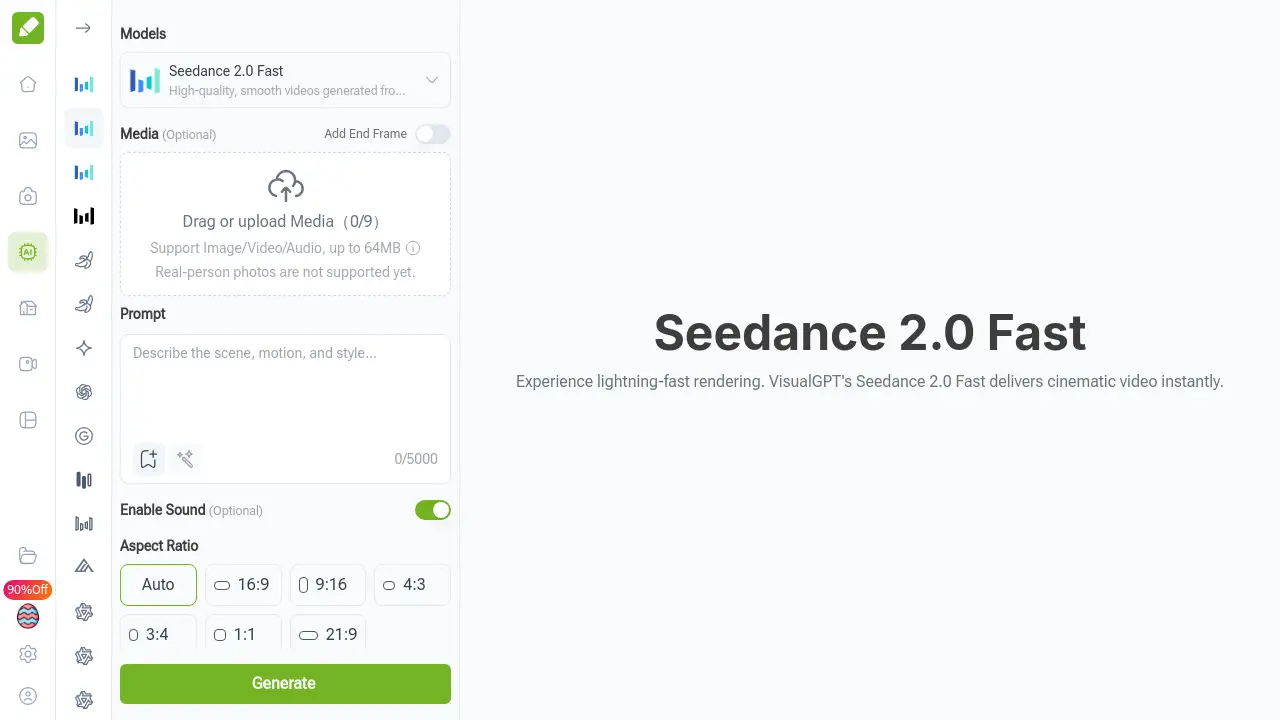
Seedance, Kling, Veo, and MiniMax H3 sit behind one interface. Users can compare engines, see the credit cost before generating, and switch models without opening another tab.
Up to 4K Output
Higher-tier plans export up to 4K resolution. Aspect ratios and duration are adjustable, and the credit cost is shown before a render begins.
Use Cases for Reeldo AI
Social Media Content
Short, punchy clips for platforms like TikTok, Reels, and Shorts are a natural fit. A text to video prompt with native sound can produce a scroll-stopping hook in minutes.
Product and Brand Videos
Small businesses can build product hero shots or brand story clips without a full production crew. Image to video works well when clean product photos already exist.
Cinematic and Sci-Fi Scenes
Golden hour landscapes, cyberpunk cities, and space epics are common AI video generator outputs. Reference to video helps maintain a consistent look between shots in a sequence.
Fashion and Lifestyle Films
Fashion films and lifestyle reels benefit from character continuity and smooth camera prompts. Creators can storyboard looks in Frame Lab before spending credits on motion.
Education and Documentary B-Roll
Explainer videos and documentary-style cutaways can be generated from simple prompts. Educators can illustrate abstract ideas with visuals that would otherwise be costly to film.
How to Use Reeldo AI
- Describe your vision. Write a prompt covering the scene, character, camera movement, and audio mood you want.
- Prepare in Frame Lab. Generate, edit, upscale, or storyboard stills to create start frames and references.
- Generate in Studio. Choose an engine, set duration and aspect ratio, and review the credit cost shown before rendering.
- Download and iterate. Preview beside the editor, export the clip, and refine the prompt or reference until it is ready.
- Reuse what works. Keep strong references and prompts for future clips to maintain a consistent style.
Target Audience for Reeldo AI
- Social media creators and short-form video editors
- Marketing and brand teams producing product or campaign clips
- Independent filmmakers and animators prototyping scenes
- Agencies that need fast concept videos for client pitches
- Educators and content teams building explainer material
- Solo founders who need video assets without a production budget
Is Reeldo AI Free?
The homepage does not list a free plan. Paid plans start at $9.90 per month, and credits per second vary by model, so the same credit balance produces different amounts of footage depending on which engine is chosen. Paid plans are watermark-free.
| Plan | Price | Features |
|---|---|---|
| Basic | $9.90/mo | 280 credits/month, roughly 5× 5s Seedance Fast clips, Seedance/Kling/Veo, 480p & 720p, email support |
| Standard | $19.90/mo | 600 credits/month, roughly 12× 5s clips, up to 1080p, priority queue, commercial use, email support |
| Pro | $39.90/mo | 1300 credits/month, roughly 26× 5s clips, up to 4K, fastest queue, commercial use, priority support |
| Max | $79.90/mo | 2800 credits/month, roughly 56× 5s clips, up to 4K, highest priority, commercial use, dedicated support |
Anyone unsure about free access or current offers should check the official pricing page, since plans and credit rates can change.
Reeldo AI's Pros and Cons
| Aspect | Pros | Cons |
|---|---|---|
| Pricing | Entry plan at $9.90/mo is low for occasional use | No free tier listed |
| Features | Text, image, and reference to video plus native sound in one studio | Extra options mean a short learning period |
| Models | Seedance, Kling, Veo, and MiniMax H3 in one place | Credit cost differs by model, so budgeting takes attention |
| Output | Up to 4K resolution on higher plans | 4K is limited to Pro and Max |
| Access | Browser-based, no installation required | Needs a stable internet connection |
Frequently Asked Questions about Reeldo AI
Is Reeldo AI free to use?
No free plan appears on the homepage. The lowest paid tier starts at $9.90 per month and includes 280 credits, which is enough for about five short Seedance Fast clips.
What is reference to video and why does it matter?
Reference to video lets you upload image, video, or audio files to guide the output. It matters most for character continuity, because a consistent face or outfit across shots is difficult to achieve with text prompts alone.
Does Reeldo AI create sound automatically?
Yes. Native sound generation is a core feature, so the AI video generator produces audio with the visuals rather than leaving clips silent.
Which AI models are available?
Seedance, Kling, Veo, and MiniMax H3 are all supported inside one studio. Each engine has its own strengths, and the credit cost per second is displayed before you generate.
Can I use the videos commercially?
Commercial use is included on the Standard, Pro, and Max plans. The Basic plan does not list commercial rights, so business users should confirm before publishing.
How many videos can I make with 280 credits?
That depends on the engine. At the Seedance Fast rate, 280 credits cover about five 5-second clips. Slower or higher-resolution models consume more credits per second, so output varies.
Reeldo AI Tags
Reeldo AI, AI video generator, text to video, image to video, reference to video, native sound AI video, Seedance, Kling AI, Veo video generator, 4K AI video, AI video with sound, AI video studio