Introduction
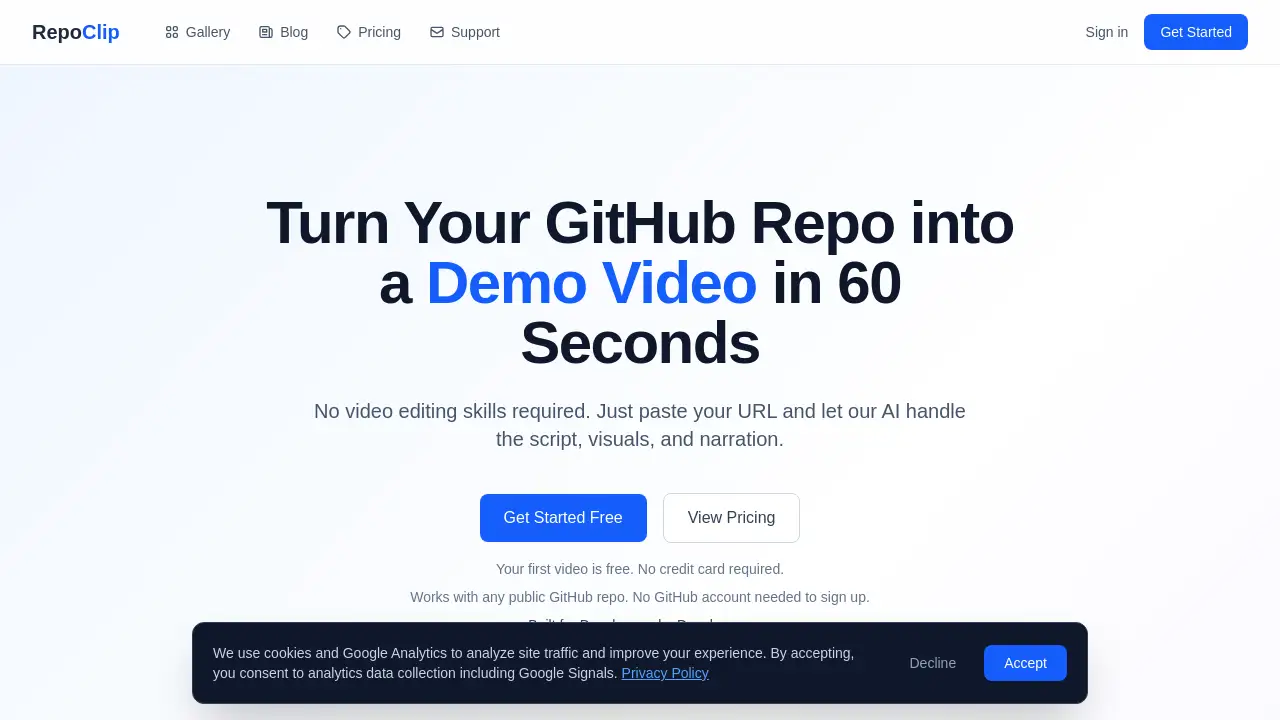
RepoClip is an AI tool that transforms GitHub repositories into professional demo videos in minutes.
What is RepoClip?
RepoClip is an AI-powered product demo video maker designed for developers and technical teams. It addresses a common pain point: the time, cost, and skill required to create compelling video content for software projects. By simply pasting a GitHub repository URL, the platform automatically generates a polished video complete with AI narration, visuals, and background music. This AI product demo video maker is ideal for developers, open-source maintainers, product managers, and startups who need to showcase their work quickly and professionally without learning complex video editing software. It turns complex codebases into accessible, engaging explainer videos, making it easier to communicate a project's value to investors, users, and the broader community.
Key Features of RepoClip
AI Code Analysis
The tool uses advanced AI, specifically powered by Gemini 2.5 Flash, to deeply understand a repository's structure, readme files, and code to generate an accurate and compelling script for the GitHub demo video.
AI-Generated Video Clips
It creates cinematic video scenes with dynamic animations. Higher-tier plans utilize Kling 3.0 Pro for cinema-quality results, elevating the visual appeal of the final automated demo video.
AI-Generated Images
For stunning still images and scene backgrounds, RepoClip employs the Nano Banana 2 model, providing vivid and high-quality visuals that complement the narration in the code to video process.
Professional AI Narration
The platform uses OpenAI's standard text-to-speech API to generate natural-sounding voiceovers, ensuring a professional audio track without the ethical concerns of voice cloning.
Support for Private Repositories
Users can connect their GitHub account to generate demo videos from private repos, making it a versatile tool for both public open-source projects and internal enterprise software.
Fast Generation Pipeline
Optimized AI workflows mean most videos are ready for download within minutes, offering a quick turnaround from a repository link to a shareable developer video tool output.
Use Cases for RepoClip
Feature Announcements
Quickly create and share videos that explain new updates or complex features to users and stakeholders, making technical changes easy to understand.
Investor Pitches and Demos
Impress potential investors with polished, self-running product demos that visually highlight a project's technical strengths and market potential.
Social Media and Marketing Content
Generate engaging clips for platforms like Twitter, LinkedIn, and YouTube to attract attention, grow an audience, and drive traffic to a repository or product page.
Open Source Project Promotion
Attract contributors and users by creating compelling showcase videos that make an open-source project stand out from others in a crowded space.
How to Use RepoClip
Using RepoClip to create a video is a straightforward, three-step process that requires no technical video editing skills.
- Paste the Repository URL: Start by entering the URL of any public GitHub repository into RepoClip's interface. For private repos, you will need to connect your GitHub account first.
- Let the AI Analyze: The platform's AI will scan the repository, analyze the code and documentation, and automatically write a script tailored to the project.
- Download Your Video: Within minutes, you can download a complete video featuring AI-generated visuals, a professional voiceover, and background music, ready to be shared.
Target Audience for RepoClip
- Developers and Engineers who want to showcase their personal or work projects.
- Open Source Maintainers looking to attract contributors and explain their project's value.
- Product Managers and Marketers in tech companies who need to create demo content.
- Tech Startups and Founders preparing for pitches, launches, or crowdfunding campaigns.
- DevRel (Developer Relations) Teams creating tutorial and promotional content.
Is RepoClip Free?
RepoClip offers a free tier to get started. According to its homepage, the first video is free with no credit card required to sign up. For detailed information on Pro plans and their specific features (such as access to Kling 3.0 Pro for higher-quality video clips), users should visit the official RepoClip pricing page.
RepoClip's Pros and Cons
| Aspect | Pros | Cons |
|---|---|---|
| Ease of Use | Extremely simple three-step process; no video editing skills needed. | Customization is guided by text instructions to AI, not a visual editor. |
| Speed & Efficiency | Generates a complete video in minutes, saving significant time versus manual creation. | Final output depends on AI interpretation, which may require regenerations for perfect results. |
| Cost | Free tier available; positions itself as saving money compared to hiring freelance video editors. | Pro plans are a recurring cost, which may add up for individuals or small teams. |
| Output Quality | Provides a professional-looking video with narration and music quickly. | As an automated tool, it may lack the unique creative flair of a human-made video. |
| Safety & Ethics | Does not use voice cloning; code is analyzed temporarily and not stored permanently. | Users must trust the platform's AI models and data handling policies. |
Frequently Asked Questions about RepoClip
Is my code safe with RepoClip?
Yes. The platform states that code is only used temporarily for analysis during the GitHub demo video generation process and is not stored permanently. It uses secure connections and does not share code with third parties.
What types of GitHub repositories are supported?
RepoClip works with any public GitHub repository by simply pasting the URL. No GitHub account is needed to sign up. For generating videos from private repositories, users need to connect their GitHub account to grant access.
How long does it take to generate a video?
Most videos are generated within approximately 5 minutes. The exact time can vary based on the size of the repository and current demand on the AI video maker service.
Can I customize the generated video?
Yes. Users can provide custom instructions to influence the narration tone, visual style, selected voice, and content focus. The AI then interprets these preferences to create a more tailored automated demo video.
Does RepoClip use voice cloning?
No. RepoClip does not offer voice cloning or any feature that replicates a real person's voice. All narration is generated using standard, synthetic text-to-speech voices from OpenAI's API.
What programming languages are supported?
RepoClip supports a wide range of languages including TypeScript, JavaScript, Python, Go, Rust, Java, Kotlin, and Swift. Essentially, any repository with readable source files can be analyzed by this developer video tool.
RepoClip Tags
RepoClip, AI video maker, GitHub demo video, code to video, AI product demo, automated demo video, developer video tool, AI narration, demo video software, create video from GitHub, open source video, tech demo tool