Introduction
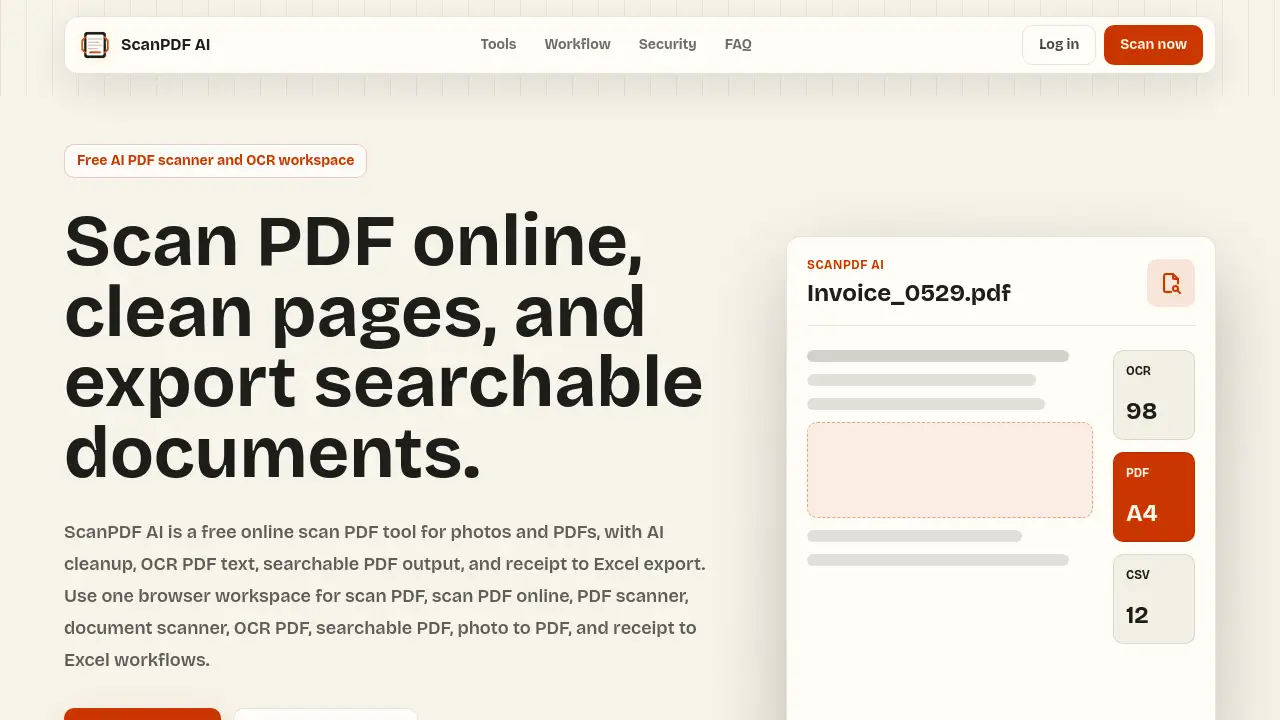
ScanPDF AI is a free online scan PDF tool for photos and PDFs.
What is ScanPDF AI?
ScanPDF AI is a browser-based workspace for turning photos and PDFs into clean, usable documents. It combines a PDF scanner, document scanner, AI cleanup, OCR PDF text, searchable PDF output, photo to PDF assembly, and receipt to Excel export in one online tool. The main problem it solves is simple: many people need to scan PDF online without installing a scanner app or paying for a weekly subscription. ScanPDF AI offers a free online scan PDF tool that works on phones and desktops.
The product is built around four high-intent workflows: scan PDF, photo to PDF, OCR PDF, and receipt to Excel. Each workflow shares the same page queue, export options, and job records. This means users can upload an image or a scanned PDF, assemble pages, preview the job, and download PDF, TXT, or CSV files. For anyone who needs a quick PDF scanner or document scanner, ScanPDF AI aims to provide finished documents rather than just raw captures.
It is suitable for students, freelancers, small business operators, accountants, finance teams, and developers who need searchable PDF files or structured receipt data. Because it runs in a browser, ScanPDF AI can be used on a phone or desktop without a dedicated app. The service also mentions Cloudflare-native infrastructure, including Workers, R2, D1, Queues, and Workflows, which supports async OCR PDF jobs and export generation.
Key Features of ScanPDF AI
Scan PDF Online from Any Browser
ScanPDF AI lets users scan PDF online from a phone or desktop browser. Upload document photos, clean page edges, reorder files, and export a polished PDF without installing a scanner app. This makes it a practical free online scan PDF tool for quick document capture.
AI Cleanup and Page Detection
The platform includes automatic cleanup before export. Users can apply page detection, crop handles, contrast presets, grayscale, and black-and-white modes. This AI cleanup helps turn phone camera shots into cleaner scan PDF pages.
OCR PDF and Searchable PDF Output
ScanPDF AI runs OCR PDF extraction to prepare searchable PDF, TXT, and DOCX outputs. The OCR PDF pipeline is designed for copied text, searchable text layers, and searchable PDF files. Searchable PDF output is treated as a core workflow, not a hidden premium extra.
Photo to PDF Assembly
Users can turn receipts, notes, IDs, forms, and camera shots into a multi-page PDF. The photo to PDF path is useful when a simple PDF scanner is not enough and a document scanner workflow is needed. Pages can be previewed and organized before export.
Receipt to Excel Extraction
ScanPDF AI treats receipt to Excel as structured data extraction. Operators can review merchant names, dates, totals, taxes, currencies, and line items before exporting CSV. This receipt to Excel export supports expense tracking and finance workflows.
PDF, TXT, and CSV Exports
After processing, users can download PDF, TXT, or CSV files. These exports support real workflows such as archiving, text search, and spreadsheet review. The browser scanner also supports searchable PDF output for documents that need selectable text.
Use Cases for ScanPDF AI
Students and Freelancers
Students and freelancers can scan PDF forms, lecture notes, contracts, and IDs in a browser. A simple PDF scanner is often enough for quick work, while OCR PDF and searchable PDF exports become useful for study or client documentation.
Small Business Operations
Small business teams can use a document scanner to organize invoices, tax files, expense receipts, and signed agreements. ScanPDF AI keeps scan PDF online tasks in one workspace, which can reduce the need for multiple tools.
Accountants and Finance Teams
Accountants can use receipt to Excel to turn photos and PDFs into reviewable rows. OCR alone is not always enough for finance work, so ScanPDF AI emphasizes field cleanup and CSV export. This helps with expense reports and bookkeeping preparation.
Developers and Workflow Teams
Developers can explore an API path for scan PDF, searchable PDF, OCR PDF, and structured extraction jobs. The reference content mentions webhook-ready status, file URLs, and page-based usage events. This makes ScanPDF AI relevant for teams building document workflows.
How to Use ScanPDF AI
- Open the ScanPDF AI website in a browser on a phone or desktop.
- Upload document photos or a scanned PDF to start a scan PDF job.
- Use AI cleanup tools to crop, reorder, and adjust pages for a cleaner document.
- Run OCR PDF if you need searchable text or a searchable PDF output.
- Review extracted fields for receipt to Excel, then export PDF, TXT, or CSV.
The process is designed to be direct: upload, clean, process, review, and export. ScanPDF AI keeps the scan PDF online workflow in one browser workspace, so users do not need to switch between a photo editor, OCR tool, and PDF converter.
Target Audience for ScanPDF AI
- Students and freelancers who need quick scan PDF or photo to PDF conversion
- Small business owners organizing invoices, receipts, and agreements
- Accountants and finance teams using receipt to Excel and CSV exports
- Developers needing OCR PDF, searchable PDF, and document processing workflows
- Anyone looking for a free online scan PDF tool or browser-based PDF scanner
Is ScanPDF AI Free?
ScanPDF AI is described as a free online scan PDF tool with a free monthly scan PDF quota. The reference content mentions 10 pages free monthly scan PDF quota. Pricing beyond the free quota is not clearly listed in the provided information.
| Plan | Price | Features |
|---|---|---|
| Free | $0 | 10 pages free monthly scan PDF quota; browser scan PDF, AI cleanup, OCR PDF, searchable PDF, photo to PDF, and receipt to Excel workflows; PDF, TXT, and CSV exports. |
| Paid | Not listed | Check the official ScanPDF AI website for current paid plans, larger quotas, API access, and team features. |
For the latest pricing, users should visit the official ScanPDF AI website. The free tier is enough to test scan PDF online, OCR PDF, and receipt to Excel basics.
ScanPDF AI's Pros and Cons
| Aspect | Pros | Cons |
|---|---|---|
| Pricing | Free plan with 10-page monthly scan PDF quota | Free quota may be low for heavy document scanning |
| Features | AI cleanup, OCR PDF, searchable PDF, photo to PDF, receipt to Excel, CSV export | Some advanced API and team features may be future or limited |
| Usability | Browser-based PDF scanner and document scanner for phone or desktop | OCR accuracy depends on photo quality and document layout |
| Infrastructure | Cloudflare-native design with R2, D1, Queues, and Workflows | Paid plan details are not fully specified in reference content |
Frequently Asked Questions about ScanPDF AI
What is ScanPDF AI?
ScanPDF AI is a free online scan PDF tool and OCR workspace. It helps users scan PDF online, clean pages, run OCR PDF, create searchable PDF files, convert photo to PDF, and export receipt to Excel data.
Can ScanPDF AI scan PDF online for free?
Yes. ScanPDF AI offers a free monthly scan PDF quota. The reference content mentions 10 pages free monthly scan PDF quota. Users can test scan PDF online, OCR PDF, and export basics before considering a paid plan.
Does ScanPDF AI create searchable PDF files?
Yes. ScanPDF AI includes OCR PDF extraction and searchable PDF output. After processing, users can export PDF, TXT, or DOCX-style text outputs depending on the workflow. Searchable PDF is a core feature.
Can ScanPDF AI export receipts to Excel?
ScanPDF AI supports receipt to Excel as structured extraction. Users can review merchant, date, total, tax, currency, and line-item fields before exporting CSV. This CSV can then be opened in Excel or Google Sheets.
Is ScanPDF AI a document scanner app?
ScanPDF AI works as a browser-based document scanner and PDF scanner. It does not require a dedicated scanner app. Users can upload photos or PDFs, clean pages, and export finished documents from a phone or desktop.
Does ScanPDF AI have an API?
The reference content mentions a future API path with scan PDF, searchable PDF, OCR PDF, and structured extraction jobs. It also mentions webhook-ready status, file URLs, and page-based usage events. Users should check the official site for current API availability.
ScanPDF AI Tags
ScanPDF AI, scan PDF, scan PDF online, free online scan PDF tool, PDF scanner, document scanner, OCR PDF, searchable PDF, photo to PDF, receipt to Excel, AI cleanup, browser scanner