Introduction
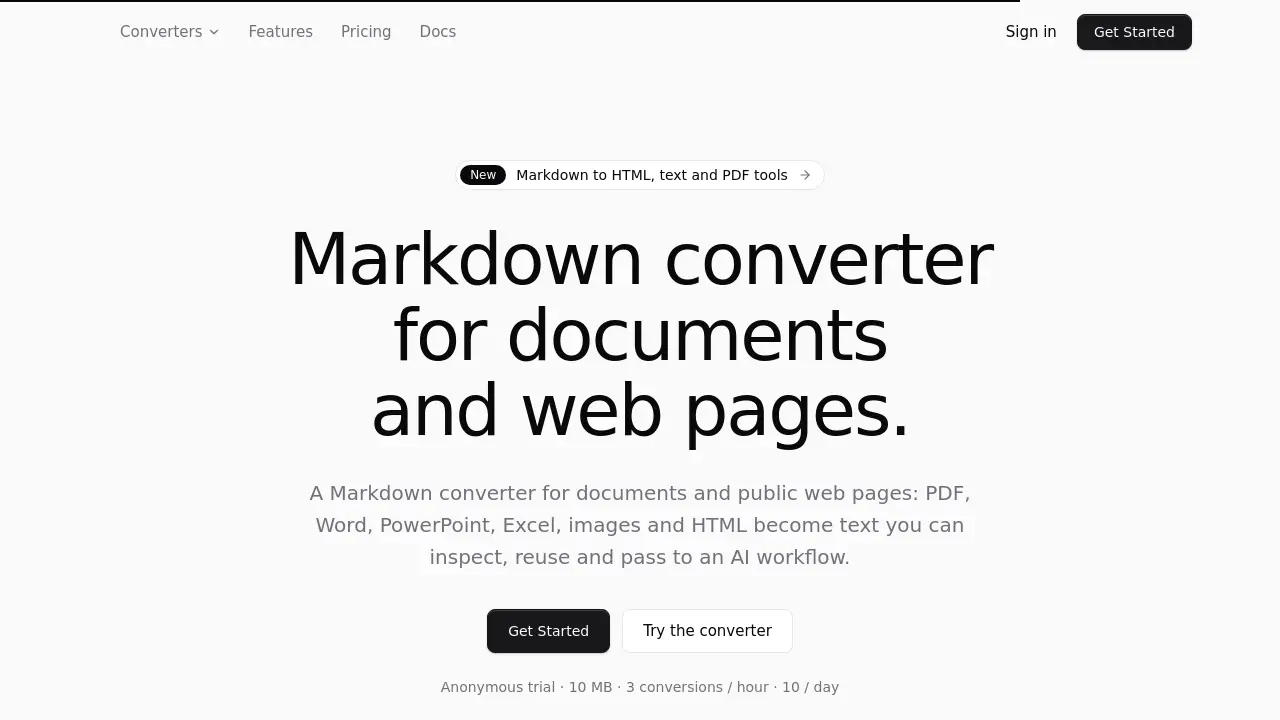
markitdown.ai is an online Markdown converter that turns PDFs, Office files, images, HTML, and public URLs into clean Markdown. It also exports Markdown to HTML, plain text, or a printable PDF. An anonymous trial lets users test the Markdown converter before choosing a paid plan.
What is markitdown.ai?
markitdown.ai is a web-based Markdown converter for documents and public web pages. It solves a common problem: most files are built for people and printers, not for language models. Before a PDF, Word file, slide deck, spreadsheet, screenshot, or web page can be embedded, retrieved, or reasoned over, it must become predictable text. This Markdown converter uses a server-side pipeline to produce that text instead of relying on fragile copy-paste.
The Markdown converter supports PDF to Markdown, Word to Markdown, PPT to Markdown, Excel to Markdown, image to Markdown, HTML to Markdown, and URL to Markdown. It preserves headings, lists, tables, links, and reading order where the source has them. Scanned pages and images go through OCR automatically. Output follows CommonMark with GitHub-flavored tables, so it renders in any Markdown viewer and parses with any Markdown library. It is useful for AI-ready Markdown for ChatGPT, Claude, RAG pipelines, agents, search indexes, and knowledge bases.
Key Features of markitdown.ai
Broad Document to Markdown Conversion
Convert PDF to Markdown, Word to Markdown, PPT to Markdown, Excel to Markdown, image to Markdown, HTML to Markdown, and URL to Markdown through one Markdown converter. Each input format has its own converter page with limits, format notes, and sample output.
Automatic OCR for Scans and Images
Text-layer pages are read directly, while scanned PDFs and images go through OCR automatically. Image to Markdown supports PNG and JPG screenshots and scans. AI image understanding is a separate, signed-in option metered at 5 credits per image.
Markdown to HTML, Text, and PDF
The Markdown converter also runs the other way. Markdown to HTML produces clean semantic HTML with GitHub-flavored tables, task lists, and code highlighting. Markdown to text flattens headings, lists, and tables for chat windows and forms. Markdown to PDF uses a local print preview in the browser.
Anonymous Trial and Plan Limits
The public converter allows up to 10 MB and 25 pages without sign-in. The anonymous trial is listed as 10 MB, 3 conversions per hour, and 10 per day. Signed-in plans raise limits up to 200 MB and 200 pages on Pro.
Markdown API for RAG Pipelines
A Markdown API offers the same parsing pipeline as the web app. It supports batching thousands of files with webhooks on completion, scoped API keys, and a full activity log. Developers can receive Markdown in one call or poll a conversion when a file needs more than 60 seconds.
Structure-Preserving Output
The Markdown converter preserves headings, lists, tables, links, and reading order where the source has them. It handles long documents asynchronously, so large reports and decks finish instead of timing out. Standard pages and OCR pages cost 1 credit per page.
Use Cases for markitdown.ai
RAG and AI Pipelines
Use the Markdown converter to turn source documents into clean Markdown before chunking, embedding, or agent processing. Predictable structure means a splitter sees real headings and tables instead of a wall of extracted text.
Research and Reports
Turn papers, whitepapers, and slide decks into editable, searchable Markdown. Researchers and analysts can quote, annotate, summarize, and reuse findings without retyping tables or losing reading order.
Operations Documents
Process policies, contracts, invoices, and internal files without manual copy-paste cleanup. A saved Markdown history makes recurring document work easier to review, compare, and reuse.
Developer Automation
Use the Markdown API to convert files inside ingestion jobs, internal tools, and document workflows. Submit a request, receive Markdown, and feed it into a CMS, knowledge base, support bot, or agent pipeline.
Knowledge Bases and Support
Bring product manuals, release notes, and internal wikis into one Markdown corpus that a support bot or internal assistant can search. Because headings and tables survive, answers point at the right section.
Agents and Tools
Give an agent a Markdown converter for supported files and public URLs, then check completion before the agent consumes the result. Public pages can answer Accept: text/markdown with a Markdown twin.
How to Use markitdown.ai
- Open markitdown.ai in a browser and choose the conversion direction, such as PDF to Markdown or Markdown to HTML.
- Upload a supported file or paste a public URL. The Markdown converter accepts PDF, DOCX, PPTX, XLSX, PNG, JPG, HTML, and URL inputs.
- Let the server-side pipeline process the file. Text-layer pages are read directly, and scans or images go through OCR automatically.
- Preview the Markdown, then copy it or download a .md file. For Markdown to PDF, use the browser print preview and Save as PDF.
- For recurring work, create an account to use history, batch conversion, higher limits, and the Markdown API.
Target Audience for markitdown.ai
- AI engineers building RAG pipelines, agents, and document ingestion systems
- Researchers, analysts, and students who work with papers, reports, and slide decks
- Operations teams handling policies, contracts, invoices, and internal documents
- Developers who need a Markdown API for automation and batch conversion
- Support and knowledge base teams that maintain searchable help content
- Writers and content teams who need Markdown to HTML, text, or PDF output
Is markitdown.ai Free?
markitdown.ai offers an anonymous trial and a public converter. The public converter allows up to 10 MB and 25 pages without sign-in. The anonymous trial is listed as 10 MB, 3 conversions per hour, and 10 per day. Paid plans add higher limits, history, batch conversion, and API access. Exact prices are not listed in the reference information, so users should check the official pricing page for current details.
| Plan | Price | Features |
|---|---|---|
| Anonymous / Public converter | $0 | Up to 10 MB, 25 pages, no sign-in; trial limits: 3 conversions/hour, 10/day |
| Signed-in plans | Not listed | Higher limits up to 200 MB and 200 pages on Pro; history, batch, API, credits |
| Credits | 1 credit per page | Text or scan pages cost the same; AI image understanding 5 credits per image on paid plans |
markitdown.ai's Pros and Cons
| Aspect | Pros | Cons |
|---|---|---|
| Pricing | Anonymous trial and public converter allow testing before payment | Exact pricing is not shown in reference; credits may add up for large volumes |
| Features | Supports PDF, Word, PowerPoint, Excel, images, HTML, URLs, and Markdown output to HTML, text, PDF | Audio and video transcription are roadmap, not shipped features |
| Output quality | Preserves headings, lists, tables, links, and reading order; uses OCR for scans | OCR quality depends on the source image |
| Automation | Markdown API, batch conversion, webhooks, and scoped API keys | API and batch require paid plans and technical setup |
| Limits | Signed-in plans raise limits up to 200 MB and 200 pages on Pro | Anonymous use is limited to 10 MB, 25 pages, and trial conversion caps |
Frequently Asked Questions about markitdown.ai
What is markitdown.ai?
markitdown.ai is a Markdown converter for documents and public web pages. It turns PDF, Word, PowerPoint, Excel, image, HTML, and URL inputs into clean Markdown that can be reused, inspected, or passed to an AI workflow.
Which file formats can markitdown.ai convert to Markdown?
The Markdown converter supports PDF to Markdown, Word to Markdown, PPT to Markdown, Excel to Markdown, image to Markdown, HTML to Markdown, and URL to Markdown. It also converts Markdown to HTML, Markdown to text, and Markdown to PDF.
Is markitdown.ai free to use?
There is an anonymous trial and a public converter. Users can convert up to 10 MB and 25 pages without sign-in, with trial limits of 3 conversions per hour and 10 per day. Paid plans add higher limits, history, batch, and API access.
Does markitdown.ai work with scanned PDFs and images?
Yes. Text-layer pages are read directly, while scanned PDFs and images go through OCR automatically. Image to Markdown supports PNG and JPG files. AI image understanding is an opt-in, paid-plan extra.
Can markitdown.ai convert Markdown back to HTML, text, or PDF?
Yes. Markdown to HTML produces semantic HTML with GitHub-flavored tables, task lists, and code highlighting. Markdown to text flattens content for chat windows and forms. Markdown to PDF uses a local print preview in the browser.
Does markitdown.ai offer an API for developers?
Yes. The Markdown API shares the same parsing pipeline as the web app. It supports batch conversion, webhooks, scoped API keys, and a full activity log. It is available on paid plans.
markitdown.ai Tags
markitdown.ai, Markdown converter, PDF to Markdown, Word to Markdown, document to Markdown, image to Markdown, URL to Markdown, Markdown to HTML, Markdown to PDF, Markdown API, OCR Markdown converter, RAG pipeline tools