Introduction
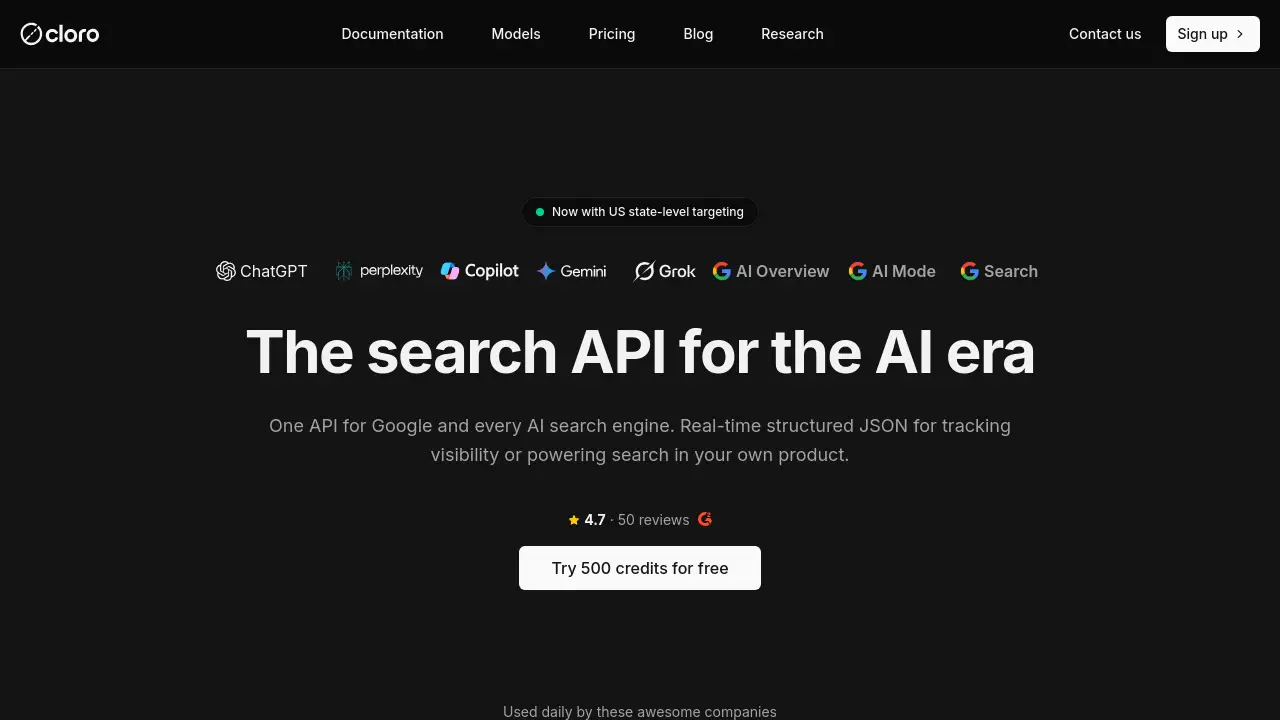
cloro API is a unified endpoint for search and AI answer extraction. It pulls Google, ChatGPT, Gemini, Perplexity, and Copilot results as clean markdown with sources and citations. This review explains what cloro API offers, how its pricing works, and which teams can benefit from a single search and AI data pipeline.
What is cloro?
cloro API is a search API that combines traditional search engines and AI answer engines into one coded interface. Instead of building separate integrations for Google Search, ChatGPT, Gemini, Perplexity, and Microsoft Copilot, teams can send one request and get a consistent response shape. cloro API also parses sources and citations, so users know exactly which pages an AI model mentions.
The main problem cloro API solves is integration complexity. Direct provider APIs often include different formats, token costs, and response structures. cloro API replaces that overhead with a single API, a published credit price, and clean markdown output. For teams focused on AI SEO, this makes it easier to track brand presence across multiple AI platforms and search engines. It matters because AI answers are becoming a bigger part of everyday search, and brands need a practical way to monitor those answers without building and maintaining many separate scrapers or integrations.
cloro API is suitable for SEO professionals, data analysts, product teams, and developers who want to run search and AI data collection at scale. It covers main SEO and AI SEO providers across global regions, and every engine accepts the same country targeting, so one run can repeat in the next market without changing code.
Key Features of cloro
Unified access to multiple engines
cloro API puts Google Search, ChatGPT, Google Gemini, Perplexity, Microsoft Copilot, and Google AI Overview behind one search API. Adding a new engine becomes a configuration change instead of a new integration project.
Sources and citation extraction
Direct provider APIs often return answer text without showing its sources. cloro API parses sources and citations from every response, giving users the URLs and labels needed for deeper analysis.
Country and state targeting
Every engine in cloro API respects the same country targeting parameters. Teams can select all countries globally or use US state-level targeting on supported models.
Predictable credit pricing
Token-based pricing can make search and AI extraction costs hard to estimate. cloro API charges a published credit cost per request, so users can calculate the cost of a run before starting it.
Multiple output formats
cloro API returns structured data as markdown, text, or HTML. Users can also get parsed JSON with sources, citations, query fan-out, and shopping blocks in one request.
Async requests for high volume
The async endpoint allows teams to submit tasks and receive results through a webhook. This makes cloro API useful for large scraping jobs without keeping connections open.
Use Cases for cloro
Tracking brand mentions in AI answers
Search teams can use cloro API to see how ChatGPT, Perplexity, Gemini, and Copilot respond when users ask questions about a brand. This helps identify which pages AI engines cite and which messages are missing.
Running international competitor research
Because all engines in cloro API accept the same country targeting, users can run one search across multiple markets and compare results side by side. This is valuable for global SEO and AI SEO teams.
Building an AI visibility leaderboard
cloro API can power public or internal dashboards that show which brands appear in AI answers. The cloro AI Visibility Leaderboard on the product site is one example of this pattern.
How to Use cloro
Follow these simple steps to start using cloro API:
- Sign up for a cloro account and get an API key.
- Choose the engine or engines you want to query, such as ChatGPT or Google Search.
- Set your query, country, and optionally US state parameters.
- Send the request and receive structured JSON with markdown, text, sources, and citations.
- Use the async endpoint for high-volume scraping tasks or when you need webhook-based delivery.
The cloro API keeps the request format consistent across all providers, so once the integration is in place, changing engines is just a config update.
Target Audience for cloro
- SEO professionals who need to track AI answers and organic search results.
- AI SEO specialists measuring brand visibility in ChatGPT, Perplexity, Gemini, and Copilot.
- Data analysts who work with search result data and citation patterns.
- Marketers who want to know how their brand appears across global SERPs.
- Developers building dashboards, reporting tools, or research platforms around search data.
Is cloro Free?
Yes, cloro offers a free tier. It includes 500 credits per month, 1 concurrent job, 1 seat, and a documentation assistant. Paid plans start at $30 per month and include more credits, higher concurrency, unlimited seats, and email support.
| Plan | Price | Features |
|---|---|---|
| Free | $0/month | 500 credits, 1 concurrent job, 1 seat, documentation assistant |
| Lite | $30/month | 37,500 credits, $0.80 per 1k credits, 10 concurrent jobs, unlimited seats |
| Hobby | $100/month | 250,000 credits, $0.40 per 1k credits, 20 concurrent jobs, unlimited seats |
| Starter | $250/month | 650,000 credits, $0.39 per 1k credits, 50 concurrent jobs, unlimited seats |
| Growth | $500/month | 1,350,000 credits, $0.37 per 1k credits, 75 concurrent jobs, priority email |
| Business | $1,000/month | 2,800,000 credits, $0.36 per 1k credits, 100 concurrent jobs, priority email |
| Enterprise | $2,000+/month | Higher credits, more concurrency, Slack support, custom volume discounts |
Credits are deducted only when cloro successfully delivers AI response data. Failed extractions do not consume credits. Unused credits do not roll over to the next billing cycle.
cloro's Pros and Cons
| Aspect | Pros | Cons |
|---|---|---|
| Integration | One API for multiple search and AI engines | Still requires an API key and technical setup |
| Data quality | Returns clean markdown with sources and citations | Some regional model availability limits may apply |
| Pricing | Free tier available and predictable credit costs | Credits do not roll over each month |
| Scalability | Async endpoint and high concurrency options | Larger packages may be costly for small teams |
| Support | Email and Slack support on higher tiers | Free tier only includes documentation assistant |
Frequently Asked Questions about cloro
How quickly does the cloro API return data?
The API delivers structured responses in 30 to 45 seconds on average. It handles automation and parsing internally, so users receive clean markdown content and citations without complex timeout logic. Requests that fail are automatically retried up to 10 times with a maximum duration of 5 minutes.
What data does the cloro API extract from AI models?
cloro API extracts the complete AI response in parsed markdown format, all source and citation URLs, labels, and additional structured data. It returns everything as structured JSON for easy integration into existing SEO or AI SEO tools.
Which engines are supported?
cloro API supports ChatGPT with Web Search, Google Gemini, Perplexity, Microsoft Copilot, Google AI Overview, and Google Search. Users can access all these sources through one unified search API and a consistent response shape.
Can I see the data before signing up?
Yes. The AI Visibility Leaderboard on the cloro website is built using the same API and is republished every week. It shows which brands ChatGPT, Perplexity, Gemini, Copilot, and Google AI Mode mention across software categories, plus the domains they cite as sources.
Can I get raw HTML from the cloro API?
Yes. By default, cloro API returns parsed structured JSON to keep responses light. Users can set include.html to true in the request to retrieve the full raw HTML of the result page when needed.
Does cloro API support specific geographic regions?
Yes. cloro API supports all countries globally, plus US state-level targeting on ChatGPT, Copilot, Perplexity, Gemini, and Grok. Users can pass a state parameter alongside country to route the request through a proxy in that US state.
cloro Tags
cloro API, search API, AI SEO, AI answer extraction, unified API, ChatGPT data, Gemini data, Perplexity data, Copilot data, AI visibility tool, SEO scraping tool, structured markdown API