Introduction
Chatfuel is a platform for building AI agents.
What is Chatfuel?
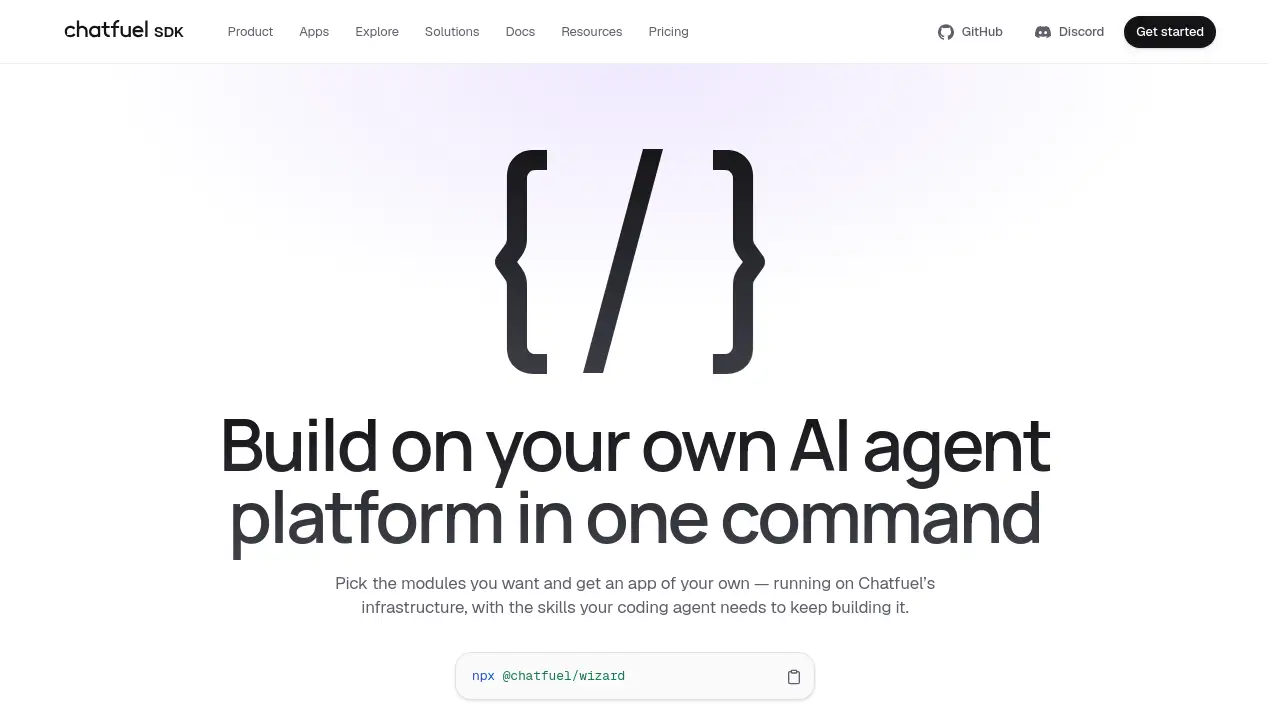
Chatfuel is a development platform for building white-label chatbot platforms and AI agent apps. At its center is the Chatfuel SDK, a command-line tool run with npx @chatfuel/wizard. The SDK scaffolds a Vite + React + TypeScript application that developers own under the MIT license. Instead of starting from an empty repository, users choose modules such as inbox, CRM, AI agent, and flow builder. The generated app runs on Chatfuel’s infrastructure, so the agent, channels, and data layer are already operational. This matters because launching a chatbot platform often requires backend work, channel approvals, and months of setup. Chatfuel reduces that work to one command while keeping the code editable. It suits developers, agencies, and product teams that want a custom AI agent platform without building every layer from scratch.
Key Features of Chatfuel
One-Command Scaffolding
Run npx @chatfuel/wizard to generate a working app in about three minutes. The Chatfuel SDK creates the project structure, environment file, and README so development starts immediately.
White-Label Ownership
Own the generated source code under MIT. Every selected module appears under src/modules, and the design system and API client are vendored as source, making the Chatfuel app easy to rebrand and extend.
AI Agents with Flow Builder
Use an AI agent that reads conversations, answers questions, qualifies leads, and books appointments. The flow builder remains available for scripted branches, but it is one module among many rather than the only way to build.
Inbox and CRM Modules
Add a shared inbox and CRM to manage conversations and customer data. These modules support handoffs to human agents and keep context inside the Chatfuel chatbot platform.
Official Channel Connections
Connect Instagram, WhatsApp, Facebook, TikTok, and web widgets through Chatfuel, an official Meta partner and WhatsApp Business Solution Provider. This can help teams avoid a separate Meta review for supported channels.
Coding Agent Skills
The Chatfuel SDK places skills in .claude/skills or .agents/skills. These notes give coding agents the same API details and edge cases, so AI-assisted development continues with context.
Flexible Deployment
Deploy the generated app on Vercel or as a Node app. Removing vercel.json and api/chatfuel.ts leaves a working Node application, which gives teams deployment freedom.
Use Cases for Chatfuel
Agency Client Platforms
Agencies can use Chatfuel SDK to create white-label chatbot platforms for multiple clients. Each client receives an owned app with selected modules, channels, and branding.
Startup AI Customer Support
Startups can launch an AI agent platform for customer support without writing a backend. The Chatfuel setup handles conversations, CRM records, and human handoffs from day one.
E-commerce Sales Automation
Online stores can automate WhatsApp, Instagram, and Facebook messages. The Chatfuel AI agent can answer product questions, qualify buyers, and support bookings or catalog sales.
Internal Sales Qualification
Sales teams can build an internal chatbot platform that qualifies leads and routes conversations. The flow builder can script specific steps while the AI agent handles open-ended replies.
Developer Prototyping
Developers can test an AI agent builder platform in minutes. The Chatfuel SDK provides a real codebase, vendor source, and deployable structure for experiments or production pilots.
How to Use Chatfuel
- Open a terminal and run
npx @chatfuel/wizard. - Select the modules needed, such as inbox, CRM, AI agent, or flow builder.
- Review the generated Vite + React + TypeScript project and update the
.envfile with the required Chatfuel token. - Start the app locally, connect a supported channel, and test the AI agent.
- Deploy to Vercel, Node, or another host, then continue building with coding agent skills.
Target Audience for Chatfuel
- Developers who want a ready-made AI agent platform codebase
- Agencies building white-label chatbot platforms for clients
- SaaS founders launching chat automation products
- Customer support teams that need AI agents and human handoffs
- E-commerce businesses selling through WhatsApp, Instagram, or Facebook
- Automation consultants who deploy chatbot platforms for multiple brands
Is Chatfuel Free?
The Chatfuel SDK and generated project are available through npx @chatfuel/wizard and are described as MIT-licensed code that users own. Pricing for running on Chatfuel’s infrastructure may depend on usage, modules, or a separate plan. Because pricing details are not fully listed in the reference information, check the official Chatfuel website for current costs and infrastructure terms.
| Plan | Price | Features |
|---|---|---|
| SDK / Generated App | Free (MIT) | Own the source code, choose modules, run locally |
| Chatfuel Infrastructure | Contact for pricing | AI agent, channels, data, official Meta partner connections |
Chatfuel's Pros and Cons
| Aspect | Pros | Cons |
|---|---|---|
| Setup | One command creates a running app | Requires Node and React familiarity |
| Ownership | MIT source code and white-label control | Core runtime depends on Chatfuel infrastructure |
| Features | AI agent, inbox, CRM, and flow builder modules | Custom work may be needed for unique modules |
| Channels | Official Meta partner and WhatsApp BSP support | Channel rules and limits may still apply |
| Deployment | Vercel or Node deployment options | Pricing for infrastructure is not transparent |
| Development | Coding agent skills included | AI-assisted workflows need compatible tools |
Frequently Asked Questions about Chatfuel
What is Chatfuel SDK?
Chatfuel SDK is a CLI tool run with npx @chatfuel/wizard. It scaffolds a white-label chatbot platform with inbox, CRM, AI agent, and flow builder modules.
Do I own the code generated by Chatfuel?
Yes. The generated Vite + React + TypeScript app is described as MIT-licensed source code. Developers can modify, rebrand, and deploy it as their own project.
Do I need Meta review to launch WhatsApp or Instagram bots?
Chatfuel connects channels as an official Meta partner and WhatsApp Business Solution Provider. This can remove the need for a separate Meta review for supported entry points, though platform policies still apply.
How long does it take to build a chatbot platform with Chatfuel?
The initial app can run in about three minutes after the command completes. Building a full production platform depends on selected modules, customization, and deployment needs.
Can I use Chatfuel without coding?
The Chatfuel SDK is aimed at developers and technical teams. Non-technical users may use the flow builder, but the generated app expects familiarity with React, TypeScript, and environment configuration.
Can I deploy the Chatfuel SDK app anywhere?
The generated app can run on Vercel or as a Node application. Removing the Vercel-specific files leaves a working Node app, which supports other deployment targets.
Chatfuel Tags
Chatfuel, Chatfuel SDK, white-label chatbot platform, AI agent platform, chatbot platform, flow builder, npx @chatfuel/wizard, WhatsApp Business Solution Provider, Meta partner, AI agent builder, chatbot CRM, Vite React TypeScript.