Introduction
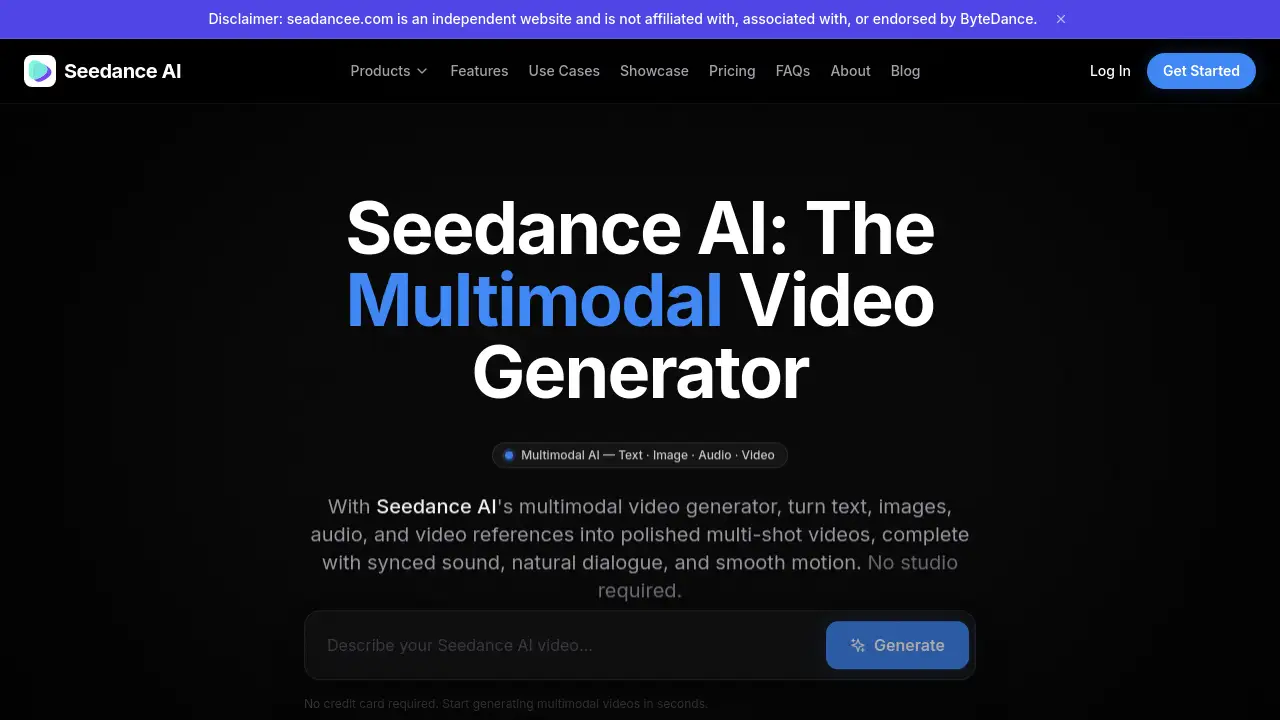
Seedance AI is a groundbreaking multimodal video generator that creates both video and audio together in a single pass.
What is Seedance?
Seedance is an innovative AI video generation tool designed to streamline video production. It directly addresses the common challenge of synchronizing audio with video in AI-generated content. Unlike platforms that treat sound as a separate, post-production step, Seedance AI generates video and audio together simultaneously. This core capability makes it a powerful solution for content creators, marketers, filmmakers, and educators who need to produce polished, multi-shot videos with synced sound quickly and without a physical studio. The product is suitable for anyone looking to turn ideas, text prompts, or existing media into dynamic video clips with natural dialogue and motion.
Key Features of Seedance
The Multimodal @ Reference System
You can upload up to 12 reference files and tag them directly in your text prompt using the @ symbol, providing precise visual and audio instructions instead of vague descriptions.
Native Audio and Video Generation
Audio and video are produced in a single model pass, ensuring perfect synchronization for footsteps, sound effects, and lip-sync without any post-production work.
Consistent Character and Object Continuity
A cross-attention system locks in facial features, clothing details, and object styles across different scenes and shots, preventing the common problem of character drift.
Precise Camera and Motion Control
By uploading a reference video, you can replicate specific camera movements like dolly shots or handheld shakes, or apply complex choreography to generated characters.
Automatic Multi-Shot Sequencing
Seedance can intelligently interpret a detailed prompt and break it into a sequence of distinct, connected shots like an establishing shot and a close-up, creating a rough cut automatically.
In-Platform Editing and Clip Extension
Generated clips can be edited iteratively by swapping elements or extending their length, allowing for refinement and the creation of longer content without starting over.
Physics-Aware Motion Simulation
The model is trained to generate motion that adheres to real-world physics, making explosions, fabric movement, and collisions appear more natural and plausible.
1080p Output with Cinematic Finishing
Videos are rendered at up to 1080p resolution and 60fps, with built-in global lighting, dynamic shadows, and color grading applied for a polished, cinematic look.
Use Cases for Seedance
Social Media Reels and Shorts
Quickly create engaging, vertical 9:16 content with multi-shot sequencing and native audio designed to capture attention on platforms like TikTok and Instagram.
Marketing and Advertising Campaigns
Produce multiple creative variants for A/B testing from a single prompt, significantly speeding up the ad creation process for digital marketing.
Music Videos and Audio Visualizers
Generate beat-synced visual narratives by using an audio track as a reference, aligning cuts and motion to the music automatically.
Short Films and Episodic Content
Leverage character consistency and multi-shot output to produce serialized content or indie film projects with recurring characters on a budget.
Product Demos and Real Estate Walkthroughs
Transform static product images or architectural renders into dynamic, engaging lifestyle demonstrations and virtual tours.
Educational and Training Modules
Convert written guides into narrated, visually illustrated video content that can be easily localized for different regions.
How to Use Seedance
Using Seedance AI involves a straightforward three-step workflow designed for efficiency.
- Write Your Prompt and Upload References: Start by describing your desired scene in the text prompt box. For more control, you can optionally upload reference images, audio clips, or videos (up to 12 files total) and tag them in your prompt using the @ system (e.g., @Image1, @Audio1).
- Generate Your Video: Click the generate button. Seedance processes all inputs—text, images, audio, and video—in a single pass to create a cohesive video clip with synchronized audio.
- Export or Edit: Once generated, you can immediately download the 1080p video. Alternatively, use the platform's tools to generate variations, extend the clip, or make targeted edits to specific elements without regenerating the entire scene.
Target Audience for Seedance
- Social Media Content Creators and Influencers
- Digital Marketers and Advertising Agencies
- Independent Filmmakers and Video Producers
- Musicians and Artists creating visual content
- Educators and Corporate Trainers
- Real Estate Agents and Product Demonstrators
- Game Developers and Indie Studios
- Businesses for internal communications and support content
Is Seedance Free?
Seedance offers a free starting point with a weekly "Basic" plan, alongside paid tiers for more extensive use. The available plans, based on weekly billing, are:
| Plan | Price | Key Features |
|---|---|---|
| Basic | $4.99/week | 400 credits, 480p resolution, personal use only. |
| Standard | $12.99/week | 1,500 credits, 720p HD, Standard Commercial License. |
| Premium | $24.99/week | 3,000 credits, 1080p Full HD, Full Commercial + Resale Rights, priority support. |
A free trial is available to test the platform without a credit card. For the most current details, users should visit the official Seedance pricing page.
Seedance's Pros and Cons
| Aspect | Pros | Cons |
|---|---|---|
| Core Technology | Native, synchronized audio-video generation in one pass eliminates post-production syncing. | Output length is currently limited per generation (though clips can be extended). |
| Control & Quality | Precise control via @ reference system and high-quality 1080p cinematic output. | Requires learning how to effectively use the multimodal reference system for best results. |
| Workflow Efficiency | Automatic multi-shot sequencing and character consistency save significant editing time. | Pricing is subscription-based weekly, which may be less predictable than monthly billing for some users. |
| Accessibility | Lowers the barrier to entry for high-quality video production without a studio. | The highest quality outputs and commercial rights are locked behind the Premium plan. |
Frequently Asked Questions about Seedance
What types of inputs does Seedance AI accept?
Seedance accepts multimodal inputs. The primary input is a text prompt. Additionally, you can upload reference files to guide the generation, including up to 9 images, 3 videos, and 3 audio clips, which you tag within your prompt.
How does Seedance handle audio generation?
Seedance AI generates audio natively alongside the video. This means environmental sounds, background music, dialogue, and sound effects are created in sync with the visual action within the same model pass, resulting in accurate timing and lip-sync.
Can Seedance maintain character consistency across different shots?
Yes, maintaining consistent characters is a core feature. Using its cross-attention reference system, Seedance can lock in a character's appearance, clothing, and style across multiple shots and entirely different scenes, which is ideal for serialized content.
What resolutions and aspect ratios are supported by Seedance?
Seedance supports output resolutions up to 1080p Full HD. For aspect ratios, it can generate videos in standard cinematic 16:9, vertical 9:16 for social media, and square 1:1 formats.
Is the content generated with Seedance safe for commercial use?
Commercial usage rights depend on your subscription plan. The Standard plan includes a Standard Commercial License, while the Premium plan grants Full Commercial Rights and even resale rights for client work. The Basic plan is for personal use only.
Where can I access and use Seedance AI?
Seedance is a web-based platform accessible through its official website. Users can sign up, start a free trial, and begin generating videos directly in their browser without needing to download specialized software.
Seedance Tags
Seedance AI, AI video generator, multimodal video generation, video and audio generation, AI video with sound, consistent character AI, AI video editing, AI for social media content, AI marketing videos, AI video production, text to video, 1080p AI video