Introduction
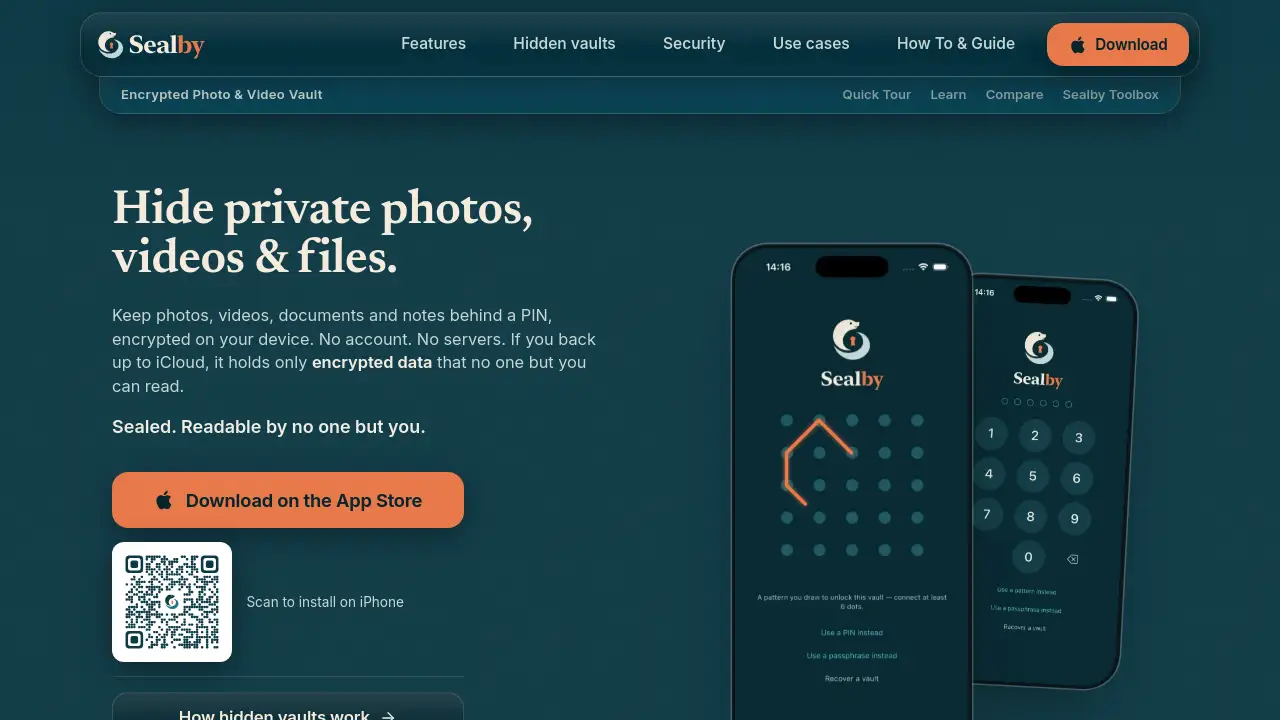
Sealby is an encrypted vault app for iPhone and iPad.
What is Sealby?
Sealby is a privacy-focused app that hides private photos, videos, documents, and notes inside an encrypted vault on an iPhone or iPad. It is designed for users who want a PIN-locked space that does not depend on an online account or a company server. Instead of uploading files to a third-party cloud, Sealby encrypts data on the device and keeps the keys under the user’s control.
The app solves a common problem with built-in tools. A phone’s Hidden album still opens with the device passcode, and locked notes often leave titles visible. Sealby creates separate encrypted vaults, each with its own PIN. It supports multiple vaults, folders, tags, search, rich-text notes, and many file types. Optional encrypted iCloud backup and sync are available, but the cloud stores only encrypted data. For anyone searching for a private photo vault, a secure document vault, or a no-account encryption app for iPhone and iPad, Sealby is built around one clear promise: readable by no one but the user.
Key Features of Sealby
Encrypted Vault for Photos and Videos
Import private photos and videos from the photo library or capture new ones directly into the vault. Each item is encrypted before it is saved, so the encrypted vault stays protected behind a PIN.
Multiple Vaults with Separate PINs
Create several vaults, each with a different PIN. Sealby does not store a list or count of vaults, which helps keep hidden vaults out of sight on a shared iPhone or iPad.
Documents, Files, and Rich Notes
Store passport scans, contracts, recovery codes, medical records, and other sensitive files. Users can also create rich-text notes next to any file, with folders, tags, and instant search.
AES-256-GCM and Secure Enclave
Sealby uses AES-256-GCM encryption and stores keys in the Secure Enclave. The keys unlock only with a PIN, pattern, or passphrase on the device.
Deniable Vaults and Duress PIN
A different PIN opens a different vault. With Premium, an optional duress PIN opens a harmless decoy vault and removes other vaults from the device, so a forced unlock reveals nothing important.
Encrypted iCloud Backup and Sync
Premium users can back up and sync selected vaults through iCloud. If iCloud backup is used, it holds only encrypted data that cannot be read without the user’s key.
Auto-Lock and Save from Any App
Sealby locks automatically when the user switches apps. Files can also be saved into the encrypted vault from other apps on the iPhone or iPad.
Recovery Phrase for Every Vault
Every vault has a recovery phrase held only by the user. This helps restore access or move vaults when encrypted backup is enabled.
Use Cases for Sealby
Protecting Private Photos and Videos
Keep personal photos and videos out of the main library and behind a PIN-locked encrypted vault. This is useful for anyone who shares an iPhone or iPad with family, friends, or coworkers.
Securing IDs and Financial Records
Store passport scans, contracts, tax files, medical records, and financial documents in a secure document vault. AES-256 encryption helps protect them even if the device is backed up to iCloud.
Storing Crypto Seed Phrases and 2FA Codes
Crypto seed phrases, recovery codes, and 2FA backup codes are high-value secrets. Sealby can keep them in a separate vault with its own PIN and recovery phrase.
Keeping Work Documents Separate
Create a work vault for contracts, client files, and internal notes. A separate PIN keeps work material apart from personal files on the same iPhone or iPad.
Travel and Border Crossings
Travelers can use hidden vaults and a duress PIN to reduce what is visible on the device. If forced to open the app, a decoy vault can be shown while other vaults stay hidden.
Shared Device Privacy
On a family iPad or shared iPhone, Sealby offers a private space that does not appear as a visible album or note. The app stores no list or count of vaults.
How to Use Sealby
- Download Sealby from the App Store on an iPhone or iPad running iOS 17 or later.
- Open the app and create a vault with a unique PIN. No account or sign-up is required.
- Import private photos, videos, documents, or notes, or capture new photos directly into the encrypted vault.
- Add folders, tags, and search terms to organize files. Create additional vaults with different PINs if needed.
- Enable Premium features such as encrypted iCloud backup, sync, or vault sharing, and save each vault’s recovery phrase in a safe place.
Target Audience for Sealby
- iPhone and iPad users who want a private photo vault
- People who need a secure document vault for IDs, contracts, or medical records
- Crypto users storing seed phrases, recovery codes, or 2FA backups
- Professionals who keep work files separate from personal files
- Travelers and privacy-conscious users who want hidden vaults and a duress PIN
- Families or teams that share a device and need PIN-locked private spaces
Is Sealby Free?
Sealby has a free tier and a Premium option. The free version supports unlimited vaults, all file types, notes, rich text, folders, tags, search, and up to 100 files per vault on one device. Premium adds encrypted iCloud backup, multi-device iCloud sync, vault sharing, and removes the file cap. Exact prices vary by country and are shown in the App Store or on the official pricing page.
| Plan | Price | Features |
|---|---|---|
| Free | $0 | Unlimited vaults, all file types, notes, folders, tags, search, up to 100 files per vault, one device |
| Premium | Monthly, yearly, or lifetime purchase; exact price varies | Encrypted iCloud backup, multi-device iCloud sync, vault sharing, no 100-file cap |
Sealby's Pros and Cons
| Aspect | Pros | Cons |
|---|---|---|
| Privacy | No account, no servers, no trackers, keys stay on device | Requires users to manage their own recovery phrase |
| Security | AES-256-GCM, Secure Enclave, PIN-locked vaults, deniable vaults | Advanced features like duress PIN require Premium |
| Features | Photos, videos, documents, notes, folders, tags, search, backup, sync | Free tier limits each vault to 100 files |
| Platform | Built for iPhone and iPad, iOS 17+ | Not available on Android or desktop |
| Pricing | Free tier available; lifetime purchase option for Premium | Monthly and yearly plans may not suit every budget |
Frequently Asked Questions about Sealby
Does Sealby require an account?
No. Sealby does not require an account or sign-up. The app is designed to work without a user profile, and purchases are handled through the Apple ID.
Are private photos and videos really encrypted?
Yes. Sealby encrypts files and notes with AES-256-GCM before saving or syncing. Keys are stored in the Secure Enclave and unlock with the user’s PIN, pattern, or passphrase.
Does iCloud backup expose private files?
No. If encrypted iCloud backup is enabled, iCloud stores only encrypted data. It cannot read the files without the user’s key.
What is a duress PIN?
A duress PIN is an optional Premium feature. Entering it opens a harmless decoy vault and removes other vaults from the device, so a forced unlock does not reveal sensitive data.
Can a forgotten PIN be recovered?
Each vault has a recovery phrase. Users should keep it safe because there is no master key and no server-side recovery. Without the recovery phrase, access may not be possible.
Is Sealby available on Android?
No. Sealby is built for iPhone and iPad and requires iOS 17 or later. It is not currently available for Android or desktop platforms.
Sealby Tags
Sealby, Sealby app, encrypted vault for iPhone, private photo vault, hide photos iPhone, secure document vault, PIN-locked vault, AES-256 encryption app, no account privacy app, hidden vaults, iPhone privacy app, iPad file vault.