Introduction
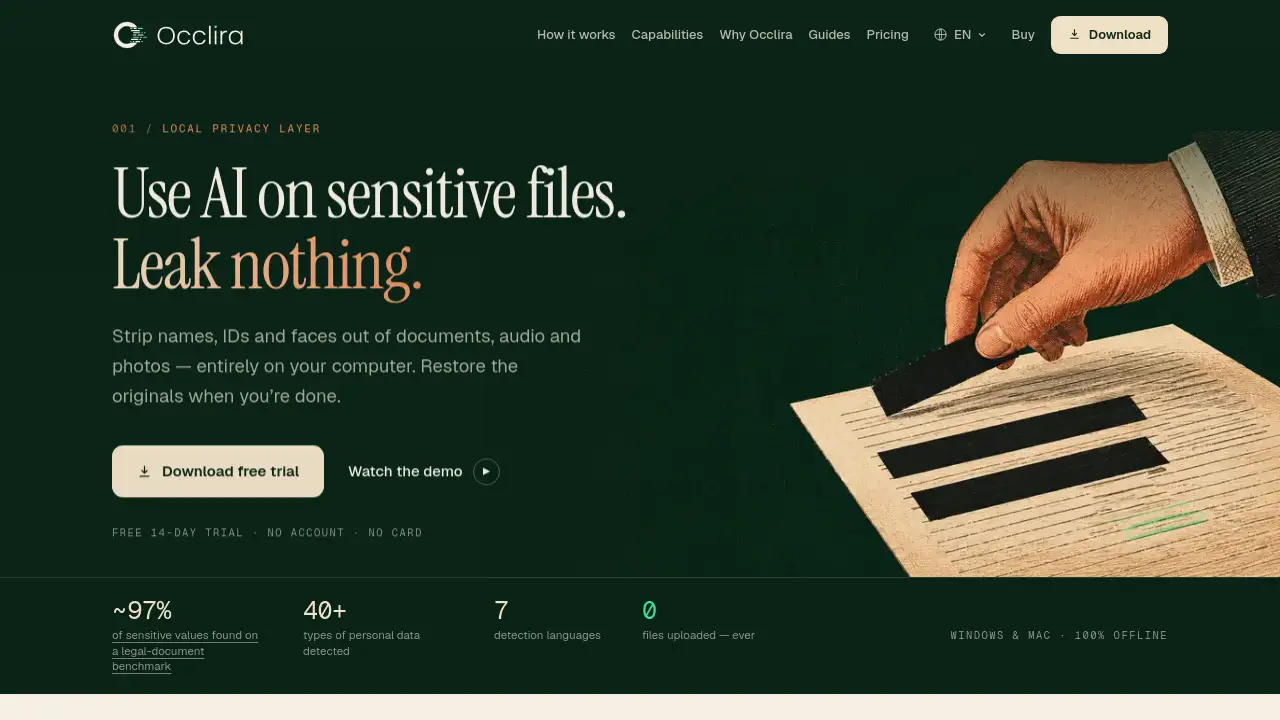
Occlira is a desktop app that removes personal data from documents, email, audio, and photos entirely on your computer. This Occlira review explains how the app works, where it fits in a privacy workflow, and what users can expect from the trial. Because it runs offline, Occlira does not require an account or an internet connection for file processing.
What is Occlira?
Occlira is a local privacy layer for Windows and macOS that helps users remove personal data from documents, email, audio, and images before sharing them or sending them through AI tools. Instead of uploading files to a cloud service, Occlira does all processing on the user’s own device. The app combines an AI detection model with checksum-validated patterns to find names, emails, phone numbers, addresses, IBANs, card numbers, national IDs, and more than 40 other types of PII. Users can review every highlight before anything changes. Occlira also keeps a local audit log with no PII, which is useful for compliance. This makes Occlira relevant for individuals and teams that need local data anonymization without relying on manual PDF redaction.
Key Features of Occlira
Occlira document anonymization
Occlira anonymizes documents such as Word files, PDFs, Excel spreadsheets, emails, text files, Markdown files, and CSVs. For scanned PDFs, it recovers text on the device so users can redact scanned content locally.
Reversible Occlira placeholders
Instead of cutting content completely, Occlira replaces sensitive values with consistent placeholders such as <PERSON_1> or <EMAIL_2>. These placeholders keep the structure, and the original values can be restored locally later.
Permanent PDF redaction
For PDFs that must stay clean, Occlira burns boxes into the page. This deletes the underlying text and metadata, not just the visual layer, so the redaction is irreversible.
Occlira audio redaction
Occlira transcribes recordings locally, separates speakers, and bleeps spoken personal data inside the audio track. This is useful for calls, interviews, and therapy sessions, and there are no per-minute fees.
Occlira photo face blur
Occlira detects faces on-device and applies blur, mosaic, or solid boxes. It can also remove GPS, camera, and timestamp metadata from images, while the original file stays untouched.
Human review and custom terms
Occlira shows every detection as a highlight and asks the user to approve, keep, or delete it. Users can add custom always-remove or never-remove lists and choose detection categories for each run.
Integrations with Word and AI chats
Occlira connects with Microsoft Word, ChatGPT, Claude, Gemini, and Claude Desktop. These connectors make it easier to anonymize content before it moves into an AI service.
Use Cases for Occlira
Preparing files for AI services
Many users run Occlira before sending content to ChatGPT, Claude, Gemini, or other AI models. The app anonymizes the file locally, and the user can restore originals after the AI response.
Sharing client and employee records
Legal, HR, and finance teams can use Occlira to remove personal data from contracts, employee records, and invoices. The reversible workflow helps share useful redacted versions while keeping real files private.
Handling audio and photo material
Journalists, researchers, and medical professionals can anonymize interviews, recorded meetings, and photos before publishing. Spoken PII is bleeped, faces are blurred, and metadata is removed.
Supporting compliance workflows
Occlira can fit into GDPR and HIPAA workflows because files are not uploaded to a third party. The local audit log records what was processed without containing personal information.
How to Use Occlira
- Download Occlira for Windows 10/11 or macOS and start the free 14-day trial. No sign-up or card is required.
- Open a supported file, such as DOCX, PDF, XLSX, EML, TXT, MD, CSV, MP3, WAV, M4A, FLAC, OGG, JPG, PNG, HEIC, WEBP, TIFF, or BMP, in Occlira.
- Wait for the on-device analysis. Occlira shows highlights for detected PII, including names, addresses, financial IDs, and faces.
- Review each highlight, keep or remove items, and use custom term lists if needed. Press Anonymize.
- Export the anonymized file. For permanent PDF redaction, choose the burn-in option that deletes underlying text and metadata.
Target Audience for Occlira
- Legal professionals and compliance officers
- HR teams that handle employee data
- Healthcare providers under HIPAA rules
- Financial advisers and accountants
- Researchers, journalists, and reviewers
- People who use AI tools with sensitive private content
- Windows and macOS users looking for an offline desktop app for data privacy
Is Occlira Free?
Occlira is free to download and use for 14 days. There is no account or card requirement, and the trial includes every feature. After the trial, users can choose a one-time purchase. No subscription is needed. For the latest details, refer to the official Occlira pricing page.
| Plan | Price | Features |
|---|---|---|
| Free trial | $0 for 14 days | Full app, all formats, no sign-up, no card |
| Occlira license | $159 once | Perpetual, one device, free updates within major version |
| Enterprise | Custom | Self-hosted licensing, volume pricing, priority support |
Occlira's Pros and Cons
| Aspect | Pros | Cons |
|---|---|---|
| Privacy | 100% offline and no uploads | Needs a modern Windows or macOS device |
| Redaction quality | AI detection plus human review | Still requires user approval for best results |
| Reversibility | Consistent placeholders and local restore | Not reversible when permanent PDF burn-in is used |
| Media support | Handles documents, audio, and photos | Some specialized formats may need conversion |
| Pricing | One-time purchase and free trial | $159 may feel high for casual users |
Frequently Asked Questions about Occlira
Does Occlira upload any files to the cloud?
No. Occlira runs detection, transcription, face blur, and redaction entirely on the computer. The only network calls are for license validation, updates, and optional diagnostics, and none of those contain documents or PII.
Can original data be restored after anonymization?
Yes, when reversible placeholders are used. Occlira stores mapping information locally, so the original file can be restored without sending data anywhere.
Which formats does Occlira support?
Occlira supports DOCX, PDF, XLSX, EML, TXT, MD, CSV for text, MP3, WAV, M4A, FLAC, OGG for audio, and JPG, PNG, HEIC, WEBP, TIFF, BMP for photos.
What types of PII does Occlira detect?
Occlira detects more than 40 PII types, including names, emails, phones, addresses, IBANs, credit cards, passport numbers, tax IDs, dates of birth, IP addresses, medical record numbers, and faces.
Does Occlira work with AI chat tools?
Yes. Occlira has a browser extension for ChatGPT, Claude, and Gemini, a Microsoft Word add-in, and a connector for Claude Desktop. This lets users anonymize content before sending it to AI services.
Is Occlira free forever?
No. Occlira is free for 14 days. After that, users need a one-time license for $159 per device. Enterprise plans are available for larger teams.
Occlira Tags
Occlira, local data anonymization, remove personal data, redact documents, PDF redaction, audio redaction, face blur, desktop app, data privacy, AI privacy tool, reversible redaction, offline redaction, sensitive data protection