Introduction
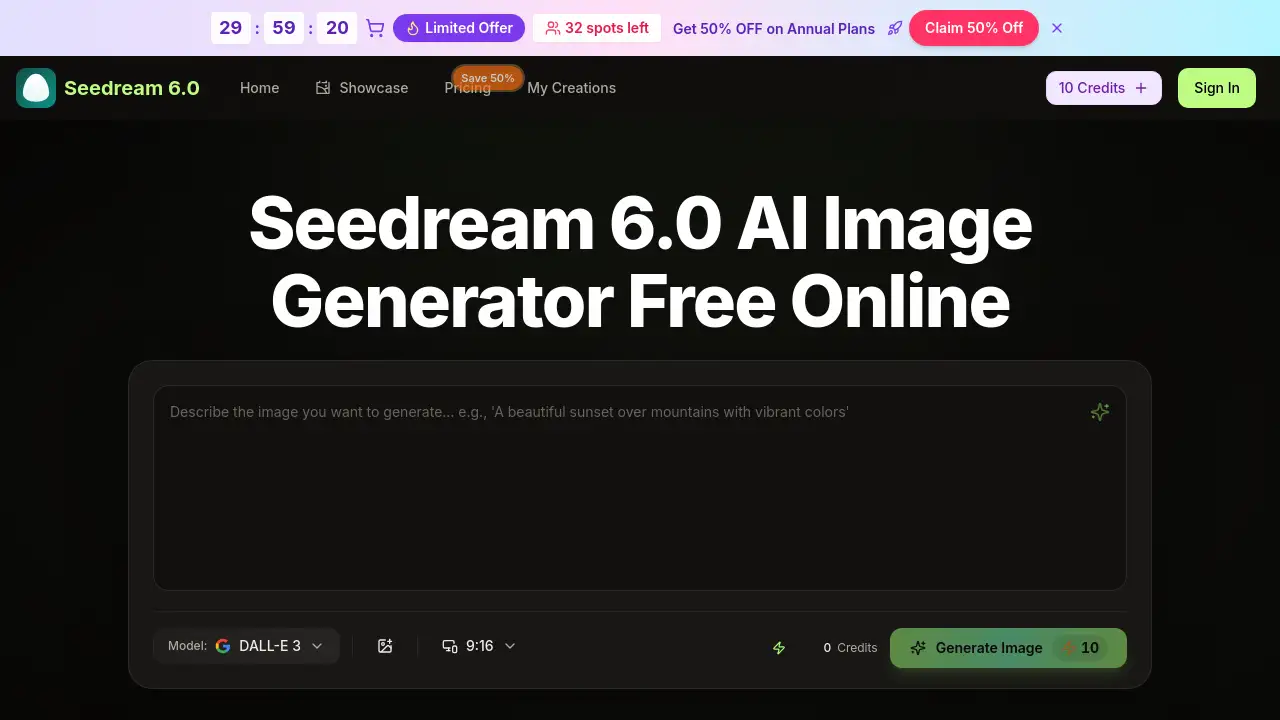
Seedream 6.0 is Bytedance's advanced AI image generator that creates stunning visuals from text or images for free online.
What is seedream 6?
Seedream 6.0 is an AI-powered image generation tool developed by Bytedance. It solves the problem of needing professional design skills or expensive software to create high-quality, custom visuals. The platform allows users to generate polished 4K artwork by simply typing descriptive text prompts or uploading reference images. The Seedream 6.0 Model intelligently interprets user input, handling complex tasks like merging multiple images, transferring artistic styles, and ensuring proper lighting and composition. This makes it suitable for a wide range of users, from complete beginners to professional creators and marketers who need to produce visual content quickly and efficiently. Its importance lies in democratizing high-end image creation, offering a fast, accessible, and versatile solution directly within a web browser.
Key Features of seedream 6
Combine Multiple Images
Upload up to three separate images for subject, scene, and style, and the Seedream 6.0 AI Image Generator will analyze and merge them into a single, cohesive piece of artwork.
Text-to-Image Generation
Type descriptive Seedream 6.0 Prompts in plain language, and the AI will generate professional-grade images with appropriate lighting and composition in seconds, requiring no prior design experience.
Advanced Style Transfer
Apply the artistic style from one reference image to a completely new subject, enabling consistent creative exploration across photography, anime, watercolor, and other visual styles.
Automatic Lighting and Color Correction
The tool automatically adjusts exposure and color to deliver polished and visually balanced results with every generation, simplifying the editing process.
High-Resolution 4K Export
Users can download their final creations as sharp, ready-to-use 4K images, suitable for both digital and print mediums.
Flexible Input Methods
The workflow is highly adaptable, accepting Seedream 6.0 Prompts, uploaded photos, or a combination of both, with no fixed process required.
Fast Processing Speed
Leveraging the power of the Seedream 6.0 Model, the generator typically produces a complete image in under 30 seconds, enabling rapid iteration.
Use Cases for seedream 6
Creating Social Media Visuals
Quickly generate eye-catching graphics, thumbnails, and promotional art for social media campaigns and content using Seedream 6.0 prompts.
Developing Concept Art and Illustrations
Artists and designers can rapidly visualize ideas, create character avatars, or produce detailed concept art and illustrations in various styles.
Producing Product Mockups and Shots
Businesses and marketers can create professional-looking product images, advertisements, and mockups without the need for a photoshoot or complex 3D software.
Experimenting with Artistic Styles
Hobbyists and creators can easily experiment by applying different artistic styles to their photos or ideas, exploring creative variations effortlessly.
How to Use seedream 6
Using the Seedream 6.0 AI Image Generator is a straightforward process conducted entirely online.
- Visit the Official Website: Go to the Bytedance Seedream 6.0 official website or dreamina web platform. No download or installation is required.
- Provide Your Input: Either type a detailed text prompt describing your desired image or upload one or more reference images to guide the generation.
- Generate the Image: Click the generate button. The Seedream 6.0 Model will process your request and create a preview image within seconds.
- Refine and Download: Preview the generated image. If needed, you can adjust your prompt or references and generate again. Once satisfied, download the final 4K image.
Target Audience for seedream 6
- Digital Marketers and Social Media Managers needing fast, custom visuals.
- Content Creators, Bloggers, and Hobbyists looking to illustrate ideas without design skills.
- Graphic Designers and Artists seeking a tool for rapid prototyping and style exploration.
- Small Business Owners and Entrepreneurs requiring affordable product imagery and ad creatives.
- Educators and Students creating engaging visual materials for projects and presentations.
Is seedream 6 Free?
Yes, Seedream 6.0 offers a free starting tier. Users can begin with Seedream 6 Online Free and receive starter credits without providing payment details. For higher volume and advanced features, paid subscription plans are available. The official website lists the following annual plans (with a noted 50% flash sale discount at the time of writing):
| Plan | Discounted Price/Month | Credits/Year | Key Features |
|---|---|---|---|
| Basic | $4.9 | 6,000 | 500 credits/month, Seedream 5.0 AI Generation, commercial license. |
| Professional | $9.9 | 24,000 | 2,000 credits/month, priority queue, no watermark, access to advanced AI models (Veo 3, Sora 2, etc.). |
| Enterprise | $19.9 | 72,000 | 6,000 credits/month, all Professional features for team and business use. |
seedream 6's Pros and Cons
| Aspect | Pros | Cons |
|---|---|---|
| Accessibility | Completely web-based; no software installation required. Free tier available to start. | Requires a stable internet connection to use. |
| Ease of Use | Intuitive interface; generates images from simple text prompts, no design skills needed. | Advanced multi-image combining may require practice to master. |
| Speed & Output | Very fast generation times (under 30 sec). Exports high-quality 4K images. | Credit-based system for paid plans limits generations per month. |
| Features | Powerful style transfer and image combining capabilities. Includes useful tools like an AI image enhancer. | The most advanced AI models (e.g., Veo 3, Sora 2) are locked behind the highest-tier annual plans. |
| Pricing | Transparent subscription model. Annual plans offer significant savings. | Can become costly for high-volume commercial users who exhaust credit allowances. |
Frequently Asked Questions about seedream 6
How do I access Seedream 6.0?
You can access it by visiting the Bytedance Seedream 6.0 official website or the dreamina web platform. The tool runs directly in your browser, so there is no need to download an app.
Is Seedream 6.0 really free to use?
Yes, you can start using Seedream 6 Online Free with provided starter credits without entering payment information. This allows you to test the core features of the Seedream 6.0 AI Image Generator.
What kind of images can I create with Seedream 6.0?
You can create a wide variety of images, including product shots, social media graphics, digital art, avatars, concept illustrations, and more. The AI supports numerous artistic styles from photorealistic to anime.
Do I need any design experience to use it?
No design experience is necessary. The platform is built to interpret plain language Seedream 6.0 Prompts. You simply describe what you want to see, and the AI handles the technical aspects of composition, color, and style.
Can I use Seedream 6.0 on my mobile phone?
Yes, because Seedream 6.0 is a web-based application, it is accessible and functional on any device with a modern web browser, including smartphones and tablets.
What are credits in Seedream 6.0?
Credits are the unit of consumption for generating images. Each image generation costs a certain number of credits. Plans offer a monthly or yearly allowance of credits, with the free tier providing a limited number to start.
seedream 6 Tags
Seedream 6.0, AI image generator, Bytedance Seedream 6.0, Seedream 6.0 prompts, free AI image generator, online image creator, text to image AI, style transfer AI, 4K image generator, dreamina web, AI art generator, create images online