Introduction
Sider AI: Your All-in-One AI Sidebar Assistant
What is sider?
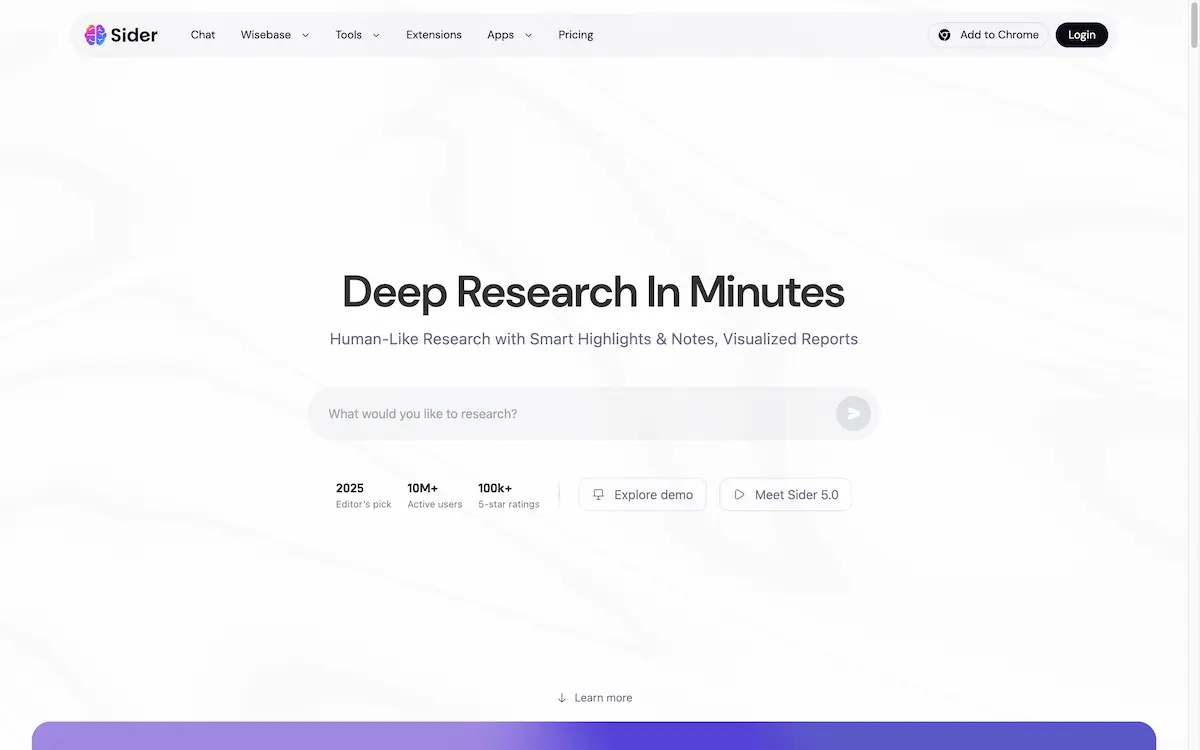
Sider is an all-in-one AI assistant designed to enhance productivity directly within a web browser. This powerful AI sidebar integrates multiple top-tier language models, including GPT-5, Claude 4, Gemini 2.5, and Grok 4, into a single, accessible interface. It solves the problem of context switching by allowing users to chat, write, read, translate, and conduct research on any webpage without leaving their current tab. Sider is suitable for a wide range of users, from students and professionals to researchers and casual browsers, who seek to streamline their digital workflow. Its significance lies in consolidating diverse AI tools into a unified sidebar, making advanced AI capabilities a seamless part of the everyday browsing experience.
Key Features of sider
AI-Powered Sidebar
The core of Sider is its convenient sidebar that provides instant access to various AI tools on any website, enabling tasks like translation and summarization without disrupting workflow.
Multi-Model AI Chat
Users can interact with leading AI models like GPT-5, Claude 4, and Gemini 2.5 from a single interface, allowing them to choose the best AI for any specific task or query.
Deep Research Agent
This feature automates the research process by sorting relevant sources, highlighting key information, and generating detailed, visualized reports with citations, saving significant time.
Web Page Summarization
Sider can quickly condense long articles or YouTube videos into concise summaries, providing the essential information in seconds rather than minutes.
Instant Text Translation
The extension offers real-time translation of web pages and supports a bilingual view across 50+ languages, facilitating effortless cross-language browsing and reading.
Wisebase Knowledge Management
Sider includes a personal knowledge base called Wisebase where users can store, organize, and revisit their research reports, web finds, and chat histories.
File Upload and Analysis
Users can upload private files, including PDFs, for deep AI analysis, enabling the assistant to read, interpret, and answer questions based on the document's content.
AI Content Creation
The tool assists in generating various outputs, from AI presentations and websites to images, directly from notes or prompts provided by the user.
Use Cases for sider
Academic Research
Students and academics can use the Deep Research Agent to gather sources, extract key points, and compile comprehensive reports for papers and projects efficiently.
Content Creation and Writing
Writers and marketers can leverage the AI sidebar to brainstorm ideas, draft content, translate text, and refine their writing across different platforms and websites.
Professional Workflow Enhancement
Professionals in various fields can utilize the summarization and explanation features to quickly digest reports, articles, and emails, boosting overall productivity.
Language Learning and Translation
Individuals learning a new language or working with foreign texts can use the instant translation and bilingual view to read and understand content in different languages.
Quick Information Retrieval
Any user can employ the AI chat function to get immediate answers to questions or explain complex concepts found online without leaving their current webpage.
How to Use sider
- Install the Extension: Visit the Chrome Web Store or Microsoft Edge Add-ons store and add the "Sider" or "ChatGPT Sidebar" extension to your browser.
- Access the Sidebar: Once installed, the Sider icon will appear in your browser's toolbar. Click it to open the AI sidebar on any webpage.
- Select an AI Model: Choose from available AI models like GPT-5, Claude 4, or Gemini 2.5 depending on your task preference.
- Utilize the Tools: Use the features directly from the sidebar. You can highlight text to explain or translate it, ask the AI a question, summarize the page, or upload a file for analysis.
- Manage Your Work: Save important findings, chats, and generated reports to your Wisebase for future reference and organization.
Target Audience for sider
- Students and researchers conducting online research
- Content writers, bloggers, and marketers
- Professionals needing to process information quickly
- Non-native speakers and language learners
- Anyone looking to enhance their browsing efficiency with AI
Is sider Free?
Sider offers a generous free plan that allows users to try its core features without an initial investment. This free tier provides access to basic AI chat, summarization, and translation functionalities, making it an excellent tool for getting started. For users requiring more advanced capabilities, higher usage limits, and access to premium features like the Deep Research Agent, Sider provides affordable premium options through its paid plans. The pricing structure is designed to cater to both casual users and power users.
Frequently Asked Questions about sider
What AI models are available in Sider?
Sider provides access to several leading AI models, including GPT-5, Claude 4, Gemini 2.5, and Grok 4, all accessible from a single sidebar interface.
Is the Sider extension free to use?
Yes, Sider has a free-to-try plan that includes access to many of its core features. Premium plans are available for users who need more advanced capabilities and higher usage limits.
How does the Deep Research Agent work?
The Deep Research Agent automates online research by intelligently finding and sorting relevant sources, automatically highlighting key information, and generating comprehensive reports with proper citations and visualizations.
Can I use Sider on any website?
Yes, the Sider AI sidebar is designed to work on virtually any webpage. Once the browser extension is installed, you can activate it to chat, translate, summarize, or research on any site you visit.
What is Wisebase in Sider?
Wisebase is Sider's integrated knowledge base feature. It acts as a personal library where you can store and organize your research reports, saved web content, and chat histories, allowing your knowledge to accumulate over time.
Does Sider support file uploads for analysis?
Yes, Sider allows users to upload private files, such as PDFs and documents, for deep AI analysis. The assistant can then read the content and answer questions based on the uploaded file.
sider Tags
Sider AI, AI sidebar, GPT-5 sidebar, Claude 4 extension, AI assistant, Deep Research Agent, Wisebase, webpage summarization, AI translation, multi-model AI chat, browser AI tool, productivity extension, AI research tool, free AI assistant