Introduction
Stuck on a tough test? Getting accurate Sophia Learning answers instantly can be the difference between passing quickly and wasting hours studying.
What is SolveHog?
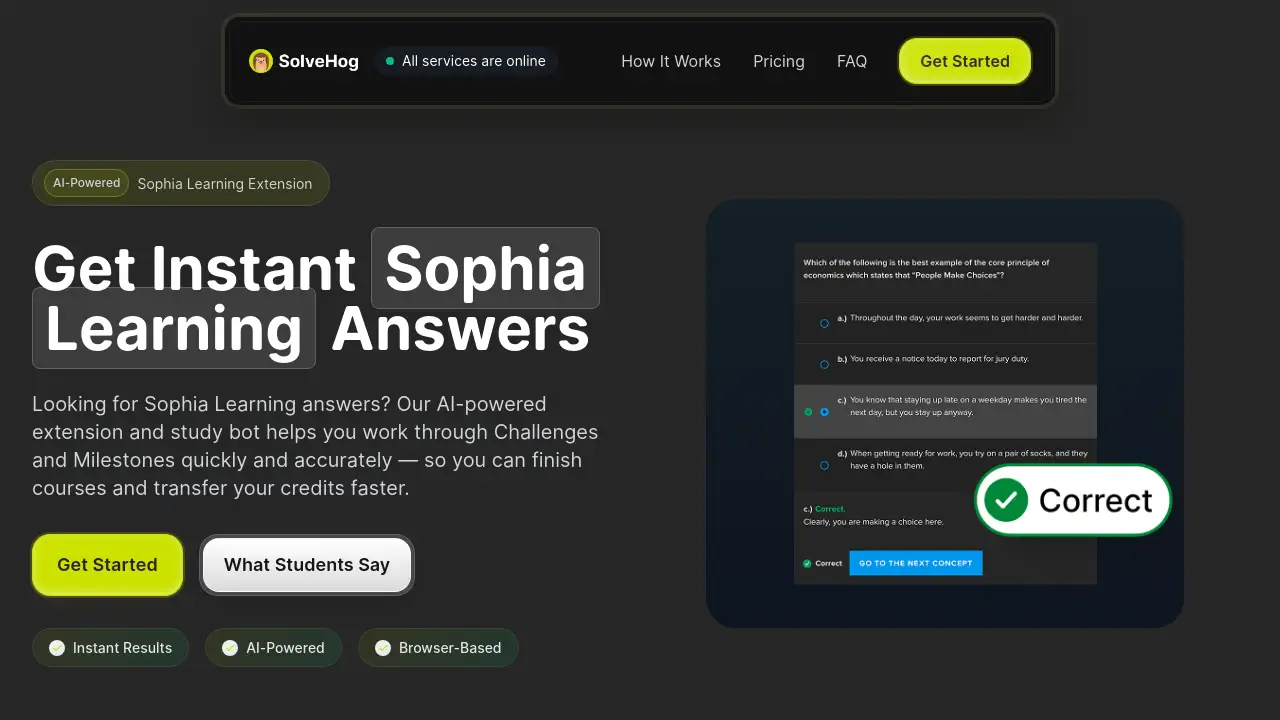
SolveHog is an AI-powered Chrome extension designed specifically to help students complete their Sophia Learning courses faster. It works by analyzing questions from Sophia Challenges and Milestones directly on the page, then surfacing accurate answers in seconds. The tool is for students who want to save time, reduce stress, and finish their general education courses to transfer credits to partner universities like WGU. By using this Sophia Learning extension, learners can bypass tedious trial-and-error and focus on understanding the material. The solution matters because Sophia courses often have timed Milestones, and having reliable Sophia Learning answers can make a significant difference in a student's ability to complete a course efficiently.
Key Features of SolveHog
Instant AI-Powered Answers
SolveHog reads the question from the Sophia page and uses artificial intelligence to deliver the correct answer immediately. This removes the need to search multiple tabs or guess answers.
Easy One-Minute Setup
Users can install this Sophia Learning Chrome extension in under 30 seconds. No complicated configuration is needed. Once added, it simply sits in the browser and activates when needed.
Works on All Courses
The extension supports every Sophia Learning course, from Art History to Statistics. Whether it is a Challenge or a Milestone, the tool surfaces answers without limiting which subjects it covers.
No Usage Limits
Unlike some study tools that cap daily questions, SolveHog allows unlimited use on all paid plans. Students can ask for Sophia Learning answers as many times as they need without worrying about running out of credits.
Built-in Study Bot
Beyond just giving answers, the tool includes a study bot that can explain why an answer is correct. This helps learners actually understand concepts, which is useful for transferring credits.
Use Cases for SolveHog
Completing Timed Milestones
Sophia Milestones often have a strict time limit. SolveHog helps students answer quickly, reducing panic and ensuring they finish within the allowed timeframe.
Late-Night Study Sessions
When studying at odd hours and getting stuck on a difficult question, this Sophia Learning study bot provides instant help. It prevents frustration and keeps the learning process moving forward.
Transferring Credits to WGU
Many students take Sophia courses specifically to transfer credits to Western Governors University. SolveHog helps them finish these courses rapidly, allowing them to enroll in their main degree program sooner.
How to Use SolveHog
- Install the Extension: Go to the Chrome Web Store or the SolveHog website, and add the extension to your browser. This step takes under 30 seconds.
- Log into Sophia: Open your Sophia Learning course as you normally would. Navigate to a Challenge or Milestone.
- Activate SolveHog: Click the SolveHog icon in your browser toolbar.
- Get Instant Answers: Select the question on the page. The extension will process it and display the correct Sophia Learning answers directly on the screen.
Target Audience for SolveHog
- College students taking general education courses online.
- WGU transfer students needing to complete Sophia prerequisites quickly.
- Non-traditional learners who work full-time and need efficient study tools.
- Students who struggle with timed tests and want instant support.
Is SolveHog Free?
SolveHog does not offer a free plan, but it has flexible paid options. Students can choose a plan based on how quickly they need to finish their courses.
| Plan | Price | Features |
|---|---|---|
| Weekly | $9.99/week | Unlimited instant answers, all courses, cancel anytime |
| Monthly | $24.99/month | Unlimited instant answers, all courses, cancel anytime (Most Popular) |
| Quarterly | $49.99 billed quarterly ($16.66/month) | Unlimited instant answers, all courses, cancel anytime (Save 33%) |
| Yearly | $99.99 billed annually ($8.33/month) | Unlimited instant answers, all courses, cancel anytime (Best Value, Save 67%) |
SolveHog's Pros and Cons
| Aspect | Pros | Cons |
|---|---|---|
| Speed | Delivers Sophia Learning answers in seconds, saving hours per week. | Requires a stable internet connection to work. |
| Ease of Use | Installs in under 30 seconds and works automatically on the Sophia page. | Only available as a Chrome extension; other browsers are not supported. |
| Learning Support | Includes a study bot that explains answers for better comprehension. | Does not replace actual studying; students still need to understand concepts for exams. |
| Pricing | Offers a cheap weekly option and a valuable yearly plan. | No free trial is available, so users must pay to test the full experience. |
Frequently Asked Questions about SolveHog
Does SolveHog work on all Sophia courses?
Yes. The Sophia Learning extension works on every course offered by Sophia, including both Challenges and Milestones. Users report consistent results across subjects like Math, English, and Science.
Is it safe to use SolveHog?
SolveHog is a browser extension that reads content from the Sophia page. It does not ask for login credentials or store sensitive personal data. However, students should review the user agreement of their educational institution regarding third-party tools.
How accurate are the Sophia Learning answers?
The AI model behind SolveHog is trained to provide highly accurate answers. User testimonials on the website mention that the answers are reliable and help finish Milestones with time to spare.
Can I use SolveHog on a mobile device?
No. SolveHog is specifically a Chrome extension for Sophia and works only on desktop or laptop computers running the Chrome browser. It is not optimized for mobile phones or tablets.
What happens if I get a wrong answer?
If an answer seems incorrect, users can contact the SolveHog support team. The tool is designed to be accurate, and the company is responsive to bug reports and updates.
Is there a money-back guarantee?
The product page notes that users can cancel anytime, but a specific money-back guarantee is not explicitly mentioned in the reference material. It is best to check the terms before purchasing a longer plan.
SolveHog Tags
Sophia Learning answers, Sophia Learning extension, Sophia Learning Chrome extension, Sophia Learning study bot, instant Sophia answers, Sophia course help, WGU transfer credits, online study tool, AI study assistant, Sophia Milestone help, Sophia Challenge solver