Introduction
An AI-powered development environment integrating Claude AI for faster, safer coding.
What is Sonars - AI Coding Assistant?
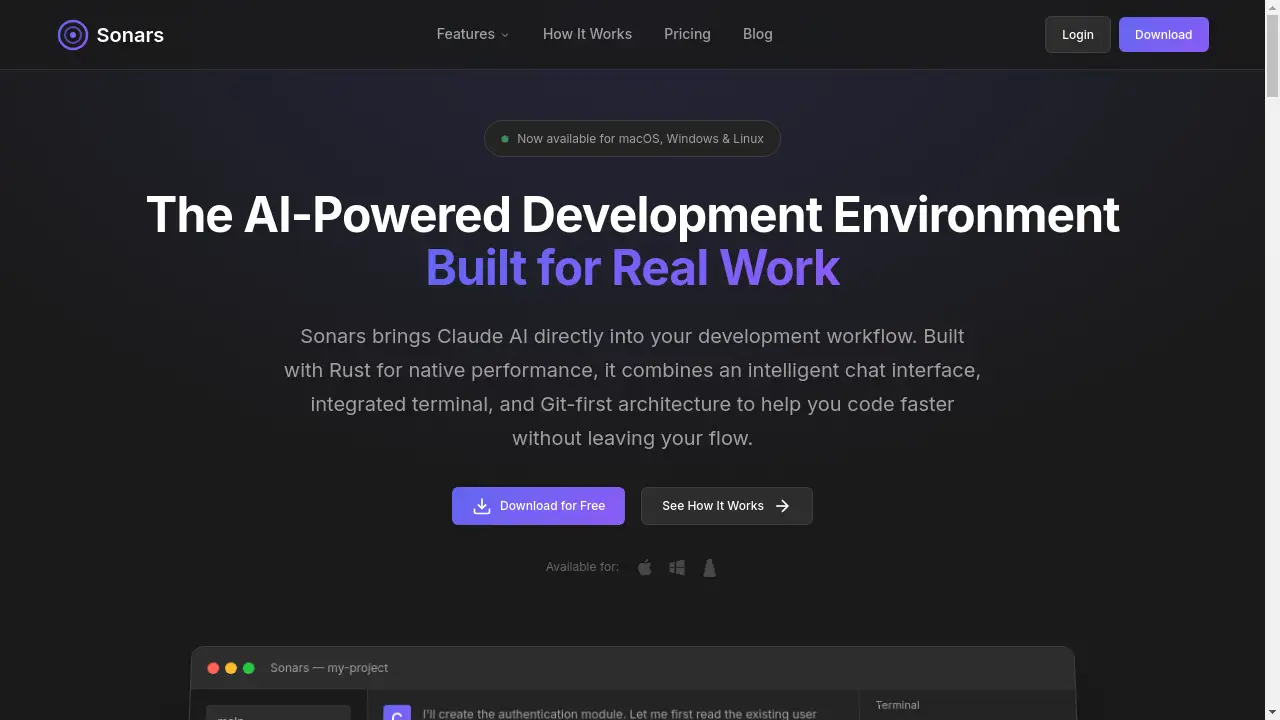
Sonars - AI Coding Assistant is a next-generation development environment designed to integrate AI directly into the coding workflow. It solves a fundamental problem with many AI coding tools: they operate outside the developer's primary workspace, forcing constant tab switching, context loss, and messy version control. Sonars addresses this by combining a powerful AI chat interface with Claude AI, an integrated terminal, and a unique Git-first architecture, all built with Rust for native performance. This makes it suitable for developers of all levels who want to leverage AI assistance while maintaining a clean, organized, and safe codebase. It matters because it bridges the gap between powerful AI models and practical, everyday development work, enabling faster iteration without sacrificing control or creating technical debt.
Key Features of Sonars - AI Coding Assistant
Git Worktree Isolation
Every AI coding session runs in its own isolated Git worktree, keeping your main branch clean and allowing you to safely experiment with AI-generated changes before merging or discarding them.
Integrated Claude AI Chat
Chat directly with Claude AI within the environment, featuring real-time streaming responses, extended thinking mode for complex problems, and persistent conversation history across sessions.
Native Rust Performance
Built entirely in Rust, Sonars delivers fast startup times, responsive interaction, and minimal memory usage, ensuring smooth performance even with multiple workspaces open.
Shareable Conversations & Insights
Easily share AI conversations with beautifully formatted chat bubbles for code reviews, and generate AI-powered summaries of your development progress from marketing, architect, or product perspectives.
Integrated Terminal with PTY Support
Run servers, execute tests, and manage builds within a full-featured terminal (PTY) inside the app, complete with ANSI color support, eliminating the need to switch between applications.
Custom Skills Builder
Extend Claude's capabilities by visually creating custom prompts with parameters, building reusable skills tailored to your specific development tasks and workflows.
Use Cases for Sonars - AI Coding Assistant
Rapid Prototyping and Feature Development
Quickly generate boilerplate code, implement new features, or refactor existing code with AI assistance, all within an isolated Git worktree to prevent breaking the main codebase.
Collaborative Code Review and Knowledge Sharing
Share a detailed, formatted record of an AI-assisted debugging session or feature implementation with team members, providing clear context for feedback and collaborative learning.
Complex Problem-Solving and Architecture
Utilize Claude's extended thinking and plan mode within Sonars to break down intricate architectural decisions, algorithm design, or system-level challenges while documenting the entire reasoning process.
Maintaining Clean Development History
Use the AI coding assistant for writing tests, fixing bugs, or updating documentation, and then neatly commit the vetted changes from the isolated worktree, resulting in a clear and logical Git history.
How to Use Sonars - AI Coding Assistant
- Download and Set Up: Download the Sonars app for macOS, Windows, or Linux from the official website. Launch the application and connect your own Anthropic API key to enable the Claude AI integration.
- Create a Workspace: Select a repository and branch. Sonars will automatically create a new, isolated Git worktree for your upcoming AI coding session.
- Interact with Claude: Use the integrated chat interface to describe your task—whether it's writing new code, debugging, or generating documentation. Claude will have context from your codebase.
- Review and Execute: Watch as Claude suggests and writes code in real-time. You can run commands in the integrated terminal to test the changes. Use the built-in diff viewer to inspect all modifications.
- Merge or Discard: Once satisfied, you can merge the changes from the AI session's worktree back into your main branch. If the outcome isn't right, simply delete the worktree with no impact on your primary code.
Target Audience for Sonars - AI Coding Assistant
- Individual Developers and Freelancers seeking to accelerate their workflow and tackle complex tasks with AI support while maintaining full control over their code.
- Small Development Teams that need tools for async collaboration, easy sharing of AI-assisted work, and maintaining a clean, collective Git history.
- Power Users and Tech Leads who require deep integration, customizability, and high-performance tools for architecture planning, code review, and mentoring.
Is Sonars - AI Coding Assistant Free?
Sonars operates on a generous free-to-use model. The application itself is free to download and use. It requires users to bring their own Anthropic API key, meaning you only pay for the AI model usage directly to Anthropic based on their pricing. There are no premium tiers or feature limitations within the Sonars app, making its advanced features like Git worktree isolation, custom skills, and integrated terminal accessible to all users at no additional cost.
Frequently Asked Questions about Sonars - AI Coding Assistant
What AI model does Sonars use?
Sonars integrates directly with Anthropic's Claude AI. You need to provide your own Anthropic API key within the application to use the AI coding assistant features.
How does the Git worktree isolation work?
When you start a new session, Sonars creates a separate Git worktree—an isolated copy of your repository. All AI-generated code changes happen there, completely independent of your main branch. You can review, test, and then choose to merge these changes or delete the worktree entirely.
Can I use Sonars with my existing terminal and IDE?
Sonars is designed as a standalone development environment. It includes its own integrated terminal and code editing context. For full use of its AI coding assistant features like real-time file editing and isolated sessions, it operates as a primary workspace, though you can use it alongside other tools.
Is my code sent to the AI provider?
Yes, to generate responses, relevant code context from your open workspace is sent to Anthropic's servers via the API, following their data privacy policies. The isolated worktree architecture ensures only the code you are actively working on in a session is shared for context.
What platforms does Sonars support?
Sonars is available as a native desktop application for macOS, Windows, and Linux operating systems.
Can I share my AI conversations with others?
Yes, Sonars allows you to generate shareable links to any AI conversation. These links display the conversation with clean, formatted chat bubbles, perfect for sharing with teammates for code reviews or tutorials.
Sonars - AI Coding Assistant Tags
AI coding assistant, Claude AI integration, Git worktree, development environment, Rust performance, AI pair programmer, coding with AI, programming tool, developer productivity, code generation, version control for AI, isolated development, AI coding tool