Introduction
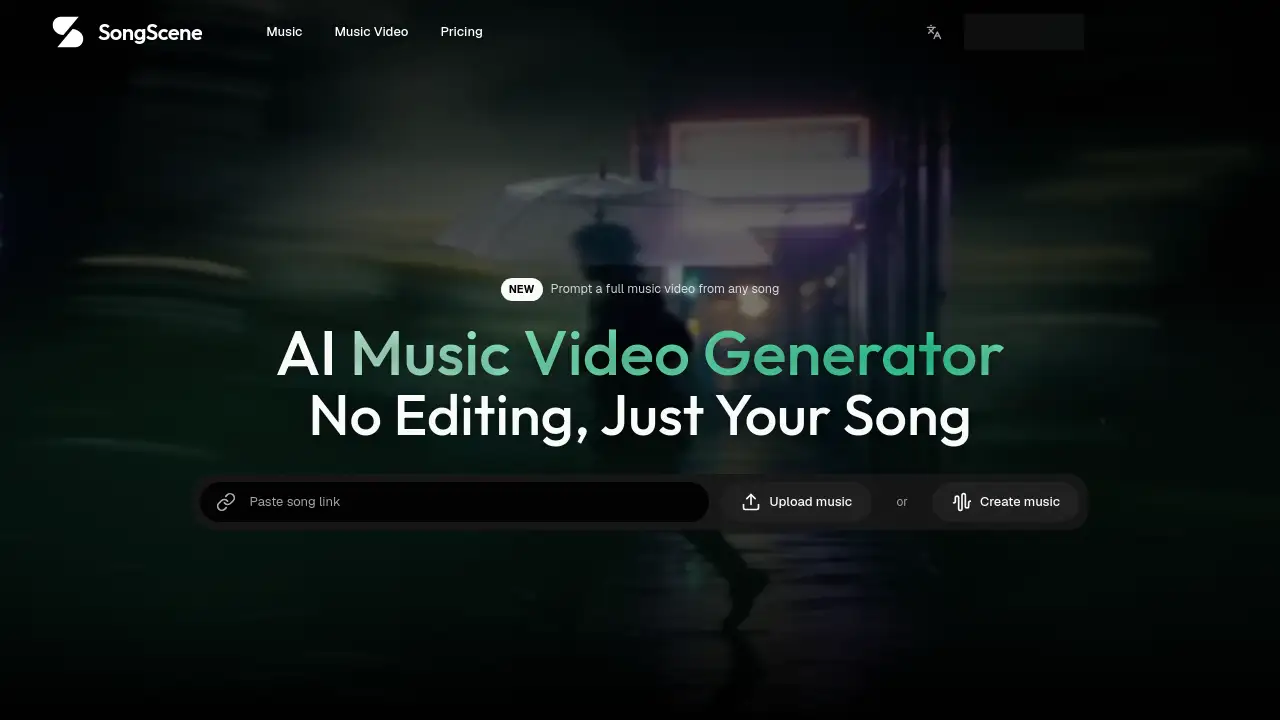
SongScene is an AI music video generator that turns a song into a finished video. It is built for creators who want beat-synced cuts, lyric captions, and post-ready exports without learning an editing timeline. Upload an MP3, paste a song link, or generate a track, then export for social platforms.
What is SongScene?
SongScene is a music-to-video workflow that solves a simple problem: turning audio into a finished music video without editing skills. Instead of building a timeline, sourcing footage, or manually syncing cuts, users add a song and let the AI music video generator handle the rest. It is suitable for musicians, producers, short-form creators, and AI music artists who need a lyric video, beat visualizer, performance MV, or viral short. The tool works from the actual audio, so cuts and scene swaps land with the track rather than playing random motion behind it. It supports 9:16, 16:9, and 1:1 exports, making it useful for TikTok, Instagram, YouTube, and other platforms.
Key Features of SongScene
Song-to-Video Generation
SongScene acts as an AI music video generator: add an MP3, WAV, or song link, and it builds a video from the audio. It works with tracks from Suno, Udio, YouTube, Spotify, SoundCloud, TikTok, and other platforms.
Beat-Synced Cuts
The tool maps BPM and places cuts, transitions, and scene swaps on the beat. This creates beat-synced cuts instead of random motion behind the song.
Automatic Lyric Captions
SongScene writes lyric captions from the audio in 15+ languages. The captions are timed to the vocal, so viewers can follow the song with the sound off.
Multiple Video Styles
Choose from seven video styles, including lyric video, beat visualizer, performance MV, abstract VJ loop, storytelling MV, dance video, and viral short. Genre presets cover hip-hop, lo-fi, EDM, R&B, and trap, while a custom prompt offers more control.
Flexible Aspect Ratios
Export the same track as a 9:16 vertical video, a 16:9 YouTube video, or a 1:1 square loop. HD export is available now, and 4K is planned for paid plans.
No Timeline Editing
As an AI music video generator, SongScene handles the editing for users. There is no timeline, no keyframes, and no stock footage to source, so the result is a finished clip rather than a project to finish.
Fast Renders and Re-renders
After processing starts, SongScene renders short clips quickly. Users can re-render with new settings from their history.
Use Cases for SongScene
TikTok, Reels, and Shorts
Create a 9:16 video with auto lyric captions for TikTok, Instagram Reels, or YouTube Shorts. The vertical format and beat-synced cuts are made for short-form feeds.
YouTube Lyric Videos and Visualizers
Turn a full song into a 16:9 lyric video or music visualizer for YouTube. Captions are pulled from the audio and timed to each line.
Canvas-Style Loops
Render a short 9:16 loop that moves with the track for Canvas-style placements and social previews.
Performance and Dance Music Videos
Pick a performance or dance style and let the cuts follow the BPM and the drop. This suits artists who want an AI music video generator that responds to the track.
Abstract VJ Loops for Live Sets
Generate abstract loops that pulse on the beat for a live set, livestream, or VJ performance.
Storytelling Music Videos
Use a storytelling style to turn a song into a narrative-driven clip without sourcing footage or editing by hand.
How to Use SongScene
- Add a song. Generate a song inside SongScene, upload an MP3 or WAV, or paste a song link from Suno, Udio, YouTube, Spotify, SoundCloud, TikTok, or another platform.
- Pick a style and ratio. Choose a video type and genre preset, or write a custom prompt. Set the aspect ratio to 9:16, 16:9, or 1:1.
- Generate and export. Click generate. SongScene lines up the cuts with the beat, writes lyric captions from the audio, and renders a video ready to export and post.
- Re-render if needed. Return to history to try new settings, styles, or ratios without starting over.
Target Audience for SongScene
- Independent musicians and singers who need a lyric video or visualizer.
- Producers and beatmakers promoting tracks on social media.
- Short-form video creators making TikTok, Reels, or Shorts content.
- AI music creators using Suno, Udio, and similar platforms.
- Social media managers who need post-ready music videos at scale.
- Live visual artists and VJs looking for abstract beat-reactive loops.
Is SongScene Free?
SongScene offers a free start, with paid plans for more generations or priority processing. The homepage says asset storage has no capacity limit on any plan, annual billing saves 33%, and 4K export is planned for paid plans. Exact prices are not listed in the reference content, so check the official pricing page for current details.
| Plan | Price | Features |
|---|---|---|
| Free | $0 | Start making videos; asset storage has no capacity limit on any plan. |
| Paid | Not stated on homepage | More generations, priority processing, annual discount available; 4K planned for paid plans. |
SongScene's Pros and Cons
| Aspect | Pros | Cons |
|---|---|---|
| Pricing | Free start and annual discount mentioned | Exact paid pricing is not shown in the reference content |
| Features | AI music video generator with beat-synced cuts, auto lyric captions, seven styles, and multiple ratios | 4K export is not available yet; it is planned for paid plans |
| Ease of use | No timeline, keyframes, or stock footage required | Users who want frame-level manual editing may need a different tool |
| Output | HD export now and post-ready formats for 9:16, 16:9, and 1:1 | Renders depend on processing time and plan limits |
| Music focus | Built around the actual audio, not generic text-to-video clips | Custom prompt results may vary by genre and track |
Frequently Asked Questions about SongScene
What is SongScene?
SongScene is an AI music video generator that turns a song into a finished video. It can add beat-synced cuts, lyric captions, and platform-ready exports without a timeline editor.
How does SongScene sync cuts to the beat?
This AI music video generator reads the audio, maps the BPM, and places cuts, transitions, and scene swaps on the beat. That is why the result feels like beat-synced cuts rather than random motion.
Can I upload my own MP3 or paste a song link?
Yes. Users can generate a song inside SongScene, upload an MP3 or WAV, or paste a link from Suno, Udio, YouTube, Spotify, SoundCloud, TikTok, and other platforms.
What aspect ratios and export quality does SongScene support?
SongScene supports 9:16, 16:9, and 1:1 aspect ratios. HD export is available now, and 4K is planned for paid plans.
Does SongScene write lyric captions in different languages?
Yes. SongScene uses ASR to write auto lyric captions from the audio in 15+ languages. The captions are timed to the vocal for lyric videos and social clips.
Is SongScene free to try?
This AI music video generator starts free. Paid plans are available for more generations or priority processing, and annual billing is said to save 33%. Check the official pricing page for current plan details.
SongScene Tags
SongScene, AI music video generator, music video generator, turn song into video, beat-synced cuts, auto lyric captions, lyric video generator, music visualizer, 9:16 video, 16:9 music video, MP3 to video, song link to video, AI video maker