Introduction
A free online tool for playing, downloading, and converting M3U8/HLS video streams.
What is M3u8 player?
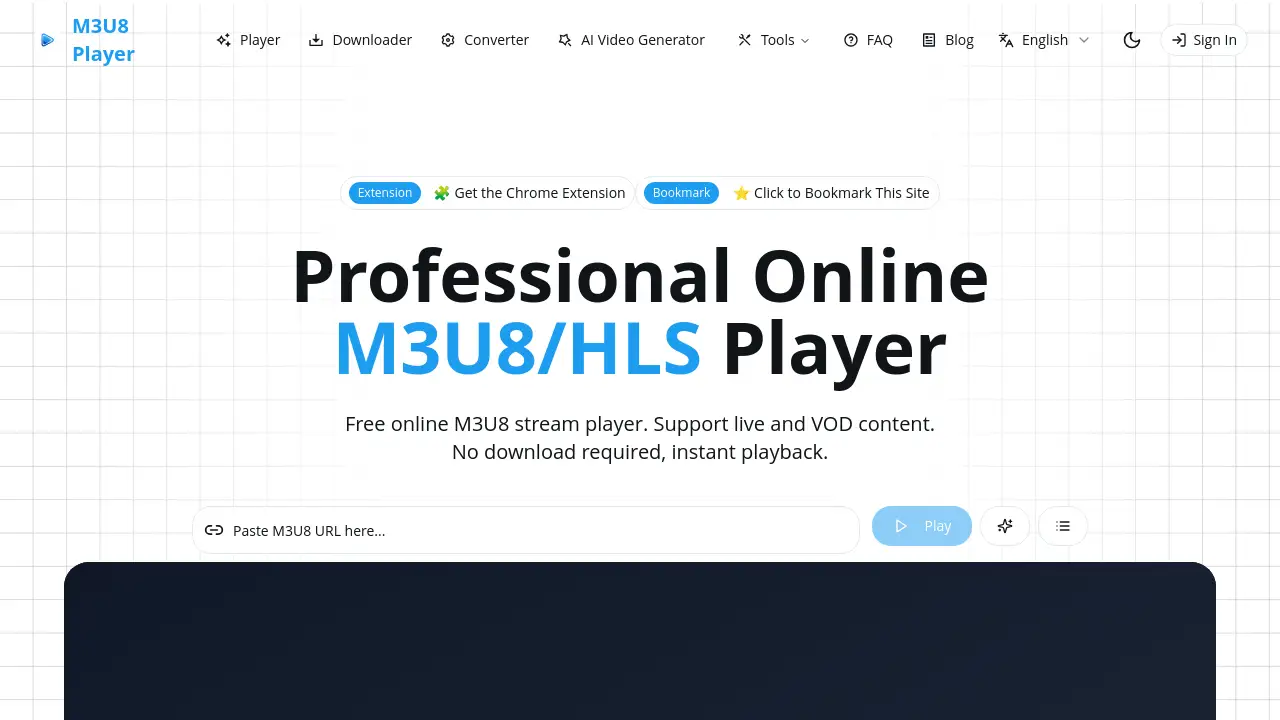
The M3u8 player is a web-based, no-installation-required tool designed for handling M3U8 and HLS (HTTP Live Streaming) video content. It solves the problem of needing specialized software to play, test, or download live streams and video-on-demand files that use the common M3U8 playlist format. This product is suitable for content creators, developers, IT professionals, and general users who need a quick and reliable way to access HLS content directly from their web browser. It matters because it provides an immediate, hassle-free solution for a widely used streaming protocol, removing technical barriers to playback and content testing.
Key Features of M3u8 player
Online M3U8/HLS Player
The tool allows for instant playback of M3U8 URLs directly in the browser, supporting both live streams and video-on-demand content without any software download.
M3U8 Downloader and Converter
Users can download M3U8 streams and convert them into more common video formats like MP4 for offline viewing or archiving, functioning as a free M3U8 downloader.
Browser-Based Operation
It runs completely online in modern browsers like Chrome and Firefox, eliminating the need for plugin installation or separate desktop software.
Adaptive Bitrate Streaming
The player intelligently adjusts video quality based on the user's network speed, ensuring a smooth playback experience with minimal buffering.
Embeddable Player
It provides an embed code, allowing website owners to integrate the M3U8 player directly onto their own sites or blogs for visitor use.
Comprehensive Playback Controls
The interface offers full control over playback, including play/pause, volume, seek, and fullscreen mode, along with support for WebVTT subtitles.
Use Cases for M3u8 player
Testing Live Stream Links
Developers and network engineers can use it to quickly test and debug HLS streaming URLs for functionality and compatibility before going live.
Accessing Educational Content
Students and educators can play course videos or lectures distributed via M3U8 links directly in a browser without needing to install a specific media player.
Previewing Video Content
Product managers and content creators can preview video streams from various hosting platforms to check quality and ensure proper delivery.
Simple Video Conversion
General users can employ the tool as a free M3U8 downloader and converter to save online streams as MP4 files for personal offline viewing.
How to Use M3u8 player
Using the M3u8 player is a straightforward process that can be completed in a few steps:
- Navigate to the M3u8 player website in your web browser.
- Locate the input field and paste the URL of the M3U8 or HLS stream you wish to play.
- Click the play button or equivalent action to initiate playback. The video will start streaming directly in your browser window.
- Use the on-screen controls to manage playback, or utilize the download/conversion features if available on the same platform.
Target Audience for M3u8 player
- Video content creators and live streamers
- Frontend and backend developers
- Network and IT support engineers
- Educators and students using online video resources
- General internet users who encounter M3U8 links
Is M3u8 player Free?
Based on the reference information, the M3u8 player is offered as a completely free service.
| Plan | Price | Features |
|---|---|---|
| Free | $0 | Full access to the online M3U8/HLS player, downloader, and converter with no registration required. |
M3u8 player's Pros and Cons
| Aspect | Pros | Cons |
|---|---|---|
| Cost & Access | Completely free; no account or installation needed. | Revenue likely from ads, which could be present on the site. |
| Usability | Simple, web-based interface; easy for anyone to use instantly. | Advanced configuration or customization options may be limited compared to professional software. |
| Compatibility | Works on all modern browsers and supports adaptive streaming. | Dependent on browser technology; performance may vary. Cannot bypass server-side restrictions (like CORS). |
| Functionality | Combines player, downloader, and converter in one free tool. | As an online tool, it requires a stable internet connection to function. |
Frequently Asked Questions about M3u8 player
What is the M3U8 format?
M3U8 is a file format used for HTTP Live Streaming (HLS). It contains a playlist that points to video segments, enabling adaptive bitrate streaming which is common for live broadcasts and video-on-demand services from many platforms.
Do I need to install software to use this M3u8 player?
No installation is required. The M3u8 player is a web-based tool that runs directly in your browser, making it accessible from any device with an internet connection and a modern browser like Chrome or Edge.
Can I download videos using the M3u8 player?
Yes, one of its core features is acting as a free M3U8 downloader. It allows users to download streams and often convert them to formats like MP4 for offline access.
Why won't my M3U8 URL play in the player?
Playback failures can occur due to an incorrect or expired URL, CORS (Cross-Origin Resource Sharing) restrictions set by the streaming server, network connectivity issues, or an unsupported stream variant. Checking the browser's developer console for errors can provide clues.
Is there a limit on usage or video length?
The reference information states the service is "completely free with no registration required" and mentions "no hidden fees or usage limitations," suggesting there are no set limits on usage or video length for the basic player functions.
Can I use this player on my own website?
Yes, the service provides an embeddable M3U8 player feature. Website owners can generate and copy an embed code to integrate the player's functionality directly onto their own web pages or blogs.
M3u8 player Tags
M3u8 player, online M3U8 player, HLS player, free M3U8 downloader, M3U8 to MP4 converter, play M3U8 online, HTTP Live Streaming player, web-based video player, stream testing tool, embed video player, no installation video player, live stream player