Introduction
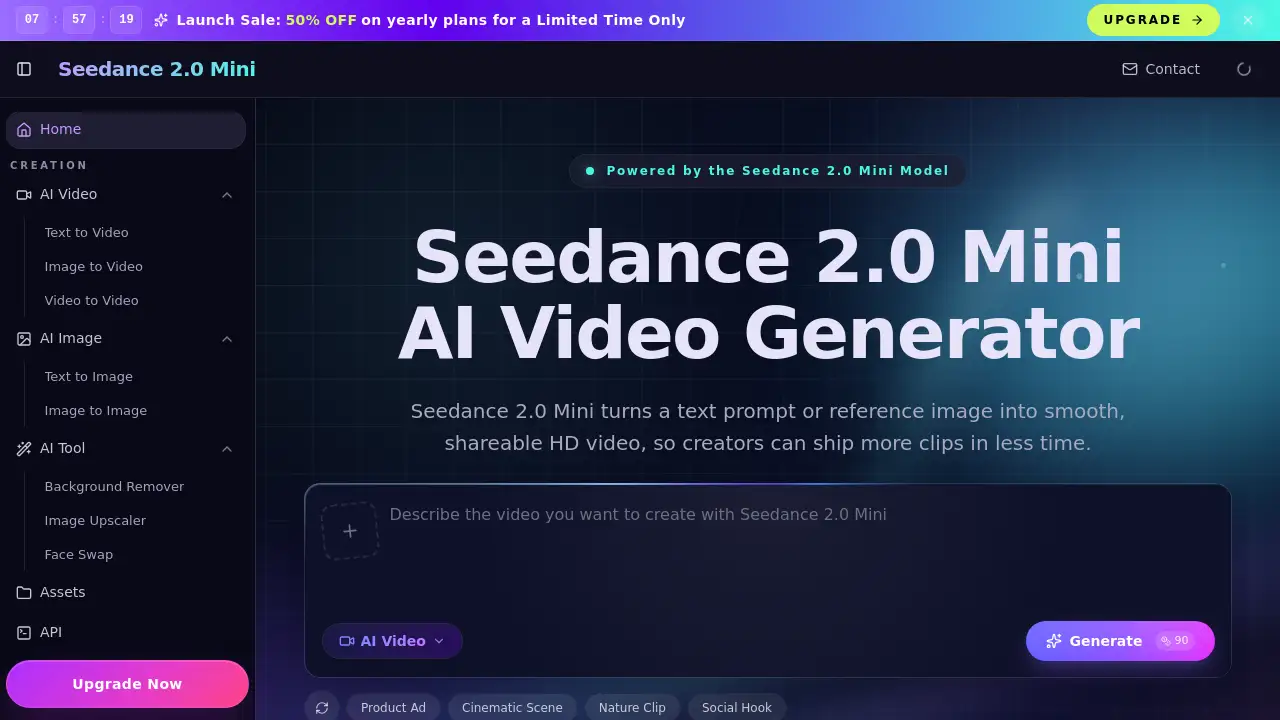
Seedance 2.0 is an advanced AI video generator designed to transform text, images, or video clips into polished, cinematic videos with a fast, all-in-one workflow.
What is Seedance 2?
Seedance 2.0, also referred to as Seedance v2, is an AI-powered platform for video creation. It addresses the need for fast, high-quality video production without the extensive time and technical skill typically required for traditional editing. The tool allows users to turn text prompts, reference images, or existing source footage into professional-looking video clips. It is particularly suitable for content creators, digital marketers, advertising agencies, and businesses that need to produce a high volume of video content quickly, such as social media ads, product demos, and short-form narrative content. Its significance lies in its ability to offer greater control over the final output through reference-driven generation, ensuring more consistent and coherent results than many other AI video generators.
Key Features of Seedance 2
Multi-Modal Inputs
Users can start the video generation process from text, an image, or a source video clip, providing maximum flexibility for different creative workflows.
Reference-First Control
This feature allows users to anchor the style, character, and camera feel of the generated video by using reference images or footage, leading to more predictable and intended results.
Character Consistency
The AI model is designed to maintain the appearance of characters or objects across different shots, which is crucial for creating coherent short narratives or ad campaigns.
Temporal Stability
Seedance 2.0 produces videos with smoother motion and less frame-to-frame flicker, resulting in more professional and watchable cinematic videos.
High-Definition Output
Videos can be generated in resolutions up to 1080p, making them ready for publishing on social platforms, websites, or in professional marketing materials.
Fast Iteration Workflow
The platform is built for speed, enabling users to generate, compare, and refine multiple video variants quickly to converge on the best final version.
Integrated Audio Synthesis
The tool can generate synchronized background music, sound effects, and even voiceovers with multilingual lip-sync support in a single pass.
Multiple Aspect Ratios
Videos can be created in landscape (16:9), portrait (9:16), and square (1:1) formats, optimized for all major platforms and screens.
Use Cases for Seedance 2
Film & Pre-visualization
Ideal for creating storyboards, pre-visualization sequences, and scene prototypes rapidly, helping filmmakers visualize concepts before full-scale production.
Marketing & Advertising
Perfect for producing scroll-stopping video ads for social media campaigns, product launch videos, and other brand content at a fraction of traditional costs.
Social Media Content
Enables the quick creation of engaging short-form videos for platforms like TikTok, Instagram Reels, and YouTube Shorts, complete with lip-synced audio.
E-commerce & Product Videos
Allows online sellers to transform static product photos into dynamic, lifelike showcase videos that demonstrate products in use or with subtle motion.
Art & Creative Expression
Digital artists and animators can bring illustrations, concept art, and digital paintings to life with fluid animation for projects or NFTs.
Education & Training
Useful for generating explainer videos, animated tutorials, and training materials quickly and with lower production overhead.
How to Use Seedance 2
The process to create a video with Seedance 2.0 is straightforward and designed for a fast workflow:
- Select a Mode: Choose to start from a text prompt, a reference image, or an existing video clip.
- Define Your Input: Write a detailed text prompt describing the scene, mood, and style. If using a reference, upload the image or video file.
- Configure Settings: Set parameters like video duration, aspect ratio, resolution, and choose whether to generate audio.
- Generate and Review: Initiate the generation process. Once complete, review the output video and any alternative versions provided.
- Export: Select the best version and download it in the universal MP4 format for immediate use or further editing.
Target Audience for Seedance 2
- Content Creators and Influencers
- Digital Marketers and Growth Teams
- Advertising and Creative Agencies
- E-commerce Brands and Retailers
- Independent Filmmakers and Animators
- Educators and Corporate Trainers
Is Seedance 2 Free?
While specific pricing details are best confirmed on the official website, the reference material indicates the availability of a free tier and annual subscription plans. A promotional offer for annual plans was also mentioned. For the most accurate and current pricing, users should visit the Seedance 2.0 pricing page.
| Plan | Price | Key Features |
|---|---|---|
| Free Tier | $0 | Likely includes limited generations or watermarked videos. |
| Annual Plan | Promotional Discount | Full access to features, likely higher generation limits, and commercial use. |
Seedance 2's Pros and Cons
| Aspect | Pros | Cons |
|---|---|---|
| Workflow & Control | Reference-first approach offers more control and consistent results than prompt-only systems. | May have a learning curve to master effective prompting and reference selection. |
| Output Quality | Produces cinematic videos with good temporal stability and character consistency. | Maximum video duration is currently limited to 5-10 seconds per generation. |
| Features | Standout features like multilingual lip-sync and integrated audio generation. | Advanced features like the Pro model and API access may be behind higher-tier plans. |
| Speed & Efficiency | Fast iteration workflow significantly reduces time from idea to first draft. | Generation speed (<2 min) is fast but can vary based on server load and complexity. |
| Accessibility | Offers a free tier, making it accessible for beginners to try. | The best quality and full commercial readiness likely require a paid subscription. |
Frequently Asked Questions about Seedance 2
What is the maximum video length I can create with Seedance 2.0?
Each generation can produce a video clip between 5 to 10 seconds in duration. Longer sequences can be created by extending generated clips or editing multiple clips together.
Can Seedance 2.0 generate videos with spoken dialogue and lip-sync?
Yes, one of its standout features is audio synthesis that can generate voiceovers synchronized with lip movement. It supports multilingual lip-sync for over 10 languages, including English, Chinese, and Japanese.
What kind of reference material works best for the image-to-video mode?
High-quality, clear images with a well-defined subject and style yield the best results. The reference image anchors the visual aesthetic, character appearance, and overall feel of the generated video.
Do I own the videos I create with Seedance 2.0?
Based on common practices for such platforms, videos created on a free tier may have usage restrictions, while paid plans typically include a commercial license. It is essential to review the official Terms of Service on the Seedance 2.0 website for definitive licensing information.
How does Seedance 2.0 compare to other AI video models like Sora or Runway?
Seedance 2.0 positions itself with a strong focus on control through references, character consistency, and integrated audio features like lip-sync, which some competitors lack. It also emphasizes a fast generation time suitable for rapid iteration in production workflows.
What formats does the AI video generator support for output?
All videos are exported in the MP4 format with H.264 encoding, which is universally compatible with social media platforms, video editors, and playback devices.
Seedance 2 Tags
Seedance 2.0, Seedance v2, AI video generator, text-to-video, cinematic video creator, image-to-video, video-to-video, AI video maker, multilingual lip-sync, fast video generation, marketing video tool, social media video AI