Introduction
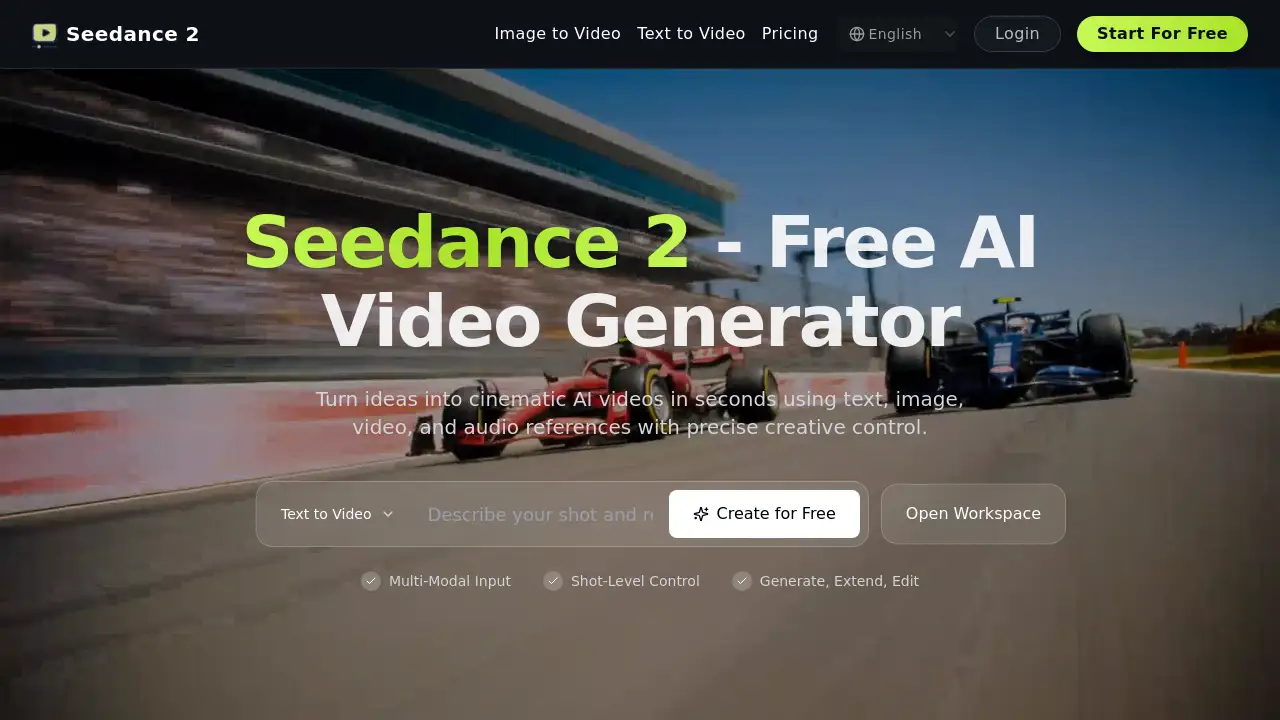
A detailed look at the Seedance 2.0 AI video generator, a tool designed for creators who need precise control over cinematic AI video creation.
What is Seedance 2.0 AI?
Seedance 2.0 AI is an advanced AI video generator that allows users to create cinematic-quality videos from various inputs, including text, images, existing video clips, and audio. It addresses a common challenge in AI video generation: the lack of precise control and consistency. By employing a "reference-first" multimodal engine, it enables creators to maintain specific compositions, character details, motion patterns, and audio sync across their generated content. This makes Seedance 2.0 AI particularly suitable for content creators, marketers, social media managers, and independent artists who require production-ready videos with predictable results and faster iteration cycles, moving beyond random generation to intentional creation.
Key Features of Seedance 2.0 AI
Reference-First Multimodal Control
Users can assign text, image, video, and audio assets with explicit roles in their prompts, which keeps creative intent clear and significantly reduces random inconsistencies in complex shots.
High-Fidelity Image Guidance
This feature allows the use of reference images to lock down specific compositions, character appearances, wardrobe, and branded objects, ensuring visual stability across multiple generated video segments.
Video Motion Transfer
Creators can reference source video clips to replicate desired camera movements, pacing, and complex motion patterns without needing to manually script each action, saving considerable time.
Native Audio-Driven Video Generation
By attaching audio references, the AI video generator can align the rhythm and mood of the visual motion with the soundtrack, which is ideal for creating engaging short-form narrative or music-focused content.
Character and Scene Consistency
Through structured prompt roles and references, the tool maintains subject identity and scene details throughout different shots, which is crucial for building coherent multi-shot stories.
Extend Existing Video Clips
This functionality lets users seamlessly continue an existing video by generating only the new segment, offering editors flexible control over runtime while preserving the original clip's flow.
Edit Videos Without Full Regeneration
Teams can apply targeted edits, such as swapping a subject or updating a local scene detail, enabling faster iteration without the need to discard and regenerate an entire video draft.
Use Cases for Seedance 2.0 AI
Social Media Content Creation
Creators can rapidly produce high-quality, on-brand short-form videos for platforms like TikTok, Instagram Reels, and YouTube Shorts, using text-to-video and audio-driven generation for engaging posts.
Music Video and Visualizer Production
Musicians and producers can pair their tracks with synchronized, mood-appropriate visuals, transforming an audio file into a compelling AI video in a fraction of the traditional production time.
Marketing and Ad Campaign Variants
Marketing teams can efficiently generate multiple video ad variants for A/B testing, using image guidance to maintain brand consistency across all campaign assets.
Narrative Short Story Production
Storytellers and indie filmmakers can build multi-scene narratives with consistent characters and settings, leveraging the tool's scene consistency to streamline their video creation workflow.
How to Use Seedance 2.0 AI
The workflow for Seedance 2.0 AI is designed to be intuitive and control-centric.
- Define Your Inputs: Start by gathering your reference materials—this could be a text description, a style image, a source video for motion, or an audio track for rhythm.
- Structure Your Prompt: Use the platform's interface to assign your references with explicit @ roles (e.g., @image, @audio) to clearly communicate your intent to the AI.
- Generate the Initial Video: Submit your structured prompt. The reference-first AI video engine will produce a video clip based on your guided parameters.
- Iterate and Edit: Use the targeted editing tools to make precise changes or the clip extension feature to lengthen your video, all without starting from scratch.
- Export and Use: Once satisfied, export your production-ready video for commercial or personal use under the platform's license.
Target Audience for Seedance 2.0 AI
- Social Media Content Creators and Influencers
- Digital Marketers and Advertising Agencies
- Independent Musicians and Music Producers
- Video Editors and Small Production Studios
- Startup Social Media Managers
- YouTubers and Digital Storytellers
Is Seedance 2.0 AI Free?
Seedance 2.0 AI operates on a credit-based subscription model and does not have a permanent free plan. It offers a free trial for new users to test the platform. The paid plans are structured as follows:
| Plan | Price (Billed Annually) | Key Features & Credits |
|---|---|---|
| Starter | $120/year ($10/month) | 3600 credits/year, ~30 videos/month, basic support, commercial license. |
| Pro | $192/year ($16/month) | 9600 credits/year, ~80 videos/month, priority support. |
| Premium | $348/year ($29/month) | 24000 credits/year, ~200 videos/month, priority support. |
| Max | $588/year ($49/month) | 42000 credits/year, ~350 videos/month, dedicated support. |
All plans include access to all AI models (including Seedance 2, Veo 3.1, Sora 2, etc.) and come with a commercial license for unrestricted usage.
Seedance 2.0 AI's Pros and Cons
| Aspect | Pros | Cons |
|---|---|---|
| Control & Workflow | Excellent reference-first control for predictable output; enables targeted edits without full re-generation. | The structured prompting with @ roles may have a slight learning curve for absolute beginners. |
| Consistency | Strong character and scene consistency for short sequences, ideal for story-driven content. | As with most AI video tools, consistency over very long durations can still be a challenge. |
| Speed & Iteration | Faster setup and iteration for production teams, excellent for creating campaign variants quickly. | Output realism in some scenarios may be prioritized differently compared to some cinematic-first competitors. |
| Pricing | Transparent, credit-based plans with a clear commercial license included at all tiers. | No permanent free plan; entry requires a subscription commitment after the trial. |
Frequently Asked Questions about Seedance 2.0 AI
What makes Seedance 2.0 AI different from other AI video generators?
Seedance 2.0 AI distinguishes itself with its reference-first multimodal control system. Unlike generators that rely heavily on text prompts alone, it allows users to explicitly guide the AI using reference images, videos, and audio, resulting in more predictable, consistent, and controllable video creation.
Can I use Seedance 2.0 AI for commercial projects?
Yes. All paid subscription plans for Seedance 2.0 AI include a commercial license and unrestricted usage rights, allowing users to monetize the videos they create on the platform.
How does the credit system work?
Credits are consumed each time you generate a video or image. Different video lengths and complexities may cost different amounts of credits. The monthly plans provide a set number of credits that renew each billing cycle.
Does Seedance 2.0 AI only use its own AI model?
No. A key feature is access to multiple leading AI video generator models. Your subscription grants you the ability to choose from models like Seedance 2, Veo 3.1, Sora 2, Kling, and others, allowing you to select the best tool for each specific task.
Is it possible to edit a video after it's generated?
Yes, this is a core strength. Seedance 2.0 AI allows for targeted edits, such as changing a subject or object in a scene, and can extend existing clips without requiring a full regeneration of the entire video.
What kind of support is available?
Support varies by plan. The Starter plan includes basic customer support, while Pro and Premium offer priority support. The Max plan provides a dedicated support channel for the fastest assistance.
Seedance 2.0 AI Tags
Seedance 2.0 AI, AI video generator, text-to-video, cinematic AI video, reference-first video creation, AI video editor, video from audio, image to video, video motion transfer, AI for creators, social media video tool, affordable AI video