Introduction
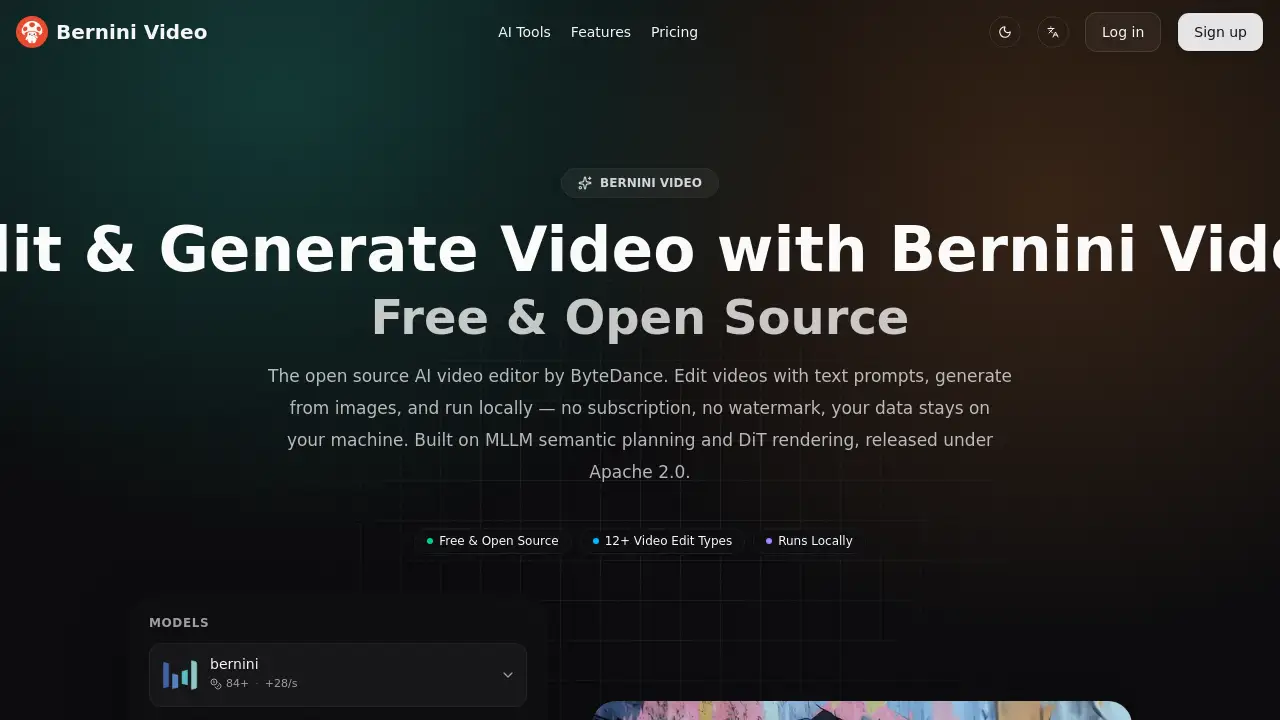
Bernini Video is ByteDance's open source AI video generation and editing model. This free AI video editor lets users generate videos from text, edit footage with prompts, and create content from images — no local GPU required.
What is Bernini Video?
Bernini Video is an open source AI video editor and generator developed by ByteDance. It solves a common problem: most AI video tools force users to choose between generation, editing, and image-based creation across separate platforms. Bernini Video handles all three in one architecture, released under the Apache 2.0 license.
Under the hood, an MLLM-based semantic planner (Qwen2.5-VL) reasons about scene composition, object relationships, and motion logic before a DiT-based renderer (Wan 2.2) produces the actual frames. This "think before drawing" approach improves prompt adherence during AI video generation and helps preserve unedited regions during video editing tasks.
The tool suits content creators, developers, researchers, and privacy-conscious professionals who need local AI video generation without subscription fees. Because it runs locally, users keep full control over their data. Sign-in provides free trial credits for the online version, so anyone can test the model before installing it.
Key Features of Bernini Video
Text-to-Video Generation
Turn plain text descriptions into short video clips. The semantic planner reasons about composition and motion timing before rendering frames, helping complex prompts come out more faithfully.
Prompt-Based Video Editing (V2V)
Upload source footage and describe changes in natural language. Bernini Video applies edits — backgrounds, objects, styles, weather, expressions, camera angles — while preserving everything else in the frame.
Reference-Guided Editing (RV2V)
Combine a source video with reference images to guide precise edits. The DiT renderer preserves fine details from the source so untouched regions remain pixel-perfect.
Reference-to-Video (R2V)
Upload up to five reference images and let Bernini Video assemble them into a coherent clip with consistent details across every frame. Useful for locking in character appearance or visual style.
Content Insertion (VV2V)
Insert product shots, logos, or video clips into existing footage with natural blending. This feature supports branded content and scene compositing without a separate VFX tool.
Text-to-Image and Image Editing
Generate still images from text or edit existing images on a single GPU. The same semantic planning pipeline handles both stills and motion, making it easy to concept in images first.
Use Cases for Bernini Video
AI Content Creation
Creators making AI-generated content can edit existing footage with text prompts — changing expressions, swapping backgrounds, or adding objects — without re-rendering from scratch.
Product Placement and Branded Video
Place a product shot onto a billboard or put a logo on a screen using the content insertion feature. Natural blending keeps the result clean and avoids obvious cutouts.
Private Video Work
Professionals handling sensitive footage can run Bernini Video entirely locally. Because there are no cloud uploads, client projects and unreleased products stay on local hardware.
Research and Development
Researchers and students working on video generation or multimodal AI can use Bernini Video as an open source baseline. Full code and weights are available for reproduction and modification.
ComfyUI Workflows
Users who build custom AI pipelines in ComfyUI can add Bernini Video through community integration, chaining video edits with other models in existing node graphs.
How to Use Bernini Video
-
Describe what you want. Enter a text prompt for the video you want to generate or the edit you want to apply. For reference-based tasks, upload source images or video clips.
-
Choose your task. Select from text-to-video, video editing, reference-to-video, or content insertion. The semantic planner identifies the target scene, then the DiT renderer synthesizes frames.
-
Generate and adjust. Re-run with adjusted prompts to explore variations. Bernini Video also works with ComfyUI through community integration for node-based workflows.
-
Download and use. Generation completes in minutes depending on length and resolution. Download the result — no watermark, no usage restrictions, and outputs belong to you.
Target Audience for Bernini Video
- AI content creators who want editing and generation in one tool
- Open source developers and indie hackers building video features
- Privacy-conscious video professionals handling sensitive footage
- AI researchers and students needing an open source video editing baseline
- ComfyUI enthusiasts building custom AI video workflows
Is Bernini Video Free?
Yes. Bernini Video is released under the Apache 2.0 license, making it 100% free to download, run, modify, and deploy. There are no subscription fees, no usage caps, and no watermarks on outputs.
| Plan | Price | Features |
|---|---|---|
| Open Source | $0 | Full model access, Apache 2.0 license, local inference, no watermark, unlimited generation based on hardware |
| Online Trial | Free credits | Sign in for free trial credits, no local GPU needed |
Commercial use is fully covered under Apache 2.0. All outputs belong to the user.
Bernini Video's Pros and Cons
| Aspect | Pros | Cons |
|---|---|---|
| Pricing | Completely free under Apache 2.0 | Full-quality video inference recommends 8 GPUs |
| Privacy | Runs entirely locally; data stays on user hardware | Local setup requires some technical knowledge |
| Features | 7 task types in one unified model | No built-in cloud rendering for casual users |
| Output | No watermark, no usage restrictions | Video length typically 2–15 seconds |
| Quality | SOTA results on video editing benchmarks | Output range limited to 480p–720p |
Frequently Asked Questions about Bernini Video
Is Bernini Video really free?
Yes. Bernini Video is open source under Apache 2.0. Users can download the weights, run the code, and generate as much as their hardware allows. There is no subscription, no credit card requirement, and no watermark. Commercial use is covered.
Do I need a powerful GPU to use Bernini Video?
A single GPU handles image tasks, but full-quality video inference recommends 8 GPUs. Users without local hardware can sign in for free trial credits and use the online version instead.
What video resolutions and lengths does Bernini Video support?
Output is configurable from 480p at 16fps to 720p at 24fps. Video length is set by frame count, typically 2 to 15 seconds per generation.
Can Bernini Video edit existing videos, not just generate new ones?
Yes. The video editing (V2V) feature supports 12+ edit types including background changes, object removal, style transforms, and weather shifts. Reference-guided editing (RV2V) adds further control using reference images.
Is Bernini Video safe for private or client footage?
Because Bernini Video runs locally, all inference happens on the user's own hardware. No cloud uploads occur, so sensitive footage never leaves the machine.
Does Bernini Video work with ComfyUI?
Yes. Community integration adds Bernini Video nodes to ComfyUI, allowing users to chain video edits with other models in their existing node graphs.
Bernini Video Tags
Bernini Video, open source AI video editor, AI video generation, text to video, video editing with AI, free AI video editor, ByteDance video model, local AI video generation, Apache 2.0 video model, reference-to-video, ComfyUI video editing, AI video editing tool