Introduction
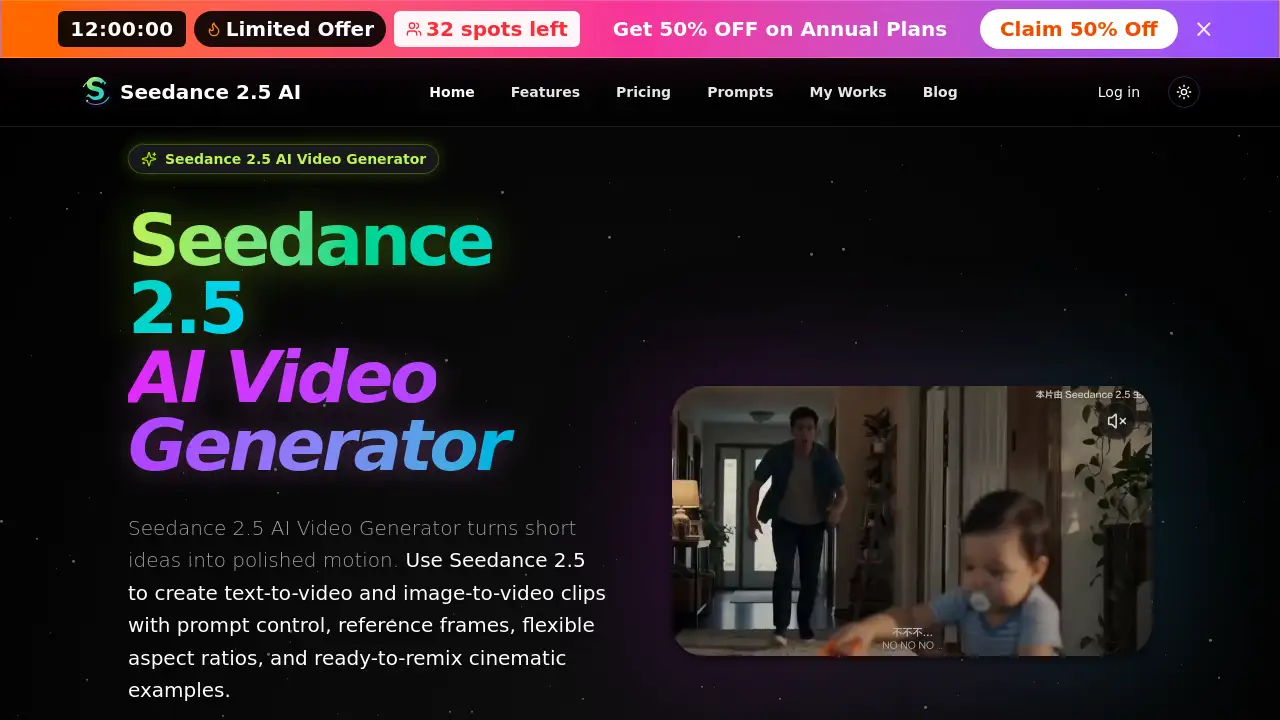
Seedance 2.5 AI Video Generator is an online AI video creation tool that turns simple text prompts or source images into short cinematic clips. It combines text-to-video, image-to-video, prompt control, reference frames, and flexible output settings in one clean workflow. For creators looking for a quick way to test visual ideas, this platform helps turn rough concepts into polished motion without complex editing. The tool is especially useful for social media videos, product shots, and short storyboards. This review covers what Seedance 2.5 offers, how to use it, and who can benefit from it.
What is Seedance 2.5?
Seedance 2.5 is a web-based AI video generator built for fast creative iteration. Instead of using traditional video editing software, users write a detailed prompt or upload a reference image, and the system generates a short video based on that input. The platform supports both text-to-video and image-to-video workflows, making it useful for exploring new ideas before full production.
The main problem Seedance 2.5 solves is speed. Writing a prompt and generating a clip is much faster than storyboarding, shooting, or editing by hand. It is designed for creators who need quick visual tests for social ads, cinematic concepts, product demos, or concept art. Because the tool offers prompt control and reference frames, users can point the AI in a clear direction rather than relying on random results.
This product matters because it lowers the barrier to video creation. A person with a clear idea can generate a video without needing a camera crew, actors, or expensive software. Seedance 2.5 AI Video Generator positions itself as a practical creative workspace for prompt-driven short video production.
Key Features of Seedance 2.5
Text-to-Video and Image-to-Video
Seedance 2.5 supports two main creation modes. With text-to-video, users describe a scene, camera movement, lighting, and mood, and the AI builds a matching clip. With image-to-video, users upload a source frame and the system brings motion to that image while preserving the visual direction.
Prompt Control
Prompt control is a core strength of Seedance 2.5. Users can write detailed scene descriptions with camera notes, subject action, style cues, and even audio or dialogue notes. This helps the generated video match the original idea more closely.
Reference Frames
The reference frame feature allows users to guide the AI with a visual starting point. This is useful for maintaining character appearance, product design, or environmental consistency across generated clips.
Flexible Duration and Aspect Ratio
Seedance 2.5 lets users set output duration and aspect ratio before generating. This makes it easier to prepare videos for different platforms such as social media, advertising, or cinematic short-form content.
Reusable Prompt Cases
The platform includes a gallery of reusable prompt examples. These ready-made cases cover action sequences, cinematic scenes, marketing shots, and costume changes. Users can study the prompt patterns and adapt them for their own projects.
Short-Form Creator Workflow
The tool is designed for short clips, with a simple three-step workflow. Users start with a prompt or image, adjust scene settings, and generate the video. This keeps the process fast and repeatable.
Use Cases for Seedance 2.5
Cinematic Concept Testing
Filmmakers and visual storytellers can use Seedance 2.5 to test cinematic prompts before committing to a real production. The AI can generate quick versions of action scenes, camera movements, and environment changes.
Social Media Video Ideas
Social media managers can generate short text-to-video clips for posts, ads, and storyboards. The flexible aspect ratio makes it easy to match the needs of different platforms.
Product Demos and Marketing Ads
Marketing teams can use image-to-video workflows to animate product shots. A static product image can become a moving visual with guided motion and lighting notes.
Prompt-Based Creative Exploration
Writers, designers, and concept artists can use the reusable prompt cases to explore visual styles quickly. Instead of building a scene from scratch, they can adapt an existing Seedance 2.5 example.
How to Use Seedance 2.5
Using Seedance 2.5 is straightforward:
- Start with a prompt or image. Write a text description for text-to-video, or upload a source image for image-to-video.
- Adjust the scene settings. Choose duration, aspect ratio, and resolution. Add notes about lighting, mood, pacing, camera path, and sound if needed.
- Generate the video. Run the Seedance 2.5 AI Video Generator and wait for the output.
- Review and refine. Check the motion quality and prompt accuracy. Adjust the prompt and generate again if the result is not close enough.
- Download or reuse. Download the final clip or use a gallery case as the starting point for another generation.
This simple workflow makes Seedance 2.5 useful for rapid testing and iteration.
Target Audience for Seedance 2.5
- Content creators who need quick video concepts
- Social media marketers creating short ads and posts
- Filmmakers and storyboard artists exploring visual ideas
- Product teams making demo videos or motion studies
- Designers who want to animate reference images
- Anyone interested in exploring AI video generation
Is Seedance 2.5 Free?
The official Seedance 2.5 page does not clearly list a public pricing table in the available reference content. There is no confirmed free-credit amount or monthly price shown on the homepage. Potential users should check the official website for current pricing, credit systems, and plan details. Many similar AI video generators offer a limited free trial, but this is not confirmed here.
Seedance 2.5's Pros and Cons
| Aspect | Pros | Cons |
|---|---|---|
| Workflow | Supports both text-to-video and image-to-video in one place | No offline mode |
| Creative Control | Prompt control and reference frames allow guided output | Best results require detailed prompts |
| Speed | Generates short clips quickly for iteration | Output length is limited to short video clips |
| Learning Materials | Reusable prompt cases help new users start fast | Example library may not cover every niche style |
| Pricing | No obvious entry barrier mentioned | Exact pricing and free credits are not clearly displayed |
Frequently Asked Questions about Seedance 2.5
What is Seedance 2.5?
Seedance 2.5 is an online AI video generator that creates short videos from text prompts or source images. It is designed for fast creative testing, social video content, and cinematic concept clips.
Can I use Seedance 2.5 for text-to-video and image-to-video?
Yes. Seedance 2.5 can start from a written prompt or a source image. Users can describe motion, camera movement, lighting, style, and dialogue, or guide the AI with a reference frame.
How should I write a good Seedance 2.5 prompt?
A good Seedance 2.5 prompt should describe the subject, action, camera movement, scene setting, lighting, style, and pacing. For image-to-video prompts, specify how the image should move and which elements should stay consistent.
Can I use Seedance 2.5 content commercially?
Yes. Seedance 2.5 outputs may be used for marketing, social media, and business content, as long as users follow applicable laws and platform policies.
Where can I find and download my results?
After generation, results appear in the workspace and the My Works page. Users can re-download saved videos from their history at any time.
Do Seedance 2.5 source links expire?
Temporary provider links may expire. Seedance 2.5 stores successful outputs on its own storage so that playback and downloads remain stable.
Seedance 2.5 Tags
Seedance 2.5, Seedance 2.5 AI Video Generator, AI video generator, text-to-video, image-to-video, prompt control, reference frames, cinematic prompts, AI video creation, short-form video AI, video generation workflow, Seedance 2.5 review