Introduction
An AI video generator is a powerful online tool that transforms text and images into professional videos in minutes, perfect for boosting digital content without any editing skills.
What is AI Video Generator?
The AI Video Generator from VisualGPT is an advanced online platform designed to automate video production. It addresses the common challenge of creating engaging video content, which traditionally requires expensive equipment, technical expertise, and significant time investment. This tool allows users to simply input a text prompt or upload an image, and the artificial intelligence handles scene generation, animation, and rendering. It is suitable for marketers, content creators, educators, entrepreneurs, and social media managers who need to produce high-quality videos quickly and efficiently. By streamlining the workflow, this AI-powered video maker democratizes content creation, enabling anyone to generate polished, dynamic videos for social media, marketing campaigns, tutorials, and more.
Key Features of AI Video Generator
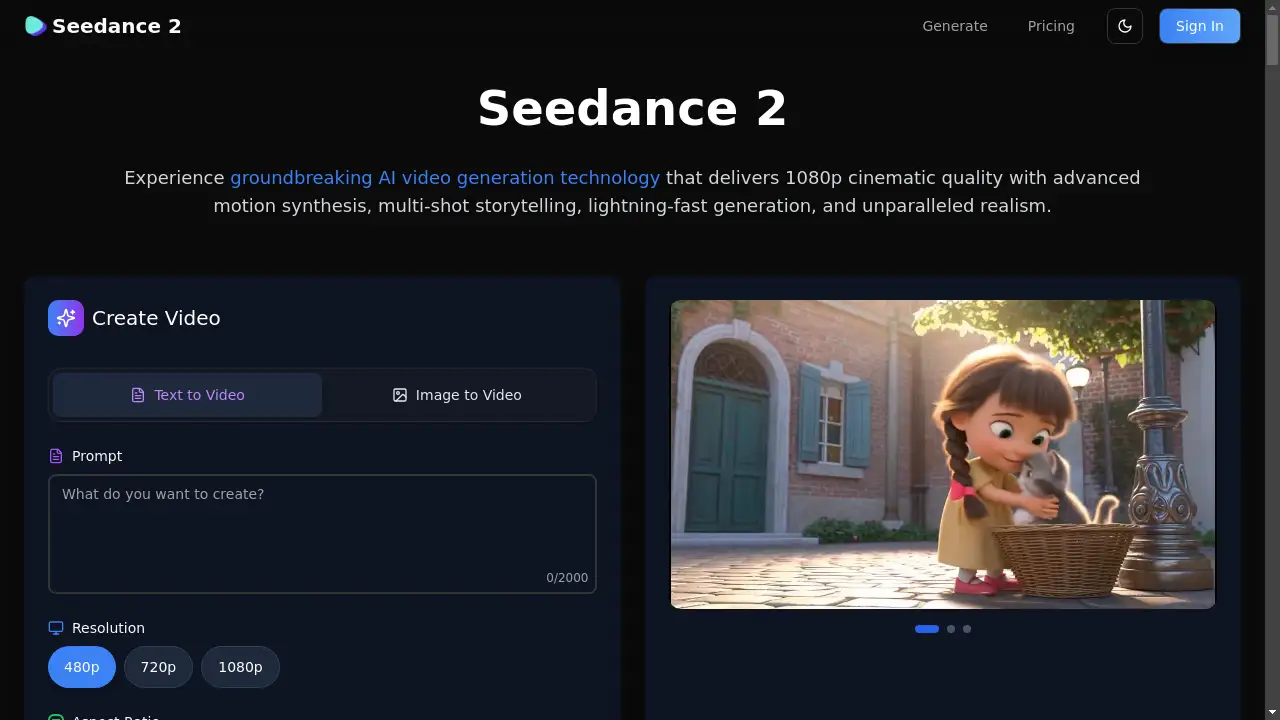
Instant Text and Image to Video Generation
Turn a written script or a static photo into a dynamic, animated video scene within seconds, with the AI automatically applying smooth transitions and visual storytelling.
Custom Duration, Ratio, and Resolution
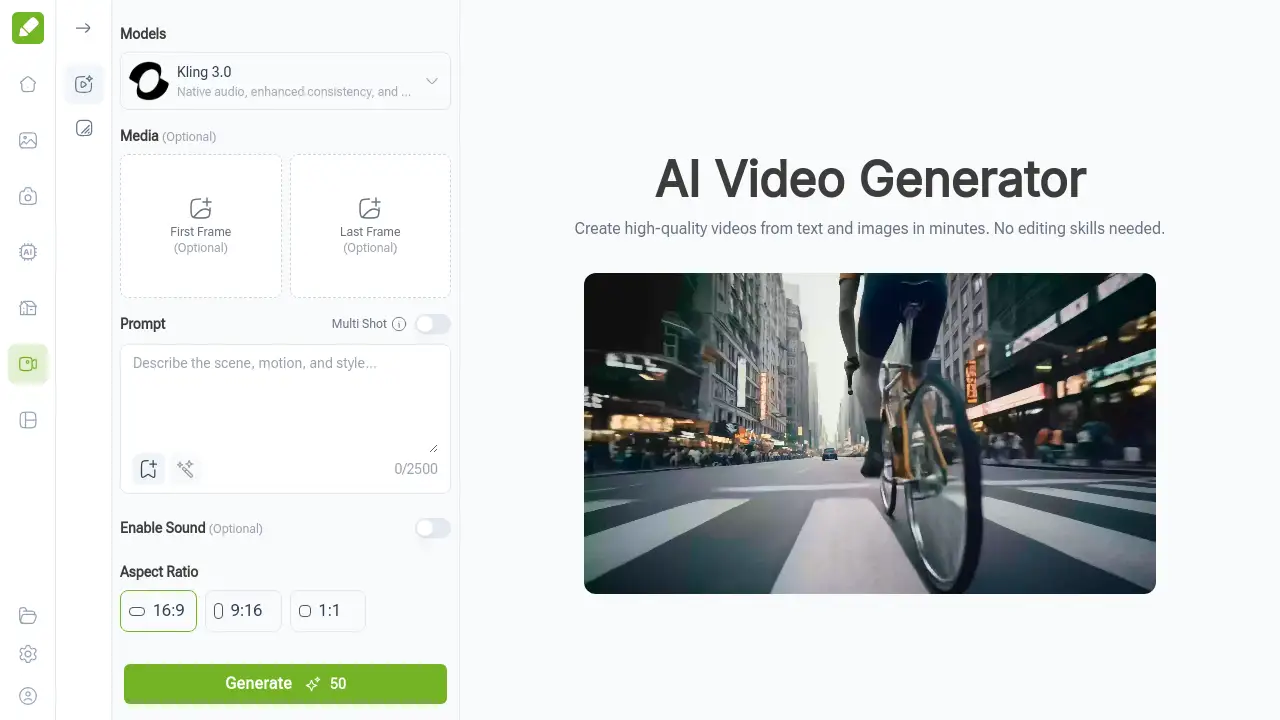
Take full control over the final output by setting the exact video length in seconds, choosing the perfect aspect ratio (like 16:9 or 9:16), and selecting a high resolution such as 720p or 1080p.
Absolutely No Editing Skills Required
The intuitive, browser-based interface makes professional video creation as simple as writing an email, removing the barrier of complex video editing software.
Advanced AI Models like Kling 3.0
Utilizes cutting-edge models capable of generating videos with native audio, enhanced consistency, and extended multi-shot scenes for more complex narratives.
Multi-Shot and Extended Prompt Support
Create longer, more detailed video sequences by using the multi-shot feature and prompts of up to 2500 characters for intricate scene descriptions.
No Login or Download Required
Access the tool instantly from any web browser without the need to create an account or install heavy desktop software, ensuring a seamless start.
Use Cases for AI Video Generator
Social Media Content Creation
Quickly produce eye-catching clips, stories, and reels for platforms like Instagram, TikTok, and YouTube to maintain a consistent posting schedule.
Marketing and Advertising Campaigns
Generate promotional videos, product demos, and ad creatives rapidly to test different concepts and engage target audiences without high production costs.
Educational and Training Materials
Transform presentation slides and lesson plans into engaging video lessons or tutorials to enhance learning and retention for students or employees.
Entrepreneurial and Small Business Promotion
Create professional-looking explainer videos, brand introductions, and customer testimonials to build credibility and online presence on a budget.
How to Use AI Video Generator
Using the AI Video Generator online is a straightforward three-step process:
- Input Your Text Prompt or Image: Start by typing a detailed description of your desired video scene into the prompt box or by uploading a reference image. This serves as the foundation for the AI.
- Set Duration, Ratio, and Resolution: Customize your video by selecting the length (e.g., 5 seconds), the aspect ratio suitable for your platform, and the output quality (720P or 1080P).
- Generate and Download the Video: Click the "Generate" button. The AI will process your inputs and render the video. You can then preview, share, or download the final high-quality file instantly.
Target Audience for AI Video Generator
- Social Media Influencers and Vloggers
- Digital Marketing Professionals and Agencies
- Educators and Online Course Creators
- Small Business Owners and Entrepreneurs
- Content Creators and Bloggers
- Freelancers and Solopreneurs
Is AI Video Generator Free?
Based on the reference information, the AI Video Generator offers a free tier accessible directly online with "No login needed." The homepage prominently features a "Generate Video Now" call-to-action, suggesting immediate access. For specific details on premium features, limitations of the free plan, or paid subscription tiers (Pro, etc.), users should visit the official VisualGPT pricing page.
AI Video Generator's Pros and Cons
| Aspect | Pros | Cons |
|---|---|---|
| Ease of Use | Extremely intuitive, no technical skills or software installation required. | Creative control is limited compared to manual, frame-by-frame editing. |
| Speed & Efficiency | Generates videos in minutes, drastically cutting down production time. | Output length may be constrained by model capabilities and prompt limits. |
| Accessibility | Completely web-based and free to start, lowering the barrier to entry. | The quality and realism of AI-generated content can vary depending on the prompt. |
| Cost-Effectiveness | Eliminates need for expensive filming equipment, actors, or editors. | Advanced features or higher usage limits may require a paid subscription. |
Frequently Asked Questions about AI Video Generator
How does the AI Video Generator actually work?
The AI Video Generator uses advanced machine learning algorithms to analyze your text prompt or uploaded image. It interprets the scene description, selects appropriate visual elements and animations, and renders a coherent video with smooth transitions based on your specified duration, aspect ratio, and resolution settings.
What types of inputs does it support?
The tool primarily supports two types of inputs: detailed text prompts describing the video scene and uploaded static reference images. You can use either or both as a foundation for the AI to build your visual narrative.
Can I customize the generated video output?
Yes, you have significant control over key technical aspects. Before generation, you can set the exact video duration, choose from standard aspect ratios (16:9, 9:16, 1:1), and select the output resolution (720p or 1080p) to fit your platform requirements.
Do I need to download any software?
No. The AI Video Generator is a fully cloud-based online tool. You can access it directly through your web browser on any device without downloading, installing, or updating any desktop applications.
Are the generated videos safe for commercial use?
According to the provided information, videos created with the tool come with full commercial usage rights. You can use them in marketing campaigns, on social media, YouTube, or business websites. However, it's always advisable to review the platform's official terms of service for the latest policy details.
How fast is the video rendering process?
The platform emphasizes speed, with most standard video clips being rendered and ready for download within just a few minutes after submitting your generation request.
AI Video Generator Tags
AI video generator, create video from text, text to video, image to video, online video maker, AI video maker, free video generator, social media video creator, marketing video tool, AI content creation, video from prompt, no editing skills video