Introduction
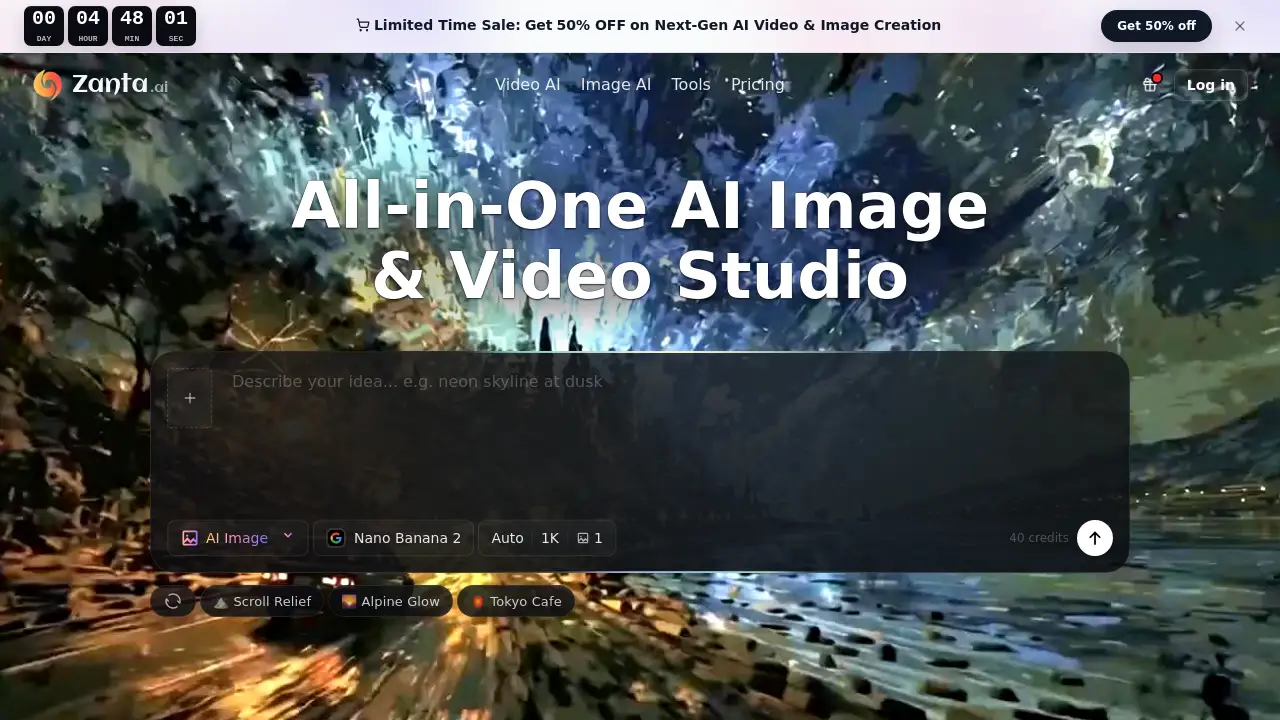
Zanta AI is a comprehensive browser-based studio for generating and editing AI videos and images.
What is Zanta AI?
Zanta AI is a unified online platform designed to streamline the creation of AI-generated visual content, from still images to dynamic videos. It addresses the common problem of fragmented creative workflows by allowing users to ideate, generate, and refine both images and videos within a single browser application. This tool is ideal for content creators, marketing teams, e-commerce businesses, and product marketers who need to produce high-quality visual assets quickly and efficiently. By integrating leading AI video and AI image generator models, Zanta AI simplifies the process of turning concepts into campaign-ready assets, making advanced AI video maker and editing capabilities accessible without requiring separate software.
Key Features of Zanta AI
Multiple AI Model Selection
Zanta AI provides access to specialized models like Veo 3.1 and Seedance for text to video and image to video creation, alongside Nano Banana and GPT Image for generating and editing still images, allowing users to match the tool to their specific creative need.
Unified Browser Studio
All creation workflows, from initial prompt to final export, happen directly within a web browser, eliminating the need to manage multiple software applications for different asset types.
Source Image Flexibility
Users can start their projects with a text prompt for conceptual ideas or upload their own images to use as a base for AI image editor tasks or to drive video motion, maintaining brand consistency.
Output Comparison and Selection
The platform enables users to generate multiple variants and easily compare outputs side-by-side, helping them select the best composition and finish before exporting.
Professional Use Case Optimization
Features and models are tailored for real-world applications like ad testing, product visuals, and launch creative, supporting formats and details necessary for commercial work.
Use Cases for Zanta AI
Creator Motion Development
Content creators can use the AI image generator to draft concepts for fashion, beauty, or culture content and seamlessly transition to image to video tools to test motion for social media shorts and reels.
Campaign Concept Testing
Paid media and marketing teams can transform landing page briefs into ad hooks and product reveal clips using text to video generation, allowing for rapid prototyping before final production.
E-commerce Asset Creation
Online stores can enhance product photos, create consistent catalog visuals, and generate ads for product detail pages using AI image editing and upscaling tools like Nano Banana Pro.
Product Launch Visuals
Product marketing teams can build a cohesive suite of launch assets, from still images for decks to short explainer AI videos, all from a single creative direction within one platform.
How to Use Zanta AI
- Start Your Asset: Begin with a text prompt for a new idea, or upload an existing image (like a product photo or portrait) that you want to edit or animate.
- Choose Your Model and Settings: Select the appropriate AI model for your goal (e.g., Veo 3.1 for cinematic video, Nano Banana for crisp images) and set your desired output format and ratio.
- Generate and Review: Run the generation and review the results. The platform allows you to compare different outputs to choose the best one.
- Export Your Work: Once satisfied, export the final AI video or image directly from the browser for use in your projects, ads, or social media.
Target Audience for Zanta AI
- Content Creators and Influencers
- Social Media and Digital Marketing Teams
- E-commerce Business Owners and Managers
- Product Marketing and Brand Managers
- Creative Agencies and Freelancers
Is Zanta AI Free?
Specific pricing details are not provided in the reference material. The platform operates on a credit-based system, where generating content consumes credits. The cost in credits varies depending on the AI model used and the output settings, with video generation typically requiring more credits than image generation. Users should visit the official Zanta AI website for the latest information on plans, credit packs, and any free trial availability.
Zanta AI's Pros and Cons
| Aspect | Pros | Cons |
|---|---|---|
| Workflow | Unified browser studio for both images and videos streamlines creation. | New users may need time to learn which model is best for each task. |
| Accessibility | No separate editing software required; start directly from a prompt or upload. | Output quality and specificity can depend heavily on prompt clarity and source image strength. |
| Usefulness | Tailored for professional use cases like ads and e-commerce, supporting commercial work. | Costs are variable based on model choice, which can be unclear without testing. |
Frequently Asked Questions about Zanta AI
Which workflow should I start with?
Begin with a text-to-image or text to video workflow when your scene is still conceptual. Start with an image upload and use the AI image editor or image to video tools when you already have a strong base frame, product shot, or subject you want to work from.
Can I use my own images with Zanta AI?
Yes. You can upload your own source images, such as portraits, product photography, or brand assets. Zanta AI can use these for video motion or to transform them into new still images while keeping key elements recognizable.
What affects how many credits I use?
Credit consumption depends on the AI model selected and your output settings. Generating videos with models like Veo 3.1 or creating larger, high-resolution images will generally use more credits than generating standard-sized still images.
What should I do if my AI-generated result looks wrong or generic?
This often indicates a prompt that is too broad. Try narrowing your request to one clear scene or edit. Use a more detailed, descriptive prompt or switch to an image-based workflow starting with a stronger source image for better control over the output.
Can I use Zanta AI outputs for commercial work?
Yes. The platform is designed for commercial applications. Teams commonly use it for creating ads, landing page visuals, product marketing materials, and campaign assets. Final usage rights are subject to the specific terms of your account plan and the AI models used.
Do I need other software to edit the outputs?
No. Zanta AI is a full-cycle studio. You can go from a prompt or source image to a generated output, compare variants, and download the final asset—all within your web browser without needing additional editing software.
Zanta AI Tags
Zanta AI, AI video generator, AI image generator, text to video, image to video, AI video maker, AI image editor, Veo 3.1, Nano Banana, create AI video, browser AI studio, marketing AI tools, e-commerce AI images, content creator AI