Introduction
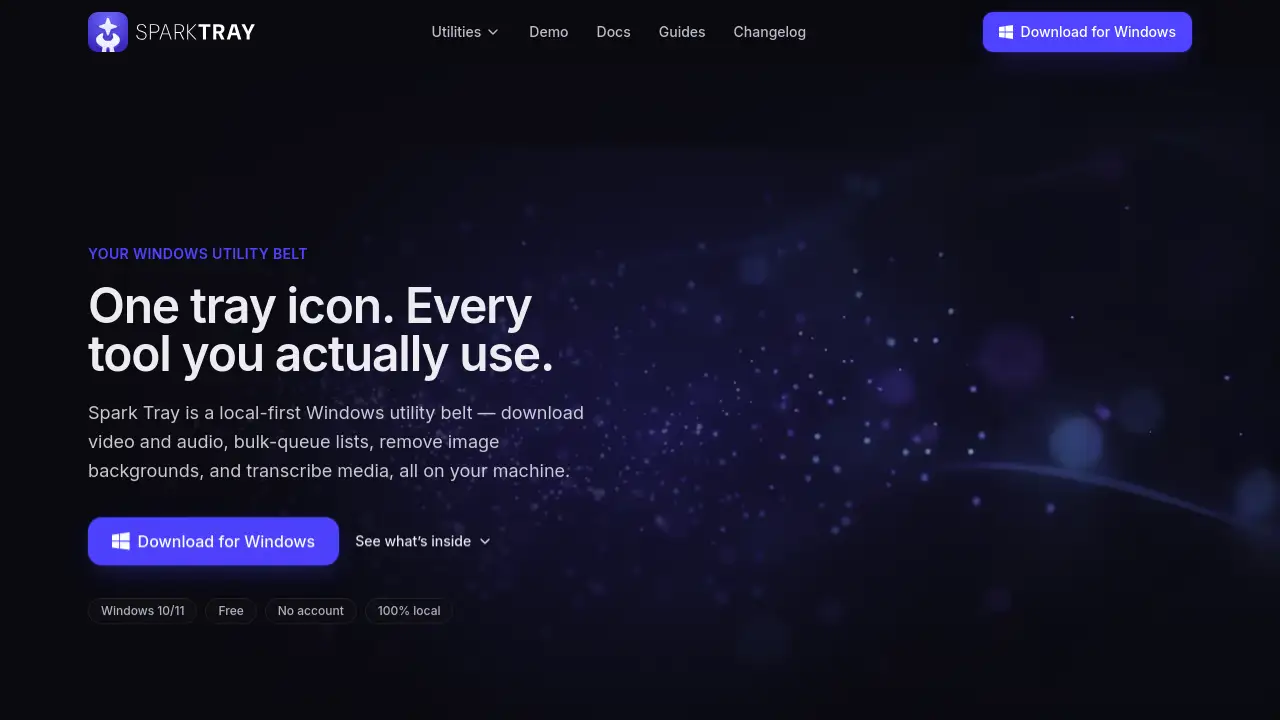
Spark Tray is a free Windows utility belt that sits in your system tray and handles common media tasks locally. It gives you quick access to downloading, background removal, and transcription without uploading files. This review covers what Spark Tray does, how it works, and who should use it.
What is Spark Tray?
Spark Tray is a local-first Windows app for everyday media chores. Instead of jumping between web apps that send your files to a server, Spark Tray runs everything on your machine. This means files and URLs never leave your PC. The app packs a set of focused tools behind one tray icon: a video and audio downloader, a bulk queue downloader, a background remover, and a media transcriber. For people who want privacy, speed, and no account, it is a convenient free tool. It is designed for modern Windows versions and installs without an admin prompt or reboot.
Key Features of Spark Tray
Video and Audio Downloads
Paste a link into this tool and Spark Tray downloads video and audio in the resolution you choose. Subtitles can be included, and the output is stored locally on your PC.
Bulk-Queue Lists
Drop a CSV file containing many links, and Spark Tray processes them as a batch. It retries failed links on its own, which makes large media libraries easier to manage.
Remove Image Backgrounds
One click is enough to remove image backgrounds and create a transparent PNG. Batch mode lets Spark Tray process multiple product shots, but it works slowly on older machines.
Transcribe Audio
Spark Tray transcribes media into clean text or SRT subtitles on your local machine. Timestamps are included within minutes, even for messy audio.
Private by Design
Every core utility runs entirely on your PC, so no cloud server ever sees your content. This on-device design keeps private recordings and sensitive files secure.
Simple Tray Access
Spark Tray lives in the system tray, so the whole utility belt is one click away. You can switch between tools without opening separate apps.
Use Cases for Spark Tray
Download Lecture Recordings
Students can use Spark Tray to grab lecture audio and save it for offline commutes.
Transcribe Client Interviews
Professionals can turn audio recordings into text without uploading sensitive conversations. Because Spark Tray runs on-device, interview recordings stay on the machine.
Remove Backgrounds for Product Photos
Online sellers can strip backgrounds in seconds to create clean product shots. The bulk-queue list helps when preparing an entire store catalog.
Batch-Download Playlists
Users who want a full playlist can paste the links into Spark Tray and let it process the queue overnight. Spark Tray retries failed items automatically.
How to Use Spark Tray
Using Spark Tray takes only a few steps.
- Download the installer and run it. Spark Tray installs for just the current user without an admin prompt or reboot.
- Look for Spark Tray in the system tray. Click the Spark Tray icon to open the utility belt.
- Pick a tool, paste a link, drop a file, or upload a CSV.
- Spark Tray processes the task on your machine and saves the result locally.
Target Audience for Spark Tray
- Students who need offline lecture recordings
- Journalists and interviewers who need transcripts
- Online sellers who clean up product photos
- Podcasters and content creators who download and convert media
- Privacy-conscious users who want on-device tools
- Users who prefer a free Windows tool without accounts
Is Spark Tray Free?
Spark Tray is free forever. There is no paid plan, no trial timer, and no account required. The makers fund development through transparent idle bandwidth sharing. When your PC is idle, Spark Tray may share a small portion of unused network bandwidth through a vetted partner. It pauses on metered connections, backs off when you are active, and uses only a small fraction of the connection. The installer is code-signed and the funding model is disclosed during installation. Here is the pricing breakdown:
| Plan | Price | Features |
|---|---|---|
| Free | $0 | All core utilities, no paywalls, local processing |
Spark Tray's Pros and Cons
| Aspect | Pros | Cons |
|---|---|---|
| Pricing | Free forever, no account, no subscription | Funded by idle bandwidth sharing, which some users may not like |
| Privacy | 100% local, files never leave your PC | Limited to the tools built into the tray |
| Performance | Fast on modern machines | Batch background removal can be slow on older PCs |
| Compatibility | Supports modern Windows versions | No Mac version yet |
| Usability | Simple tray icon, no learning curve | Some video hosts may fail; format picker can be confusing at first |
Frequently Asked Questions about Spark Tray
Is Spark Tray really free?
Yes. Spark Tray is free forever. There are no paid plans, paywalled features, or card requirements. The app stays free through transparent idle bandwidth sharing.
Does Spark Tray upload my files?
No. Spark Tray is a Windows utility belt. Your files and URLs never leave your PC. Cloud servers are not used for downloading, background removal, or transcription.
Can Spark Tray download video and audio from any website?
Spark Tray works well with many popular video sites, but no downloader supports every host. Some users mention that a specific video host failed to download. The tool keeps improving, yet results can vary from site to site.
How does the bandwidth sharing work in Spark Tray?
On an idle PC, Spark Tray shares unused network bandwidth through a vetted partner. It pauses on metered connections, stops when you are active, and uses only a small fraction of the connection. The installer explains this before you agree.
Is Spark Tray available on Mac?
Not yet. Spark Tray currently supports Windows 10/11. Some reviewers have asked for a Mac version, but there is no official release at the time of writing.
Can Spark Tray transcribe media with timestamps?
Yes. Spark Tray transcribes media into clean SRT files with timestamps. Accuracy is reported as strong even on messy audio, though speaker labels are not included.
Spark Tray Tags
Spark Tray, Windows utility belt, download video and audio, remove image backgrounds, transcribe media, local-first Windows utility, free Windows tool, bulk media downloader, background remover for Windows, media transcription software, Windows 10/11 tools, tray app