Introduction
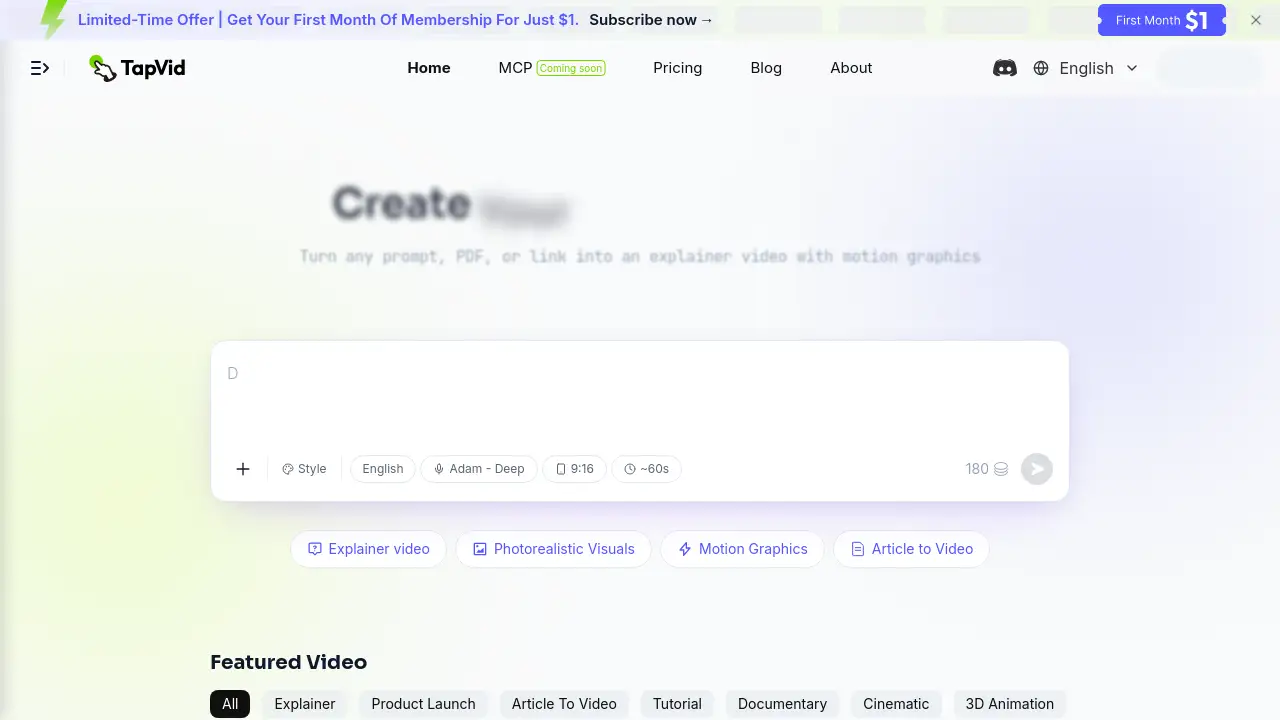
TapVid AI explainer video generator turns prompts, PDFs, or links into interactive motion graphic videos in minutes. Without editing or design skills, users can create showcase-ready content directly from source materials.
What is TapVid?
TapVid is an AI-powered tool designed to simplify video production. It converts written content—such as scripts, PDFs, or product descriptions—into structured motion graphics videos with voiceovers and clear visuals. The primary goal is to eliminate the need for specialized editing software or design expertise. By automating the entire workflow from outline to final video, TapVid helps save significant time and resources. It is particularly suited for marketers, educators, and content creators who need to produce explainer videos, product demos, or tutorials quickly and at scale. The AI motion graphics generator within TapVid handles animation, pacing, and text overlays, making professional-looking video creation accessible to everyone.
Key Features of TapVid
Explainer Video Generator
Users can turn any prompt, PDF, or URL into an animated explainer video. The tool analyzes the source material and automatically generates a structured video with visuals and voice narration.
One Shot Creation
With the One Shot feature, a complete video is produced in a single step. The system creates an outline, writes a script, and outputs the final animated clip without requiring manual intervention.
Intelligent Edit
This feature allows users to edit and refine videos using natural language commands. By typing instructions, users can adjust pacing, change visuals, or modify voiceovers without any technical skills.
Multi-Format Input
TapVid accepts various input formats, including plain text prompts, PDF files, and web links. This flexibility makes it easy to repurpose existing content into video format.
Real-Time Preview and Remixing
After generating a video, users can preview it immediately and create variations by selecting different visual styles or remixing the content for new contexts.
Use Cases for TapVid
Product Demos
Create professional product demonstration videos by inputting a product document or feature list. The AI motion graphics generator produces clear, engaging visuals that explain how a product works.
Educational Tutorials
Teachers and course creators can turn lesson slides, PDFs, or scripts into animated explainer videos for students. This use case helps improve engagement and understanding of complex topics.
Marketing Content
Marketers can quickly produce promotional videos for social media, websites, or campaigns. Using the text to video AI feature, a simple product description becomes a full motion graphic video ready for posting.
Internal Training Videos
Companies can convert training manuals or process documents into video guides. This saves time and ensures consistency in employee onboarding and development.
How to Use TapVid
- Choose Input Source: Select whether to use a prompt, a PDF file, or a link as the source material for your video.
- Customize Style: Pick a visual style such as cinematic, documentary, pixel game, or 3D animation. Adjust the language and audio voice options.
- Generate Video: Click the create button. TapVid processes the input and produces a fully animated explainer video with voiceover and motion graphics.
- Review and Edit: Use the Intelligent Edit feature to refine the output. Type natural language commands to change pacing or visuals.
- Export and Share: Download the final video in 1080p resolution without watermarks and share it directly on social media, websites, or internal platforms.
Target Audience for TapVid
- Marketing teams creating product launch and explainer videos
- Course creators and educators producing tutorial content
- Content managers needing quick social media clips
- Brand studios and agencies requiring scalable motion graphics
- Small business owners without video production skills
Is TapVid Free?
TapVid offers a free trial to test its capabilities. For full access, users can choose from the following paid plans:
| Plan | Price | Features |
|---|---|---|
| Pro | $31.2/month | 2,000 credits (~14 videos), 1080p exports, watermark-free, clips up to 3 minutes, priority rendering, rollover unused credits |
| Max | $79.2/month | 6,000 credits (~42 videos), priority support, add-on top-ups, faster render queue, everything in Pro |
| Ultra | $159.2/month | 14,000 credits (~100 videos), clips up to 5 minutes, team seats, shared credits, priority support, everything in Max |
Pricing is based on a credit system where 3 credits equal 1 second of video. A limited-time offer allows new users to get their first month for just $1.
TapVid's Pros and Cons
| Aspect | Pros | Cons |
|---|---|---|
| Ease of Use | No editing or design skills needed; natural language editing | Some creative control may be limited compared to manual editing |
| Speed | Produces complete videos in minutes | Rendering time may vary for longer clips |
| Pricing | Affordable team plans; first month for $1 | Individual users may find monthly credits limited |
| Output Quality | Professional motion graphics with varied styles | Output may lack unique brand-specific customization |
| Input Flexibility | Accepts prompts, PDFs, and links | Very long or complex documents may require manual review |
Frequently Asked Questions about TapVid
Is there a free AI explainer video generator?
Yes. TapVid is an AI explainer video generator that turns a prompt, PDF, or link into a finished video with motion graphics. Users can start with a free trial and upgrade as needed.
Can AI turn a PDF into a video?
Yes. TapVid accepts PDF files as input. The tool extracts content from the PDF and automatically creates an animated explainer video with visuals and narration.
How do I turn a script or prompt into a video automatically?
Simply paste your script or prompt into the input field, select a visual style, and click generate. TapVid handles the entire process, from creating an outline to producing the final video clip.
What's the best AI tool to make explainer videos without editing skills?
TapVid is designed specifically for users who want to produce professional explainer videos without any editing background. Its natural language editing and one-shot creation features make it accessible to everyone.
Does TapVid support voiceovers and subtitles?
Yes. TapVid automatically generates voiceovers using various audio options. It also includes subtitle support, making videos accessible for different audiences.
What makes TapVid different from other AI video generators?
TapVid focuses on interactive motion graphics and structured explainer videos. It does not just stitch clips together but creates animated content from source materials, offering a complete storytelling package.
TapVid Tags
AI explainer video generator, AI motion graphics generator, animated explainer video maker, text to video AI, PDF to video tool, AI product demo video generator, free AI video generator, SaaS explainer video, video creation tool, motion graphics software, AI video generator, animated video maker