Introduction
ToneBird.ai: AI reply assistant for email and chat.
What is ToneBird.ai?
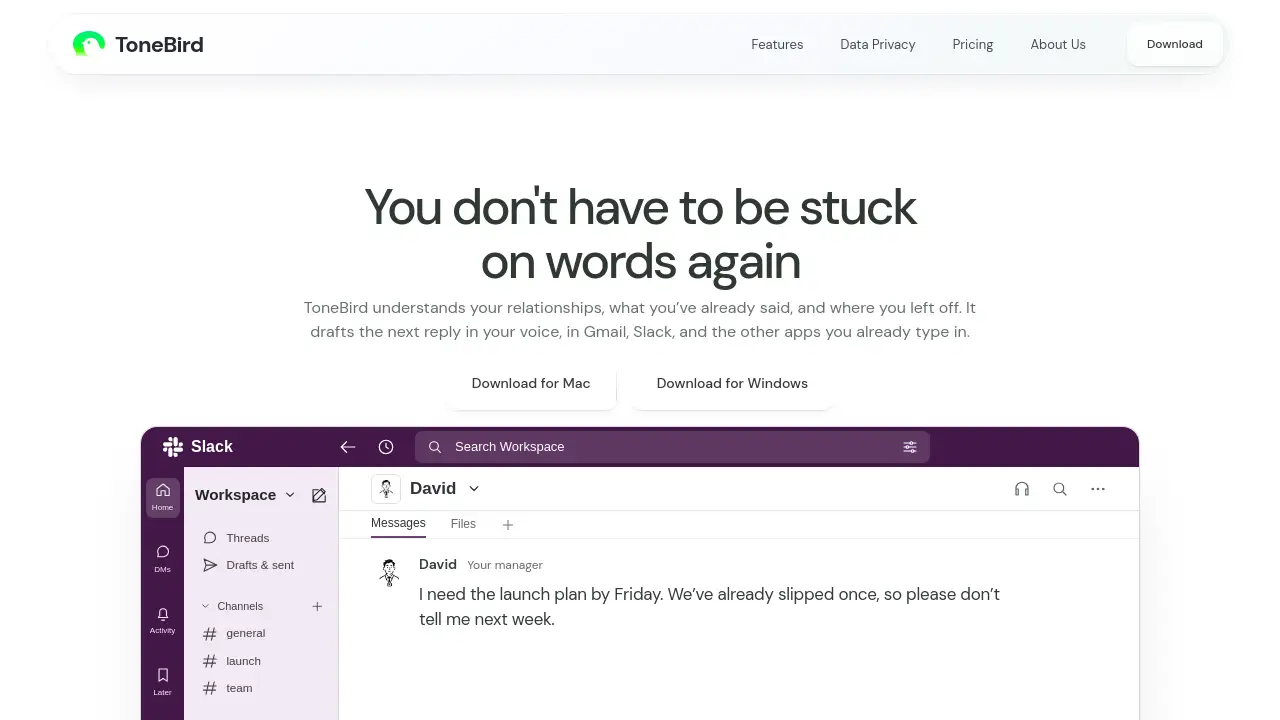
ToneBird.ai is an AI reply assistant and AI email assistant designed to draft replies in email and chat apps. It helps users who feel stuck on words by using past conversations, connected documents, and relationship context. Instead of switching between tools or starting from a blank box, ToneBird.ai suggests replies that match the person and the situation. It works inside apps such as Gmail, Slack, WhatsApp, iMessage, Google Chat, X, Reddit, LinkedIn, Instagram, Discord, WeChat, and Lark. This AI chat reply generator is useful for busy professionals who write many messages each day. ToneBird.ai does not just generate generic text. It recalls what was already said, finds facts from files, and adapts the wording to the recipient. For example, if a client asks about a price, ToneBird.ai can pull the agreed amount from a connected proposal. If a manager asks for a deadline update, it can draft a reply with a clear checkpoint. The tool aims to keep the user's voice intact while reducing the time spent on routine replies. As a context-aware AI writing tool, ToneBird.ai fits into existing workflows rather than replacing them. It is suitable for customer support, sales, team coordination, and personal messaging. By offering several reply options, ToneBird.ai lets users choose the version that feels right, then edit and send.
Key Features of ToneBird.ai
Context-Aware Reply Drafting
ToneBird.ai drafts replies by reading the current conversation and related history. This helps users respond with relevant details instead of generic answers.
Past Conversation Recall
The AI reply assistant remembers earlier discussions, including promises, dates, and preferences. It uses those details to create follow-ups that feel continuous.
Connected Document Facts
ToneBird.ai can use facts from connected documents, such as proposals or reports. When a client asks for an agreed price, the AI email assistant can include the right figure.
Tone Adjustment
Users can make a reply more precise, warmer, or humorous. ToneBird.ai adjusts the wording for each person, whether the recipient is a client, teammate, or manager.
Multi-App Support
ToneBird.ai works across Gmail, Slack, WhatsApp, iMessage, Google Chat, and other chat apps. This reduces the need to switch between different windows when drafting replies.
Calendar Scheduling
When a conversation includes a meeting time, ToneBird.ai prepares an event for Apple Calendar or Google Calendar. Users review the details before confirming.
Follow-Up Task List
ToneBird.ai brings promised quotes, unanswered questions, and dates to confirm into one list. This helps users see what needs a reply next.
Voice and Preference Memory
The tool learns writing preferences, such as directness, formality, and warmth. Users can decide what to save, so ToneBird.ai keeps their voice intact.
Use Cases for ToneBird.ai
Customer Support Replies
Support teams can use ToneBird.ai to answer repeated questions with context from past tickets. The AI email assistant can include the right next steps and timelines.
Sales Follow-Ups
Sales professionals can draft replies after calls or demos. ToneBird.ai can recall agreed prices and scope details from connected documents.
Team Coordination
Managers and teammates can respond to project updates without rewriting the same status message. ToneBird.ai helps keep deadlines and checkpoints clear.
Client Renewals
When a customer raises concerns about pricing or renewals, ToneBird.ai can suggest a calm, relationship-aware reply. It can also propose a meeting time and prepare a calendar event.
Scheduling Meetings
Users can turn chat agreements into calendar invites. ToneBird.ai reads the conversation and suggests the event details for review.
Multichannel Inbox Management
People who write in many apps can use one AI reply assistant across platforms. ToneBird.ai helps keep replies consistent without leaving each email and chat app.
How to Use ToneBird.ai
- Download ToneBird.ai for Mac or Windows from the official website.
- Open a reply in Gmail, Slack, WhatsApp, or another supported chat app.
- Trigger ToneBird.ai by clicking the orb or pressing the keyboard shortcut, such as Option twice on Mac or Ctrl twice on Windows.
- Choose one of the suggested replies, then use Tweak to adjust tone, precision, or warmth.
- Insert the draft into the conversation, review it, and send. If a meeting is mentioned, confirm the calendar event.
Target Audience for ToneBird.ai
- Remote and hybrid teams
- Customer support agents
- Sales and account managers
- Freelancers and consultants
- Project managers
- Recruiters and community managers
- Anyone who writes many emails and chat messages
Is ToneBird.ai Free?
The reference information does not list a price, free plan, or trial details for ToneBird.ai. The website offers downloads for Mac and Windows. For current pricing, free trial availability, and plan limits, users should check the official ToneBird.ai website.
| Plan | Price | Features |
|---|---|---|
| Not listed | Not listed | Visit the official website for current pricing and trial information. |
ToneBird.ai's Pros and Cons
| Aspect | Pros | Cons |
|---|---|---|
| Context | Uses past conversations and connected documents | Requires access to conversation history and files for best results |
| Features | Offers reply suggestions, tone tweaks, calendar events, and follow-up tasks | Some features depend on the supported app and calendar integration |
| Workflow | Works inside Gmail, Slack, WhatsApp, and other apps | Desktop download is available for Mac and Windows; mobile availability is not stated |
| Voice | Learns preferences and lets users choose what to save | Setup may take time to review and save useful context |
| Pricing | Download available for Mac and Windows | Public pricing details are not provided in the reference content |
Frequently Asked Questions about ToneBird.ai
What is ToneBird.ai used for?
ToneBird.ai is used to draft replies in email and chat apps. It helps users respond faster by using past conversations, connected documents, and tone preferences.
Which apps does ToneBird.ai work with?
ToneBird.ai works with Gmail, Slack, WhatsApp, iMessage, Google Chat, X, Reddit, LinkedIn, Instagram, Discord, WeChat, and Lark, according to the product homepage.
Does ToneBird.ai learn my writing style?
ToneBird.ai can learn writing preferences and relationship context. Users can review what is saved and apply suggestions to keep their voice intact.
Can ToneBird.ai use documents and past conversations?
Yes. ToneBird.ai can use facts from connected documents and earlier conversations. This helps it include correct prices, dates, and commitments in a draft reply.
Is ToneBird.ai available for Mac and Windows?
Yes. The official website offers a download for Mac and a download for Windows. Mobile app availability is not listed in the reference information.
Is ToneBird.ai free?
The available reference content does not state whether ToneBird.ai is free or paid. Users should visit the official website for current pricing, trial, and plan information.
ToneBird.ai Tags
ToneBird.ai, AI reply assistant, AI email assistant, AI chat reply generator, draft replies, context-aware AI, Gmail AI assistant, Slack AI reply, WhatsApp AI assistant, tone adjustment AI, AI writing assistant, reply suggestions