Introduction
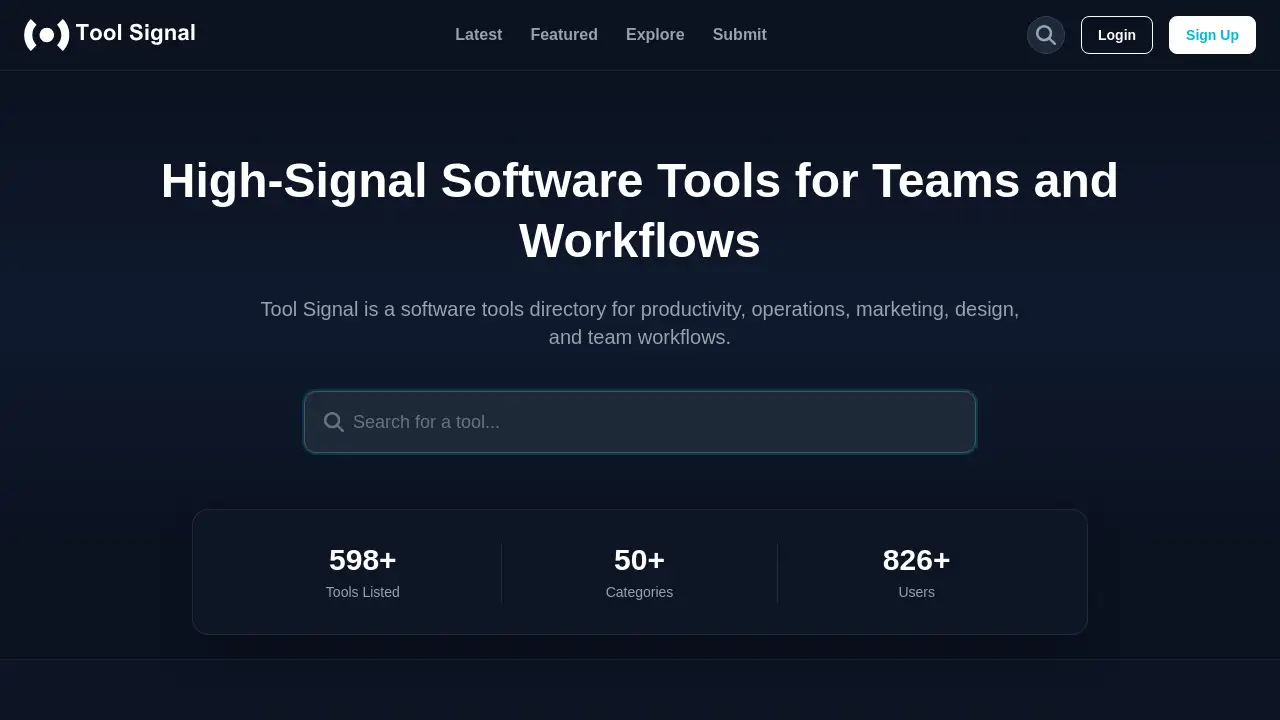
A comprehensive software tools directory for discovering high-quality applications across productivity, marketing, design, and team workflows.
What is Tool Signal?
Tool Signal is an online directory designed to help users discover and evaluate software applications. It addresses the common problem of information overload when searching for new tools by offering a curated, categorized list of options. The platform focuses on providing "high-signal" information, meaning it aims to cut through the noise to highlight tools that are relevant for specific team workflows and business functions. It is suitable for professionals, business owners, and teams looking to improve their productivity, operations, marketing, design, and overall efficiency. By organizing tools into clear categories and providing basic filters, Tool Signal makes the initial research phase of software selection more structured and informed.
Key Features of Tool Signal
Comprehensive Software Directory
The platform hosts an extensive collection of over 598 tools, offering a wide starting point for software discovery across numerous business and creative needs.
Curated Tool Categories
Tools are organized into 50+ specific categories, such as AI Assistants, Marketing, Design Tools, and Productivity & Management, helping users quickly narrow their search to relevant software types.
Featured and Latest Tools Sections
Separate sections highlight both "Featured" picks and the "Latest" additions, allowing users to see editorially selected tools as well as stay updated on new entries in the software tools directory.
Basic Filtering and Comparison
Users can filter tools by category and common pricing models (Free, Freemium, Paid, Free Trial), providing initial signals for comparison based on budget and software type.
Clean, User-Focused Interface
The website presents tool listings with a consistent format, including a brief description, category tags, and pricing model, facilitating quick scanning and evaluation.
Use Cases for Tool Signal
Researching New Software Solutions
A marketing manager can use the directory to find new marketing automation or social media analytics tools to enhance their campaign strategies.
Comparing Tools for a Specific Workflow
A project team looking for productivity software can filter by the "Productivity & Management" category to compare several project management or task automation options side-by-side.
Discovering Niche or Emerging Tools
Developers and innovators can browse the "Latest" tools section to discover new AI assistants, APIs, or dev tools that are recently launched and gaining traction.
Sourcing Tools for Team Expansion
A startup building its tech stack can explore various categories like design tools, customer support software, and HR platforms to find essential applications for their growing team workflows.
How to Use Tool Signal
Using the directory is straightforward and does not require an account for basic browsing.
- Visit the Website: Navigate to the Tool Signal homepage.
- Browse or Search: Explore tools by scrolling through the "Featured" or "Latest" sections, or use the search bar for a specific tool name. Alternatively, click on "Explore" or a specific category from the "Explore Tools by Category" list.
- Apply Filters: Within a category or search results, use the available filters (like pricing model) to narrow down the list to the most relevant options.
- Review Listings: Click on any tool card to view its dedicated page, which provides a description, category, pricing tag, and a direct link to the tool's official website.
- Evaluate Further: Use the information found on Tool Signal as a starting point for your evaluation, then visit the official tool websites for detailed features, demos, and pricing.
Target Audience for Tool Signal
- Business owners and startup founders building their company's software stack.
- Marketing professionals seeking new tools for campaigns, analytics, or SEO.
- Designers and creative teams looking for the latest design tools and software.
- Project managers and team leaders aiming to improve team workflows and productivity.
- Software developers and IT professionals researching new dev tools or APIs.
- Any individual or team overwhelmed by choice and wanting a more structured way to discover software.
Is Tool Signal Free?
Based on the available information, Tool Signal appears to operate as a free-to-use directory for browsing and discovering software tools. The platform itself does not seem to charge users for access. The pricing tags (Free, Freemium, Paid, Free Trial) displayed on each tool listing refer to the pricing model of the individual software product being listed, not a cost for using Tool Signal.
| Plan | Price | Features |
|---|---|---|
| Directory Access | Free | Unlimited browsing of tool listings, access to categories, and use of basic filters. |
Tool Signal's Pros and Cons
| Aspect | Pros | Cons |
|---|---|---|
| Scope & Variety | Offers a large and diverse database of over 598 tools across many niches. | The sheer volume can still be overwhelming without more advanced search filters. |
| Organization | Well-structured into 50+ clear categories, making initial navigation intuitive. | Lacks in-depth comparison features or side-by-side detailed analytics between tools. |
| User Experience | Clean, simple interface focused on presenting tool information clearly and quickly. | May not contain user reviews or ratings, relying on editorial featuring rather than community feedback. |
| Information Quality | Provides consistent, basic data points (description, category, pricing model) for every tool. | Descriptions are brief; users must visit external sites for comprehensive reviews, pricing details, and demos. |
| Cost | Completely free to use as a research and discovery platform. | N/A |
Frequently Asked Questions about Tool Signal
What kinds of tools does Tool Signal cover?
Tool Signal covers software tools across a wide range of business and creative functions, including productivity, operations, marketing, design, and team workflows, as well as more niche areas like AI, blockchain, and health.
How do I compare tools on Tool Signal?
The platform allows for basic comparison by category and pricing model. Users can filter lists to see tools that serve a similar function (e.g., all marketing automation tools) and have a compatible pricing structure, enabling a focused shortlist for further research.
Who is Tool Signal for?
The software tools directory is useful for professionals, managers, and teams who want a more organized and less noisy way to discover and begin evaluating work software. It is particularly helpful for those building or optimizing their team workflows.
Is Tool Signal free to use?
Yes, browsing the Tool Signal directory and accessing the information on listed tools is completely free. There is no indication of a paid tier for general users.
How are tools added to the directory?
The reference material shows a "Submit" link, suggesting that tool vendors or developers can submit their software for inclusion. The "Featured" section also indicates a level of editorial curation by the Tool Signal team.
Does Tool Signal include user reviews or ratings?
Based on the provided homepage content, individual tool listings do not currently display user reviews or rating systems. The evaluation is based on the provided description, category, and featured status.
Tool Signal Tags
Tool Signal review, software tools directory, productivity tools, marketing software, design tools directory, team workflow tools, high-signal software directory, business software finder, SaaS directory, compare software tools, latest AI tools, operations management software