Introduction
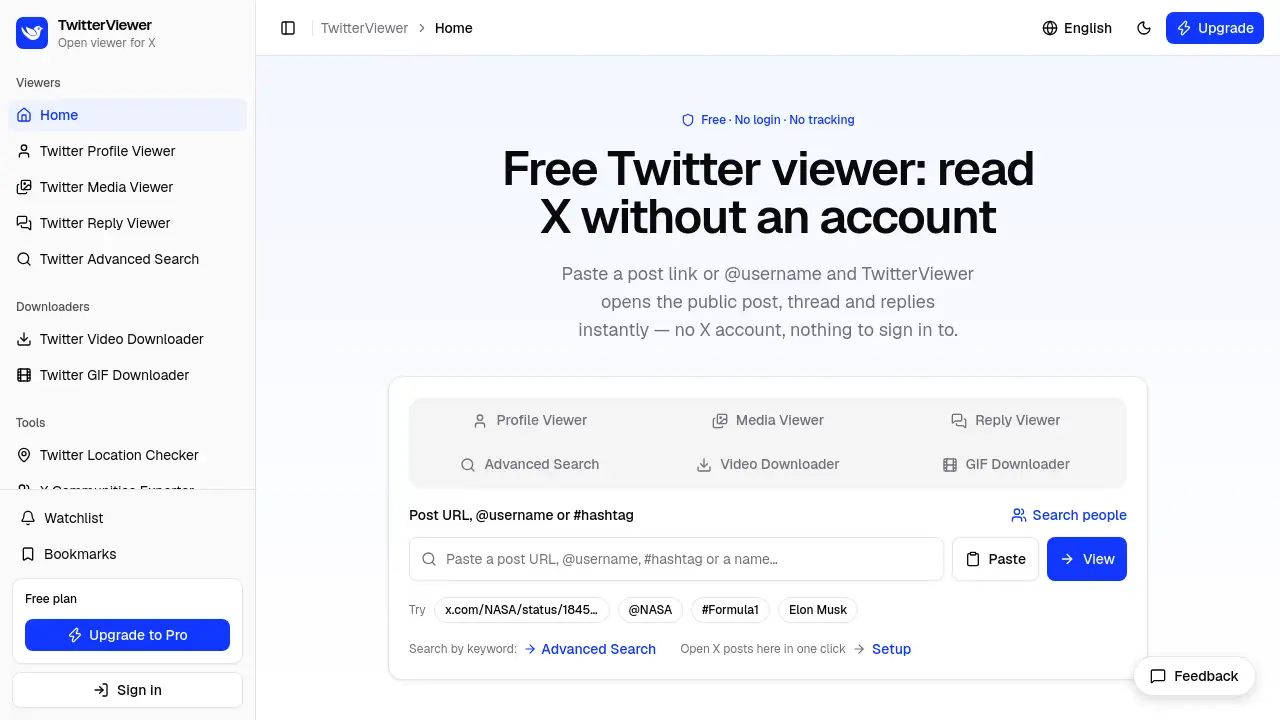
TwitterViewer is a free Twitter viewer that lets anyone read public X posts, threads, replies, and profiles without an account, login, or ads. Paste a post link or an @username to open a clean page in your browser. It is made for reading, not posting, liking, or following.
What is TwitterViewer?
TwitterViewer is an independent web tool that opens public content from X, the service formerly called Twitter. People still search for a Twitter viewer, tweet viewer, X viewer, or Twitter web viewer when they want to read a public post without signing in. This Twitter viewer removes that sign-in wall for public posts, profiles, threads, replies, media, trends, and similar accounts. It is not affiliated with X Corp. It cannot unlock private or protected content, and it does not pretend to. A Twitter viewer without account access is useful for casual readers, researchers, journalists, and anyone who needs a no-login way to read public conversations. The focus is simple: paste a link or username, then read the page.
Key Features of TwitterViewer
Read Posts, Threads, and Replies
Use TwitterViewer as a Twitter post viewer to open a public post and see its text, media, quoted posts, reposts, pinned posts, and conversation. You can unroll a thread, copy all text, or export a thread to PDF.
Browse Profiles and Media
The profile viewer shows a public account's bio, follower counts, pinned post, and tabs for posts, replies, and media. The media viewer arranges photos, videos, and GIFs in one grid with download buttons.
View Replies and Conversations
The reply viewer places replies next to the post they answer and lets you sort by most relevant, most recent, or most liked. About 30 replies are free; deeper pages are Pro because X limits that data to logged-in users.
Download Videos and GIFs
The video downloader lists available video qualities as MP4 files. The GIF downloader saves animated images from public posts. Free users get 30 video lookups a day and up to 10 links per batch.
Use a Twitter Viewer Without Account
A Twitter viewer without account can show public posts, profiles, media, first-page replies, trends, similar accounts, and account location. It cannot show protected accounts, direct messages, deleted posts, or suspended accounts. Advanced search, Likes, community member lists, and deeper replies need Pro and a connected X account.
Access from Any Browser
This Twitter viewer runs in a browser on desktop, tablet, or phone. There is no extension and nothing to install. The interface supports English, Arabic with right-to-left layout, and Japanese. An Open from X bookmarklet can send a public post, profile, or hashtag page to the Twitter viewer in one click.
Free and Pro Tools
The free plan covers core reading, bookmarks, and limited video lookups. Pro removes the request limit and adds unlimited video lookups, a watchlist for 20 accounts, advanced search, community member lists, Likes, and deeper replies.
Use Cases for TwitterViewer
Following a Shared Link
When a public X post arrives in a chat, newsletter, or article, a Twitter viewer lets you read it without creating an account. This is a common reason people search for a tweet viewer.
Research and Journalism
Researchers and journalists can read public threads, check what an account said and when, and save a thread as a PDF. They can also review media and replies to understand public reaction.
Catching Up with Public Accounts
The profile viewer shows recent posts, replies, and media from a public account. You can catch up without following, liking, or logging in.
Downloading Clips and Media
People who share clips can use the video downloader or GIF downloader to save media from a public post. The media viewer gives a grid of photos, videos, and GIFs from an account.
Looking for a Nitter Alternative
Many users want a Nitter alternative for reading public X posts in a plain page without signing in. TwitterViewer is a hosted Twitter web viewer with no installation, though it cannot show protected accounts.
Privacy-Conscious Reading
A Twitter anonymous viewer does not require an X login, shows no ads, and uses no third-party trackers. It still receives your request to return the page and rate-limits by IP or account.
How to Use TwitterViewer
- Open the TwitterViewer website in a modern browser.
- Paste a public post link, @username, profile link, media link, video link, name, or hashtag into the input box.
- Read the post, thread, replies, profile, or media grid that opens. Use tools such as Unroll thread, Copy all text, or Export thread to PDF.
- Download available video or GIF files if the post includes them, within free limits.
- Create a free account for bookmarks, or upgrade to Pro for advanced search, deeper replies, unlimited video lookups, and the watchlist.
Target Audience for TwitterViewer
- Casual readers who want to open a public post without signing in.
- Researchers and journalists who need to read and save public threads.
- Social media watchers who follow public accounts without using a feed.
- People who download videos, GIFs, or media from public posts.
- Privacy-conscious users looking for a Twitter anonymous viewer.
- Former Nitter users seeking a Nitter alternative for public reading.
- Mobile, tablet, and desktop users who prefer a browser-based Twitter viewer free of installs.
Is TwitterViewer Free?
TwitterViewer has a free plan and a Pro plan. The free plan covers most reading features. Pro is for people who need more requests, downloads, and data that X only provides to logged-in users.
| Plan | Price | Features |
|---|---|---|
| Free | $0 | Public posts, threads, profiles, media, first-page replies, trends, similar accounts, account location; video/GIF downloads with 30 video lookups a day and up to 10 links per batch; bookmarks; 120 view requests per minute |
| Pro | $5/month or $48/year (about $4/month) | Removes request limit; unlimited video lookups; watchlist for 20 accounts checked as often as hourly; advanced search; community member lists; Likes tab; deeper replies; requires a connected X account |
Payment is by card through Stripe. The pricing page has the latest details.
TwitterViewer's Pros and Cons
| Aspect | Pros | Cons |
|---|---|---|
| Pricing | Free plan covers most reading; Pro is $5/month | Advanced search, Likes, deeper replies, and watchlist need Pro |
| Access | No X account needed for public posts, profiles, media, and first-page replies | Cannot show protected accounts, DMs, deleted posts, or suspended accounts |
| Features | Thread unroll, PDF export, reply sorting, video/GIF downloads, profile and media pages | Some features require a connected X account and are not anonymous |
| Platform | Browser-based, mobile-friendly, no extension, supports English, Arabic, and Japanese | User must paste a link or username; no native X feed replacement |
| Privacy | No ads and no third-party trackers; does not post, like, or follow | Receives requests and rate-limits by IP or account; not invisible on the web |
Frequently Asked Questions about TwitterViewer
Do I need an X account to use TwitterViewer?
No. A Twitter viewer without account can read public posts, threads, profiles, media, and the first page of replies. Advanced search, community member lists, the Likes tab, and deeper replies require Pro and a connected X account.
Can TwitterViewer show protected or private posts?
No. It only opens public content that X serves to anonymous visitors. Protected accounts, direct messages, private lists, deleted posts, and suspended or deactivated accounts are not available.
Is TwitterViewer free?
Yes. The free plan covers posts, profiles, media, replies, trends, similar accounts, account location, bookmarks, and limited video/GIF downloads. Pro costs $5 per month or $48 per year for more limits and X-login features.
What can I open with this Twitter web viewer?
You can paste a post link, an @username, a profile link, a media tab username, a video tab post link, a person's name, or a hashtag. Links from x.com and twitter.com both work.
Is TwitterViewer a Nitter alternative?
It can serve as a Nitter alternative for reading public X posts without signing in. It is a hosted website, so there is nothing to install or host. It does not show protected accounts or bypass X's privacy rules.
Is TwitterViewer anonymous?
It is anonymous in the sense that no X account is required, no ads are shown, and no third-party trackers are used. It still receives your request to return the page and rate-limits by IP or account. It does not like, follow, or post for you.
Does TwitterViewer work on mobile?
Yes. It works in a browser on phones and tablets, and the layout adapts to small screens. Android users can install the site and share a link from X into it, and the Open from X bookmarklet works on mobile as a bookmark.
TwitterViewer Tags
Twitter viewer, TwitterViewer, tweet viewer, X viewer, Twitter web viewer, Twitter viewer without account, Twitter anonymous viewer, Twitter viewer free, no login Twitter viewer, Nitter alternative, Twitter profile viewer, Twitter video downloader.