Introduction
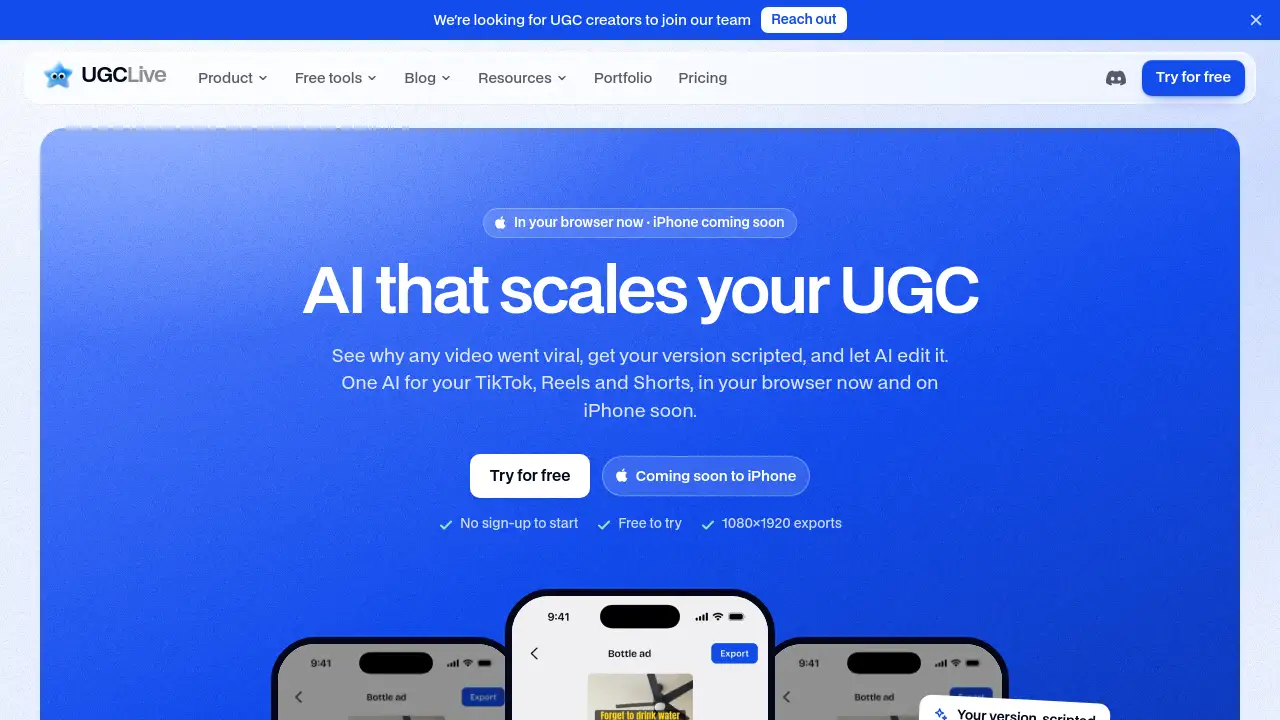
UGCLive is a smart AI video editor for UGC.
What is UGCLive?
UGCLive is a browser-based AI video editor for UGC and content creation. It is designed to help creators analyze viral videos, write scripts, edit talking-head footage, add captions, and test different hooks for TikTok, Instagram Reels, and YouTube Shorts. The product focuses on the workflow between filming and posting: users film the video, and UGCLive helps with analysis, scripting, editing, and growth testing.
The tool is suitable for UGC creators, social media creators, small teams, and agencies that want a faster way to study short-form content and produce their own versions. Instead of using separate tools for viral video analysis, script writing, captioning, and hook testing, UGCLive brings these steps into one AI video editing workflow. It is available in the browser now, with an iPhone app listed as coming soon. Users can start without an account and try the product for free.
Key Features of UGCLive
Viral Video Analysis
Paste a public TikTok, Reel, Short, or account link to see why a video performed well. UGCLive scores the video against the account’s usual views and breaks down the hook, pacing, beats, and comments.
AI Script Writing
Use the “Write my version” option to turn a viral video pattern into a script for a product or brief. This AI script generator creates hooks, lines, shots, and a caption that can open in a teleprompter camera.
AI Editing and Auto Captions
Film takes and let the AI video editor for UGC cut pauses, filler words, and failed lines while keeping the best take of each line. Auto captions follow every word, and product shots can be placed over relevant talking points.
A/B/C Hook Testing
Export multiple versions of one edit with different opening hooks. This A/B/C hooks feature helps creators test which angle lands better before scaling a content idea.
UGC Portfolio Page
Turn finished videos into a public portfolio page with rates and contact details. The UGC portfolio page can help creators present work to brands and support brand deal conversations.
Browser and iPhone Access
Use UGCLive in a browser without installation, or use the iPhone app when it becomes available. The web app supports 1080×1920 exports for TikTok, Instagram Reels, and YouTube Shorts.
Manual Timeline Editor
Adjust cuts, words, sound, text, stickers, music, zoom, crop, and speed on a timeline. The manual editor gives creators more control over the final details of an AI-assisted edit.
Use Cases for UGCLive
TikTok Creators
TikTok creators can use UGCLive as a TikTok video editor to study viral videos, write scripts, and test hooks. It can help creators move from idea research to a posted short-form video faster.
Instagram Reels and YouTube Shorts
Creators making Instagram Reels or YouTube Shorts can export vertical 9:16 videos at 1080×1920. The AI video editor for UGC can support captioning, editing, and hook testing for these formats.
UGC Creators Pitching Brands
UGC creators can analyze high-performing content, script product-focused videos, and build a UGC portfolio page. This can make it easier to show brands how a creator approaches short-form content.
Small Teams and Agencies
Small teams can use UGCLive to research content patterns, produce multiple hook versions, and manage repeat short-form output. Agencies may find the analysis and A/B/C hook testing useful for client content planning.
TikTok Shop Videos
Creators working on TikTok Shop videos can export vertical videos and write hooks from a product brief. Product links are added inside TikTok itself, so UGCLive supports the editing and preparation stage.
How to Use UGCLive
- Open UGCLive in a browser and paste a public TikTok, Reel, Short, or account link into the Analyze feature.
- Review the viral video analysis, including the hook, pacing, comments, and performance score.
- Choose “Write my version” to generate a script, then film it using the teleprompter camera.
- Upload or film takes and let the AI editor cut pauses, filler words, and failed takes while adding captions.
- Export A/B/C hook versions, post them manually, and analyze your own accounts to see what works next.
Target Audience for UGCLive
- UGC creators who make short-form product videos
- TikTok, Instagram Reels, and YouTube Shorts creators
- Small content teams and social media agencies
- Creators who want viral video analysis and script support
- Beginners who need AI video editing with a manual timeline option
- UGC creators building a portfolio for brand deals
Is UGCLive Free?
UGCLive offers a free way to start, with no sign-up required to begin. Paid plans are available for creators who need more AI edits, more analysis, and removal of the UGCLive mark.
| Plan | Price | Features |
|---|---|---|
| Free to try | $0 | Start without an account, try core tools, 1080×1920 exports |
| Pro | $20/month or $12/month billed yearly | Up to 50 video or account analyses per month, AI edit, auto captions, hooks, B-roll, A/B/C hook exports without the UGCLive mark, portfolio page without the UGCLive mark |
| Studio | $50/month or $30/month billed yearly | Everything in Pro, up to 150 video or account analyses per month, about 2.5× Pro’s fair use, priority support |
Prices are in USD, and tax may apply. Paid plans renew monthly until canceled. Users can subscribe on the web by card or through the iPhone app with the App Store, and one plan works across both.
UGCLive's Pros and Cons
| Aspect | Pros | Cons |
|---|---|---|
| Pricing | Free to try and clear Pro and Studio plans | Paid plans may be high for occasional creators |
| Features | Combines viral video analysis, AI scripting, editing, captions, and A/B/C hooks | AI edits have fair-use limits on paid plans |
| Access | Works in a browser with no install | iPhone app is coming soon; no Android app yet |
| Workflow | Supports the steps between filming and posting | Posting is manual, not fully automatic |
| Output | Exports 1080×1920 vertical videos for short-form platforms | Instagram and YouTube data may not include all metrics, such as shares or saves |
Frequently Asked Questions about UGCLive
What is UGCLive best used for?
UGCLive is best used for short-form content research, script writing, AI editing, captioning, and hook testing. It is an AI video editor for UGC that helps creators move from a viral video idea to a post-ready vertical video.
Does UGCLive work for TikTok, Reels, and Shorts?
Yes. UGCLive supports 1080×1920, 9:16 exports for TikTok, Instagram Reels, and YouTube Shorts. It can be used as a TikTok video editor, Instagram Reels editor, or YouTube Shorts editor for vertical content.
Can UGCLive analyze a competitor account?
Yes. Users can paste an account link or @name to see the account’s niche, strengths, content pillars, top-performing videos, and ideas. The viral video analysis feature also works on individual public videos.
Does UGCLive edit raw footage and add captions?
Yes. The AI editing feature can cut pauses, filler words, and failed takes, then add auto captions timed to each word. Creators can also use the manual timeline for more control over cuts, text, music, and sound.
Is there an Android app?
There is no Android app listed at this time. Android users can use UGCLive in a browser at ugc.live/app. The iPhone app is listed as coming soon.
Can UGCLive post videos automatically?
No. UGCLive does not post by itself. When an export is ready, users tap TikTok, Instagram, or YouTube, copy the caption, and open the app to post manually.
UGCLive Tags
UGCLive, AI video editor for UGC, UGC video editor, viral video analysis, TikTok video editor, Instagram Reels editor, YouTube Shorts editor, AI script generator, auto captions, A/B/C hooks, UGC portfolio page, TikTok Shop videos