Introduction
A free, open-source AI video generator that outperforms major competitors.
What is Ponyhorse AI Video?
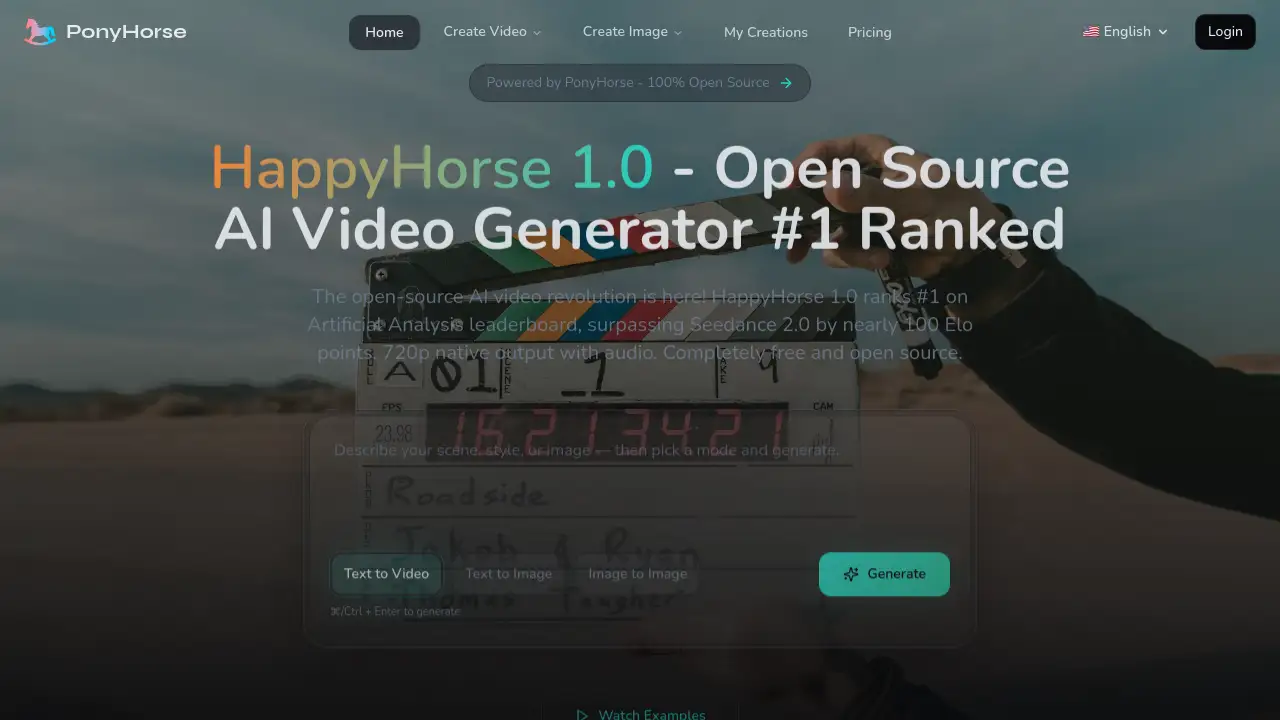
Ponyhorse AI Video, powered by the HappyHorse 1.0 model, is a cutting-edge AI video generator that transforms text prompts or images into high-quality video clips. It solves the problem of expensive and complex video production by providing a powerful, open-source tool that creators can use for free. It is particularly suitable for marketers, social media managers, filmmakers, educators, and content creators who need to produce consistent, professional-looking video content quickly and without budget constraints. What sets it apart is its benchmark performance: HappyHorse 1.0 is ranked #1 on the Artificial Analysis leaderboard, scoring nearly 100 Elo points higher than the well-known Seedance 2.0 model.
Key Features of Ponyhorse AI Video
AI Text to Video Generator
This core feature allows users to turn a single descriptive sentence into a complete, coherent video scene with realistic motion, leveraging a 15B-parameter model for high-quality output.
Image to Video AI
Users can upload a reference image to guide the video's composition, style, and character identity, making it perfect for creating animations or extending static visuals into dynamic clips.
Native Audio Generation
The model performs joint audio-video generation in a single pass, producing synchronized soundtracks, sound effects, and speech with lip-sync support for seven different languages without requiring extra processing steps.
Ratio and Resolution Controls
It offers native 720p video output in standard aspect ratios like 16:9, 9:16, and 1:1, providing ready-to-use clips for various platforms without the need for post-processing super-resolution.
Open Source Freedom
The entire HappyHorse 1.0 model is 100% open source under the Apache 2.0 license, meaning users can freely use, modify, and even deploy it locally without any API costs or usage restrictions.
Physics-aware Motion
The underlying diffusion transformer architecture is designed for temporal consistency, enabling more realistic simulation of complex elements like cloth, water, smoke, and particle effects.
Use Cases for Ponyhorse AI Video
Marketing Videos and Ad Variations
Teams can rapidly generate multiple visual angles and hooks from a single concept, enabling efficient A/B testing and campaign iteration.
Social Media Reels and Shorts
Creators can produce engaging short-form video content in vertical 9:16 format with stable motion and a consistent aesthetic for platforms like TikTok and Instagram Reels.
Product Demos and Landing Videos
Businesses can animate product screenshots and photos to create dynamic explainer clips and demonstration videos for websites and presentations.
Education and Training Content
Educators and trainers can produce visual sequences and animated tutorials to explain complex concepts or demonstrate procedures.
Film Pre-visualization
Filmmakers can use the tool to quickly prototype shots, camera movements, and story beats during the pre-production planning stage.
Animation and Creative Prototyping
Artists and animators can explore motion ideas and refine visual directions rapidly before committing to full-scale production.
How to Use Ponyhorse AI Video
Using Ponyhorse AI Video is designed to be a straightforward, three-step process:
- Write a Prompt: Start by describing your desired scene, action, and style in one or two sentences in the generation box.
- Add a Reference Image (Optional): For greater consistency, you can upload an image to anchor the video's composition and character identity.
- Generate and Export: Press Ctrl/Cmd+Enter to generate. Once the video is ready, you can choose your preferred aspect ratio and download the 720p file for use on your chosen platform.
Target Audience for Ponyhorse AI Video
- Independent Content Creators & Influencers who need to produce high volumes of engaging video content.
- Marketing Teams and Agencies looking to create cost-effective ad variations and promotional materials.
- Small Businesses and Entrepreneurs who require professional product demos and explainer videos without a large budget.
- Educators and Trainers developing visual learning aids and tutorial content.
- Filmmakers and Animators for storyboarding, pre-visualization, and creative prototyping.
- Developers and Tech Enthusiasts interested in leveraging and experimenting with open-source AI models.
Is Ponyhorse AI Video Free?
Based on the provided information, Ponyhorse AI Video, specifically the HappyHorse 1.0 model, is described as "Completely free and open source." There is no mention of a paid tier or subscription plan on the homepage content. Users can access the AI video generator and its features at no cost.
Ponyhorse AI Video's Pros and Cons
| Aspect | Pros | Cons |
|---|---|---|
| Cost & Accessibility | Completely free; 100% open-source allows for modification and local deployment. | Being open-source may require technical know-how for advanced customization or local setup. |
| Performance & Quality | Ranked #1 on benchmarks, outperforming Seedance 2.0; features native audio generation and physics-aware motion. | Maximum output resolution is 720p, which may not meet requirements for all high-definition professional uses. |
| Features & Workflow | Integrated image to video AI and text to video; simple three-step workflow. | Compared to some closed-source competitors, it may have fewer built-in advanced editing or post-processing tools. |
Frequently Asked Questions about Ponyhorse AI Video
Is Ponyhorse AI Video really free to use?
Yes, the **HappyH